Confluence automation, whether it’s native or via apps, is powerful. However, for many teams, the challenge isn’t what it can do - it’s how easy it is to actually put it in place.
In practice, setting up workflows often depends on:
- having access to a Confluence admin
- finding time in an already stretched team
- or raising a request and waiting for it to be picked up
That creates some very familiar blockers:
- simple workflows take longer to implement than expected
- teams delay setting up structure altogether
- each team builds things slightly out-of-sync
Even in organisations with dedicated admins, there’s usually a balance to strike between central control and team autonomy.
Common starting points
Across different teams, most workflows tend to fall into a few common patterns:
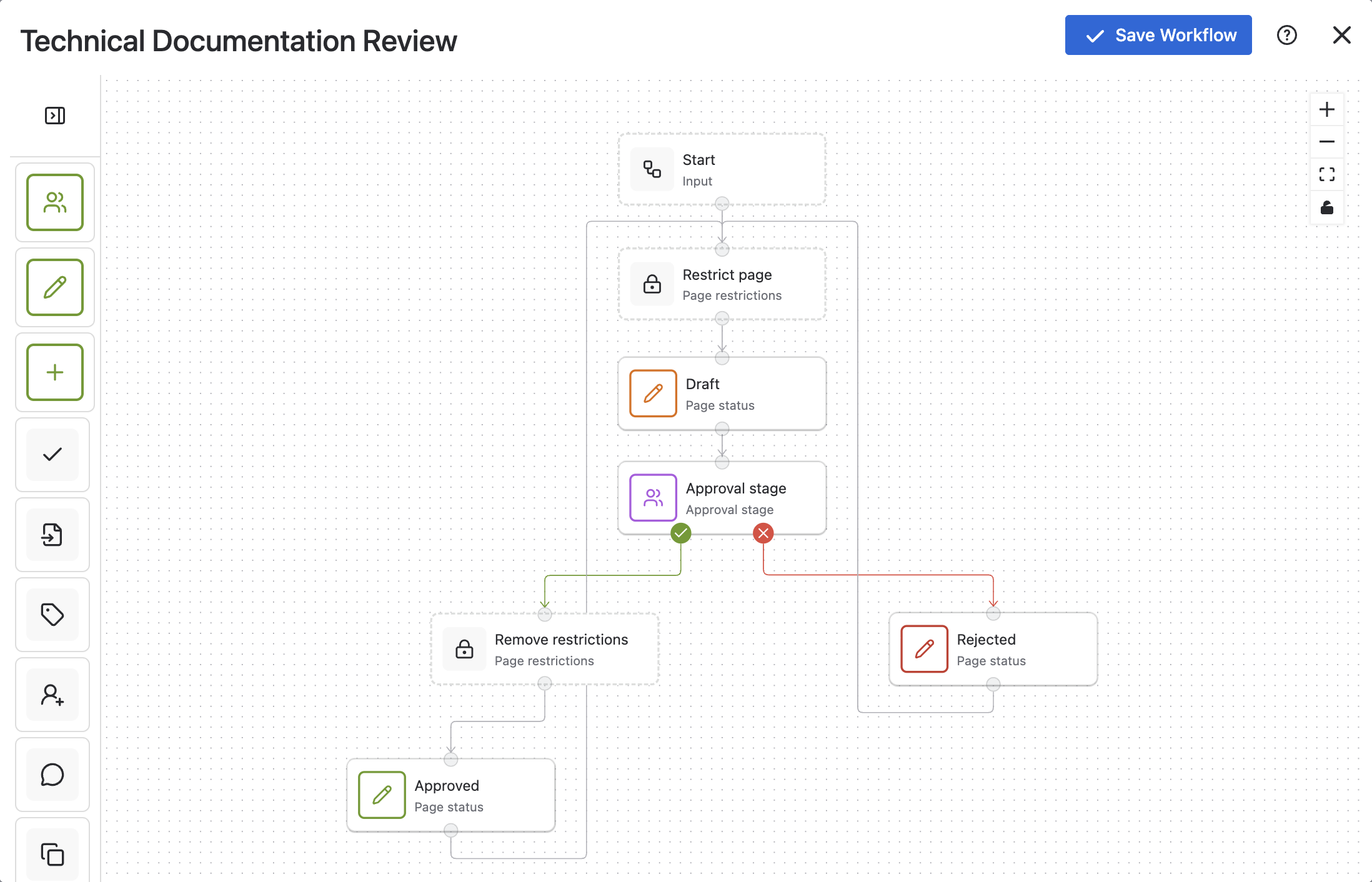
- Technical documentation teams need review before publishing
- HR teams need clear approval steps and separation of working drafts and published policies
- Compliance teams need version control and traceability
Different use cases, but very similar underlying workflows.
The challenge is that getting from “we need this process” to “we have something working” can take more time and coordination than it should.
A more practical approach
What we’ve seen work well is a simpler way of getting started:
Start with a standard workflow pattern, then adapt it to your needs.
Instead of building everything from scratch:
- begin with a pre-defined structure
- assign the right people
- adjust statuses and transitions where needed
This reduces the dependency on a central admin team and makes it easier for teams to get up and running without letting the great become the enemy of the good ie. waiting or over-planning.

How to translate theory to practice
This is exactly why we’ve introduced workflow templates in Workflows for Confluence.
When creating a new workflow, you can now:
- choose from templates, pre-populated for common use cases
- use a simple interface to add necessary approvers and stakeholders
- make small adjustments to fit your processes using the completely no-code builder
From there, everything remains fully customisable, but you’re starting from something that already works.
For teams trying to scale Confluence without adding more overhead, this tends to be the difference between workflows that get delayed or over-engineered, and workflows that are actually adopted and used.
If you’re working with Confluence automation today, a useful question to ask is:
Are we relying on a few people to build everything, or giving teams a way to get started themselves?
