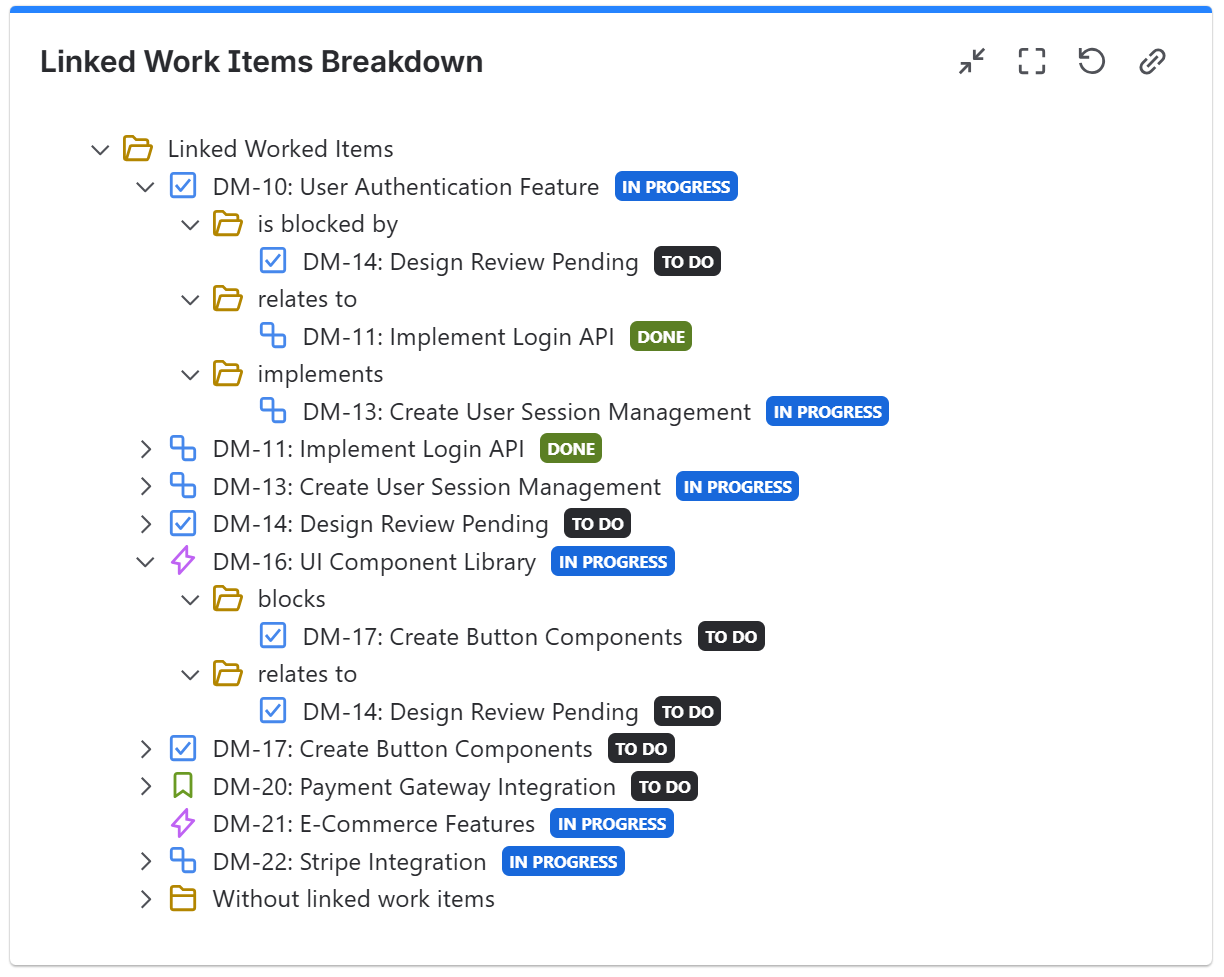
Hi everyone,
If Atlassian had never allowed “Linked issues” as a List column before, how would you design this today from scratch? Is there a better way to think about surfacing cross-project relationships?
In the legacy Jira experience, we could add a “Linked issues” column to the List view to see which issues in one project were linked to issues in another.
In the new Projects experience (company-managed), I can no longer add “Linked issues” to the column list. It does not appear as an available field when configuring columns.
My goal is to:
- View linked issues directly in the List view
- See cross-project relationships without opening each individual issue
- Allow PMs to quickly scan related work and click into those linked issues
As a workaround, I tried creating a custom text field and using automation:
- Trigger: when a work item is linked
- Branch to the linked work item
- Populate the custom field with the linked issue summary
However, this feels like duplicating relational data just to make it visible in a flat view.
So I’m trying to understand:
- Is the “Linked issues” column intentionally unavailable in the new List view?
- Is there a supported way to display linked issue summaries in List view?
- Is automation the only viable workaround?
Circling back to my original question: if this were being designed today in the new experience, what would be the recommended pattern for allowing a Project Manager to quickly scan linked work across projects and drill into it?
Any insight would be appreciated.