Hi all,
I created some automation to amend a list of approvers, based off the type of work item. What I have noticed is that often the automation is failing and throwing an error in the audit log, but the reason does not make sense.
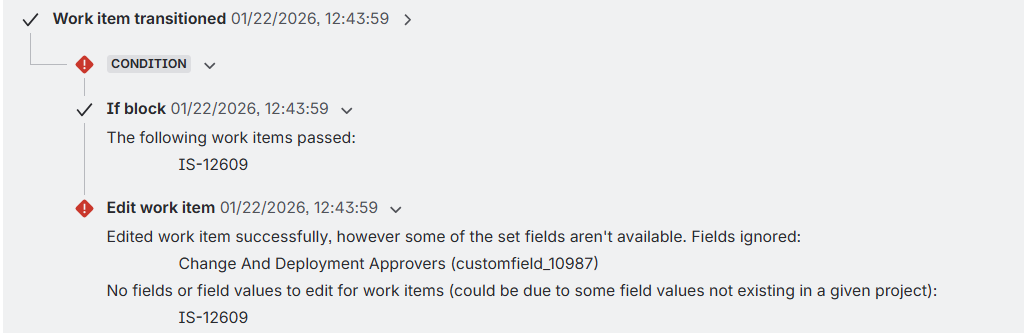
This is the error from the audit log, however the field does definitely exist and is available within the project. I know this as it sometimes works and sometimes does not - for the same work item types and within the same project. It appears completely intermittent. Sometimes it throws the above error however the automation works ?!?!?! Occasionally the users will clone a working ticket, only to have the automation fail in the new ticket.
For reference, this is the audit log for the exact same type of work item within the same project.
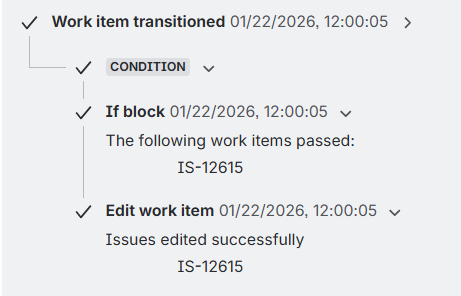
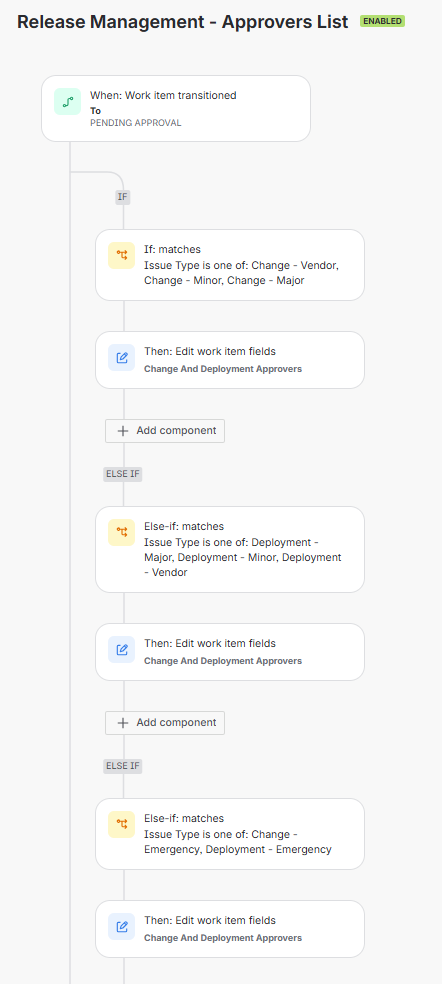
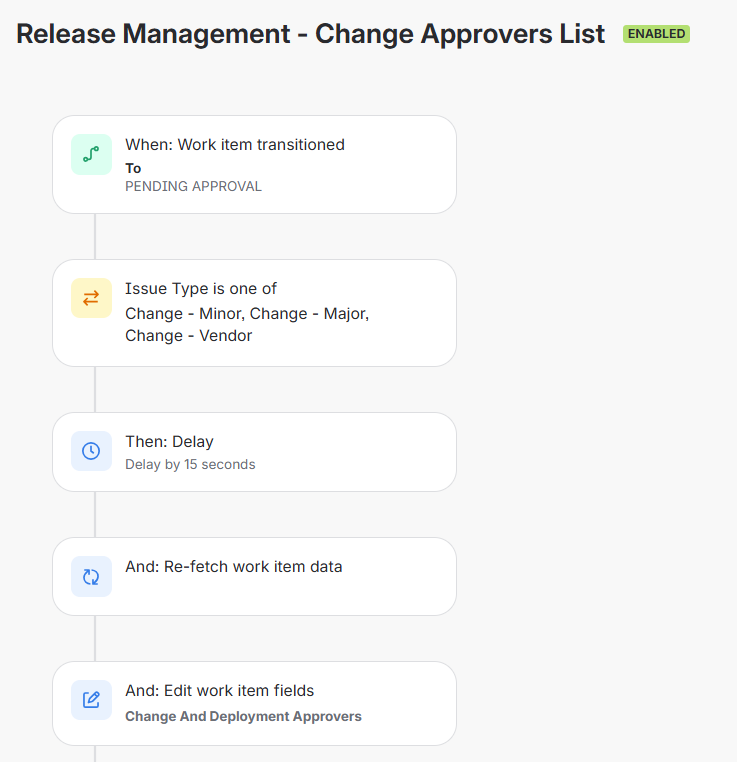
EDIT FOR CLARITY: I now have 3 automation rules that perform a similar function (based on what type of work item). I would prefer to have the one "main rule" once I can rectify this issue
1. The main rule
2. The Split Rule - Changes
3. The other split rule - Deployments
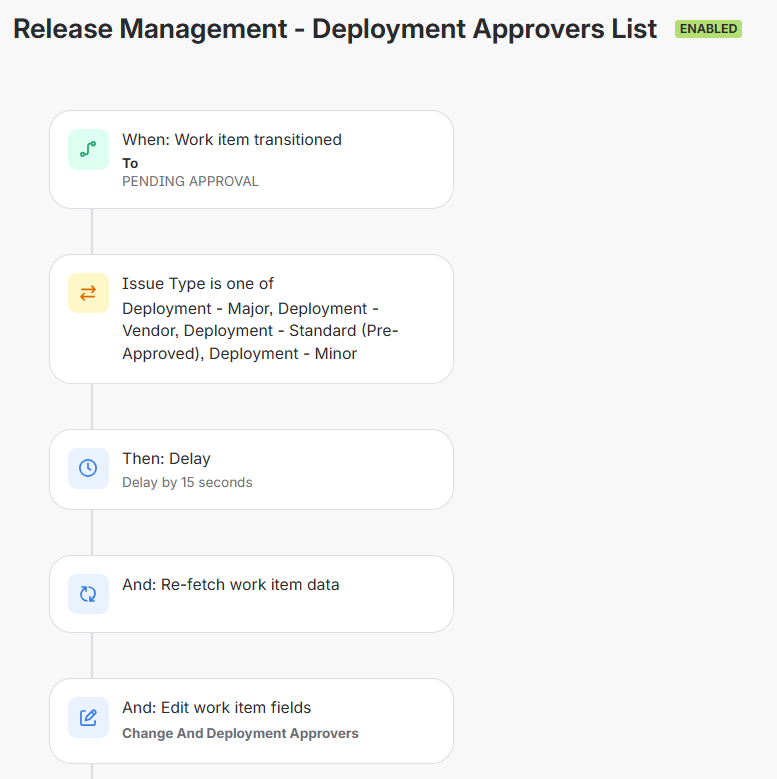
The Delay and re-fetch items above were added in my attempts to fix this issue as I thought it may be caused by some sort of lag issue within Jira during the status transition, where the field becomes momentarily unavailable. This has not fixed the issue
The field is a global field and is used in every project within the company - likewise with the work item(s).
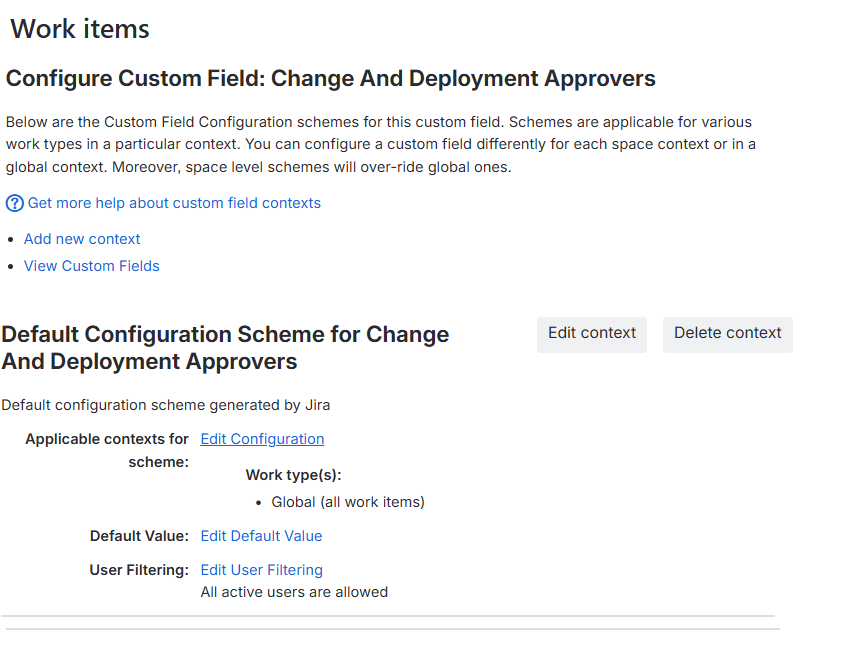
I have checked Solved: "Some of the set fields aren't available" error in... and How to Fix "Unknown Fields" Error in Jira Cloud Automation Rules | Jira and Jira Service Management | Atlassian Support but they dont appear to solve my issue as far as I can tell.
I am not very technical so I could be missing something quite simple but logically it doesn't make sense to me.
UPDATE: This is the audit log (albeit from a different project and work item type) where the audit log showed this error but the automation seemed to actually work correctly.
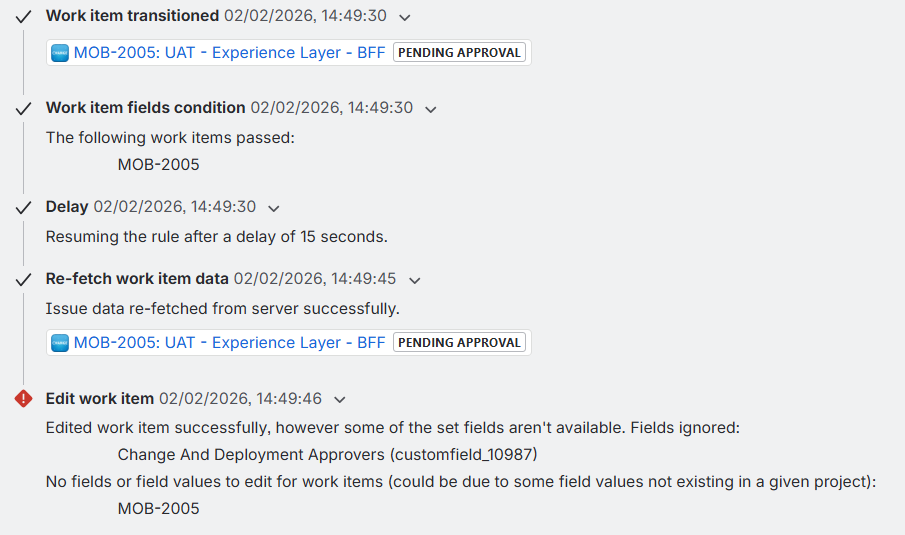
ADDITIONAL UPDATE:
This is the exact same ticket having success and then failing on the same rule a few seconds later
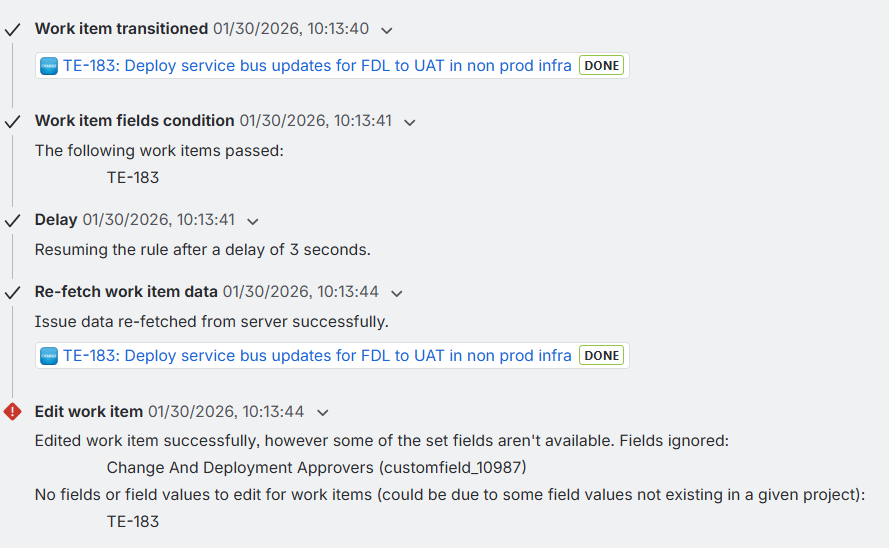
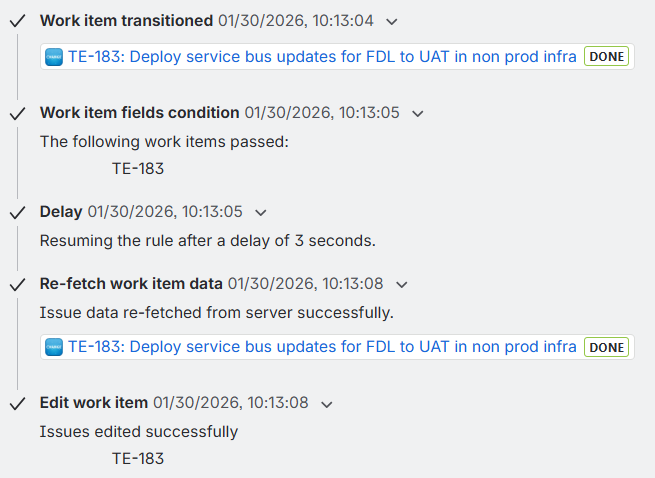
ADDITIONAL UPDATE AGAIN:
My perception is that the issue occurs in 2 specific work item types (regardless of project) As per the evidence above, it does not always occur but all other work item types appear to be going through without issue and without throwing the error in the audit log.
I have gone through and checked between the work items that seem to fail and the work items that seem to pass:
- they appear in all the same schemes
- the "Change and Deployment Approvers" field does not show in any screens
- the "Change and Deployment Approvers" field does not show in any work item layouts
Anyone able to assist?


