I'm having trouble executing the automation shown below.
As there seems to be no way (without access to extensions) to compare the person assigned to a task (upon completion) to a certain group of people, I had to create an automation similar to the one shown.
I am running several of these rules for each department in order to test which department a task was assigned to.
The issue appears only in one of these rules so far and seems to stem from the "ß" in the first name I am testing for.
For privacy's sake the names are fake.
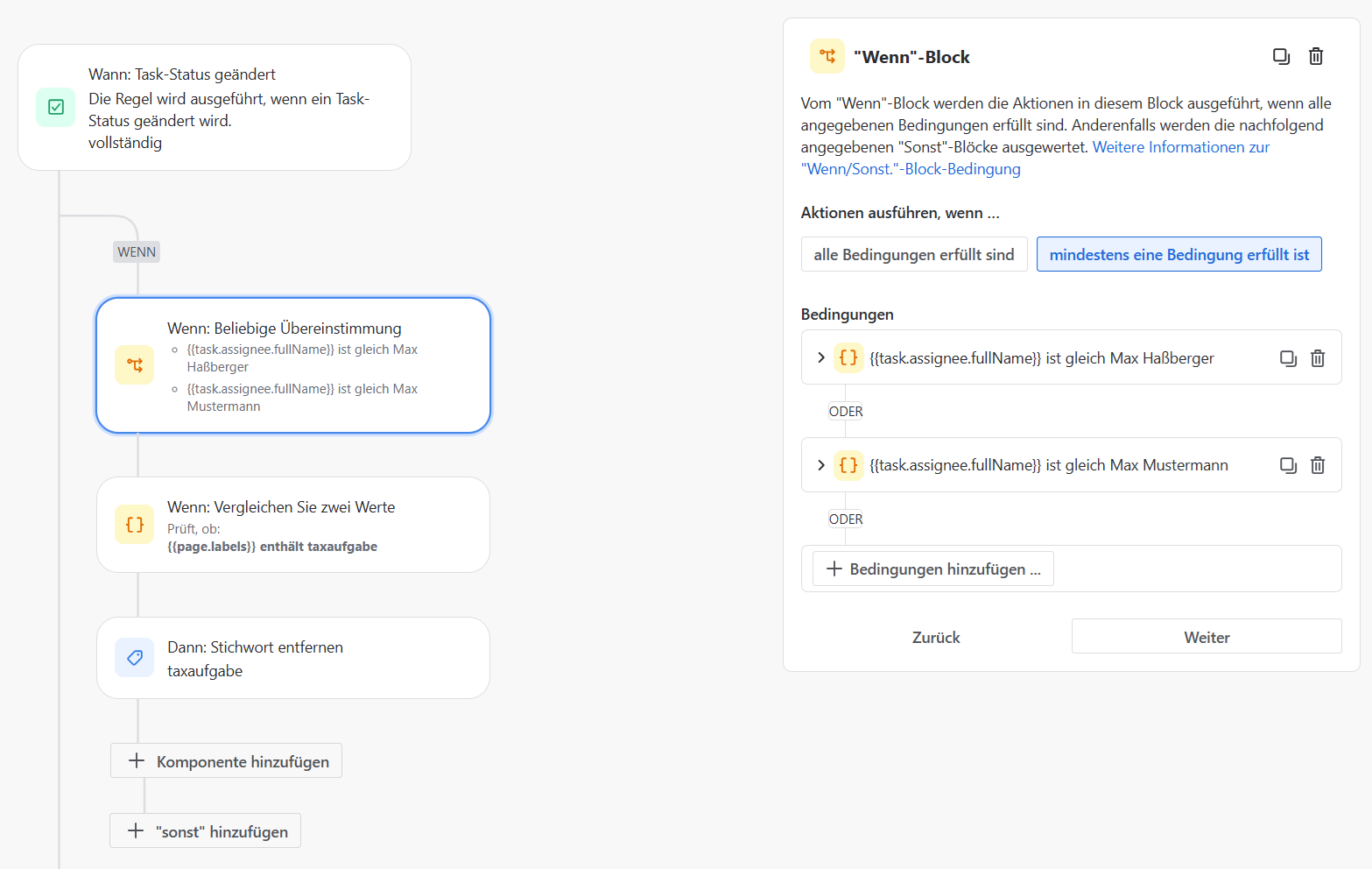
There seem to be no issues with umlauts. They work fine. But the "sharp s" aka "ß" doesnt seem to work.
I recreated to the whole rule from scratch for troubleshootings sake - no change
I changed the lettering from "ß" to "ss" in hopes it would work - no change
I tried the other people of the same group (and thus falling under the same automation rule) and that worked.
Does anyone have a solution for this?
P.s.
Im not sure if this is a setting on our side, but even for the "task created" trigger where you can directly access the users, I still dont have a way of selecting groups here (even though in the atlassion documentation it was said, that were possible).
Also, why is it different from "task status changed" it is just as interesting to have access to the users here and not having to resort to manually writing down every user (prone to errors).
Thanks in advance for any help! 

