So, I know there there is no way to edit the default approval required email with the approval buttons (unless you use the workaround provided by the community).
I have setup an automation email to be sent instead, and it provides a link to the customer portal for the user to click on.
However, when the customer receives the email, it's not very pretty.
What code do I put into the 'Send email' automation section to achieve this?
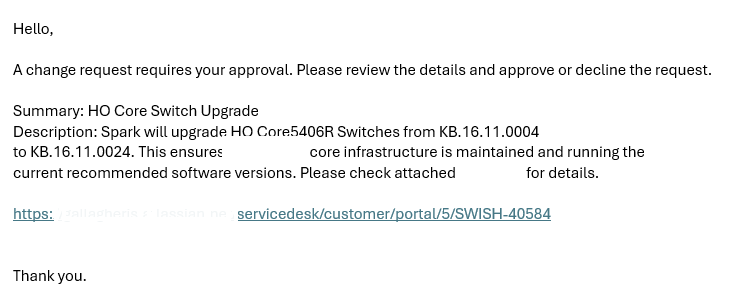
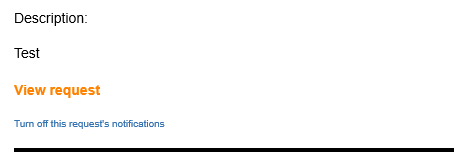
Attached is an example of the email notification content. I am specifically interested in having the long URL link provided changed to something like 'View Request here'. I've attached an example of what the default approval notification looks like. But the coding/scripting you use in the Notification area is different to the scripting you use in the Automation area.
Current automation email:
What I want it to look like:
What my automation rule looks like:
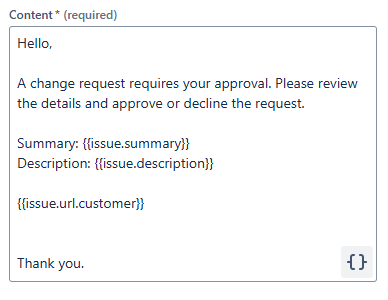
I know that in the portal, you can use the format [text|https://.......] and it just shows the 'text' words, but when I tried to use that in the automation rule above, it didn't work.
I'm not very good with scripting, which is why I am reaching out.


