Hey everyone!
After some exploration, I found a way to link asset objects to a specific customer so that they can only see assets assigned to them in the portal form—natively, without extra workarounds!
Objective: When Customer A accesses the portal, they’ll only be able to select Product assets that are assigned to them.
Here's a step-by-step guide on how to set this up:
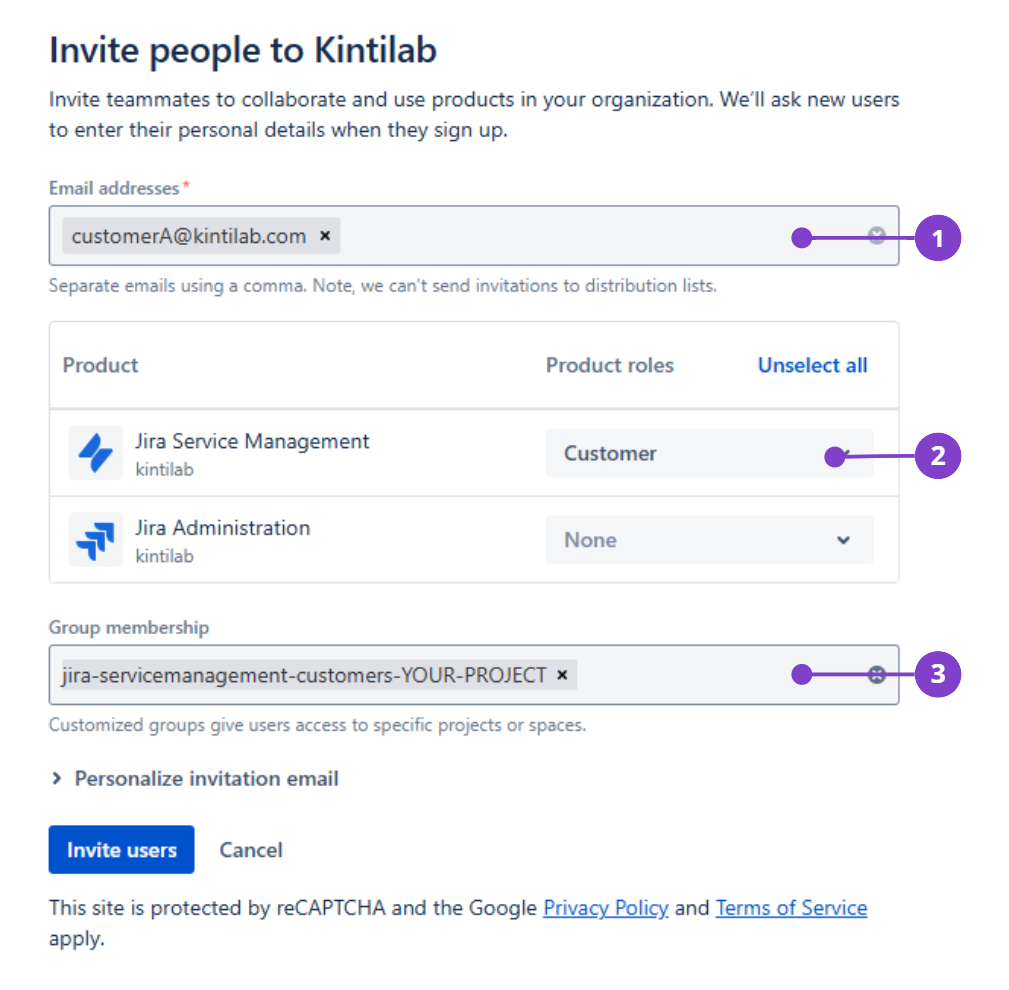
Step 1: Invite the Customer to a Group
Head to https://admin.atlassian.com/.
Create a new group with the Customer role (or use the default jira-servicemanagement-customers-YOUR-PROJECT group).
Go to the Users tab, invite your customer, and assign them to the desired group.
Note: A user with only the Customer role doesn’t count as a paid user!
Step 2: Add the Customer to Your Project (If Necessary)
If your JSM project is restricted, add the customer to the JSM project by their email under Project Settings > Customers.
⚠️ Important: Avoid adding the customer directly to your JSM project before step 1.
Step 3: Configure Your Asset
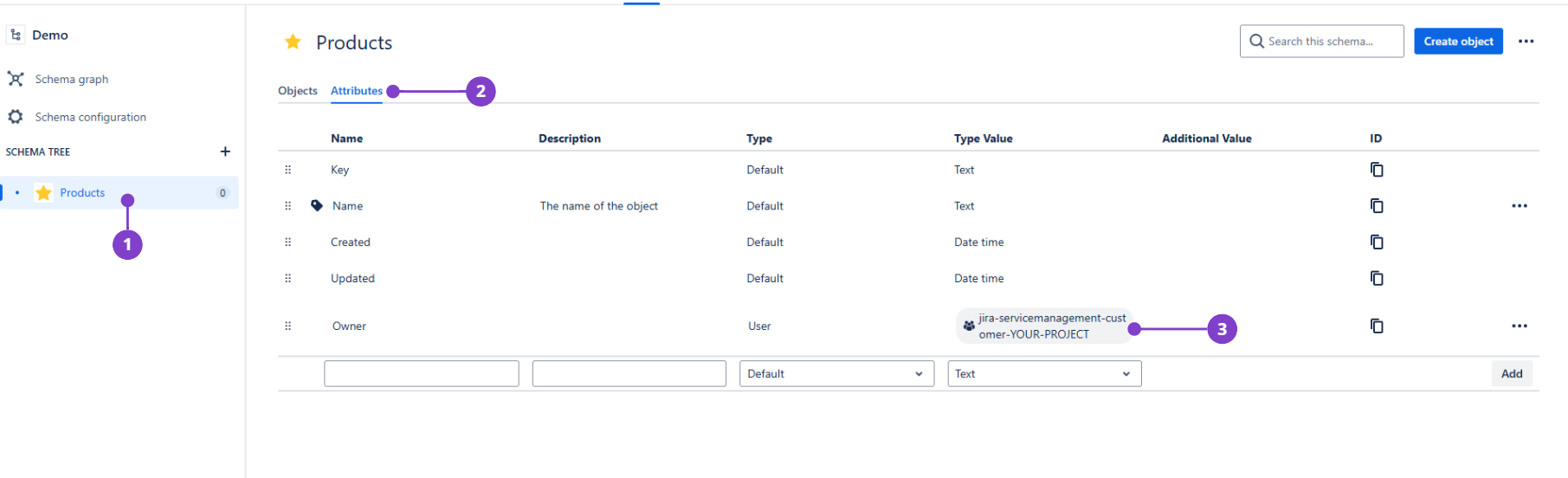
Go to Assets and create a new asset object type, like "Products."
Add a user attribute to this object type (e.g., "Owner") and select the group jira-servicemanagement-customers-YOUR-PROJECT.
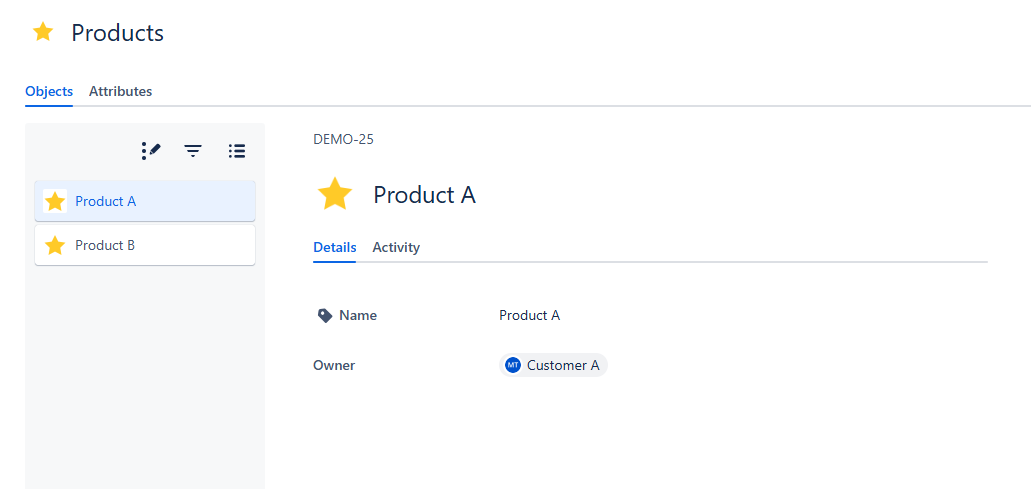
Create individual Product objects and assign each one to a specific customer as the owner.
Step 4: Create a Custom Asset Object Field
Go to Custom Fields and create a new asset object field.
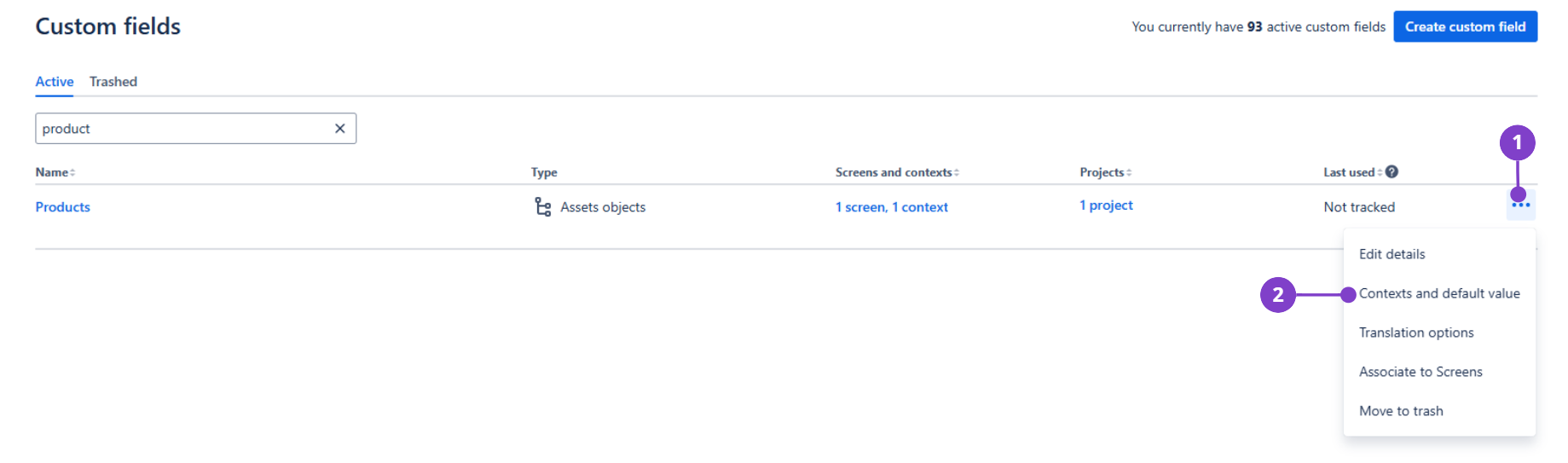
In Contexts and Default Value, set up these AQL filters:
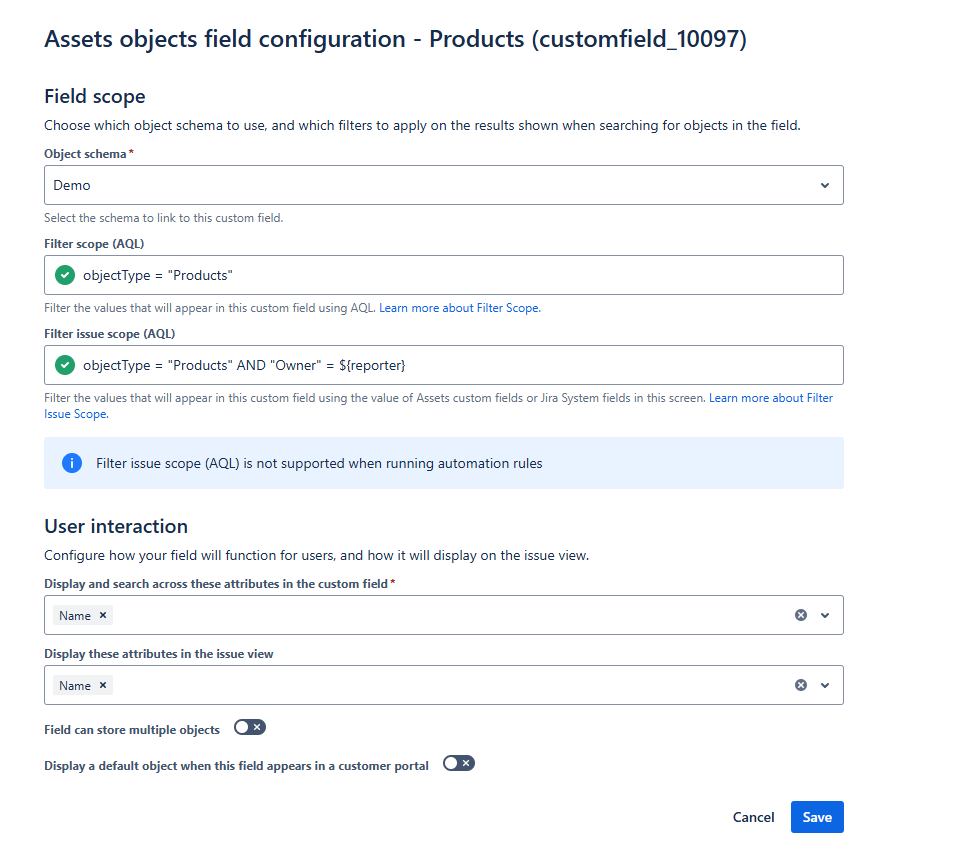
Step 5: Add the Custom Field to a Request Type
Finally, add your custom field to the desired request type in your JSM project.
And that’s it! 🎉 Now, when your customer submits a request, they’ll only be able to select from the Product assets specifically assigned to them.
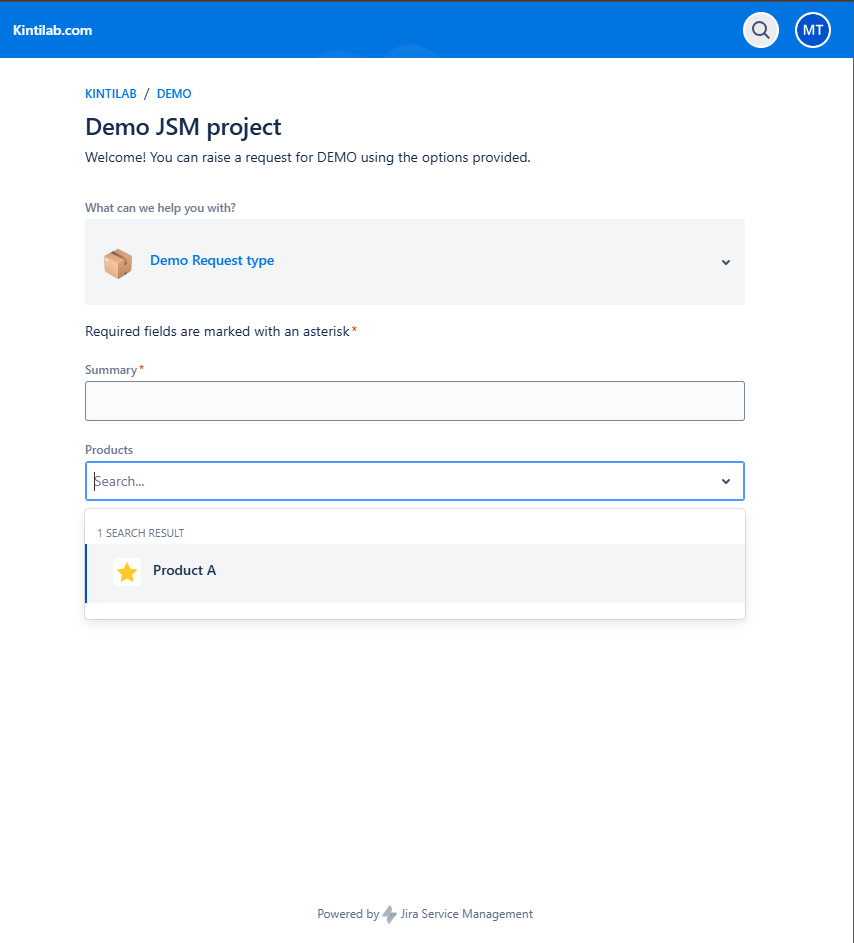
Let me know if this helps or if you have any questions!


