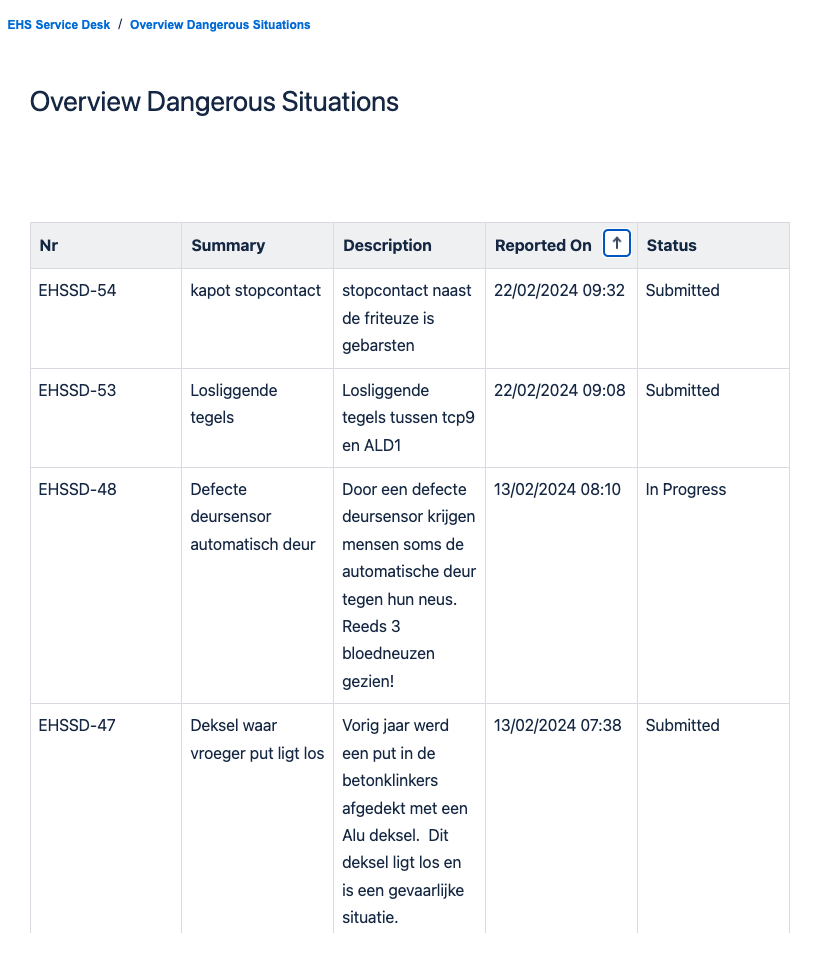
Hi Community,
What do we want to achieve?
Sometimes, there is a need to share JSM tickets within the organization.
In our use-case, customers have the possibility to report dangerous situations on the workfloor via the JSM portal by creating a JSM ticket. (Ex. A fire escape door has been temporarily blocked, construction work is going on in a specific part of the plant, …).
The organization wants all employees / customers to be aware of these situations.
JSM already provides some options to share tickets:
- Share individual tickets manually with specific people
- Automatically share tickets within your organization
In these cases, the tickets are visible in the users ticket overview in the portal. And this also allows the customers to receive updates, add comments, etc ….
But in our case, we don’t want to setup organizations. We don’t want to share all information, we don’t want them to receive updates or allow them to comment on them.
Our solution
After some investigation, we decided it would be best if we could just publish an overview of all open ticket, on the Confluence knowledge base, connected to the portal.
How we did it
All you really need is a Confluence page, and an automation rule that updates this page with ticket information.
So first, create a page in your Confluence Knowledge base. You will need the PageID in order to be able to update the page via the automation rule.
Next, you need to build the automation rule that will update this page with ticket information. It will look something like this.
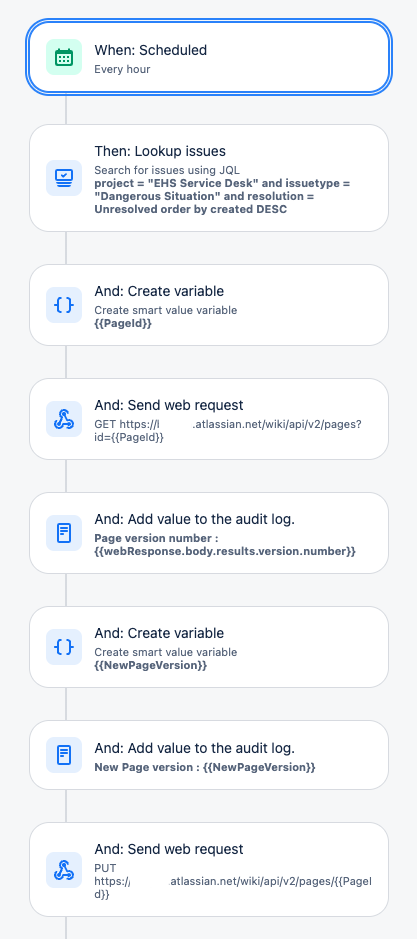
Steps in the automation rule:
- The trigger executes this automation rule at a regular interval (ex. each hour or each day. But you could also do it each time a new ticket is created).
- The “Lookup Issues” action retrieves a list of all open JSM tickets via a JQL query.
- Then, use the Confluence API to retrieve the page with the PageID
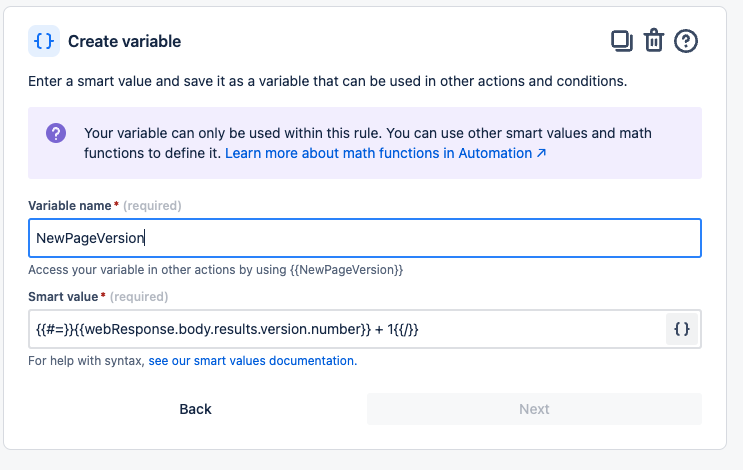
- Next, retrieve the current version of the page, and increase the version by 1. You won’t be able to update the page if you don’t increase the version number.
- Then, use the Confluence API to send a new version of the page, with the pageID and the new version number. You can construct a table in the "Value" parameter where you loop over the retrieved ticketnumber with the {{lookupIssues}} smart value.
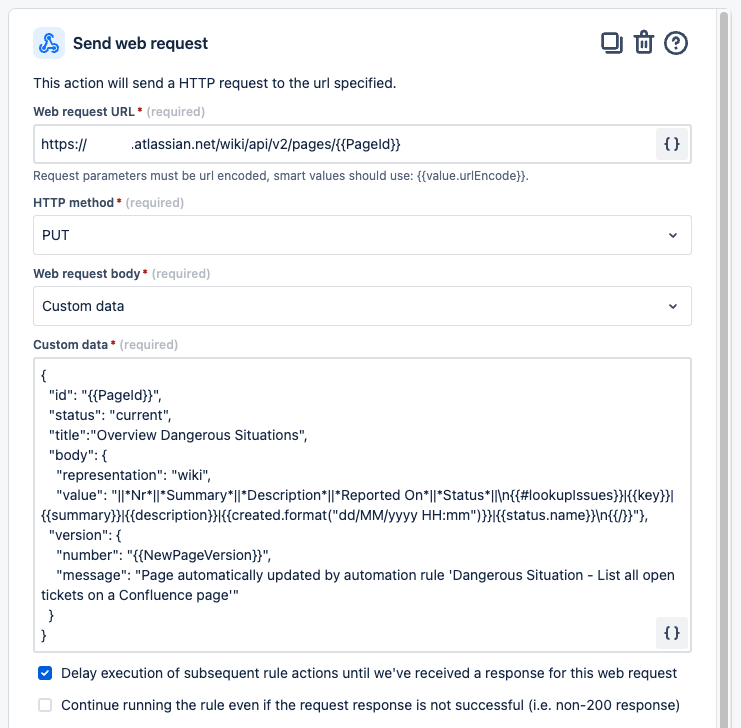
That’s it.
How does it look in the portal and Confluence?
Since the Knowledge base is already connected to your JSM project in the portal, you can include the URL to the page in a Topic, or in the Request Type page.

The Confluence page contains a table with all your issues.