
Let's talk about something constant in our world – the never-ending stream of service tickets that feels like juggling in a circus 🎪 – keeping multiple balls in the air while new ones are constantly thrown into the mix. Sounds familiar?
🥋The Quick Judgement Call
First, give it up for the unsung heroes: service desk engineers. 🏋🏻
They have this almost superhuman ability to eyeball a ticket and instantly know what's up. This 'snap judgment' isn't just a fluke – it's a fine-tuned skill honed by experience, context and a bit of IT sixth sense.
They don't need to spend ages staring at the ticket to make a call.
In fact, in my observation, depending on the complexity of the ticket, they might only spend 17-30 seconds of "glancing time" on each before either switching to a different task for review or stopping and digging their heels to start the triage.
And that felt super laser-fast.
⏱ We needed that knowledge because we ourselves use the tool that we built to automatically track the time for our support engineers when they respond to the tickets and we didn't want it to start logging time as soon as we opened the ticket. We've set it up to kick in only when our heroes have spent a good 17 seconds (or any time you set, really, because it's fully configurable) actively working on a ticket. No more logging those seconds spent just scanning the ticket – we're talking about real, hands-on-the-keyboard time.
🚴🏻 Rapid-fire processing
But of course, I needed to dig further, so I went and checked if there is any research to support what we've seen over the years working with Service teams and running the support function ourselves.
Scientists have yet to turn their gaze towards the SD teams specifically but to my surprise MIT crew determined that we can process what we see (an image for example) within as little as a whopping 13 milliseconds.
“The fact that you can do that at these high speeds indicates to us that what vision does is find concepts. That’s what the brain is doing all day long — trying to understand what we’re looking at,” says Mary Potter, an MIT professor
👀 🧠 So, if our brain/vision power couple is looking for familiar concepts to process, how can we make it easier for the service desk engineers to see the right flags when they are looking at the form like this?
 I spy with my little eye...
🖼 Optimising the canvas
In general, the ability to make accurate and effective snap judgments about tickets is influenced by several factors:
- Ticket Clarity: The way a ticket is written significantly impacts this assessment. Clear, well-structured tickets with relevant information (like system logs or error messages) can be quickly categorised. 🗄
- Contextual Knowledge: Engineers often have an understanding of the current IT environment. For example, if they know there's an ongoing issue with a particular system, they can quickly prioritise tickets related to that issue. ⚠️
- Visual Clues: Red flag, big red buttons with words like "Major", warning signs, missed SLAs - all of it prompts us to address the ticket with urgency. 📛
Let's unpack each one for some practical advice on what you can do with the ITSM tool of choice for thousands of support teams - Jira Service Management.
Enhancing Ticket Clarity with Structured Fields and Templates:
- In Jira Service Management, you can use the 'Request Type' feature to create specific templates for different types of issues. These templates can prompt users to provide detailed and structured information, such as system logs or error messages.
 Be specific with your types of requests.
- Utilise custom fields to capture all necessary information when a ticket is created. For example, add fields for error codes, impacted systems, or severity levels.
- Implement the use of 'Forms' within Jira Service Management to guide users through a step-by-step process of providing all relevant details, ensuring clearer and more structured ticket submissions.
 Quick forms pre-filled by the users help support engineers.
Leveraging Contextual Knowledge for Prioritisation:
- Use the 'Automation' feature in Jira Service Management to set rules that automatically prioritise tickets based on specific criteria. For example, if there's a known issue with a particular system, you can create a rule that automatically escalates tickets related to that system.
- Utilise the Affected Services feature from Assets to link tickets with specific assets or configurations, allowing engineers to quickly understand the broader context of an issue and prioritise accordingly.
 Affected Services and related Open Incidents.
- Integrate Jira Service Management with monitoring tools to automatically create tickets with enriched context. This integration can help in automatically tagging tickets based on the affected system or service.
- Use Atlassian Intelligence's summarization feature to create a concise overview of a ticket's content, which can be presented at the top of the ticket or sent as a summary notification to the assigned engineer. This ensures that important details are not missed and helps in faster decision-making.
 Use the smarts to save you time.
Identifying Urgent Issues with Visual Cues:
- Customise your Jira Service Management dashboard to include visual indicators such as colour-coded priority levels or icons for 'Major' incidents. This can be done using 'Dashboard gadgets' that allow for a quick visual assessment of ticket urgency.
 It's Major!
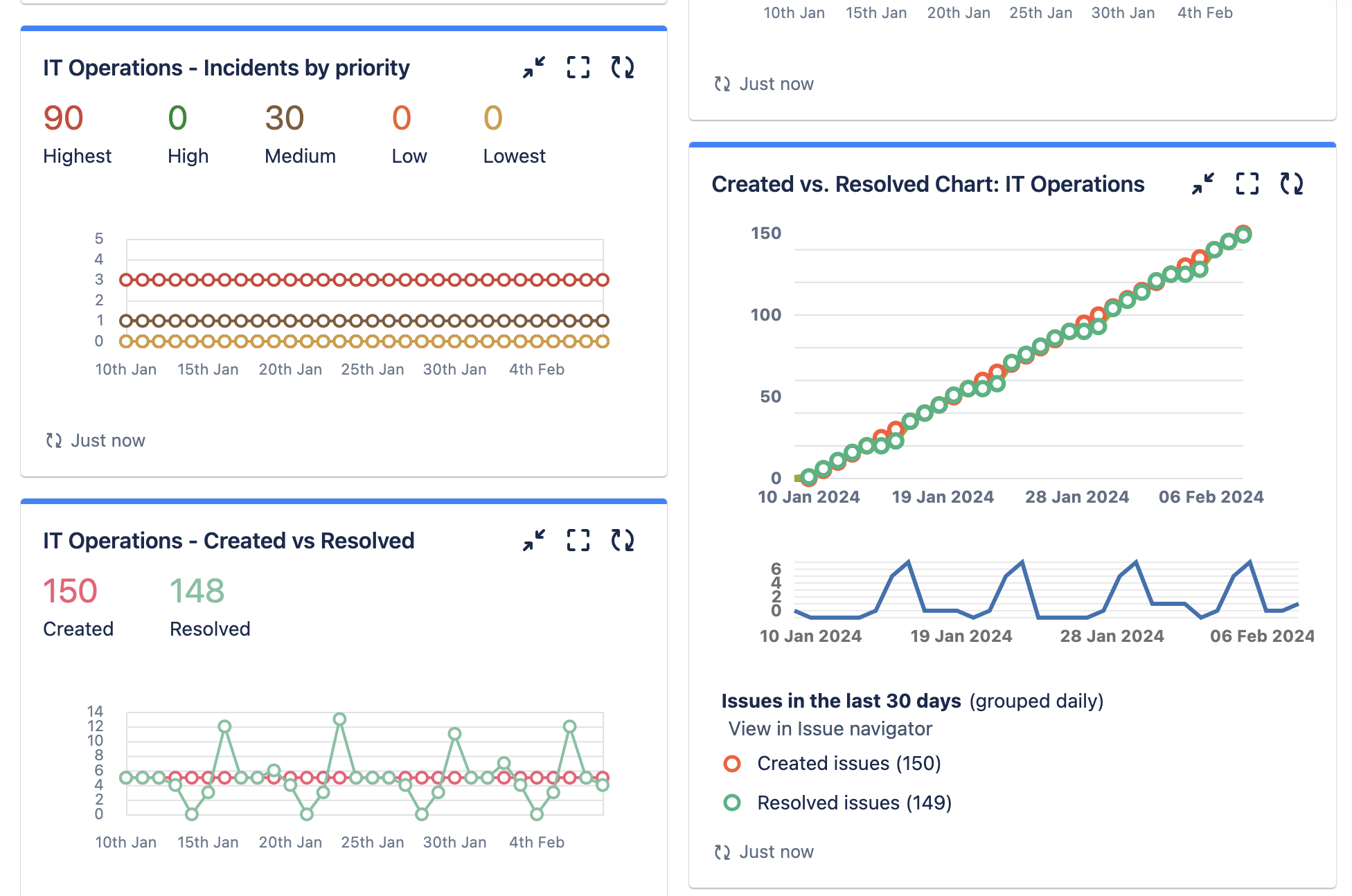
Who doesn't like dashboards...
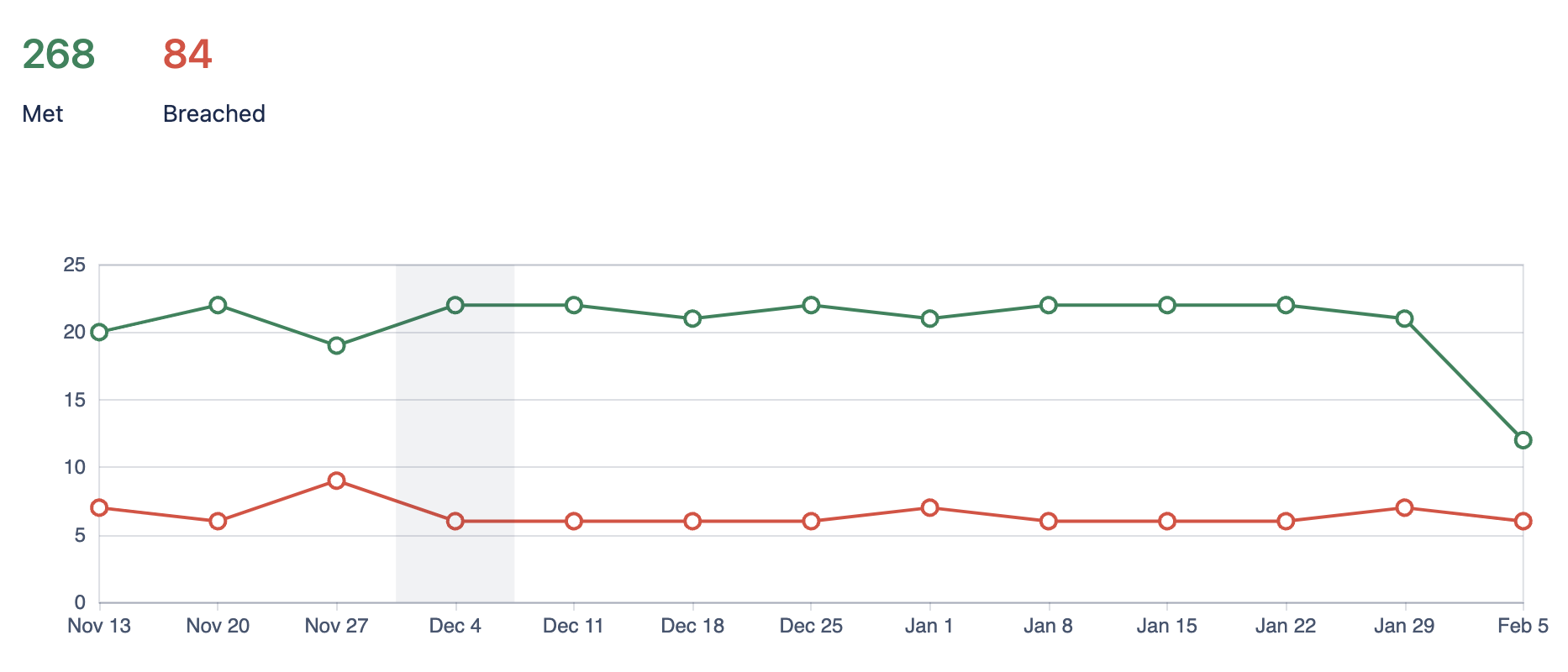
- Set up 'SLA (Service Level Agreement) Metrics' to track response times and resolution deadlines. Configure these metrics to display warning signs or change colours when SLAs are at risk of being breached.
 You're on track with your SLAs
- Employ 'Labels' and 'Components' to categorise tickets visually. For instance, use a red label for high-priority tickets or a special component for critical systems, making them stand out in the ticket queue.
- Quickly check how much time has already been logged on this ticket in the Time Tracking section.
 Someone's already been working on it, hmm...
Key Takeaways for the ITSM Mavericks
By combining the intuition and expertise of IT professionals with cutting-edge tools like Jira's automation and Atlassian Intelligence, we can achieve much more and just get through that queue in time for the kids ' sports practice!
What are the biggest challenges that you are struggling with when triaging tickets or working with the JSM metrics and reports?


