Hi Community,
I am trying to use automation to add templates to stories and tasks, and format/color those templates suitably across both dark and light modes of Jira.
I can currently use the automation rule to format the text as a bold h3 header:
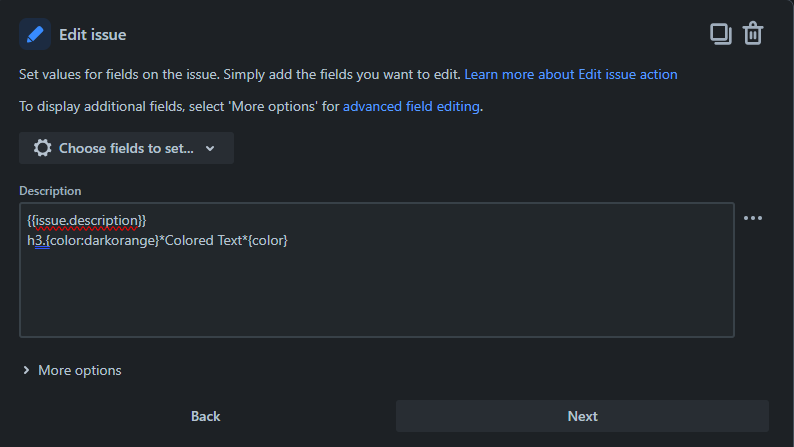
However, the orange color I have chosen is not what appears once the automation runs:

When I select the description field to edit it, the editor then displays the correct orange color, but saving the field and going back to viewing mode reverts the color to blue again:
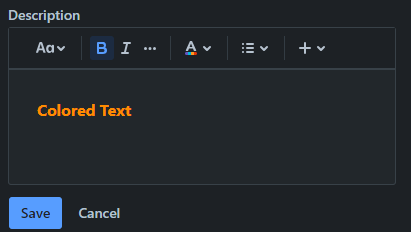

Switching over to light mode, the color displays as the correct orange in all modes:

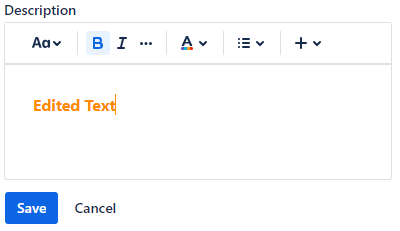

This is obviously something that Jira is trying to do to combat contrast issues in dark mode.
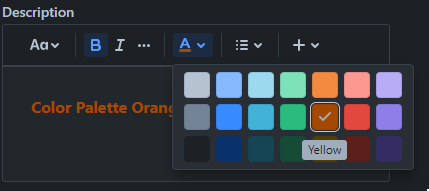
Is there any way to set the automation rule to use the default color palette available in the text editor, as this is correctly configured to work with dark mode:


Thanks

