Hello, I think I discovered a styling bug with the Jira Cloud app for Microsoft Teams (1.6.00.24078 (64-bit) and Windows 11, if that is important).
Steps to replicate:
- Open MS Teams app
- Navigate to a Team > any channel you have rights to create new conversations in
- Create new conversation
- Paste URL from your jira cloud instance
- Wait a few seconds for the add-in to appear:
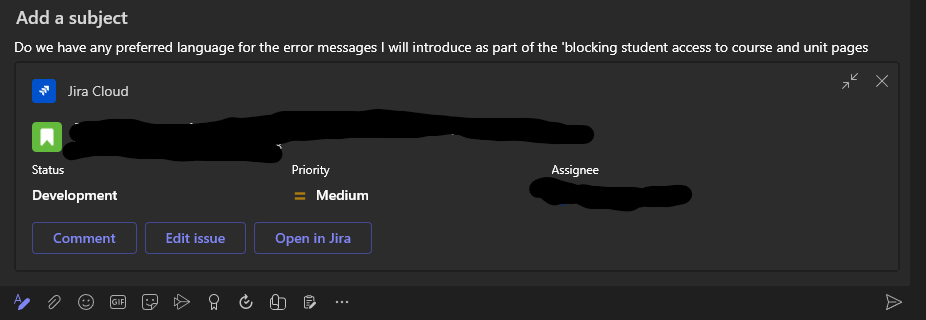
- Navigate away from the channel (I went to the Side menu > Chat > a group chat)
- Come back to the channel
Anticipated outcome: The message draft is in the exact state I left it in step 5.
Actual outcome: Jira Cloud widget is still in-line in my draft, but the formatting is messed up, and buttons are replaced with raw text that is not hyperlinked anymore
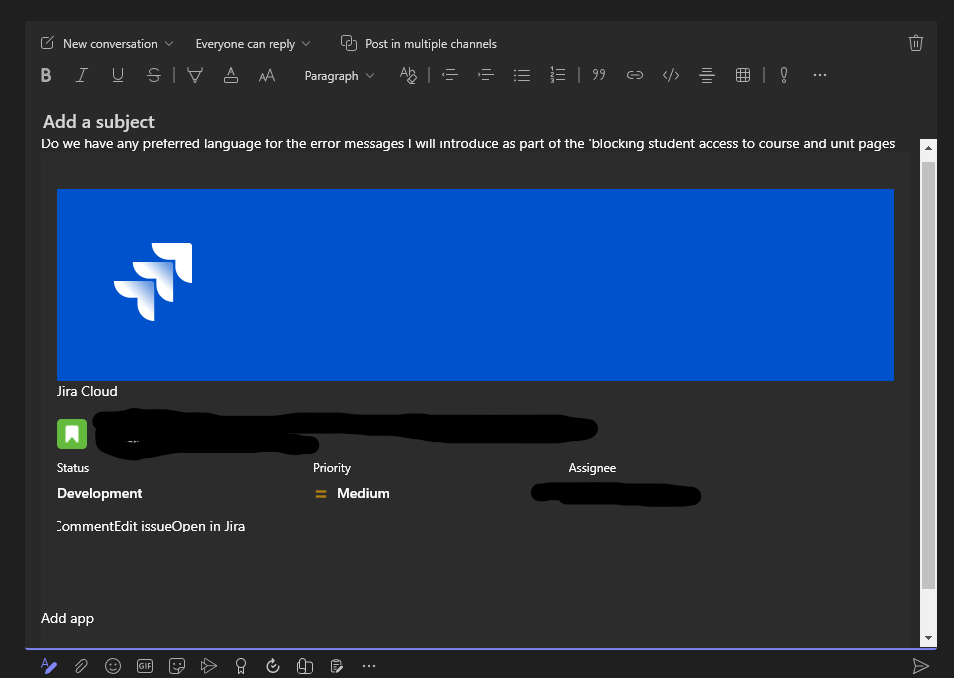
Workaround: delete the widget, paste the URL and wait for the widget to appear again.
