If you’ve been hearing the buzz about “CMDB”, or “Jira CMDB”, and wonder what it’s all about, you’re in for a treat. In this blog, we’re going to unravel the mystery of Jira CMDB step by step.
We’ll start with the basics, breaking down what Jira and CMDB mean in simple terms and explaining what Jira CMDB really is. But don’t worry; we won’t stop there. We’ll also cover the essential foundations of Jira CMDB and walk you through it, ensuring even beginners can dive in with confidence.
So, whether you’re a tech newbie, a seasoned pro, or just someone curious to learn something new, join us on this adventure to demystify Jira CMDB together!
✍️ The Definition of Jira CMDB
For greater clarity, let’s dissect the term “Jira CMDB” and closely examine each part.
What is Jira?
To get started, let’s dive into the Jira definition first. Jira, developed by Atlassian, is a widely-recognized project and issue tracking software extensively employed in diverse sectors, particularly in software development and project management. You can use it to plan what needs to get done, track progress, and make sure everything is going smoothly. Jira is pretty flexible, so you can use it for all sorts of tasks.
What is CMDB?
Now, let’s talk about CMDB, which stands for Configuration Management Database, the backbone of IT service management (ITSM). It’s a specialized database that plays a pivotal role in storing comprehensive information about an organization’s IT assets and the intricate relationships between them. IT assets can be everything from servers, routers, and switches to software applications, licenses, and even documentation.
So, what is Jira CMDB?
You know what’s pretty cool? The whole idea of Jira CMDB is just like a tech collaboration where Jira teams up with a CMDB tool. Let’s take AssetIT as our star player here. Proudly to be a solution of Jira asset management, AssetIT is a champ at organizing and tracking IT assets in the Jira ecosystem.
Read more about Jira asset management: What is Jira Asset Management? Discover 4 Steps to Get Started with AssetIT
But here’s where the magic happens: when AssetIT joins forces with Jira, they become the Batman and Robin of IT management. AssetIT transforms into a supercharged Jira CMDB. What does that even mean? Simple. While you’re in Jira, juggling your projects, AssetIT is right there with you, helping you keep an eye on your IT assets. Jira and AssetIT effortlessly become a dynamic duo in the game of asset management for Jira.
✍️ Why is Jira CMDB So Vital in IT Management?
The significance of Jira CMDB lies in how it greatly improves IT asset and configuration management, offering several noteworthy advantages:
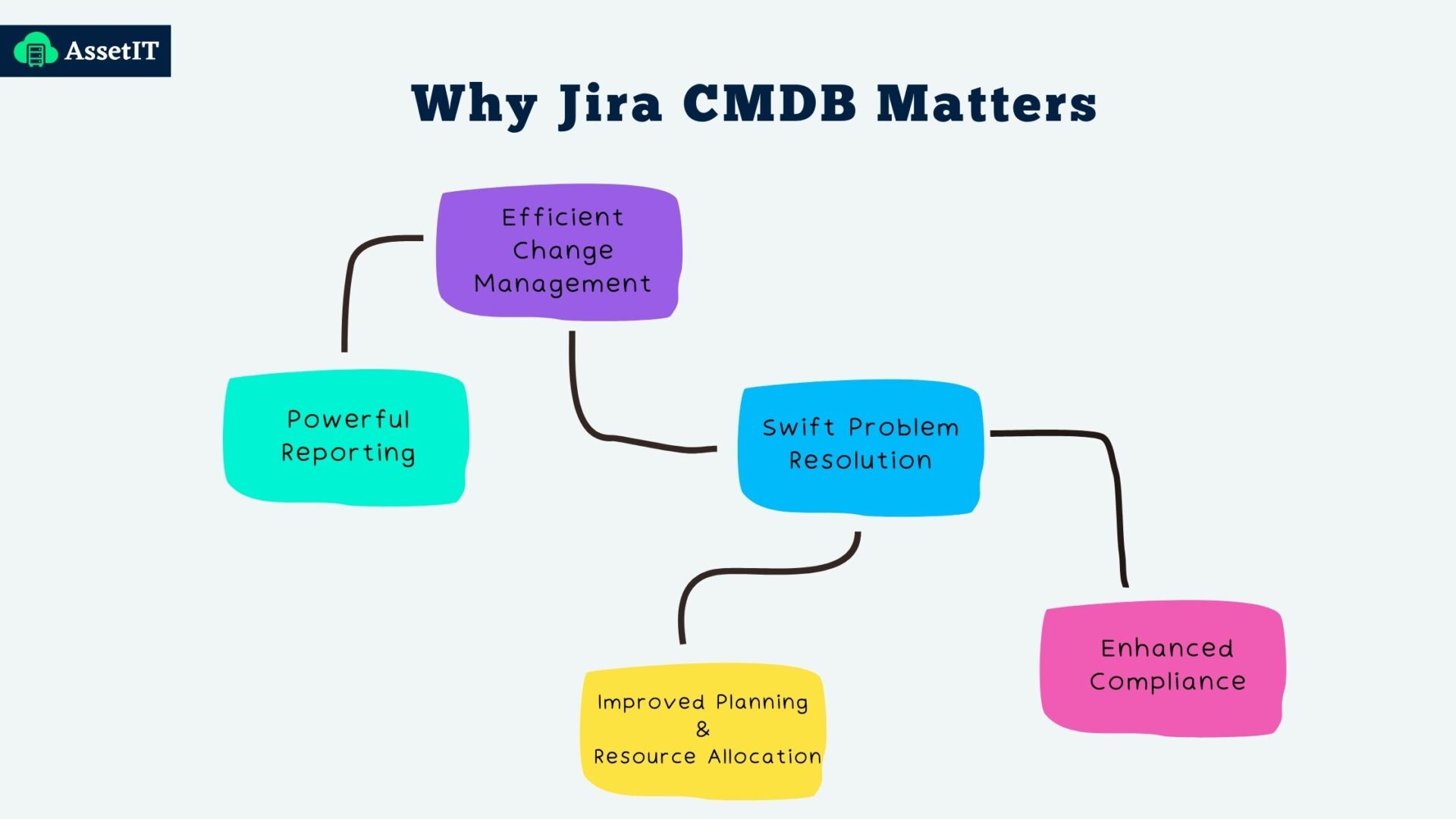
Efficient Change Management
Jira CMDB plays a pivotal role in helping IT teams understand how changes in one part of the IT environment can impact interconnected components. This understanding is essential for carefully planning and executing changes without causing disruptions, thereby minimizing the risks associated with downtime and errors during updates.
Imagine your IT team needs to upgrade or extend the expiration date for some software licenses. Jira CMDB will identify which licenses or applications are in need of update or close to the due date.
About this, AssetIT even takes you to the next level. You can fine-tune your experience by customizing the threshold settings for getting license expiration alerts exactly how you like them. This ensures that you receive notifications at just the right time to keep your IT assets running smoothly. Your preferences, your control!
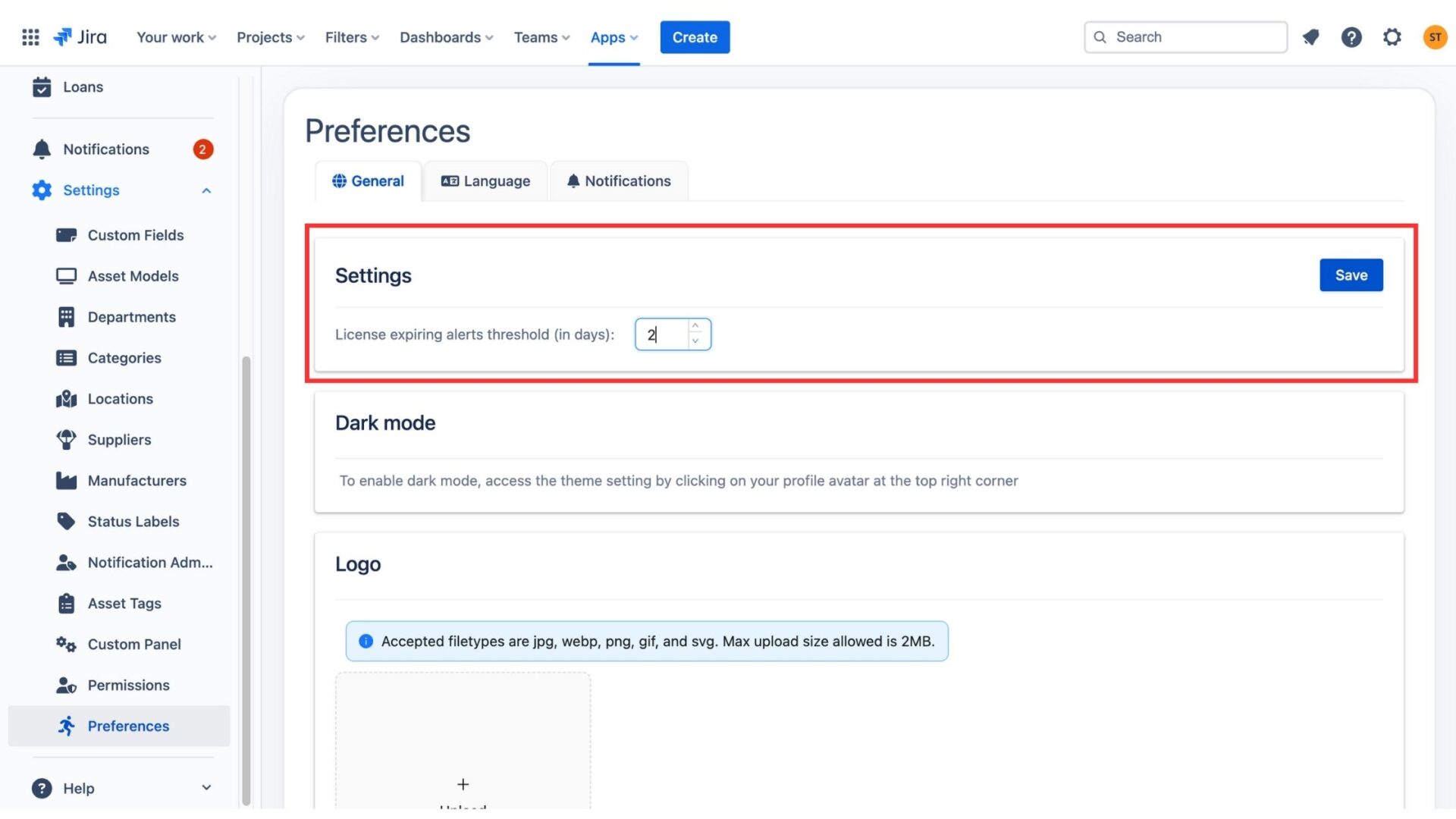 Threshold settings in Preferences
Swift Problem Resolution
In times of incidents or issues, Jira CMDB serves as a valuable aid in identifying the root causes by exposing the relationships between assets. Suppose a critical server goes down, causing a disruption in your company’s email service. This Jira asset management solution allows you to quickly trace the issue back to its root cause by identifying the server, its dependencies, and any recent changes. This speeds up the troubleshooting process, leading to a faster resolution.
Enhanced Compliance
CMDBs are crucial in maintaining configuration control, a critical aspect of compliance with industry regulations and standards. Proper management of assets and configurations simplifies the auditing process and ensures adherence to mandated guidelines.
Let’s say your organization needs to comply with data privacy regulations, and part of the compliance requires ensuring that sensitive data is stored on secure servers. Jira CMDB helps track the configuration of these servers. Eventually, it will ensure that they meet the necessary security standards and provide audit logs for compliance purposes.
Improved Planning and Resource Allocation
Jira CMDB gives you the lowdown on all your IT gear and how they work together. With this info, you can make smart choices about where to put your resources, plan your capacity, and invest in the right tech. This means you’re using what you have wisely and saving money.
For instance, imagine you’re getting ready for a big holiday season on your website. Jira CMDB shows you exactly how much space you’ve got on your servers. This way, you don’t end up buying too much hardware that you don’t really need. It’s like having a roadmap for your tech investments, guiding you to efficiency and cost savings.
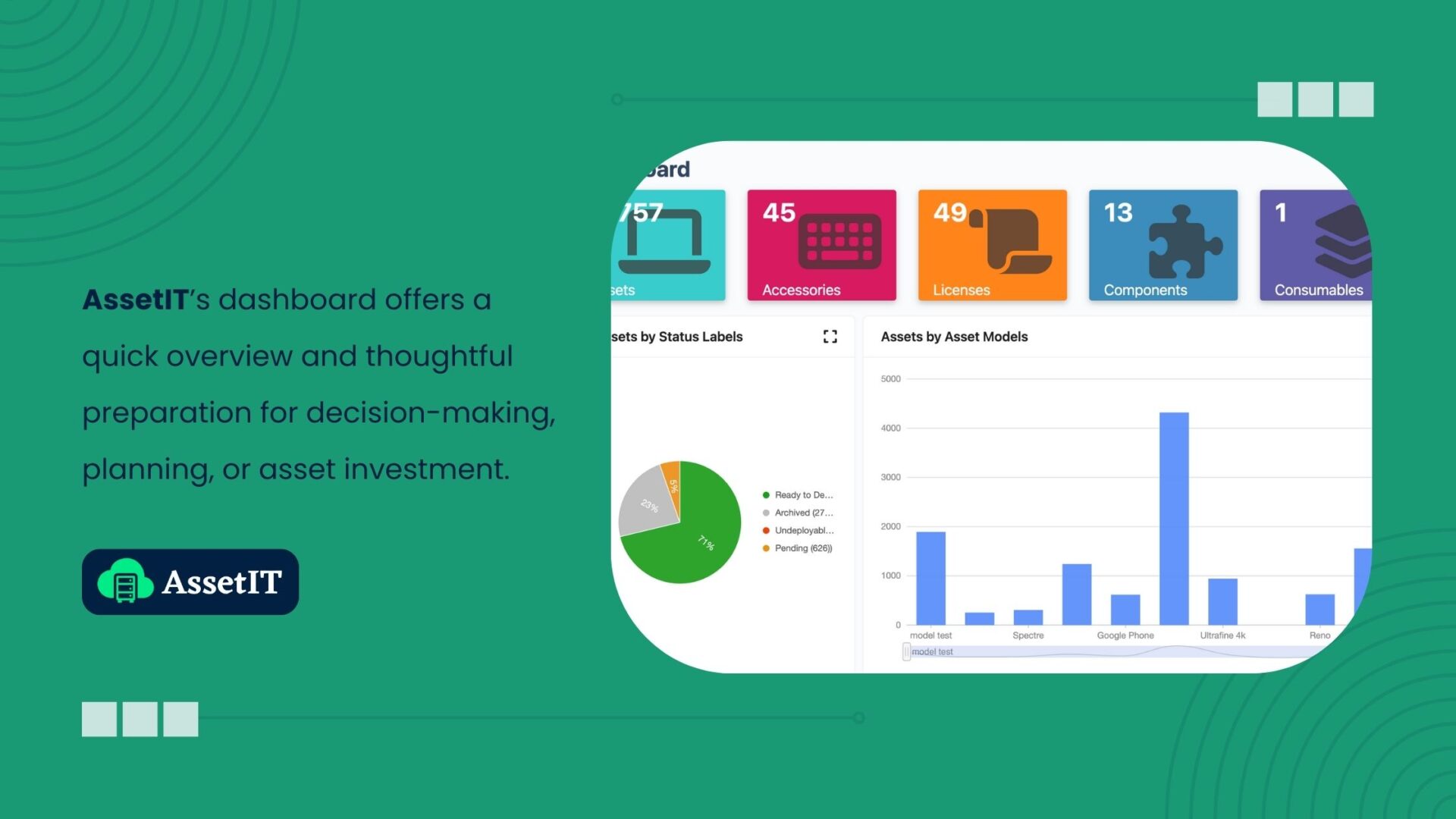
Powerful Reporting
Jira CMDBs are data wizards. They can generate all sorts of reports using your IT asset info. These reports cover every condition of your assets, any changes you’ve made, and whether you’re following all the rules and regulations.
But it’s not just about numbers. To some Jira CMDB tools for example - AssetIT, you can even build your reports based on your requirements. These reports help you make smart choices, ace your audits, check how well you’re doing, and plan your IT inventory management strategy. They’re like your secret weapon for making decisions based on real data, running your IT smoothly, and showing everyone that you’re playing by the book, which, in the end, makes your business even better.
Step-by-step Guide to Start with Jira CMDB
Unlocking the potential of asset management in Jira is a breeze, and here’s your roadmap in just 4 easy steps:
- Create Your Atlassian Account: Start by signing up for your Atlassian Account, your gateway to Jira at https://id.atlassian.com/.
- Choose Your Jira CMDB Tool: With all the perks we’ve talked about, AssetIT may be worth a try.
- Seamless Migration: Access the AssetIT listing page on Atlassian Marketplace and bring AssetIT into your Jira world by clicking “Try it free”
- Explore AssetIT’s Superpowers: Dive into AssetIT’s impressive features and make the most of your newfound Jira CMDB capabilities. Let’s unwrap a box of tech goodies!
✍️ In a Nutshell
We’ve explored the world of Jira CMDB, breaking down complex concepts for both tech enthusiasts and beginners. Jira, in partnership with tools like AssetIT, offers valuable benefits in Jira asset management. On top of that, getting started with IT asset management for Jira is a straightforward process but the value it brings is simply priceless. Whether you’re a tech newbie or a seasoned pro, Jira CMDB empowers efficient and organized IT management. Embrace its potential to elevate your operations!

AssetIT - Asset Management for Jira