I am looking to change some of my company's automations so that they do not need to all be updated if we change the name of the field. This requires using the "Additional Fields" dropdown/input, as for some reason, Jira Automation seems to reference custom fields by their names and not IDs by default.
Note that this custom field is a "Select List [Multiple Choices]" field. Its name was recently changed to "Team", which overlaps with the Jira default already, and I have a feeling it may be renamed again in the near future. I'd like to be able to skip the "fix every single automation that touches this field" step in that renaming process in the future, if possible.
I have set up this JSON:
{
    "fields": {
        "customfield_10080": [{
            "set": {"id": 10124}
        }]
    }
}And it seems like it would work if not for that field being required. This is the error that it throws:
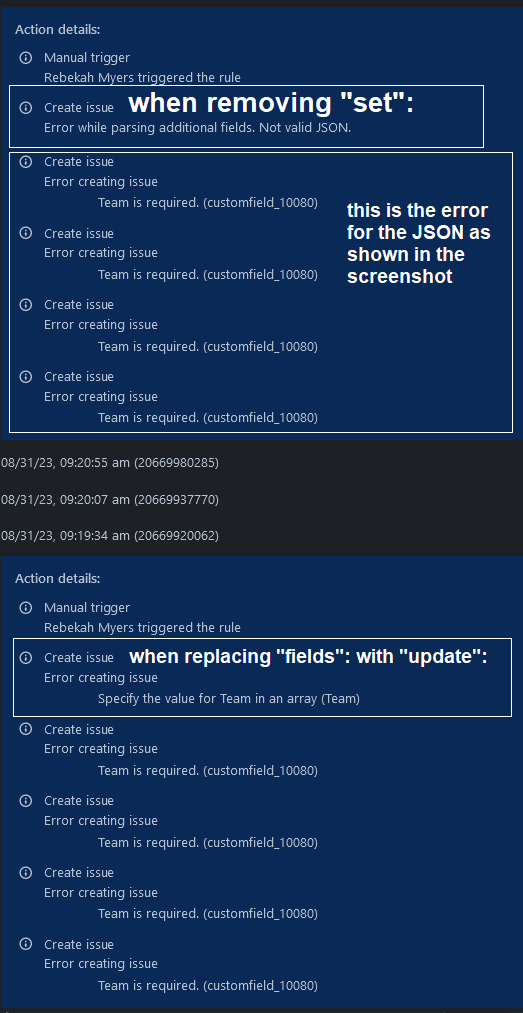
Error creating issue
Team is required. (customfield_10080)
Now, as seen above, this field is obviously being filled. I have tried replacing "fields" with "update", but then it throws an error about needing to be in an array format. I have tried removing the "set":, but it throws an error about JSON formatting.
Is this simply not an option in the current state of Jira Cloud? Or am I just setting these fields incorrectly? Thanks for any future help on this.
EDIT:
Giving more information:
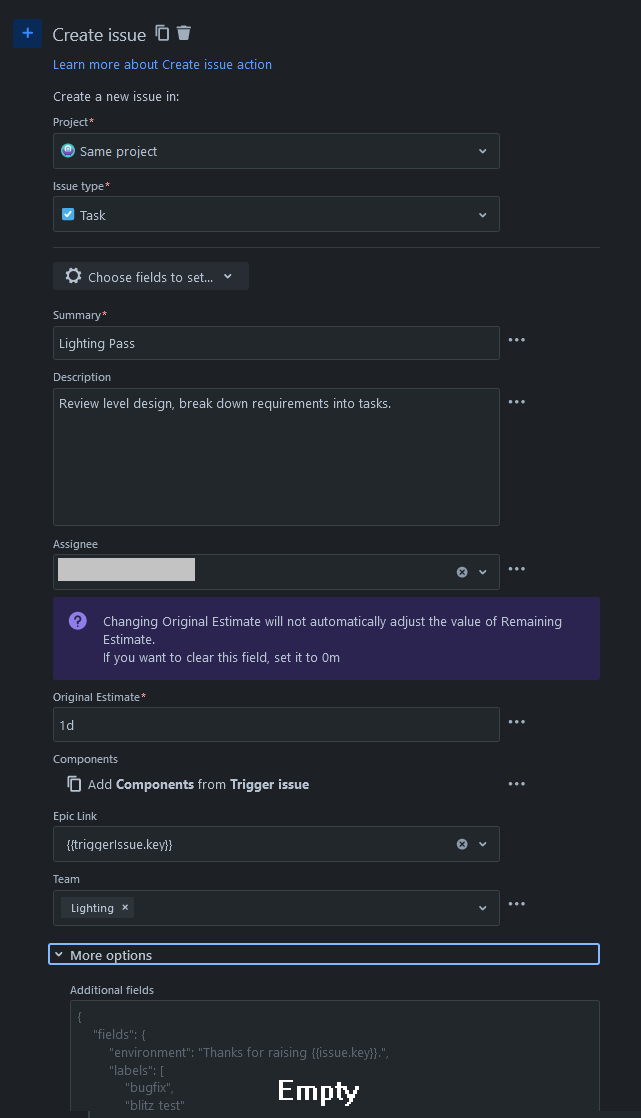
The Automation is a manual trigger intended to be used on an Epic. It has 5 "Create Issue" actions. Each one looks basically like this now:  This is how that automation looks without Additional fields, and works:
This is the automation log, with labels for when certain changes are made: