We have a couple filters we want to add to this view, which is found in this software project from the "Issues" clickable off the left table when viewing this software project. Ideally we slot one of our custom filters between the defaults of "All issues" and "Updated recently", but we don't see a way to do this. Anyone have any suggestions, assuming this is possible?
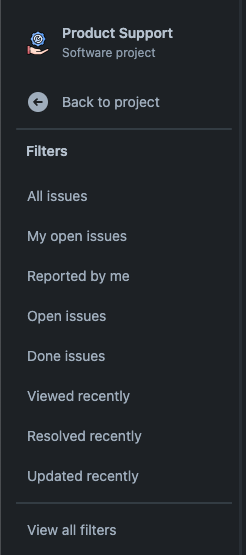
In this instance we cannot use a Quick Filter or Saved filter for the project because the filter references a custom field with a dropdown to select the associated customer(s). We created this custom field so we track issues by the customer name.

JQL version of this filter
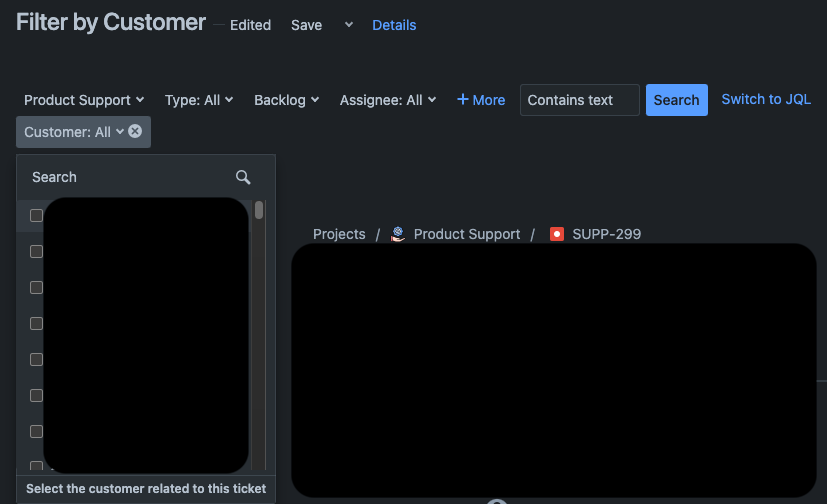
JIRA BASIC, same filter, but this is what is used by our non-Dev and/or unfamiliar-with-Jira coworkers
Clicking "View all filters" to find a filter we made to look at issues by customer will navigate us away from the software project. It sends us into the "Filters" dropdown from the main menu across the top of our Jira Cloud instance. This isn't a deal breaker, but when we are in a meeting trying to look at our support issues using our "by customer" filter, leaving the "Product Support" software project isn't ideal.

