Summary
The "VIP flag" allows identifying certain users as VIPs to tell the Service Desk Agents that the user should get special treatment.
Cause
The Feature Request below was raised for the ability to natively have a VIP flag:
This feature was closed and not implemented, just answered, but here are some suggestions to set up a VIP Flag.
Suggestions
1st suggestion:
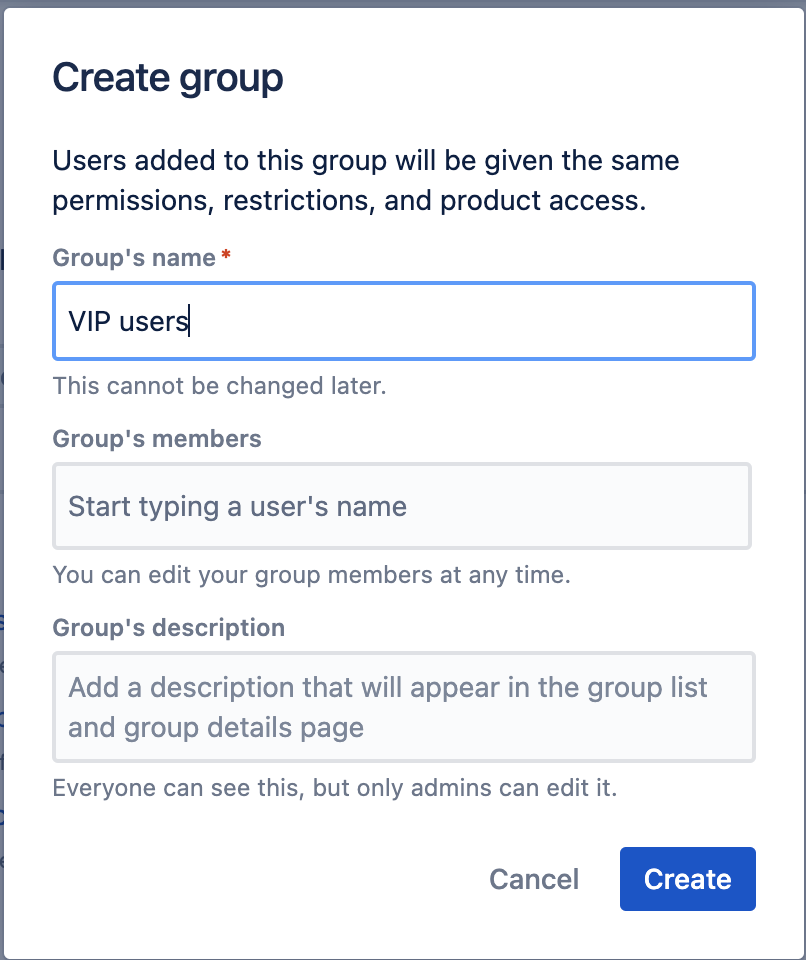
1 - Create a VIP group and add the users who are VIPs in the User Management:
 Keep in mind that groups only work with Atlassian Accounts and only Administrators can add users to groups.
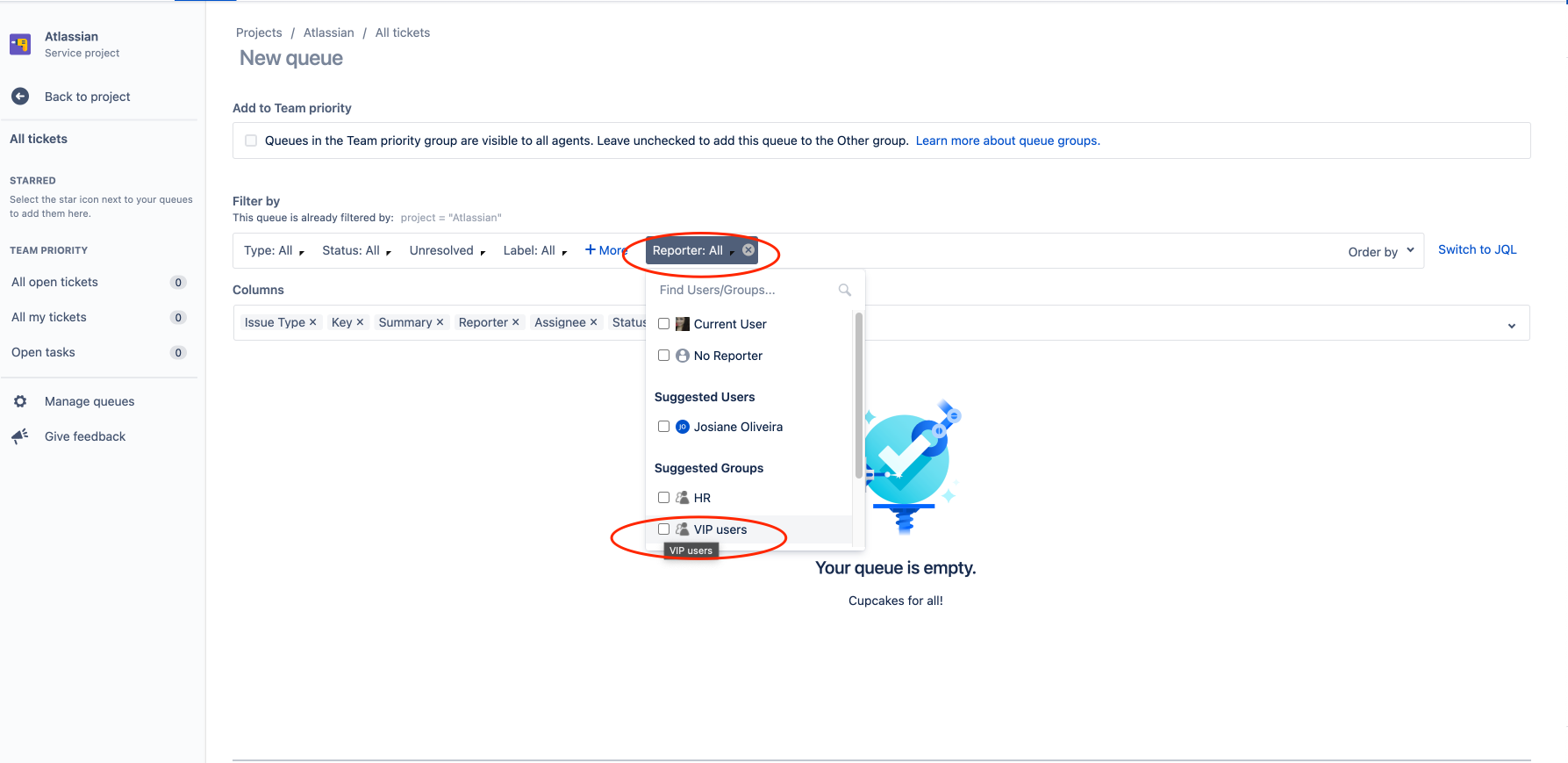
2 - Create a queue based on the reporter being in the VIP group:
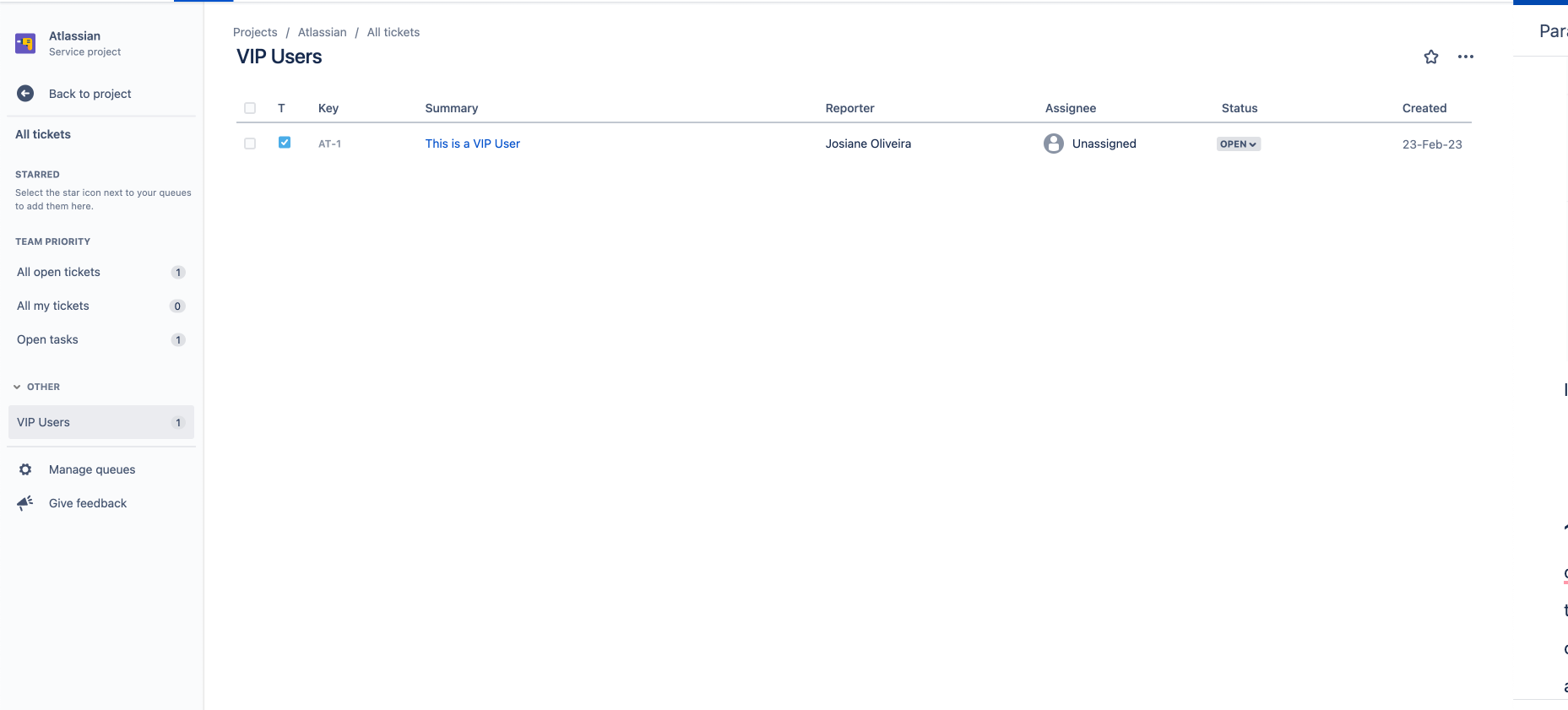
It's done, when a member of the VIP group raises a request, Jira will display the issue in the VIP queue:
2nd suggestion:
You can set up an Automation for Jira rule to identify if the user is a VIP and notify your Agents (or any user that you want) such as this one:
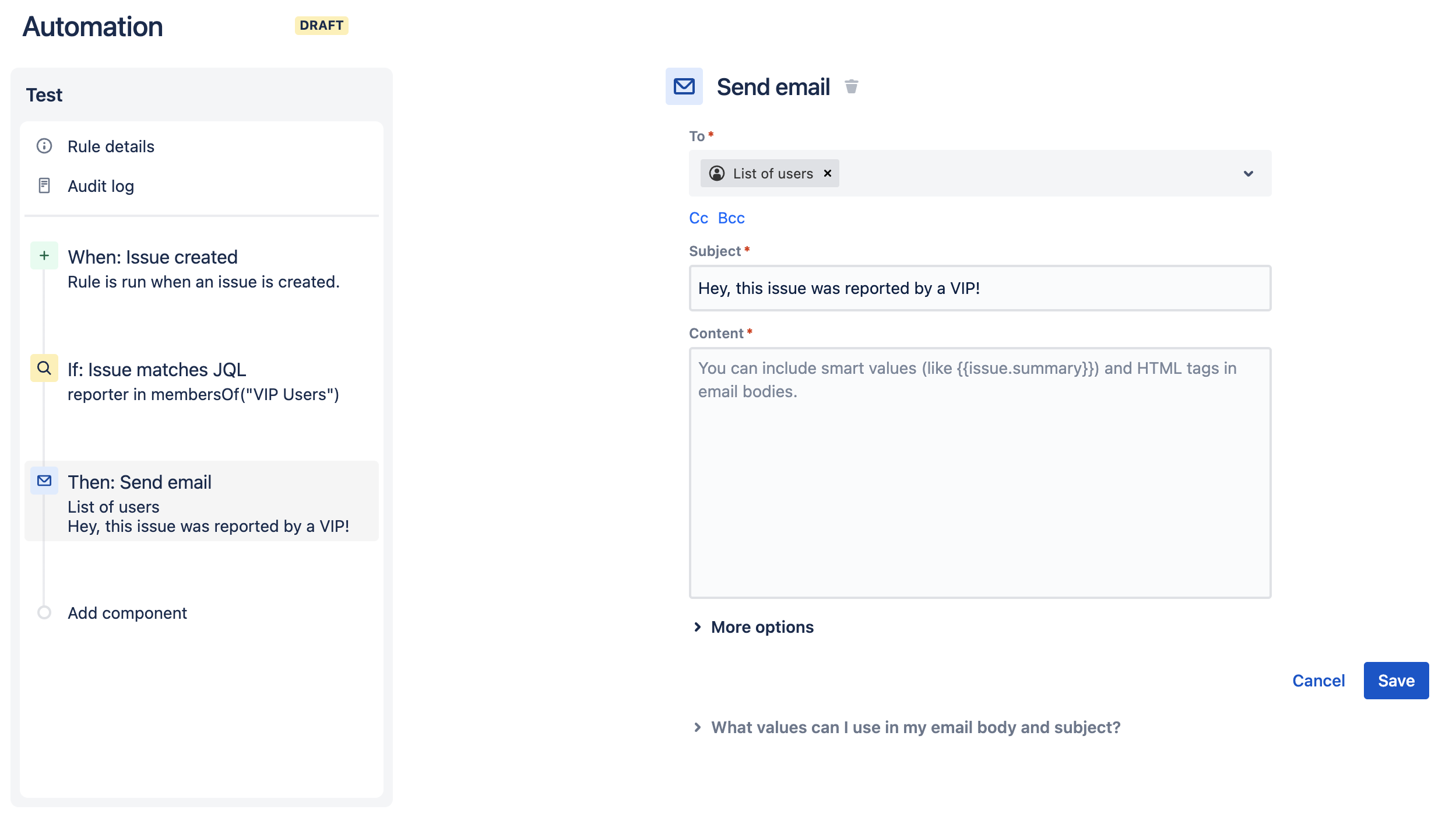
The JQL used to filter is:
reporter in membersOf("xxxxxxx")
|
3rd suggestion:
You can set up an Automation rule to set a value into a custom field to validate:
- If the reporter is a member of the VIP group, then the field will be populated
Create a custom field, I used the Text Field (single line) Field Type:

And, create an Automation rule such as this one:
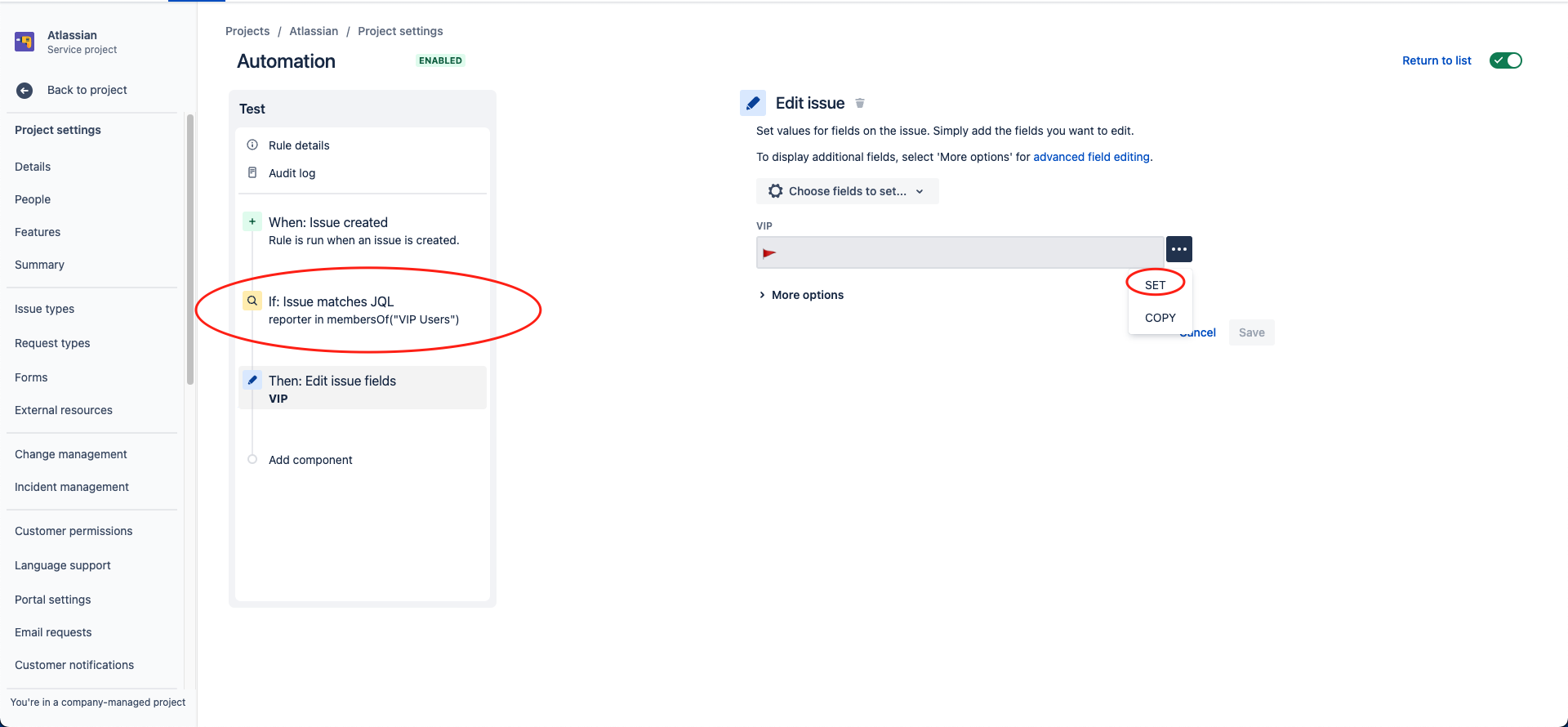
This rule:
- Is triggered when the issue is created
- Then if the reporter is a member of the VIP users group
- The VIP field will be populated with a red flag 🚩, you can use any value including a Unicode character.
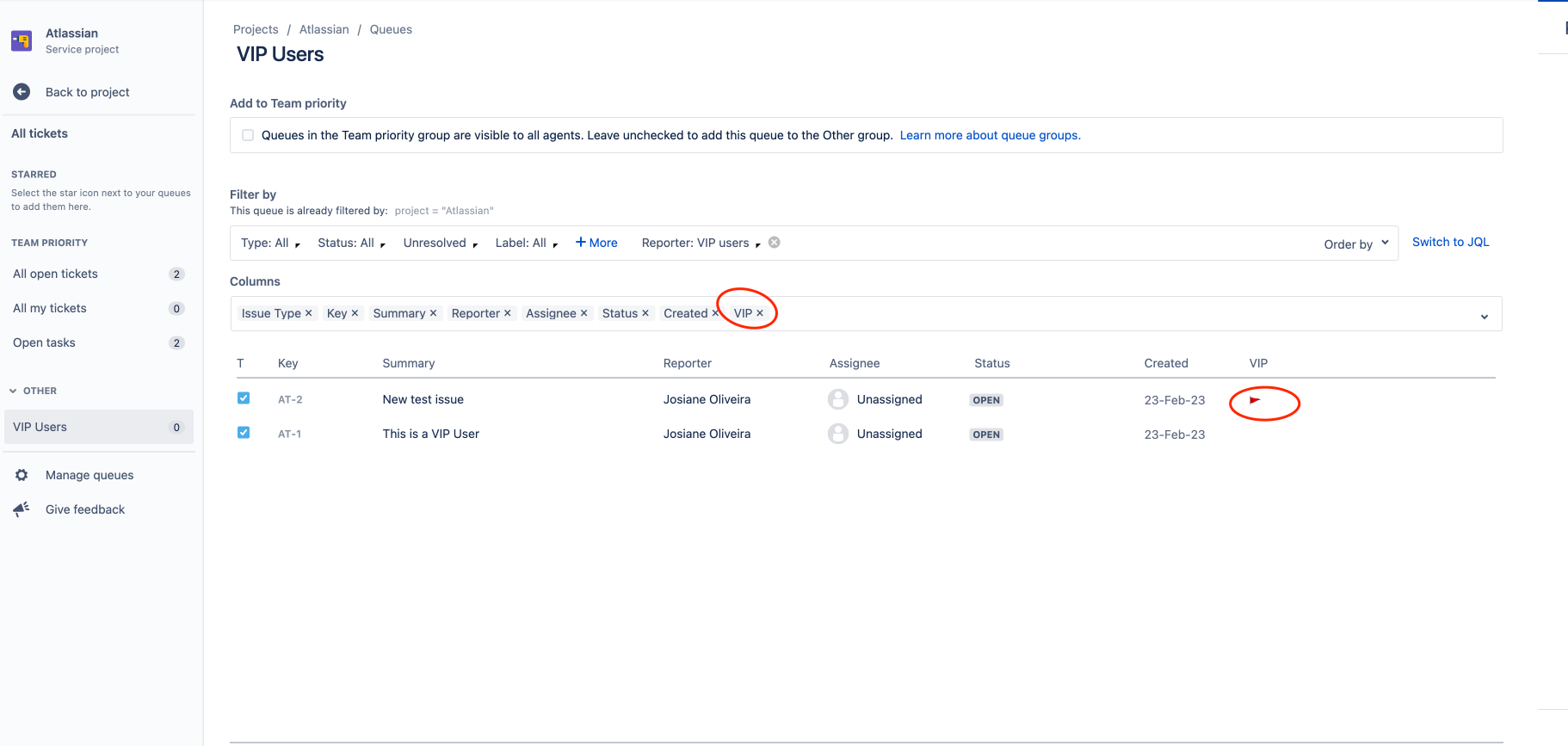
Then, add the field as a column of the queue filter: