The Jira Project Management template does not natively allow Epics. I'd like to add it. I've found a way to make it appear, but it doesn't function as I would want.
How I got the Epic option to appear
- I went Project Settings > Issue Types > Edit Issue Types > Issue Type Schemes.
- Searched for my project name and clicked Edit
- Dragged Epic to the column Issue Types for Current Scheme
This give you option to choose "Epic" when you click the create button. But it will not work because it requires Epic Name as a field. That problem is reported and partially solved here: https://community.atlassian.com/t5/Jira-Software-questions/Cannot-create-Epic/qaq-p/707042 I believe it is incomplete, so to further solve this problem
- Clicked Field Configuration > Default Field Configuration
- Searched for "Epic Name" and clicked "Screen"
- Clicked the checkbox for my project name "Create Issue"
Finally
- Go to Issue Layout
- Click on <<project name>> Project Management Edit/View Issue Screen
- Add Epic Name
Now "Epic Name" should appear as a required field when you create an Epic.
Why it doesn't work
1. In list view, you can create tasks that are under an epic you created. As soon as you refresh the page, it doesn't nest underneath the epic anymore.
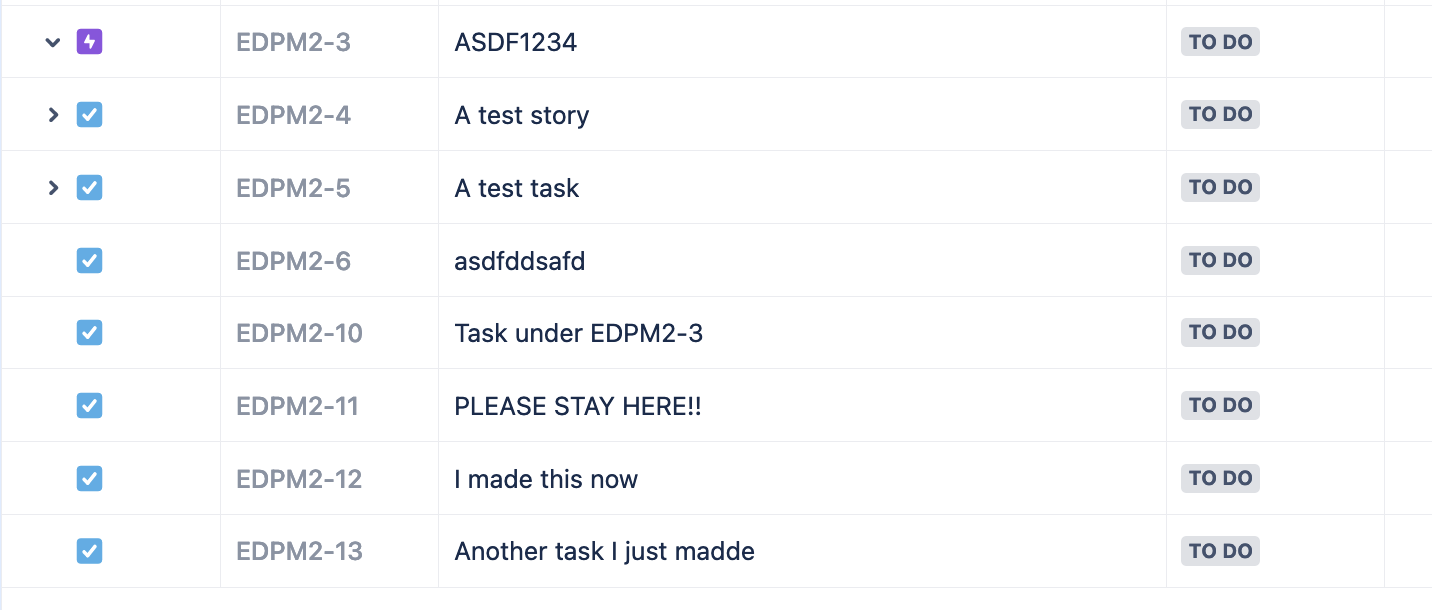
2. In other boards, you don't need to define "Summary" and an "Epic Name". This is duplicate effort.
Thanks for the help,
-Ed


