For any team in Jira Service Management Queues are the mission control for the project. As an Agent this is where you categorise effort, make prioritisations decisions, and launch into action.
As teams grow it is important for Project Admins to think about how they structure their queues so the team can be as productive as possible. This means managing load times, but also mental load.
Queues can be grouped into 3 sections within a project Starred, Team Priority, and Other. The former two will refreshed on a regular sync updating their issue count badge accordingly. The latter does not refresh, and is collapsed by default. For the best experience Agents should only see and refresh the queues that are relevant to them. You can learn more about these sections here. The total number of Queues are limited to 50 per project per work category (e.g. incidents vs. requests) across all sections (e.g. team priority vs. other). Any given queue will only refresh its count up until 999 issues at which point it will display 999+.
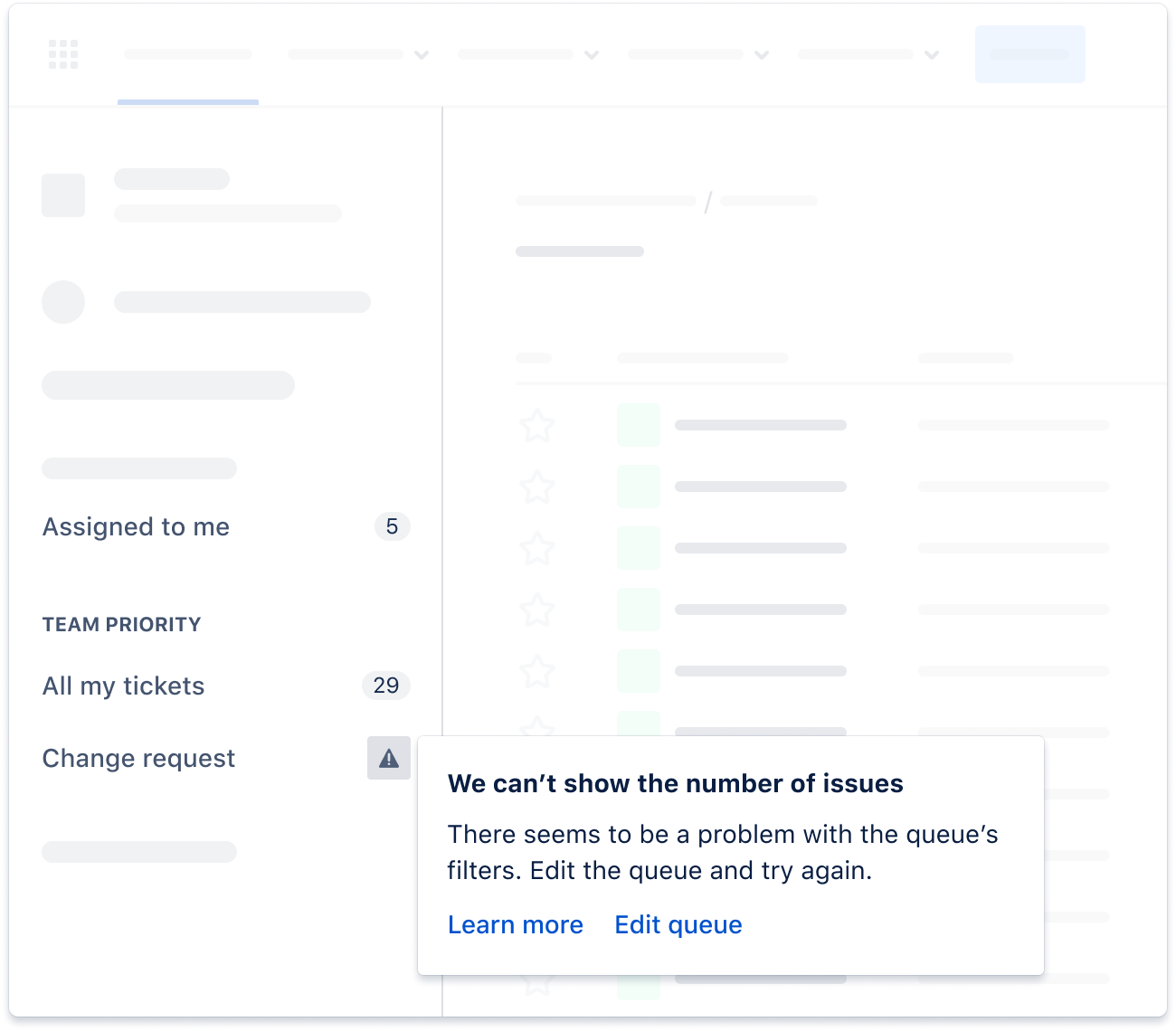
It is possible for regularly under-performing queues to present with a warning. You can continue to view these queues as normal, but their issue count will not be refreshed along with the other queues. Learn more about how this works here.
The following 5 scenarios are common queue configuration mistakes that lead to poor performance.
The “all issues” queue
Queues that attempt to return too many issues
These queues have often been there since the beginning of your project. They help small teams visualise and design a structure that helps them grow. But as the number of issues in the project and site grow these queues become a performance burden, especially when they are included in refreshing sections.
|
Recommendations
- Delete or move to Other any queues that attempt to return all issues
- Show only recent issues, e.g. use updateDate < 14d in your JQL
- Use Filters for viewing / managing large issue sets
|
The “complex” queue
Queues that use very complex JQL
All queues utilise Jira Query Language (JQL), which is our proprietary language for querying issues. Similar to other database queries . Often it is better to have multiple simple queues than one complex one. You can learn more about optimising JQL in this article.
|
Recommendations
- Avoid using excessive amounts of clauses and conditions
- Avoid queues that analyse across multiple custom fields, complex functions, and/or labels
- JQL clauses provided by Marketplace apps installed on your site can sometimes be problematic. Reduce their use if a queue is underperforming.
|
The “text search” queue
Queues that search text fields for keywords
It is possible to create queues that will perform full-text searches across issues. These queues perform on the fly categorisation, and might suggest room for improvement in your request structure. For example you might be trying to extract “summary ~ ‘hacked’” or “description ~ ‘component name’” or the worst of all “text ~ ‘thing’”.
Recommendations
- Use request types and hidden fields to help customer categorise issues at point of creation, then build queues based on categories.
- Automation rules to categorise issues (e.g. applying components or labels) then build queues based on categories.
- Use Filters / Search for finding specific issues.
|
The “everything is a priority” queue
Having too many queues
It can be tempting to put all your queues into Team Priority. Data shows that on average an Agent views no more than 3 queues each week. So by prioritising all your queues, you are forcing every Agent to take on a lot of additional mental load, not to mention extra loading and scrolling which puts undue strain on the application and your Agents patience.
Recommendations
- Start by moving all queues to Other. Encourage team members to Star the queues most relevant to them. Then consider which queues are critical to the success of your team (e.g. high priority, expiring SLA, and/or high impact). Gradually move these queues back into Team Priority.
|
The “not my” queue
Queues in Team Priority that are not for everyone
When faced with all the noise of a busy project it is not uncommon for individuals to create queues for themselves. Although this might boost their productivity, it will slow everyone else down who has to see and load a queue that is irrelevant to them.
Recommendations
- Build queues that are dynamic. Utilise JQL functions like “currentUser()” to personalise queues to the individual.
- Move unique or personalised queues to the Other section, and encourage Agents to Star queues that are relevant to them.
|
We are always looking at queues and how we can improve the experience for Agents and Admins. Do you have tips of your own? We would love to hear them. Drop us a comment below.


