Hello. We've recently made some configuration updates to one of our projects and have started receiving some automation failures. We're seeing the error,
Could not find your configured field, it may have been deleted?
in the detailed audit log. The following is a screenshot of what I'm seeing.
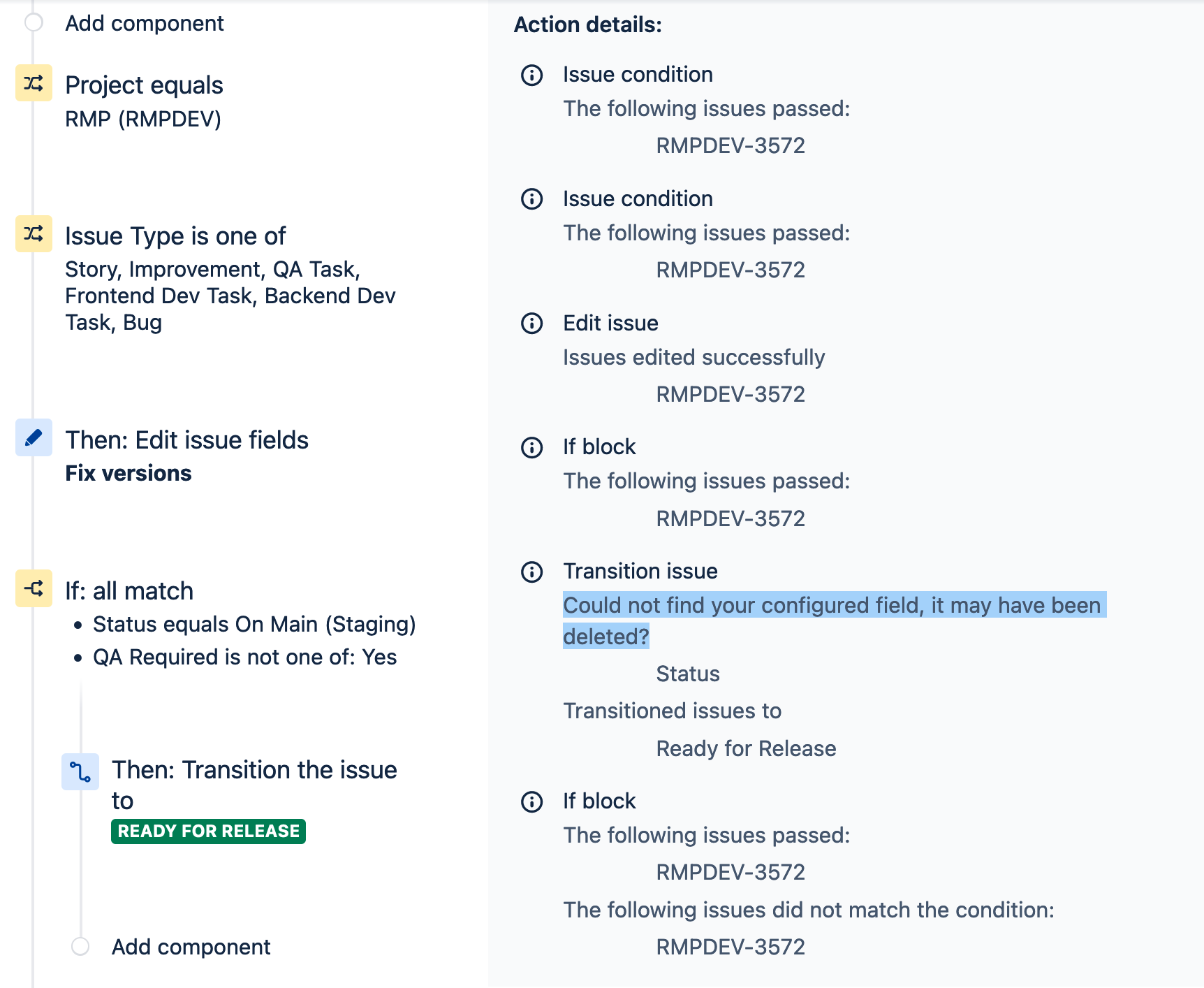
Now, I'm not quite sure what to make of this because I think it's referencing the Status field supposedly being missing. However, the Status field is absolutely present. If this is a case where JIRA has under the hood changed the id of some field, you'd think that it would either and preferably both:
- Update the associated automations, and/or
- Provide some additional context both in the automation configuration and in the audit log to disambiguate between previous and current fields, if that indeed is what's going on here
Of course, I'm just guessing at what's going on here, since it doesn't seem to be clear. Maybe it's something else; I see some sort of race condition alluded to at https://community.atlassian.com/t5/Jira-Software-questions/Automations-quot-can-not-find-configured-field-quot-suddenly/qaq-p/1624339
What I'm looking for here is:
- What's actually the problem?
- How is it reliably solved?
- What's a reasonable way to ensure that all of the affected pieces are corrected. I think it's fairly unreasonable to expect a supposedly enterprise-grade tool to make the user
- Manually revisit every place a problematic field might have been used and rewrite the rules
- To do so without any sort of reporting available indicating all of the places where a supposedly obsolete field is in play, if that is the problem
- Alternatively, play whack-a-mole whenever a previously uncorrected automation path is encountered
Damn it, Atlassian, it's 2022. Provide decent user feedback when something goes wrong and automate what should reasonably be automated.
Apologies in advance for coming off as disgruntled about this. JIRA continues to be a frustrating and underwhelming experience.


