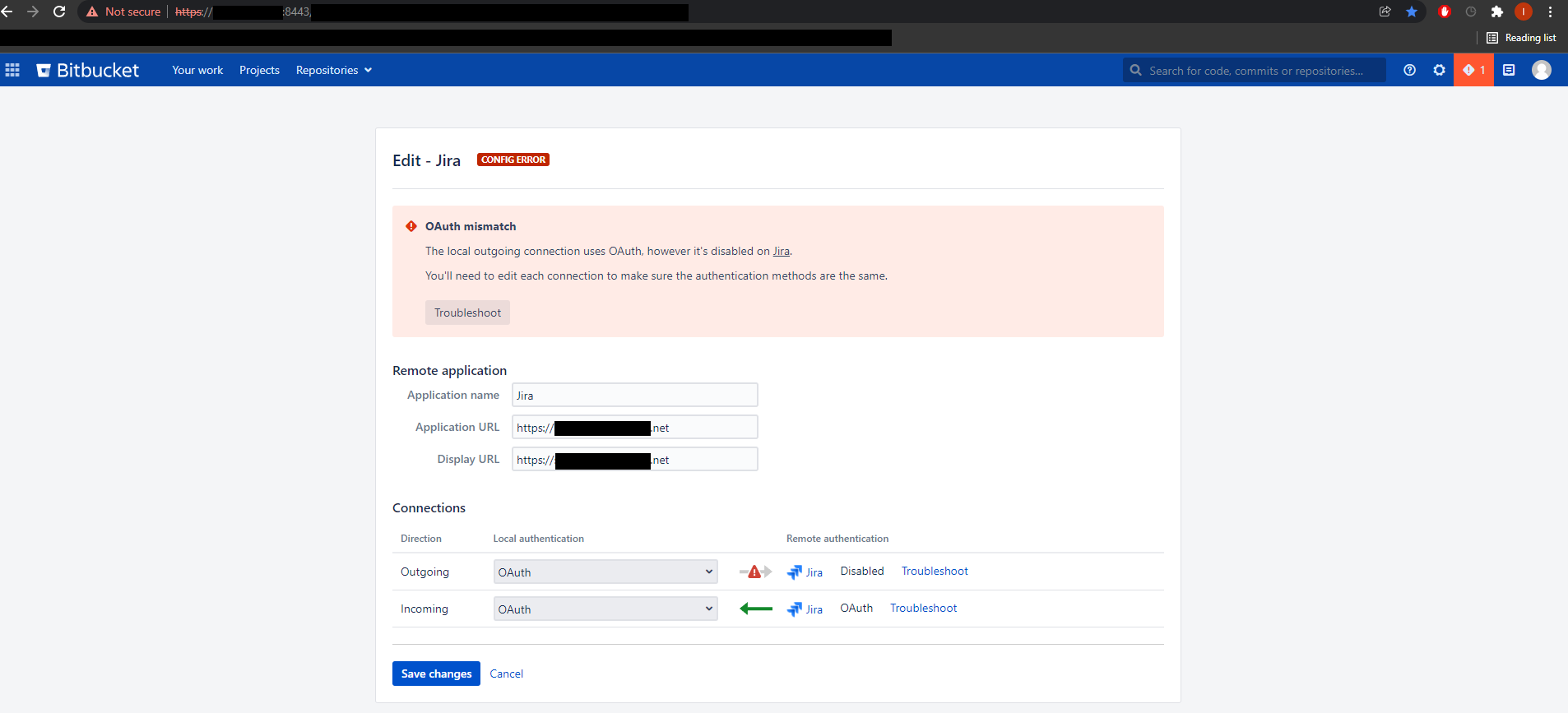
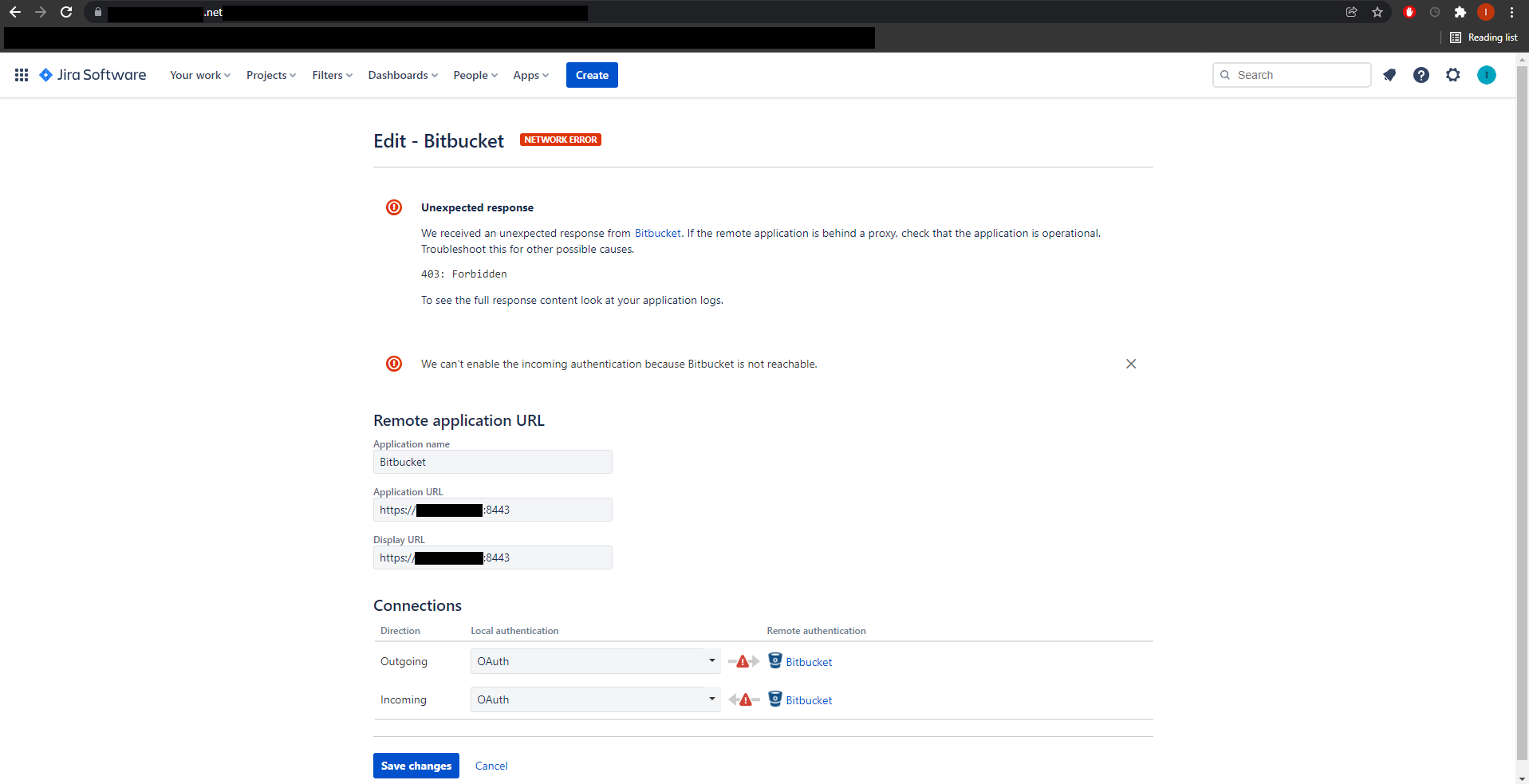
Hi, when trying to connect Bitbucket server to Jira Cloud via Application Link, I get the errors posted below.
Currently, the bitbucket server is running on port 8443. As seen in the photos, there is a green link in the Bitbucket page when receiving incoming connection from Jira. However, everything else has a red link.
I have searched threads trying to solve this issue and this is what I have tried so far:
- Changing proxy settings (added "-Dhttp.nonProxyHosts=mysite.atlassian.net" into bitbucket properties)
- Add CIDR of trusted proxy in the synology server hosting bitbucket (received from https://ip-ranges.atlassian.com/)
- Bypass reverse proxy/ssl (added "server.additional-connector.1.port=8080" into bitbucket.properties)
I also want to clarify a few things:
- Currently, my bitbucket server has a self-signed certificate and I am wondering if this is causing the issue
- Is it necessary for the bitbucket server to be hosted on port 443 and is running it on port 8443 causing the issue