We are using a Confluence cloud knowledge base in combination with projects in Jira Service Desk.
The idea here is that support agents will be able to save time by finding article suggestions matching issues in incident tickets.
The plan is to use several hundreds of knowledge articles to match incident cases, which are often quite similar. Hence we are dependent on the performance of the AI suggestions.
After setup in production mode, I have ran into a permissions issue, where knowledge articles cannot be directly shared as a comment in tickets in case the permissions are set strict. Only if I allow Jira Service Desk to overwrite Confluence groups permissions, am I able to see the share option. We do not want to open up the knowledge base space for all of our Confluence users, as this poses a security risk.
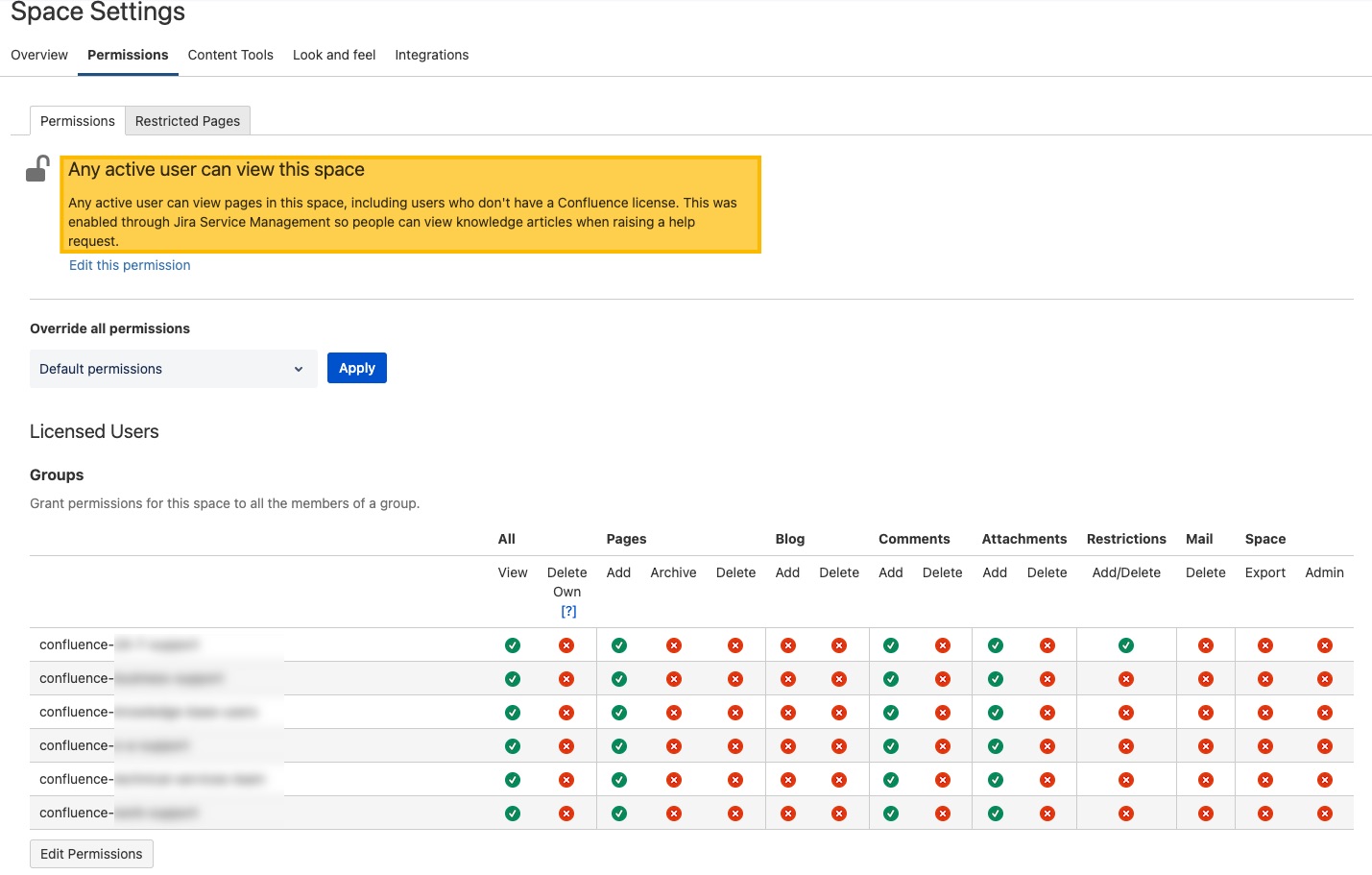
After linking a Confluence cloud space to a project in Jira Service Desk, the permissions are overwritten (according to this article), so all Confluence users can see the space.
Configuration settings
Jira Service Desk knowledge base settings
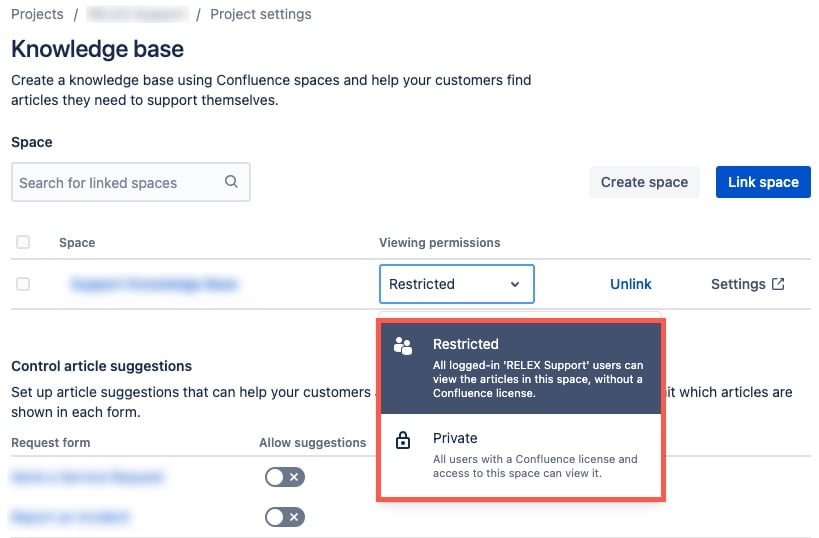
Confluence
The space permissions were set so only groups of Confluence cloud users have access.
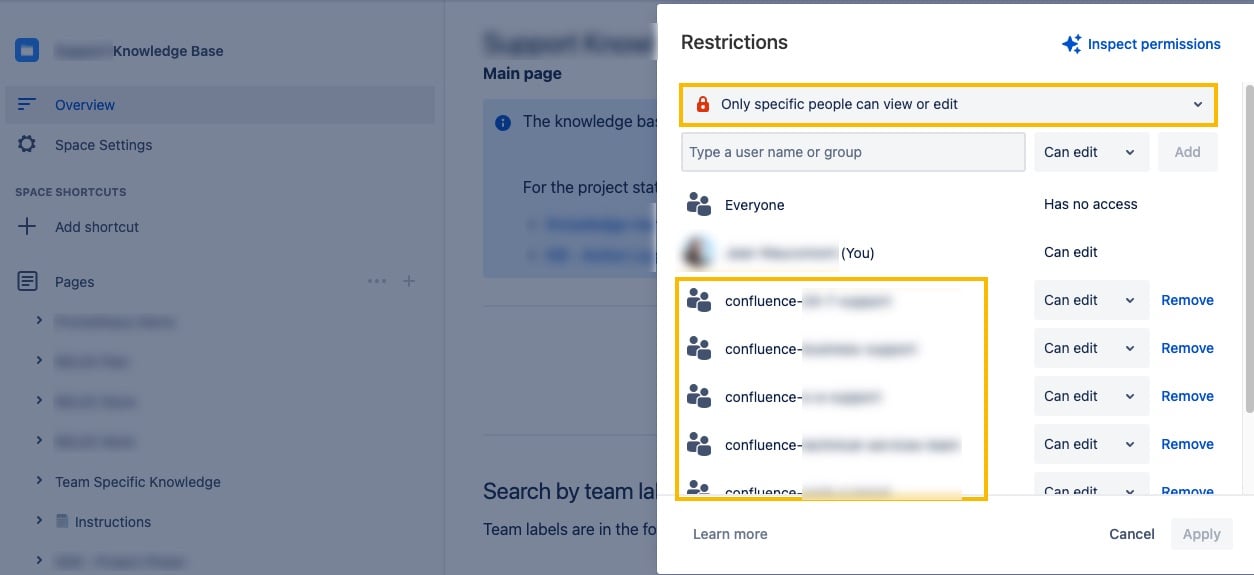
Hence, the main page (overview) of the Confluence space needed to be restricted using the same confluence user groups:
Jira Incident Ticket - knowledge article sharing
With these settings, however, the article sharing option in the Jira tickets changes to a lock.

---
Questions
- Are there configuration settings which will display the share button while ensuring limited Confluence space viewing permissions?
- If this is not the case, we would likely need a separate confluence instance for a limited user group to solve the issue.
- If I understand correctly, the AI suggestions of knowledge articles are strongly dependent on sharing article links as an internal comment. How does this work, and would it be effective if our support agents post links to matching knowledge articles as comments manually?

