

Update 15/09/2022 - For clarity and due to changing timelines, we’ve made some edits to this page since it was first published on Oct 17, 2021.
What's changing?
We're excited to introduce centralized user access settings for your organization at admin.atlassian.com. It’s now easier for admins who manage multiple cloud products to control who can access their products and how. These changes affect the Site access screen.
In phase one, we introduced these changes to all new customers across all plans – Free, Standard, Premium, and Enterprise. If you created an organization after September 2021, you’ll already have the new designs and configure your user access settings from your organization at admin.atlassian.com.
Later, in phase two, we’ll make these changes available to all existing customers. There’s nothing you need to do, we’ll start rolling out the changes automatically from ~June 2022.
Initially, these changes are only available for Jira Software, Jira Service Management, Jira Work Management, Confluence, Opsgenie, and Statuspage cloud products. Bitbucket and Trello are excluded.
Why is Atlassian doing this?
It’s all part of our wider vision to improve and simplify your experience when administering multiple Atlassian cloud products. For instance, you may have seen our earlier announcement that we are centralizing user management.
Our goal with these changes is to give you more:
-
Transparency: When you make changes to different settings, we’ve made it clear and easy for you to understand the impact.
-
Flexibility: If you don’t use certain features, you’ll be able to turn them off (coming soon).
The new User Access Settings screen
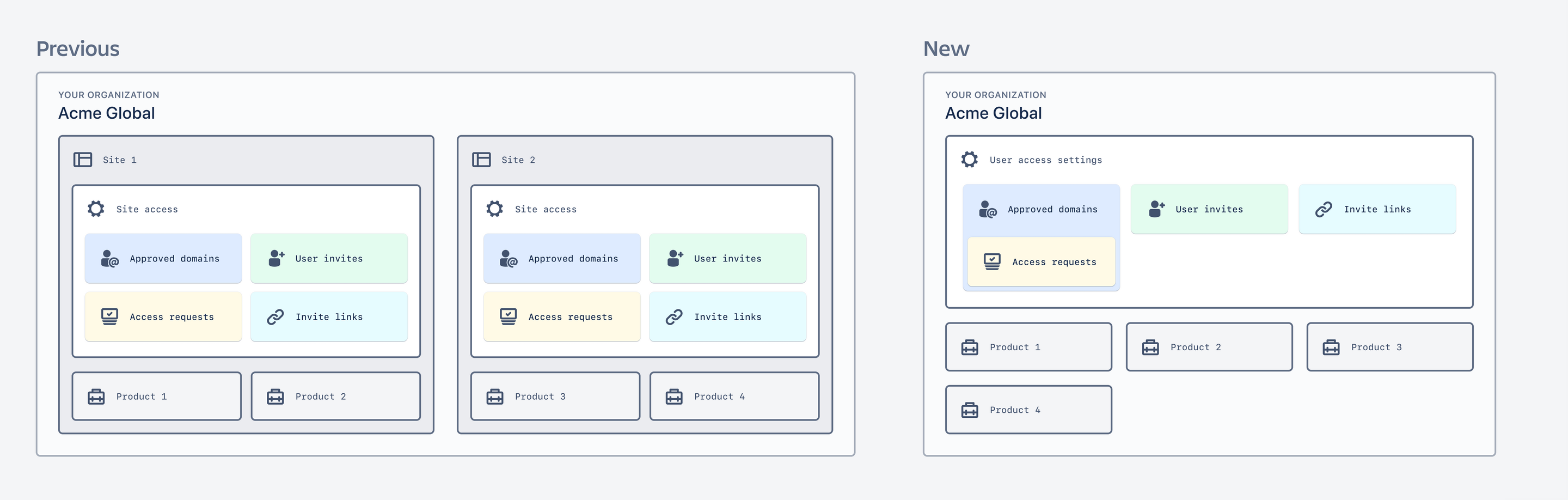
You’ll find the new User access settings screen from your organization at admin.atlassian.com, under Products. This gives you more granular control to configure users' access per product.
Previously, these settings were under your site. If you had multiple sites in your organization, you needed to navigate to each site to configure your user access settings. Now it’s all managed in one place.
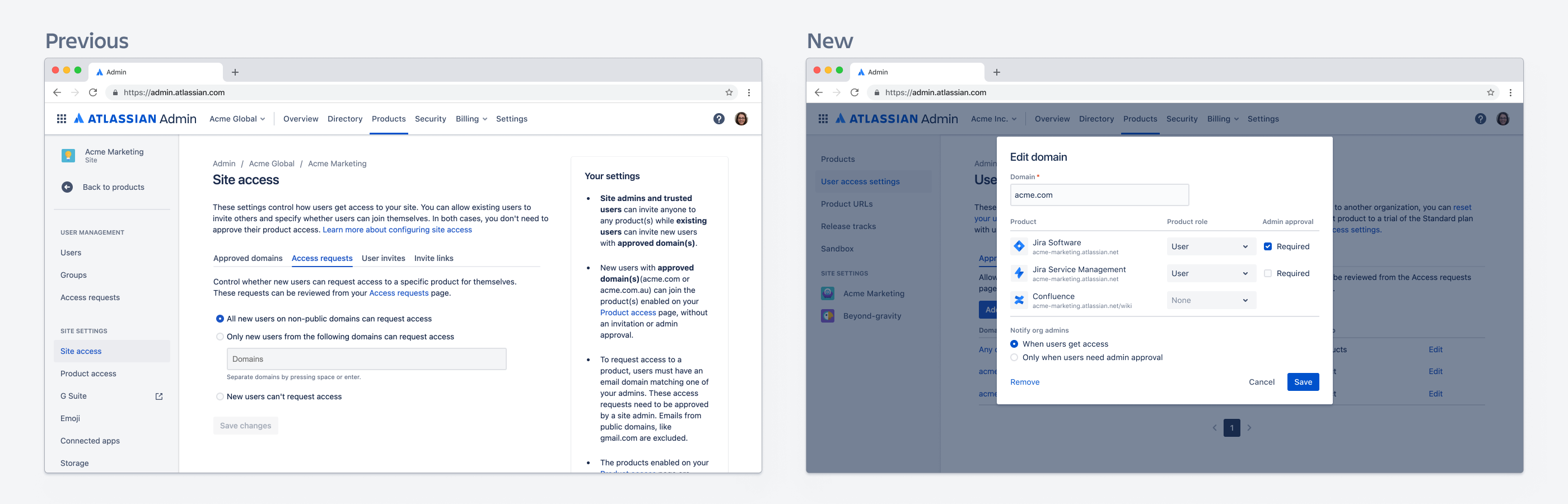
Access requests and approved domains
You will notice that in the new designs, there is no longer a dedicated tab for Access request. Instead, when you add or edit a domain in Approved domains, you can specify whether admin approval is needed for that user to join the product. You can configure this via the checkbox beside each product when adding or editing a domain. This means you can now configure access requests per product, per domain. If admin approval is required, an access request will be generated and we’ll notify all organization admins.
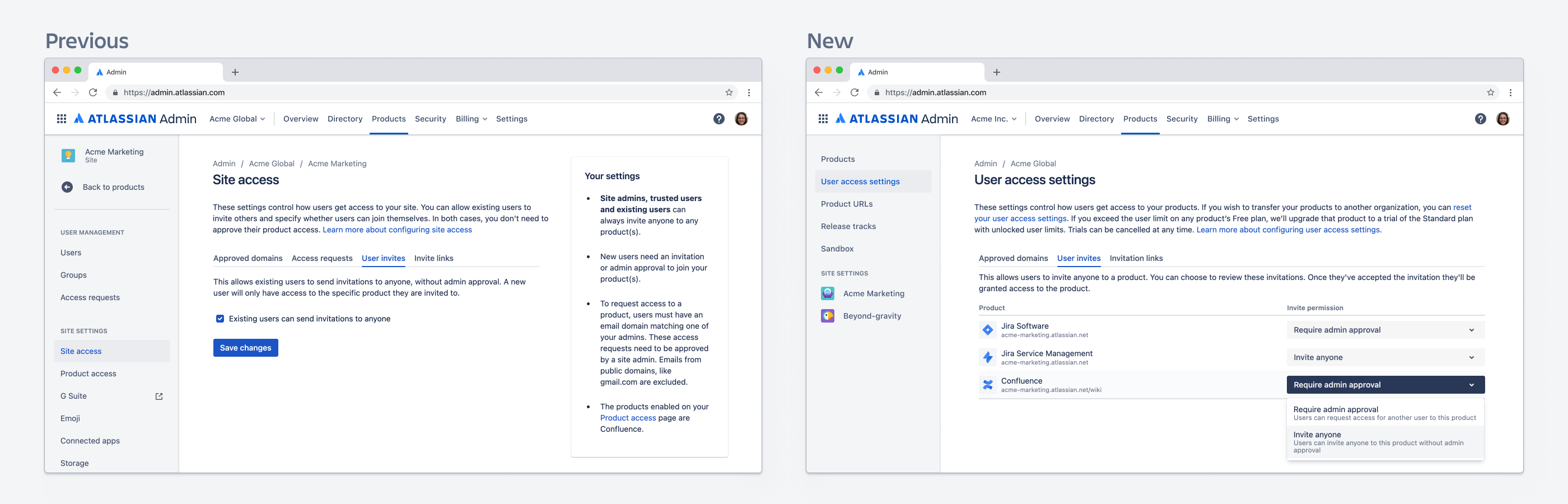
User invites
User invites control how existing users can invite other people to your products. You can configure your settings to allow existing users to grant direct access to other people, or require all user invites to be approved by an admin first. You can now configure your user invite settings per product. Then, in phase three, you’ll be able to turn this setting off. Keep an eye on the ID-6682 - Improve Request Access feature Jira ticket for updates.
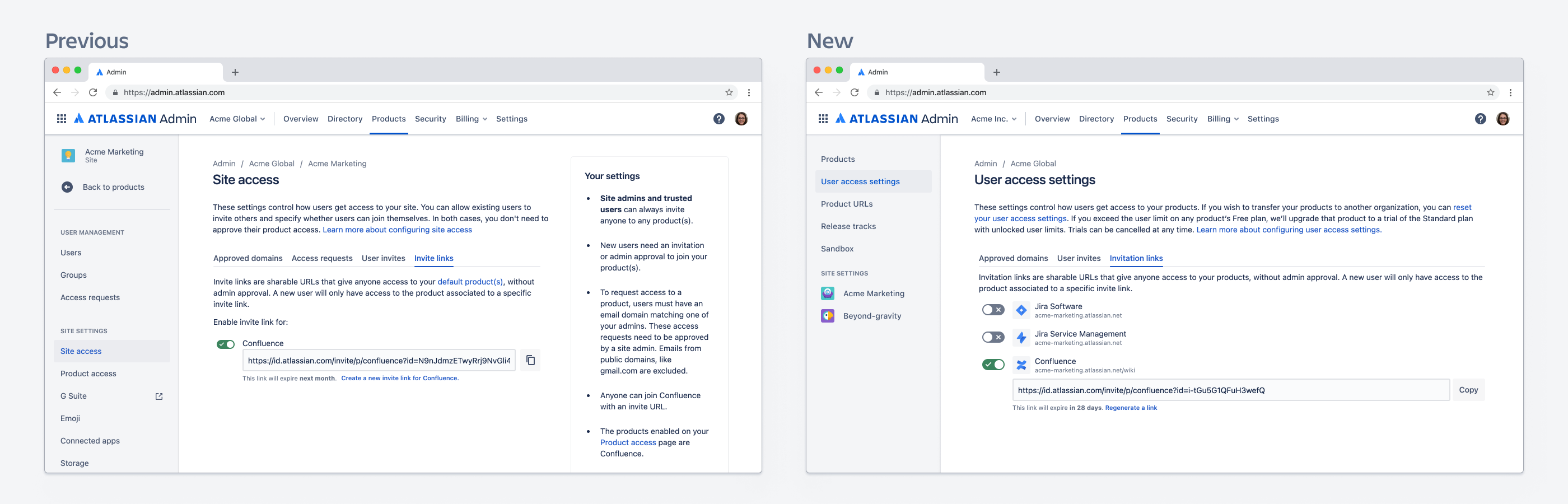
Invitation links
Previously these were called invite links – and you could only generate links for products within a specific site. Now, you can configure invitation links for any products, in any sites, within your organization.
What do I need to do?
You don't need to do anything! These changes will happen in the background, with no interruption to service.
When will this happen?
Phase 1: New customers who created an organization after 20th September 2021 already have these changes.
Phase 2: Existing customers will start seeing these changes from June 2022 onwards
Phase 3: We’ll be making additional feature improvements, addressing your feedback and suggestions. We’ll share a new Community announcement detailing these changes once they’re about to be rolled out.
Tell us what you think
We'd love to get feedback about these changes. Influence the future of Atlassian Cloud by using the Give feedback link in admin.atlassian.com!


