Hello,
I have an issue+request type with a few "copies" of the same field (multiple product numbers added to one request), so I have custom fields such as:
Part Number 1
Part Number 2
etc.
These are not filled the same number for every incoming request, so some may have only 1 part number associated with it, others may have 4 for example (we will allow up to 10).
What I'd need is a pretty simple automation: If the field "Part Number 2" is not empty, create a subtask, and copy some details of the original issue to that subtask. 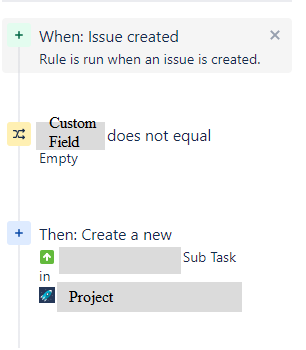
I'd make 9 "copies" of this automation, so if for example 7 part numbers are added for a request, 6 subtasks are created.
The problem is that when an issue is created, it seems that in that precise moment when the automation runs, the custom field still shows as empty for the system, despite the fields being populated when I actually open the issue 3 seconds after submission.
For example, if I change the condition to not equal to "Turtle", the subtask creation part of the automation does work (the copying over of the chosen fields will not, will all show up as empty, which I suspect is for the same reason, in the precise moment when the issue is created, the cells still seem empty in the system for that 1 second before being populated probably).
When I check the Audit log, it says No actions performed, under details it says the Issue did not meet the conditions, despite the fact that I know it does, as the relevant field, for example Part Number 2 is filled out.
I tried both the simple 'is empty' , and the "is not equal to Value" conditions with Empty and None. Tried also to change the default value of the field to "Empty" from "None" so it definitely has "Empty" there, unless something was written in the form.
Can anyone help me with how this might be solved?
Thank you very much in advance!


