We have a customer # field that is a single line text field (customfield_10637) because some customers are Alpha Numeric where others are just numeric.
In the case of numeric customer #'s we are coping those over to a number type custom field (customfield_10768) . We are doing this as in some cases Customer A may be entered as 001234567 or 0001234567 in the text field which would require the team to search both scenarios.
When we copy the field over to the number field, this allows all results to be returned with one search. On the display of the issue though, the number field contains commas which really isn't accurate.
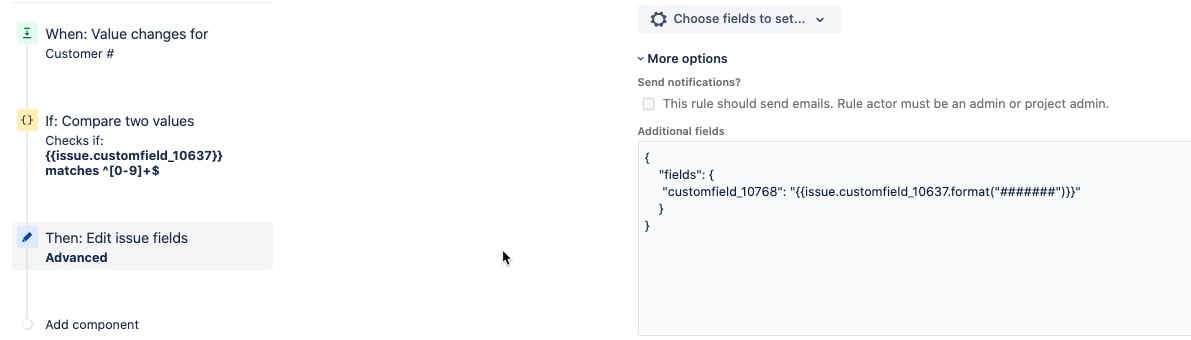
When i use the .format("######") option, it actually just clears my number field. When i remove the format option, it copies the field values but includes the commas.
Is there a way i can remove the commas from the number field so its shows just the accurate customer #? I have also tried, to first copy with the commas, refetch the data and edit the customfield_10768 a second time and reformat it again but same results of it clearing the field.
Here is my automation rule:
here are the results when i do not use the format option



