I don't use estimates on sub-tasks, and would like to hide this field from my cards on my Scrum board.

I found this post which seems to ask the exact same thing, but I followed the steps listed and it seems that maybe my setup is different.
In the linked post, the discussion members indicate that one should create a custom screen for their sub-task issue type and remove that field. They also indicate removing the sub-task issue type from the "story points" field context.
I feel that I should note that I use time estimates (i.e. "1d 2h"), rather than story points to estimate my issues. Which leads me to wonder whether this field is called something other than "story points" in my case.
I have created a new screen/screen scheme for the sub-task issue type and hid the time tracking and story points fields by moving them to the right column. This had the desired effect of removing the field from my view when I open the issue, but the indicator above still remains on the cards on the board.
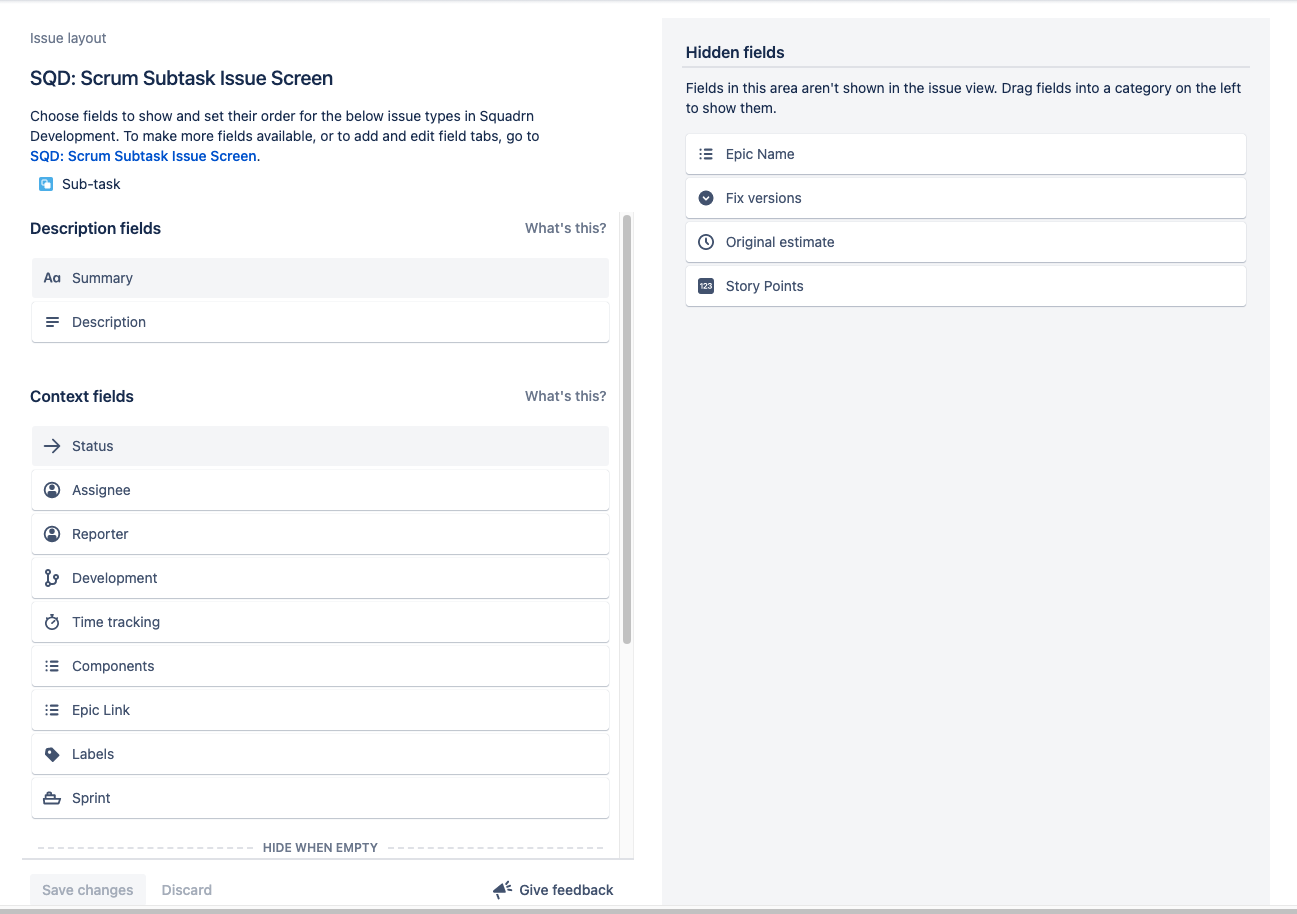
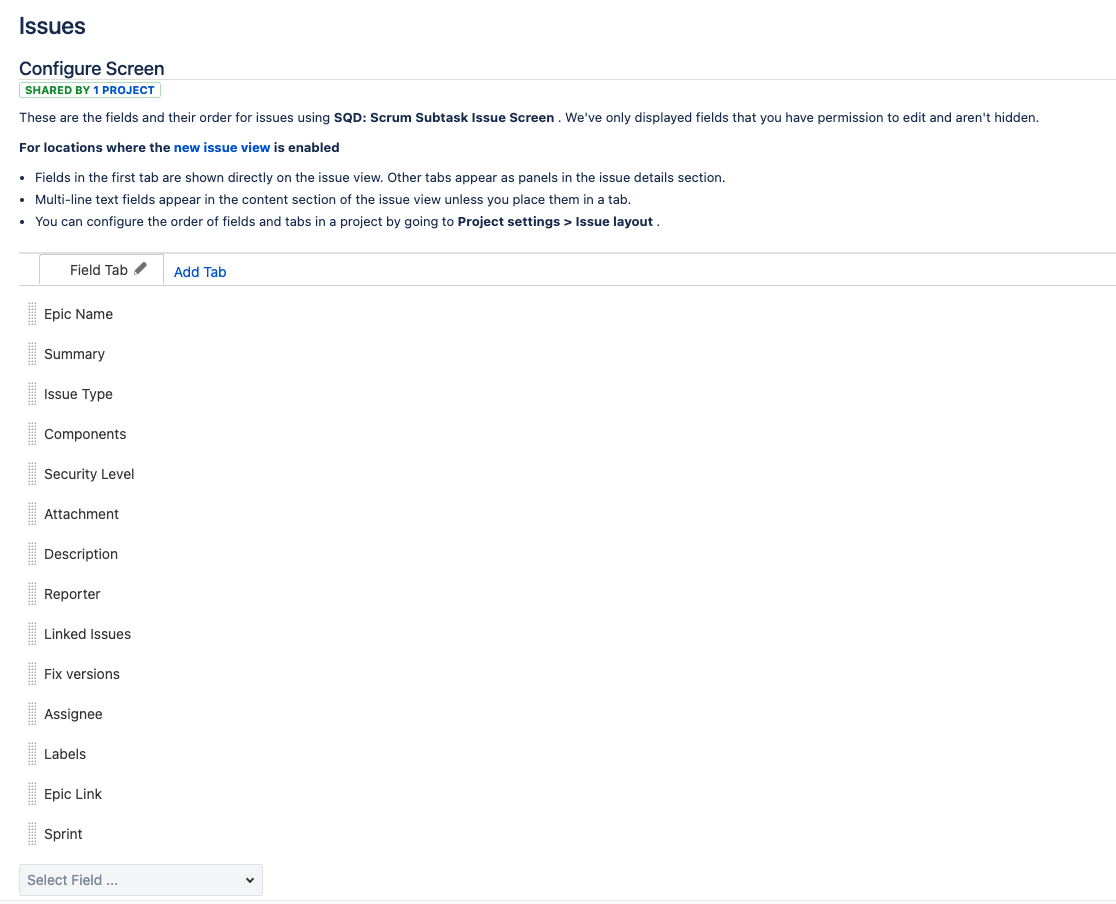
I also checked the subtask issue screen (accessed by clicking the link at the top of the screenshot above), and verified that these fields aren't present.
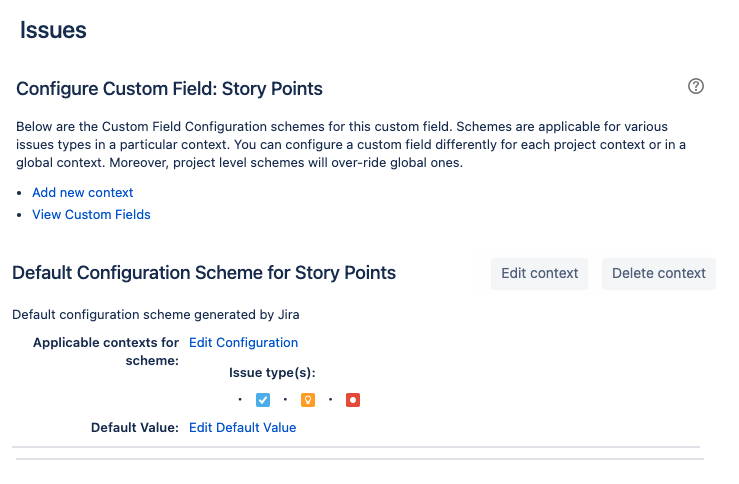
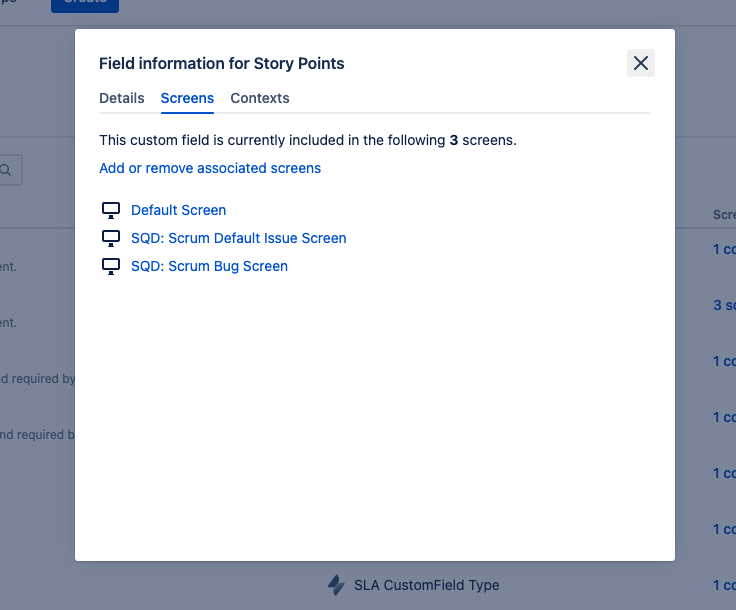
Also of note, I've gone to Settings/Issues/Custom Fields and found Story Points. I confirmed this field is not associated with my subtask screen, nor is subtask listed within the field context.
Finally, I checked my board settings, and there are options to turn time tracking on/off, or change the estimation statistic to things like "issue count," etc. However, I want to keep my existing estimation statistic of "original time estimate" because I use it on other issue types.
The field does not show up when I open a subtask (as expected, since I hid it from the corresponding screen), but it the field with the "-" is still present on the cards on my board.
Is there a way to hide this indicator from the subtask cards on my board? Am I missing something?
I am using Jira Cloud, and my project is a classic Scrum software project.
Any guidance would be appreciated.


