Hi all! 👋
Matt from TestRail here, super excited to introduce TestRail's newest product for Jira users: TestRail Lite Test Management for Jira 🚀
What is TestRail Lite?
TestRail Lite is a new Jira app for dev and QA teams that want a super fast, lighweight tool for testing and QA within Jira.
Why should I care?
The biggest differences between TestRail Lite and other Jira test management apps is that:
- It is way simpler
- Much faster to work with
- Gives you the ability to add tests right to your existing Jira issues (doesn't just create a bunch of new issue types to clutter your Jira board).
How do I use TestRail Lite?
In case you're interested in giving TestRail Lite a try, here is how you can get started:
1️⃣ Install a free trial of TestRail Lite from the Atlassian Marketplace or from the Apps > Find new apps menu in your Jira board
2️⃣ Open an existing Jira issue or create a new one, and then scroll down to see the new TestRail Lite section in the issue detail view (if you don't see it immediately, you may just need to toggle it on by clicking the 'TestRail Lite Results' link from the tollbar underneath the title of your Jira issue)
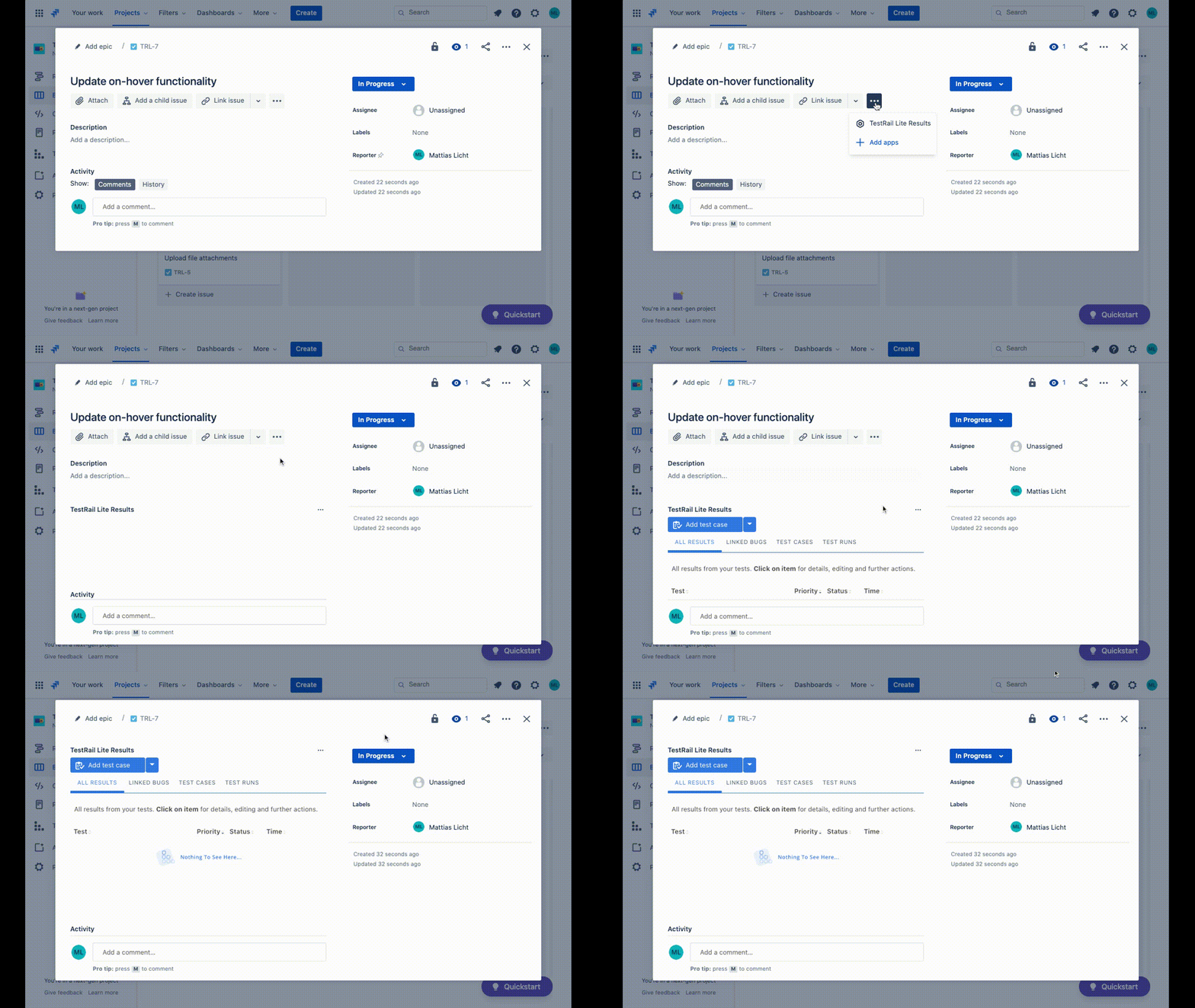
Fig 1. Enable TestRail Lite on a Jira issue from the issue detail view.
3️⃣ Now start adding test cases. You can add one test at a time or quickly write multiple test cases with the "add & next" button.
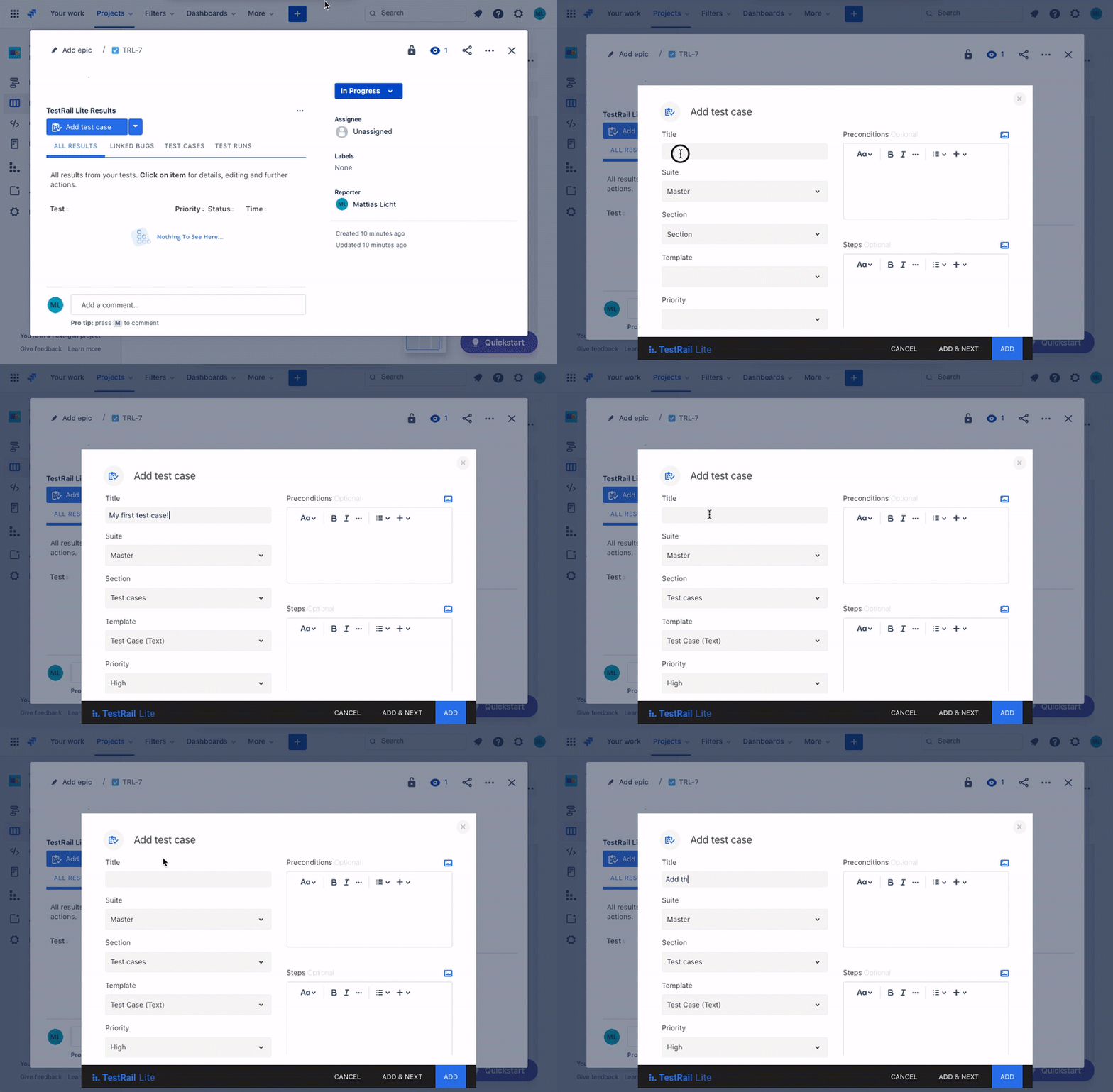
Fig 2. Quick-add test cases from the new TestRail Lite pane in your Jira issues view.
Pro tip: Feel free to add preconditions, steps, and expected results while you're creating the test cases, or you can always edit them later.
4️⃣ If you want, you can organize your test cases into suites and sections, or you can just add a test run to start testing.
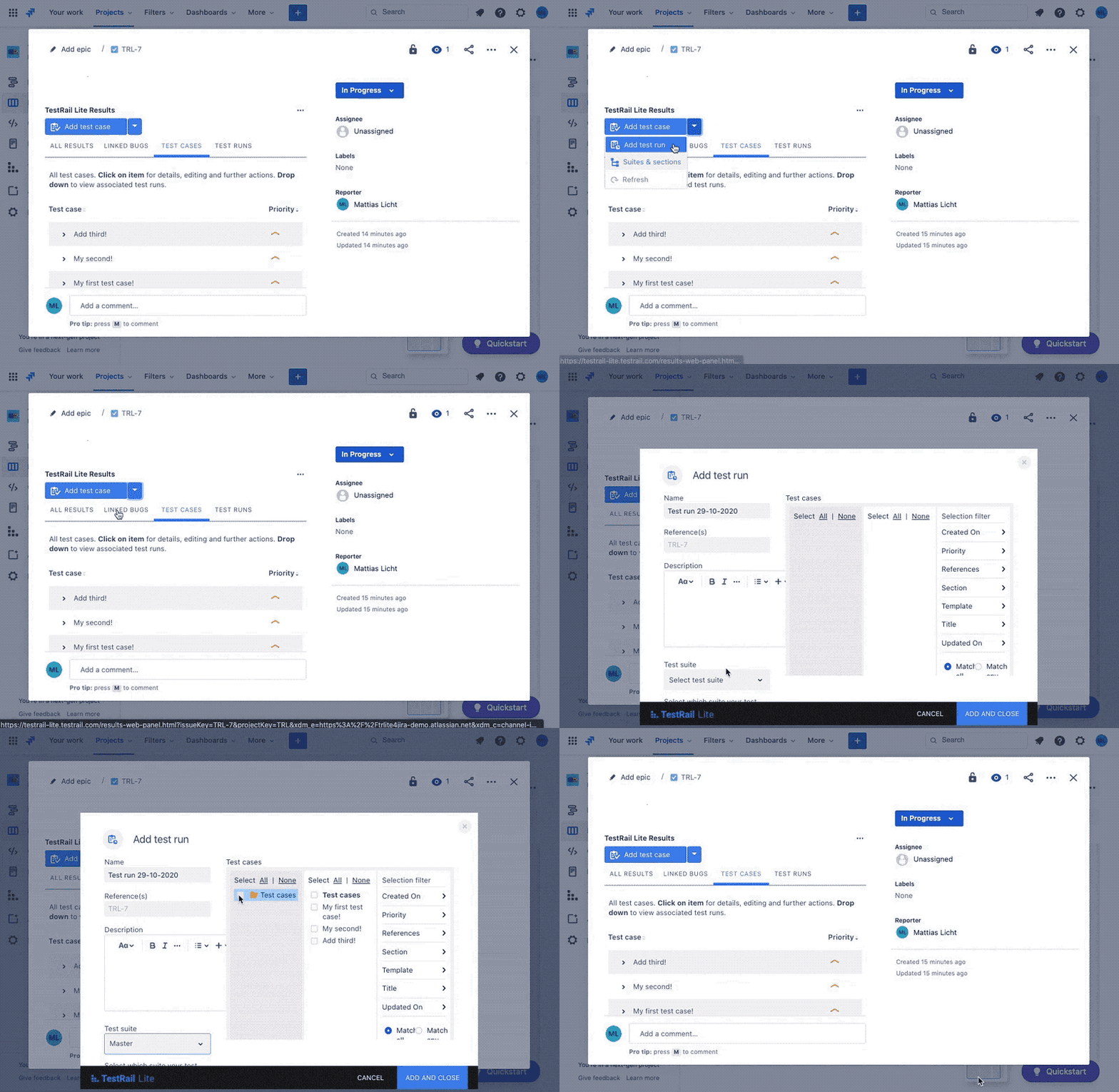
Fig 3. Select Add Test Run from the TestRail Lite dropdown menu to starting testing your cases.
5️⃣ Run your tests! Open a test run you created to start testing and upload your results.
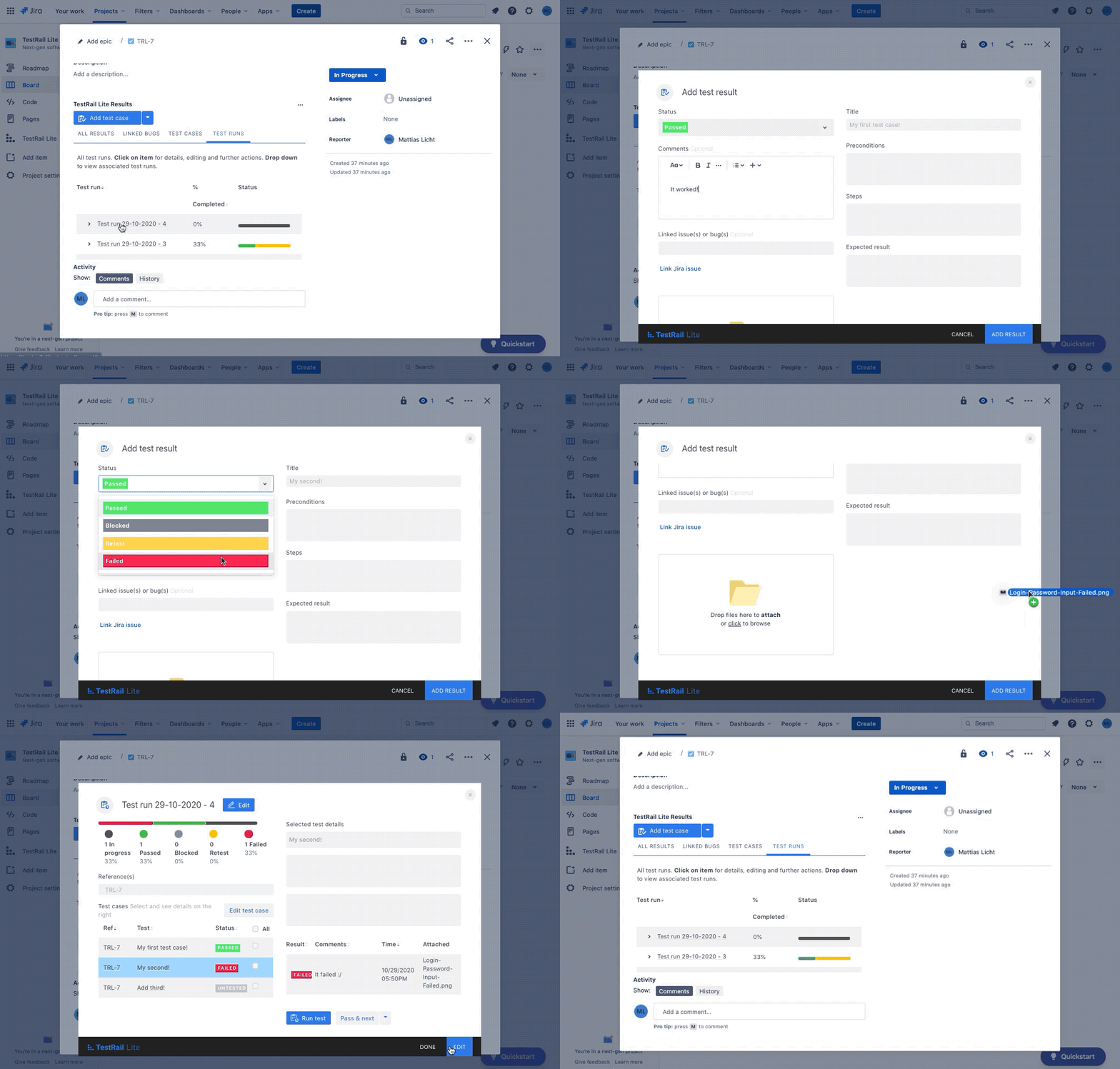
Fig 4. Test your cases in a test run, and drag and drop screenshots or other files to add to your results.
There ya have it: how to add test management to your Jira issues in under 30 seconds! 🏎
You can also check out our documentation if you want to learn more. You can find that here.
This is the very first version of the app, so we would love to hear any feedback, suggestions, or ideas you'd like to see implemented in future updates!
Feel free to ping us with any questions at trlsupport@gurock.com or drop them in the thread below.
If you like what you're seeing here, you can help other teams discover the app by leaving us a review in the marketplace! 📝
Thanks again, can't wait to hear what you think!
- Matt from TestRail


