I have a field I'd like to "hide when empty." Sounds easy enough.
The problem is that the field lives inside a tab, and I'd like it to stay there when it is populated. Is this possible?
(Context: we're retiring the custom "Pull Request" field in favor of a plugin. So the field will not be populated going forward, but we need to preserve the information for past tickets.)
I've tried a couple workarounds, either of which would serve my purposes if they worked:
- I moved the field out of the tab, to utilize the normal "Hide When Empty." When I do this, Issue Layout says my field is a Description Field, and I can't move it to a Context Field, and by extension, can't use Hide When Empty. (I assume this is because it is a Multi-Line Text Field?)
- I created a new tab, containing only this field, and moved that tab into the Hide When Empty section. But the tab always displays, even when the field is empty.
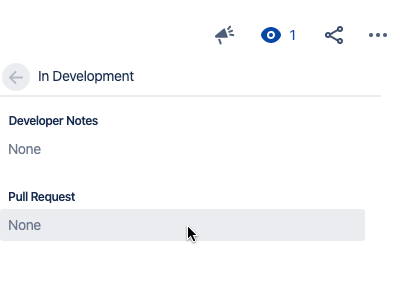
Screenshots for clarity: Ideally, "Pull Request" would only display when it contains data.
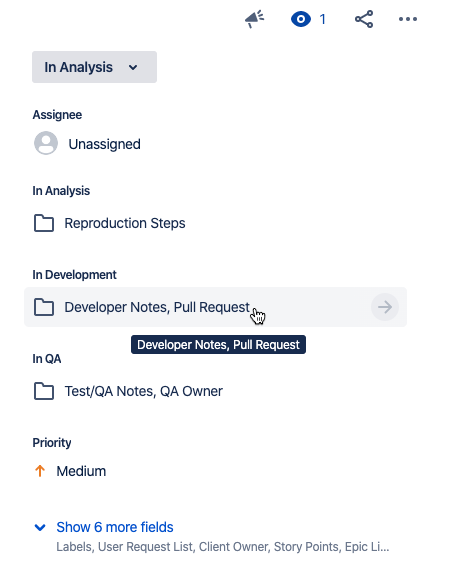
(We'd never see Pull Request: None, like this.)