TL;DR
Project admins of next-gen projects on Jira Software and Jira Service Desk can now customize the configuration of email notifications to the specific needs of their project. This feature allows project admins to further optimize the volume of emails sent from Jira to their respective users.
What has shipped?
We are very excited to announce that project admins of next-gen projects on Jira Software and Jira Service desk can now configure and customize email notifications for each of their projects individually. This change impacts all current and newly created next-gen projects.
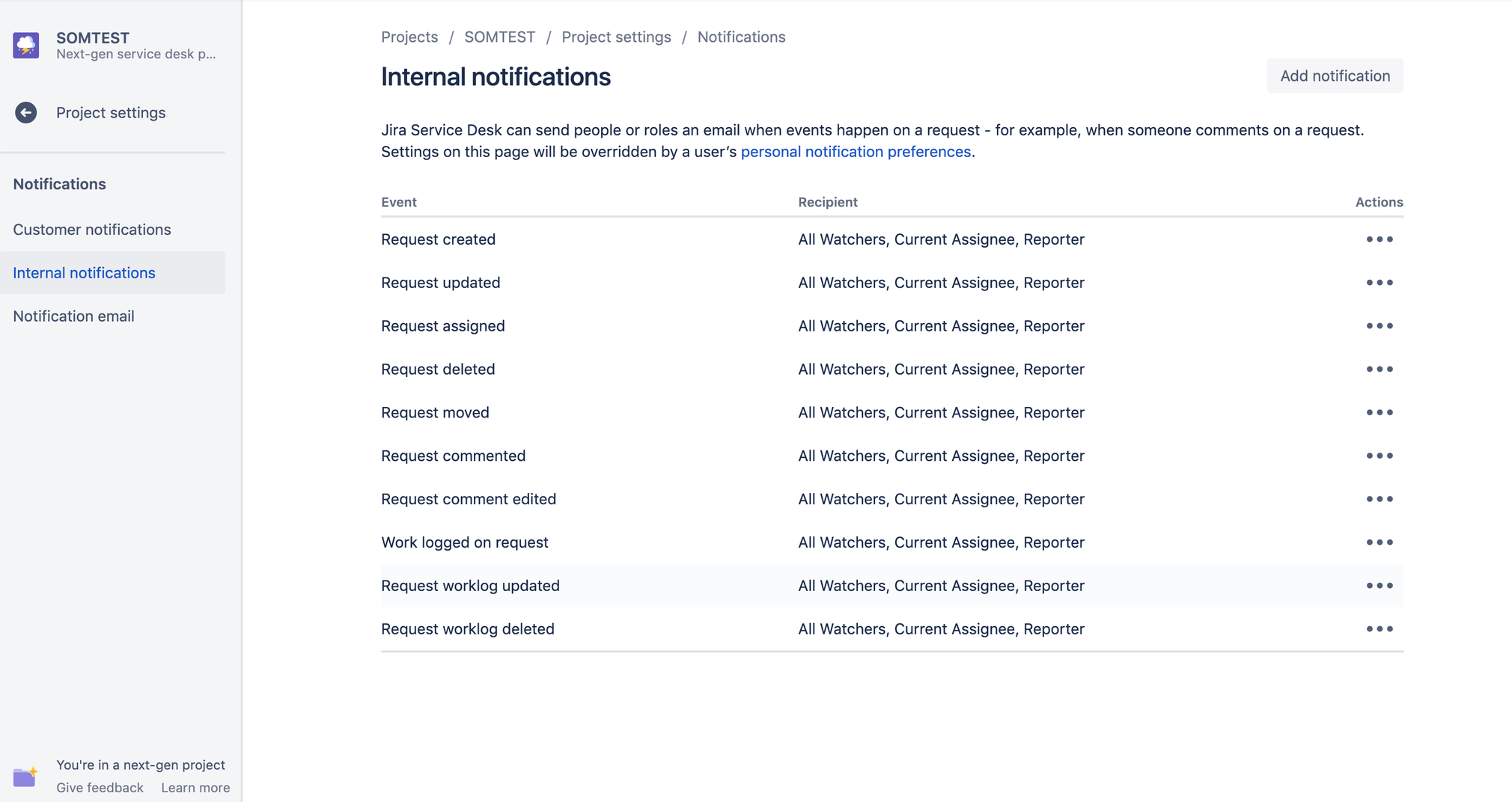
The new approach to configure email notifications for next-gen projects is simple, easy to navigate, and gives complete control of email notifications to project admins. Project admins of a next-gen project can now access email notifications control via the Project Settings.
For Jira Software, this feature can be accessed at Project Settings → Notifications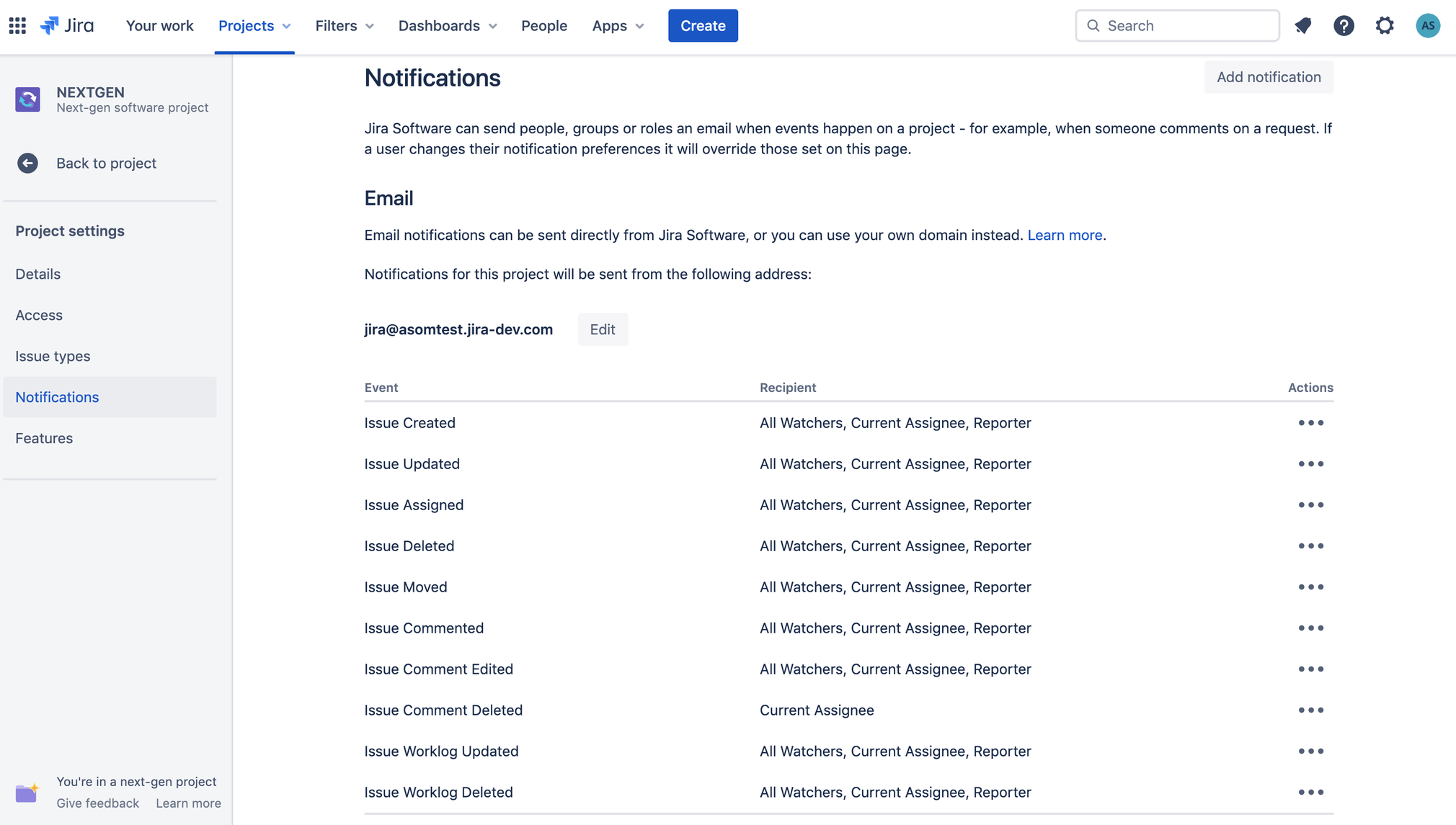
For Jira Service Desk, this feature can be accessed at Project Settings → Notifications->Internal Notifications
How do I use it?
The new Notifications screen has three key areas of focus:
- Add a new notification to the project
If you would like to set up email notifications for an event type that has not been configured yet for your project, please click on 'Add notification' on the top right corner of the screen where you can set up the notification according to the needs of your project. On clicking ‘Add notification’, you are presented with the following:
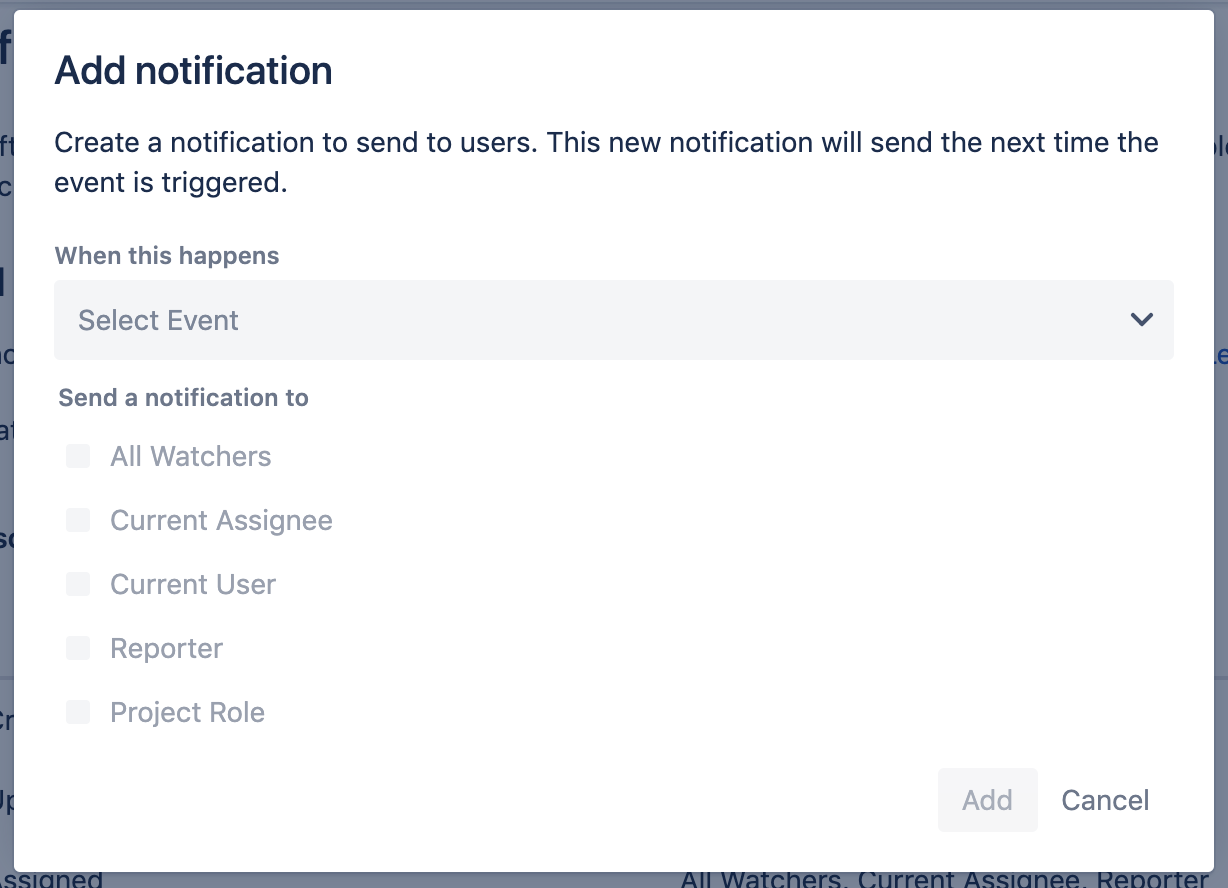
Here, please select the event you would like to send email notifications for from the dropdown list and then choose to whom you would like to send the notification to from the available options. Multiple recipients can be selected. Once you have chosen the recipients, press Add.
- Edit address or change the domain from which your email notifications will be sent
Project admins can also customize the address from where all Jira notifications for the project are sent. While changing the user name has no restrictions, if you would like to use your own custom domain, there is a set of steps that you must follow which is detailed here.
NOTE: For Jira Service Desk next-gen projects, this setting can be found at Project Settings → Notifications->Notification email
Questions or Feedback?
If you have any questions or would like to provide us with some feedback, please do comment on this article and we will respond as soon as possible.


