Are you leading an Agile team? Or perhaps you’re more on the Ops or Business front in HR/IT? If either is true, you can easily make Jira work for you.
Chances are you already use the Smart Checklist for Jira add-on. If you don’t, get it right now. It’s great for Acceptance Criteria, Definition of Done, Jira checklists, onboarding, and other to-do lists.
In this article, we’re going to explain how you can get more out of your checklists. We’ll do it by adapting them to your processes with the popular add-ons for workflow automation:
Apply default checklist to a newly created issue
Per Jira issue type
If you want it to be done per issue type, Smart Checklist has this feature available out of the box.
Per service desk request type
What if you’re setting up a checklist for the service desk? You’ll probably need to apply a specific process to a newly created issue with Request Type.
It can easily be done by setting up an Automation Rule by Automation for Jira. To be specific, you’ll need to do the following:
- Set Trigger. When: Issue Created
- Set Condition. If: Issue matches JQL
- issuetype = 'Service Request' (put your request type there)
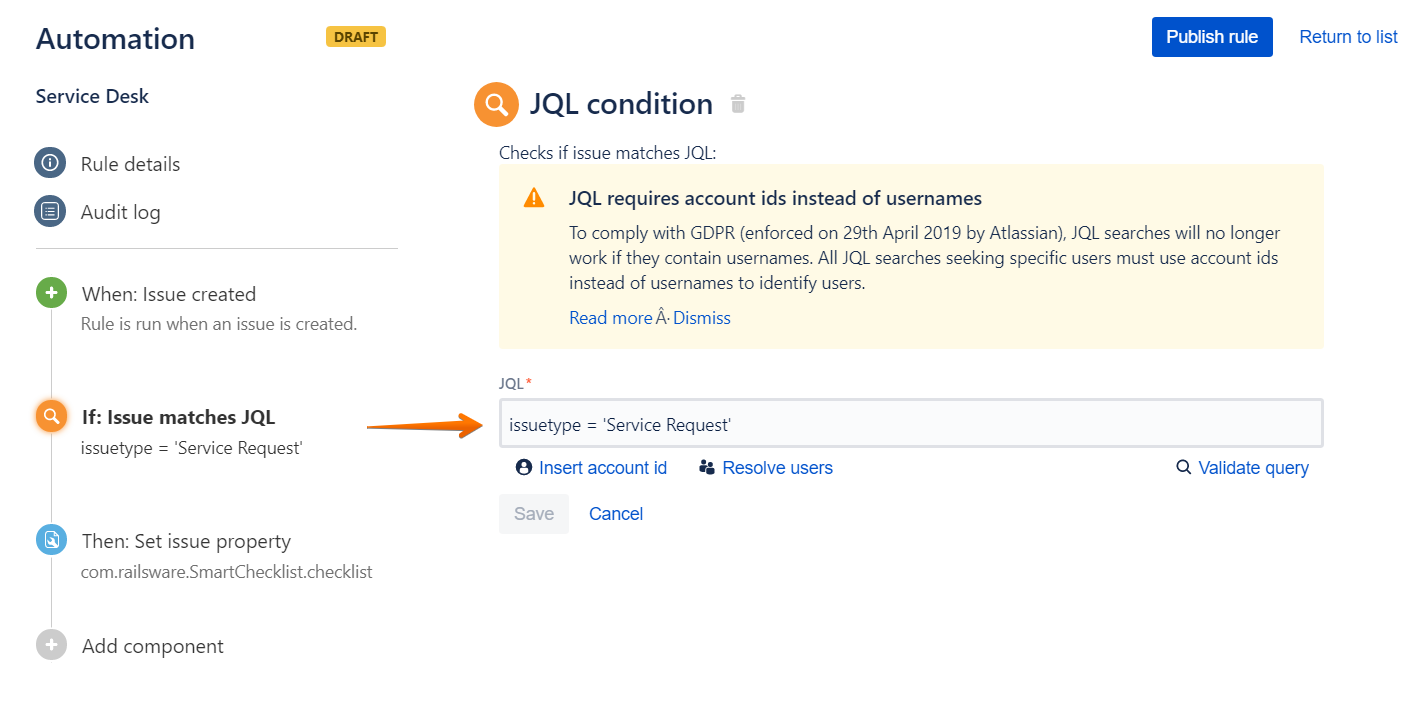
Set Action. Then: Set the checklist value.
Set Checklist depending on a Custom Field Value on Issue Creation
Let’s suppose you want a certain checklist to be added to a newly created Jira ticket depending on the value of another custom field. You can easily do it by adding "Script Post Function" from Script Runner to your Create Ticket workflow transition.
This may be really useful if you extend your Service Desk processes and want to set up proper checklists for a specific “Request Type”. In this example, a proper checklist is added depending on an "Environment" custom field that’s filled when a new issue is created.
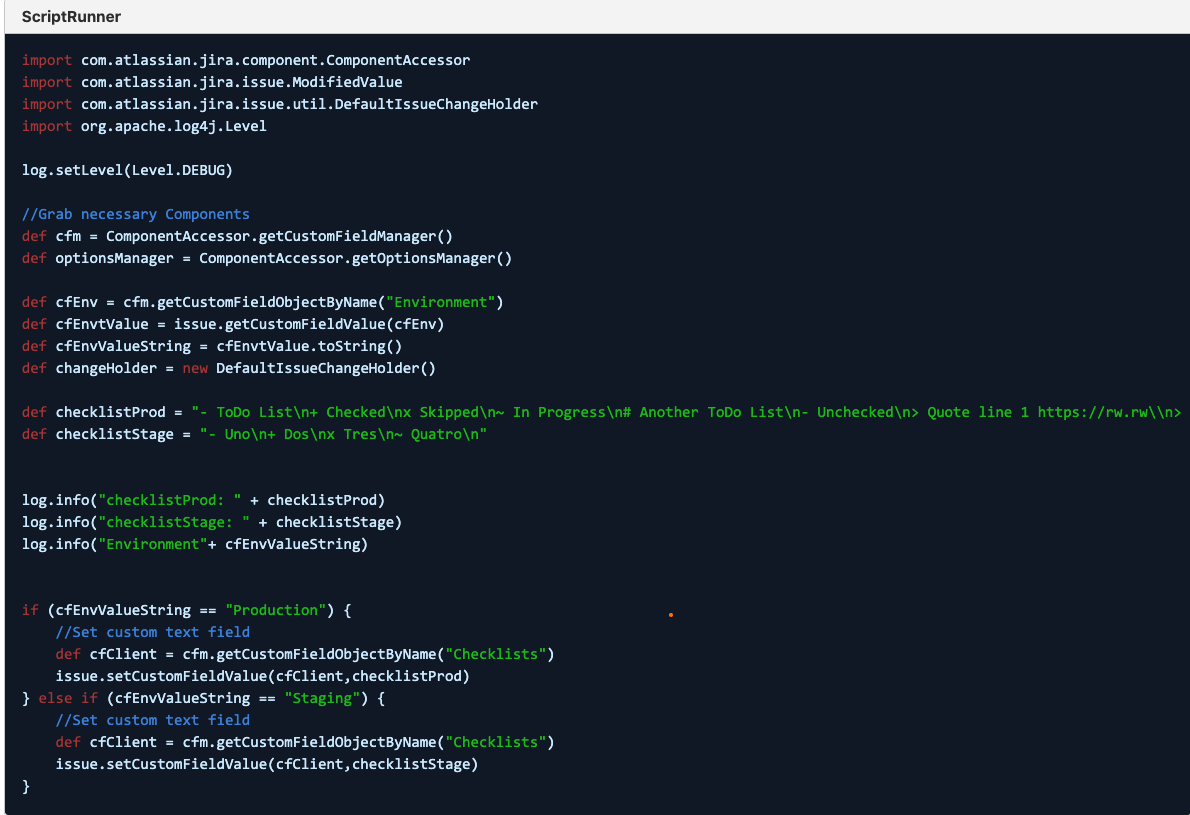
Check the detailed instructions for Jira Server.
Update/append checklist items during a workflow status change
Your engineers have completed an engineering-related checklist. Now the ticket is ready to be moved to the QA state for the proper testing by the folks from Quality Assurance. What you can do is simply append a QA checklist to an already existing checklist. You can do it with Jira Misc Workflow Extensions (JMWE), Nunjucks script (Cloud), and Groovy Script (Server and Data Center).
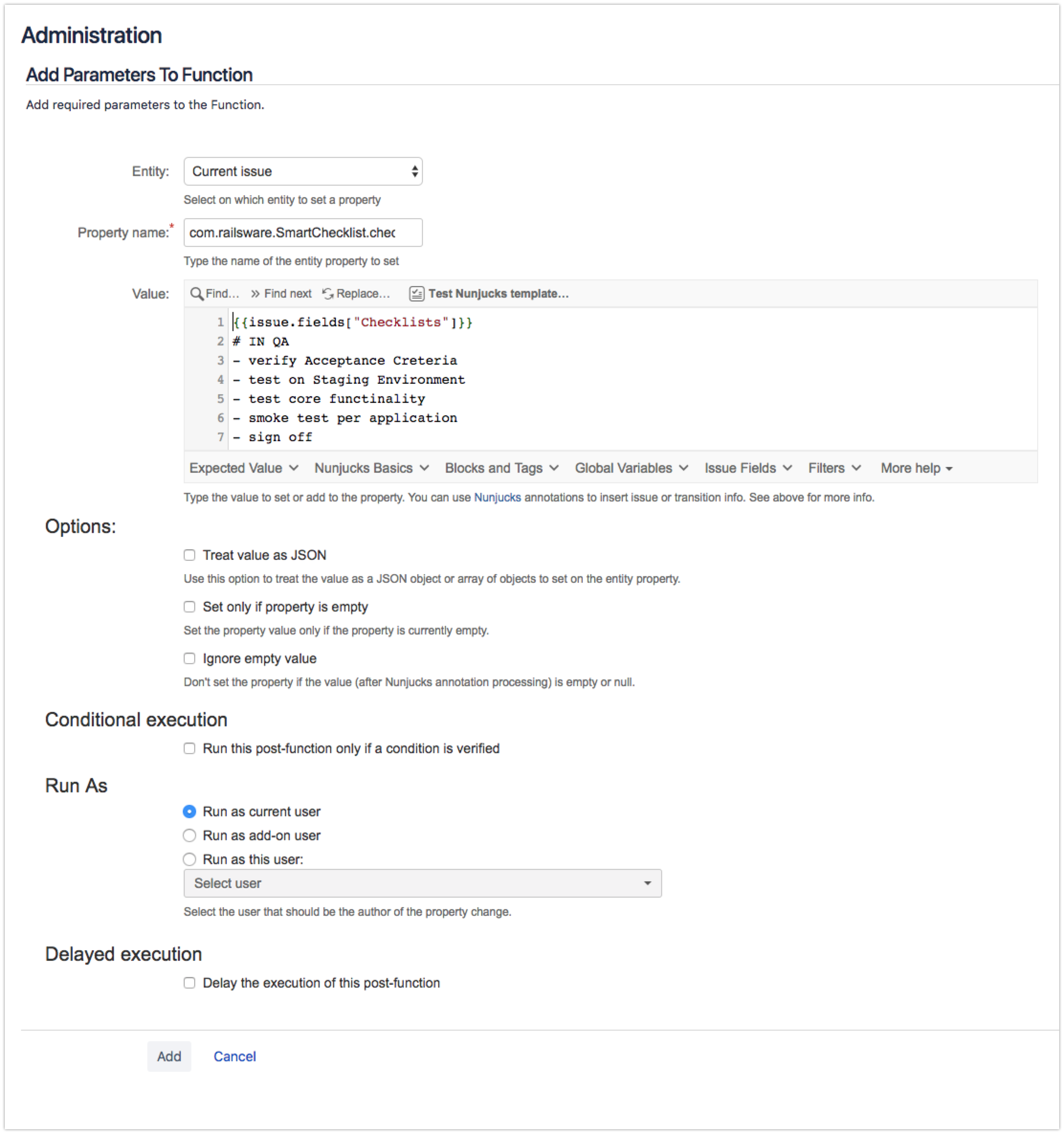
Read more about JMWE integration.
Transition an issue to the next state when all the checklist items are completed
This can easily be achieved by using Automation for Jira. You could add a “Compare Condition" automation block and evaluate “Smart Checklist Progress” field against the regular expression (^$|.*Done).
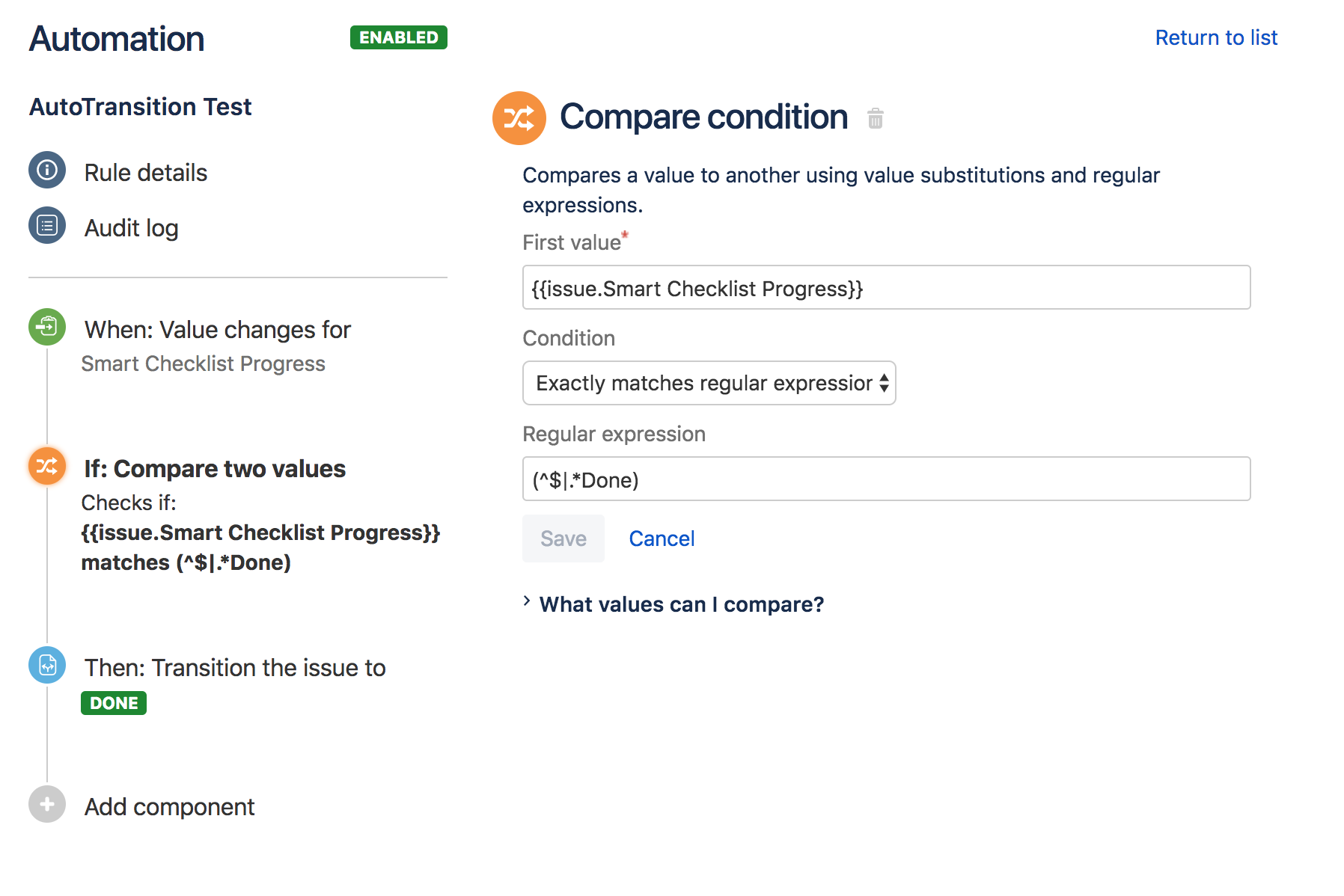
Check the full instructions.
Customize checklist visibility by user group/user role/ticket type
ScriptRunner can be used for hiding separate UI elements on your Jira tickets based on different conditions. This way, you can hide Smart Checklist visibility on your Jira instance for specific user groups/roles/ticket types.
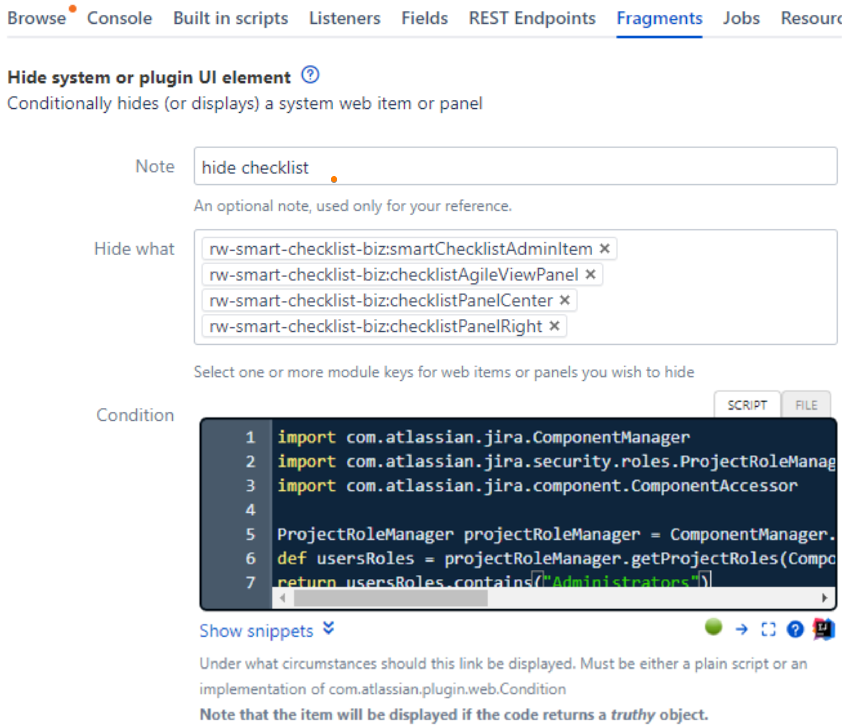
Read more.
Conclusion
Smart Checklist for Jira can easily be integrated into your Jira projects for Cloud, Server, and Data Center instances. You may also extend it with third-party tools to further improve the processes for your team.
Try it now for free!
What other automation use cases do you have (with or without checklists embedded)? Share them with us in the comments!

