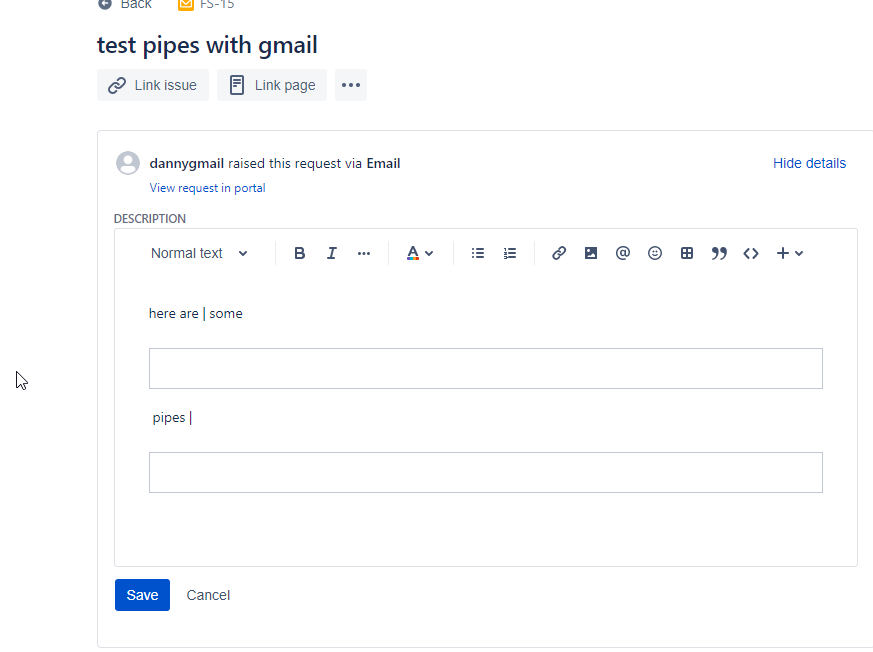
When an incoming email to Service Desk contains the pipe character | , the rich text display/editor in the Portal and in Service Desk renders it incorrectly. This seems to only happen when the pipe is styled, example with a colour:
<span style='font-size:10.0pt;font-family:"Arial",sans-serif;color:#BFBFBF;mso-fareast-language:EN-CA'>|</span>
The above was from Outlook, however using a styled pipe in gmail produced the same result, see screenshot. The block areas are actually styled pipes. The pipes that are displaying correctly are not styled.
Does anyone know a way around this? I can't control what my customers send in via email, and pipes are common in my customer's email signatures.