Running a multi-channel campaign across brand, demand gen, product marketing, web, and ops is rarely simple. The brief lives in one place. The plan lives somewhere else. Updates are scattered across meetings, Slack threads, and "can you forward that email?" requests. The result? Misaligned expectations, missed dependencies, and more reactive fire drills than anyone wants.
Below is a practical way to keep everyone aligned from campaign kickoff to launch using Teamwork Collection. We’ll look at how Confluence, Jira, and Loom – with Rovo doing much of the manual work in the background – help reduce manual work and keep campaign context connected.
1. Start with shared goals and a campaign brief
Most campaigns kick off during a planning cycle or when a clear business need emerges. Before anyone starts creating assets or planning channels, it’s worth getting crisp on why the campaign exists and what success actually looks like.
Create a single campaign brief in Confluence
Use Confluence to create one campaign brief page, either from an existing template or from scratch. At a minimum, capture:
-
The business problem and opportunity
-
The primary objective (e.g., re-engage churned users to active monthly usage)
-
The target audience and key segments
-
The KPIs and how you’ll measure them (e.g., logins, activity, feature adoption, revenue impact)
Use headings, callouts, and tables to make the brief easy to scan and reference during reviews. This becomes your single source of truth for campaign context, goals, and success measures.
Let Rovo draft and extend your brief
Instead of starting from a blank page, use Create with Rovo as the default way to get your brief going. From a short prompt (for example, “Create a brief for a marketing campaign to address churned users in FY26 Q3”), Rovo can:
-
Generate a first-pass campaign brief in Confluence
-
Suggest sections, metrics, and audience details based on similar work
-
Spin up channel-specific sub-briefs or an exec one-pager from your main brief
This makes it easier to get alignment quickly without adding more documentation work for the team.
2. Connect outcomes to execution with Goals and Projects
Once goals are defined in your Confluence brief, you can connect the work to Atlassian Goals and Projects so progress is trackable without a lot of extra setup
Connect to Atlassian Goals
Wherever possible, link the campaign to an existing Atlassian Goalthat reflects the business outcome you’re driving (for example, a quarterly growth or adoption goal).
When a clear existing goal doesn’t exist, you can create a new Atlassian Goal that reflects the campaign’s primary objective and key metrics.
Link work to a Project
Create a new Atlassian Project for the campaign and link it to your Goal. This makes it clear that the project exists to drive that specific outcome.
On your Confluence brief page, add Smart Links to the Goal and the Project. This allows anyone to jump straight from the written strategy into the live work container to see ownership and timelines. As a result, intake, scoping, and goal alignment are all in one place – and directly connected to a trackable Goal and Project from day one.
3. Give program managers a mission-control view
With a Goal and a Project in place, your program manager (or whoever’s playing that role) needs a single place to see what’s happening across all channels and work streams. Teamwork Collection gives you a few ways to do this.
Anchor your campaign around a single, shared campaign brief
In Confluence, your campaign brief will be the go-to resource by adding a few sections:
- Channel plan and key workstreams
- Timeline & key milestones
- Risks & dependencies
- Links to creative and data sources
Think of the brief as both the narrative and “mission control” view. As work progresses, you update this one page instead of maintaining multiple artifacts.
Decide where this campaign will live in Jira (and surface it in the brief)
Decide where this campaign will be tracked in Jira – either in an existing marketing project or a new one created for this campaign. Create a single campaign epic (or equivalent work type) and structure work items for the main deliverables underneath it (e.g., email builds, landing pages, paid assets, etc.).
From your Confluence campaign brief, add:
-
A Smart Link to the campaign epic so anyone can quickly jump into the work.
-
An embedded Jira board or list view filtered to this campaign, if you’ve already started creating work items.
You’ll build out richer Jira views, like calendars and timelines, and embed those later in Step 6 once planning and task creation are further along. For now, the goal is simply to make it obvious where this campaign is tracked in Jira and give stakeholders a clear entry point into the work.
4. Bring the campaign to life with a Loom
Use Loom to layer story and context directly into your brief. A short video helps bring the work to life, making it easier to motivate, excite, and align your team from the start.
Record a Loom walkthrough of the campaign brief
For complex, cross-channel campaigns with many stakeholders, sharing the plan via Loom can speed up alignment. Record a short Loom where the project owner walks through:
- The campaign context
- The concept and key visuals
- How each channel plays a role
- Key risks or open questions
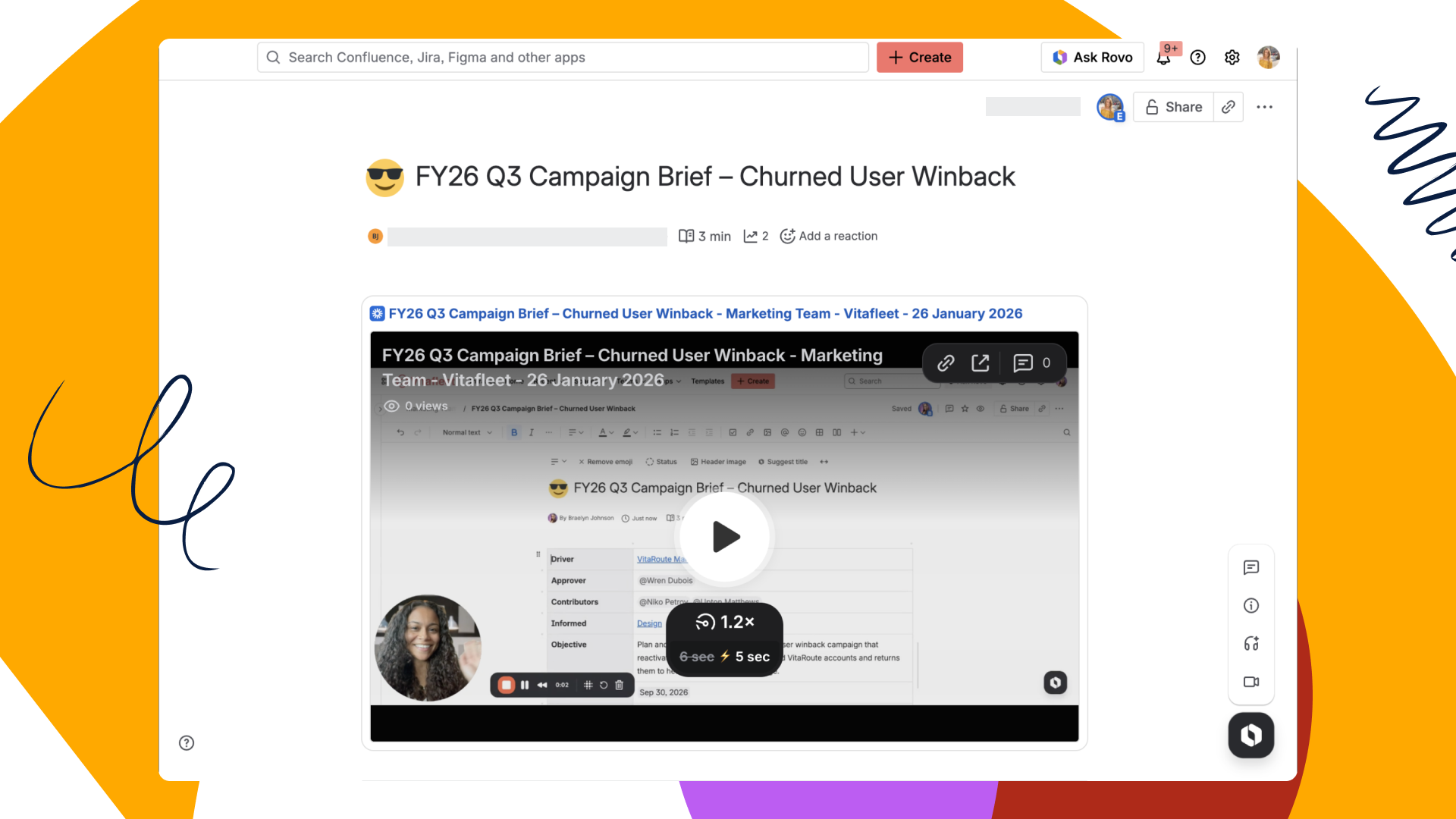
Embed the Loom at the top of your Confluence brief so you can invite stakeholders to watch it on their own time and leave time-stamped comments with feedback. You can also add a simple feedback table with columns like "Must-have," "Nice-to-have," and "Concern" to prioritize input in one place. Anyone new to the campaign can open one page, watch one video, and understand the story without another live meeting.
5. Capture every planning meeting with AI-powered notes
Campaigns often live or die on the small decisions made in planning meetings. Sadly, these small details can be the hardest to track down later.
Depending on your team's workflow, you can use AI-powered meeting notes to capture agendas, decisions, and action items, and generate summaries right after a session. When you connect your Loom AI Notetaker to Confluence, your meeting notes can be saved directly into your Confluence space. This keeps all planning documentation alongside your strategy and status updates.
Teammates can later use Rovo to search across your notes and pages, asking questions like, "What did I miss while I was out?" or "What decisions were made in the final creative review?" This way, teammates who miss a meeting aren’t left guessing later.
6. Keep the campaign on track
Who owns what, and when is it due? Clear ownership and deadlines are essential to keep everyone moving in the same direction. Once the campaign is approved, the biggest risk to alignment is execution – and that’s where Jira comes in.
Structure work clearly in Jira
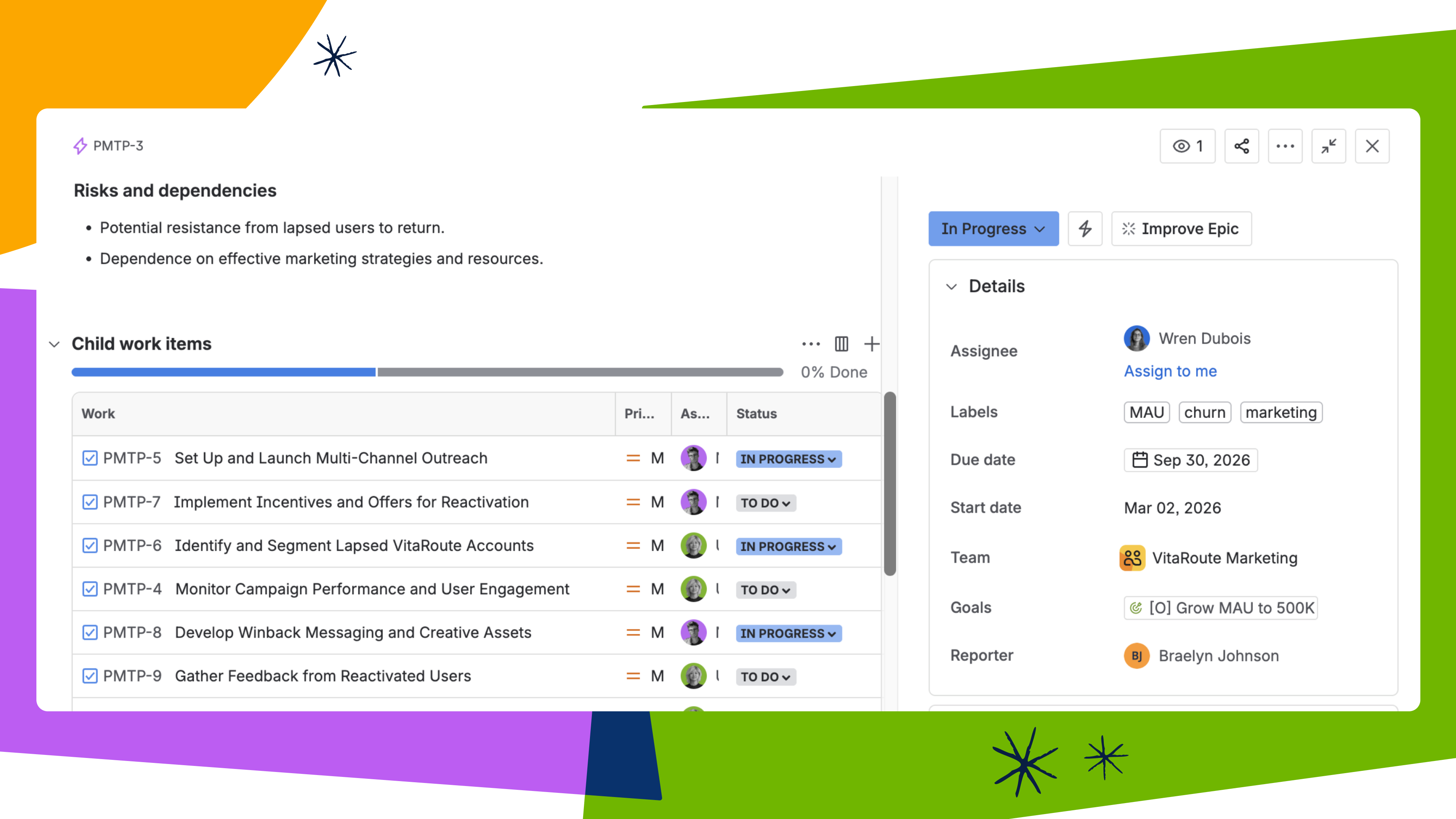
In your Jira marketing project, use the campaign epic (or work type equivalent) you created earlier. Under it, add work items for major deliverables like email sequences, landing pages, paid creative, and content assets. Then, link your campaign epic to the Atlassian Project you created earlier so progress rolls up cleanly to your Goal. You can also add due dates, clear assignees, and labels for easy filtering.
Use Jira views to manage execution
In Jira, you can leverage Calendar views to see all content and channel deadlines in chronological order. Additionally, you can use Timeline/Roadmap views to visualize phases (planning, build, QA, launch) and map dependencies. This helps program managers quickly answer "what's at risk?"
Back in your Confluence campaign brief, embed these live Jira calendar and timeline views. As work items get updated in Jira, the Confluence views stay current without any manual status reports.
Because your campaign brief, Atlassian Goal, and Project are all connected, Rovo can pull that context together to draft concise project updates. This makes it easier to keep stakeholders informed without starting every update from scratch.
7. Celebrate and recap the launch
After the campaign ships, a tight recap is gold for future campaigns and team learning. Taking time to document key outcomes and lessons learned helps the team continuously improve and ensures that insights are shared for the next big initiative.
Create a launch recap in Confluence
On your campaign brief, add a "Launch Recap" section or a standalone page. There, you can include a summary of what you shipped and a table of key performance metrics, such as re-logins, usage uplift, or revenue impact.
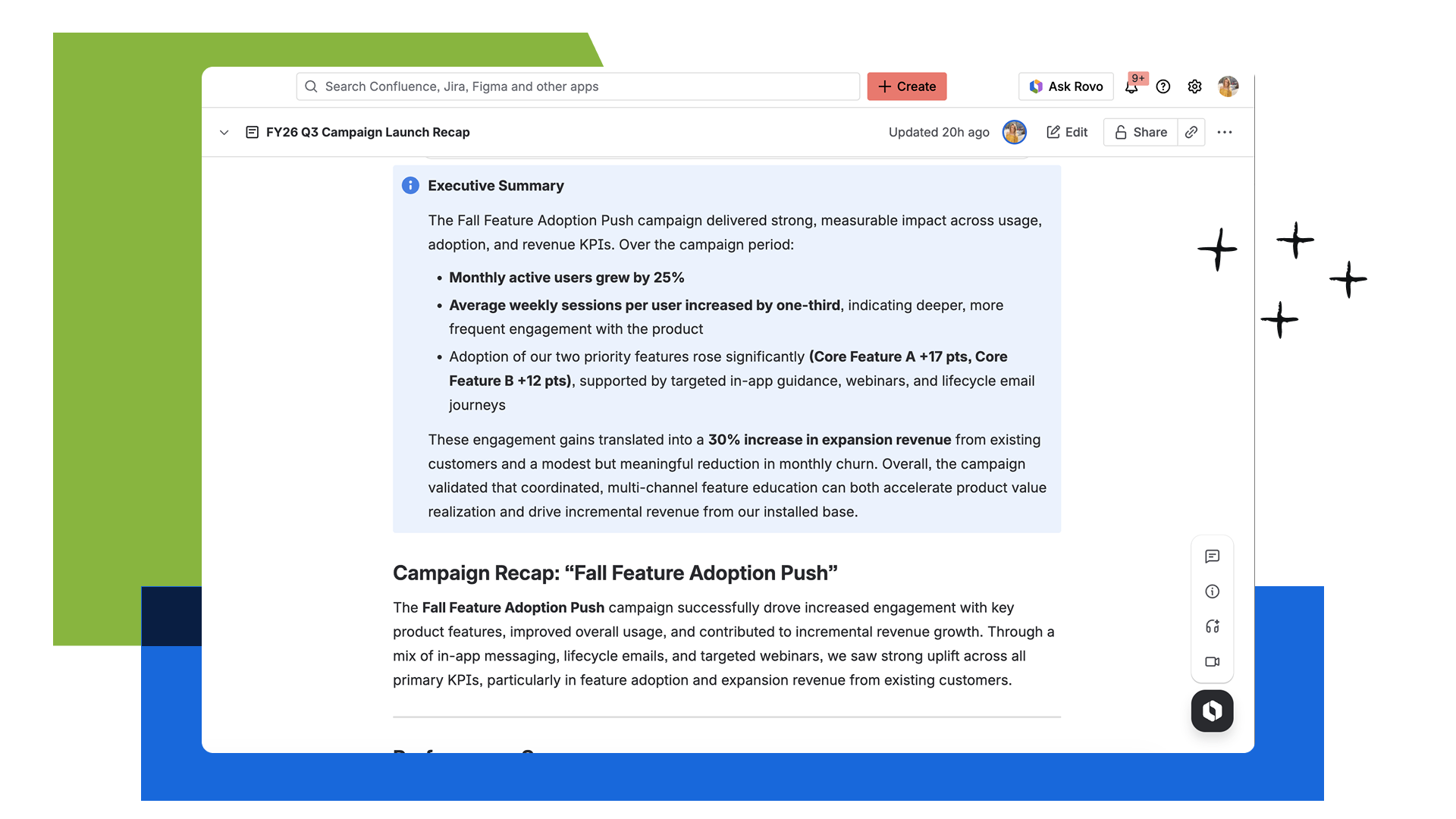
Because everything in this workflow is already connected, Rovo can draft the recap for you, pulling in the right goals, updates, and major accomplishments, so you don’t need to start from a blank page.
Recording a Loom recap
You can record a Loom where the project owner walks through performance versus goals, what worked well, what underperformed, and what you’d change next time. Simply embed the Loom at the top of the recap page so leaders can get the highlights quickly.
Make sure to link to the Jira project and any AI-generated meeting notes where major strategy decisions were made in your recap page. By centralizing those references in one place, the recap becomes a discoverable playbook that future teams can easily revisit.
An end-to-end alignment workflow
With Atlassian’s Teamwork Collection, you’re not adding another tool to the mix. You’re connecting the tools your teams already use so they can spend less time chasing updates and more time shipping great work.
At a high level, the flow looks like this: Goal → Project → Confluence brief → Loom async updates→ Jira work, which ultimately keeps everything connected from high-level outcomes to daily execution.
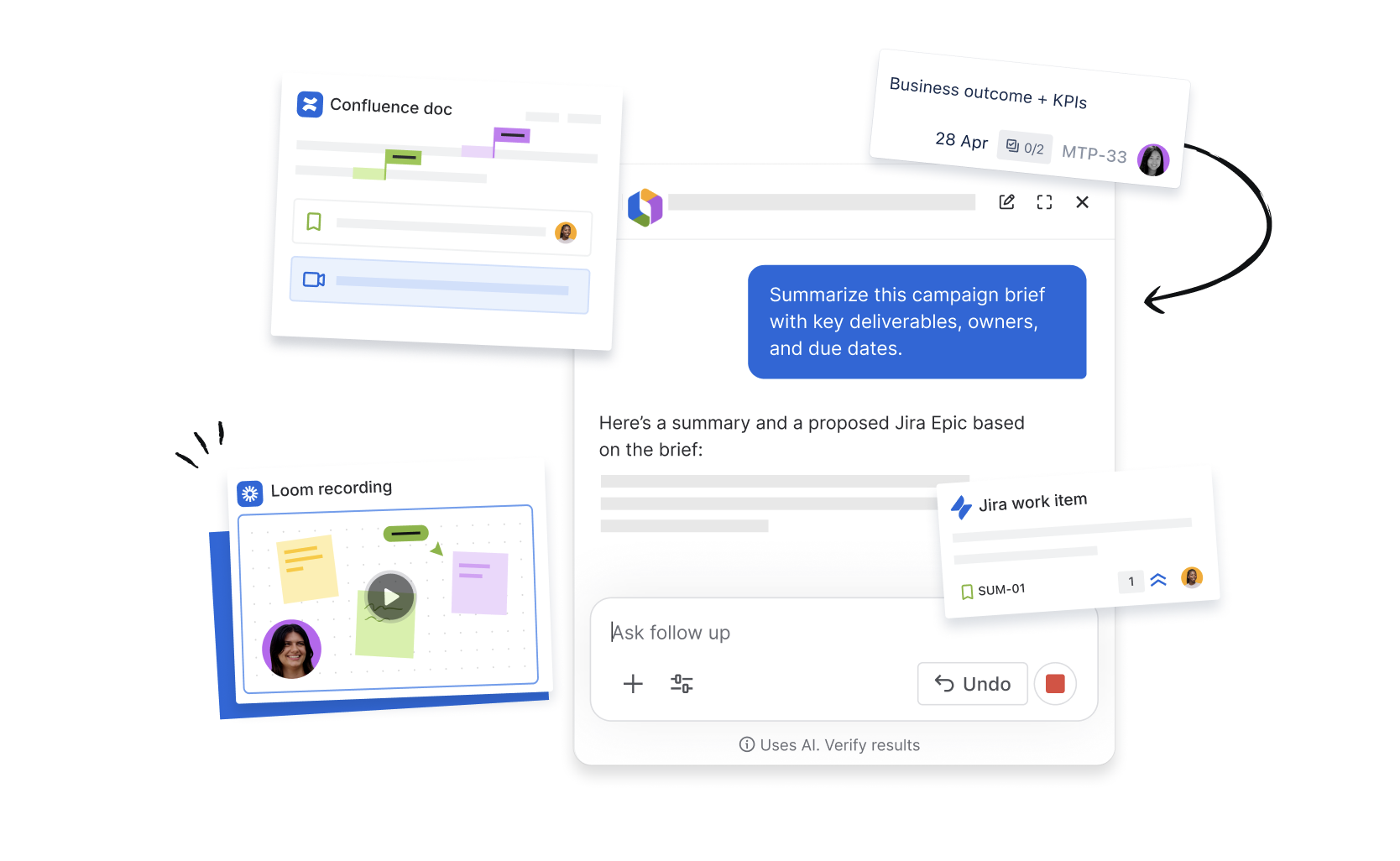
Throughout this process, Rovo helps you quickly surface related work, past recaps, and AI-generated meeting notes, while Loom captures the story and rationale behind key decisions. Together, they make it easy to answer alignment questions in seconds – without hunting across tools.
How are your marketing teams currently running campaigns across channels? Where does this workflow feel the most realistic, or where would it need to flex to match how your teams work today? Share your thoughts in the comments below.

