Hello,
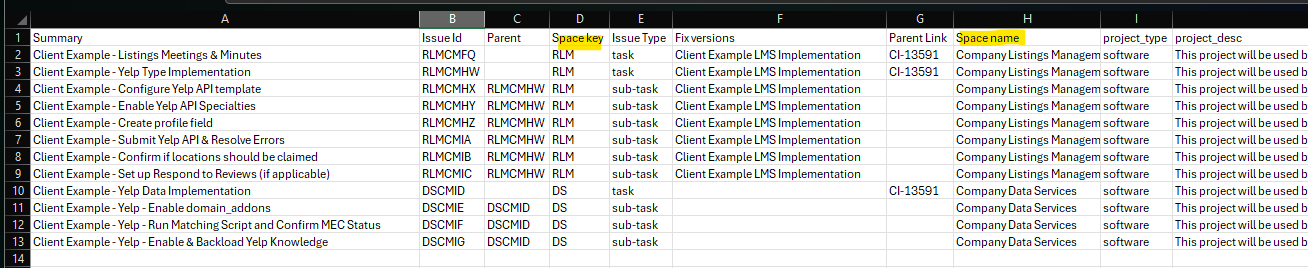
I am trying to find a solution or help on what I may be doing wrong when attempting to create multiple work items using the CSV importer. Specifically, creating work items in more than 1 Project (Space?) at a time under an Epic.
Instead of being able to use the CSV importer via the System menu (only available to admins), I'm using the following:
Filters > Search work items > ... > Import work items from CSV > Choosing the CSV Source File > Choosing an existing configuration file > Next
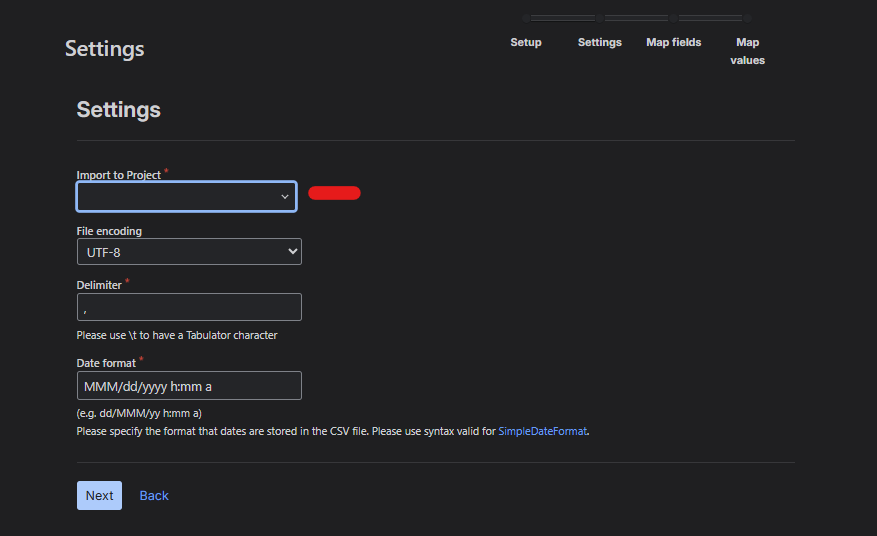
At this point, the system asks me to define the Project to import to, but the file contains more than 1. What would I select in this case? Or is JIRA smart enough to defer to the CSV (containing the Project Name and Key)?
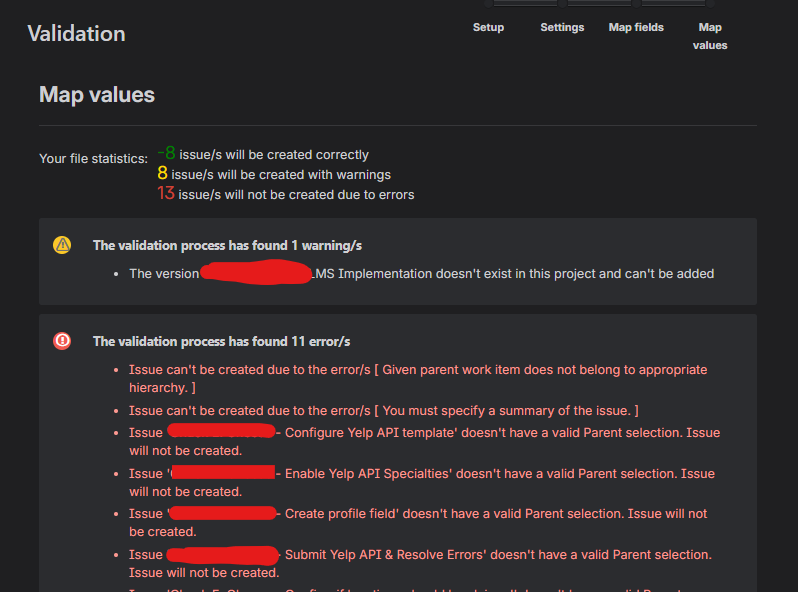
Validating the file prior to upload shows the following errors.
Any help would be appreciated!
Hello, Good day. From these logs, it looks like this is related to the work type hierarchy in your Jira instance and CSV file. Make sure the parent/child relationship is as per the current hierarchy. Thanks!
Hello @Mohanraj Thangamuthu
Referring to my to my response on this post:
On Dec. 3, 2025 Atlassian acknowledged that the ability to set the parent/Epic for an item created during a CSV import had stopped working. Here's a quote from the support case I opened on the topic:
we already have couple BUGs opened for this already, and I truly hope these BUGS will gather enough impact for our developers to consider in fixing this soon. I cannot confirm when this started to happen, as soon as our DEVs start to focus to investigate these BUGs, we should have a better picture of this.
Please check the BUGs / Suggestions below and if possible, vote for them to help them gather impact.
You must be a registered user to add a comment. If you've already registered, sign in. Otherwise, register and sign in.
Jira’s standard CSV importer only allows importing into one project at a time. To upload tasks to multiple projects, use the External System Import under Administration > System > CSV Import and include Project Name or Project Key in each row. Make sure you have admin permissions, as this option isn’t available to regular project importers.
You must be a registered user to add a comment. If you've already registered, sign in. Otherwise, register and sign in.
Jira’s standard CSV importer only allows importing into one project at a time. To upload tasks to multiple projects, use the External System Import under Administration > System > CSV Import and include Project Name or Project Key in each row. Make sure you have admin permissions, as this option isn’t available to regular project importers.
You must be a registered user to add a comment. If you've already registered, sign in. Otherwise, register and sign in.