The Atlassian Community Forums are currently in read-only mode. We will be relaunching on a new platform on September 22 (read more here). We apologize for the extended downtime. For concerns or questions, please email communitymanagers@atlassian.com. See you on the other side, on the new Atlassian Community Forums! :)

×

Forums

Articles
Create
cancel
Showing results for 
Search instead for 
Did you mean: 

Make a Specific Custom Field Editable While Other Fields Are Not Editable

Jesse Ortega Jr
Contributor
December 14, 2023

Hello. I am using the property key of jira.permission.edit.denied to block editing on issues in certain statuses. However, there is a field that I want to leave editable; Asset Object(s) [cutstomfield_10477]. Is there a property key that I can use to make the field editable?
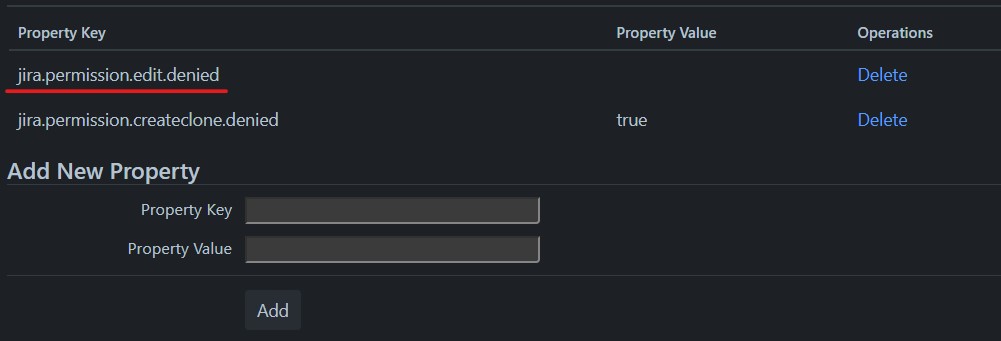
Property.jpg


The status of Assess is when all the documentation is done in the issue. So this status is the only one to remains fully open for editing.
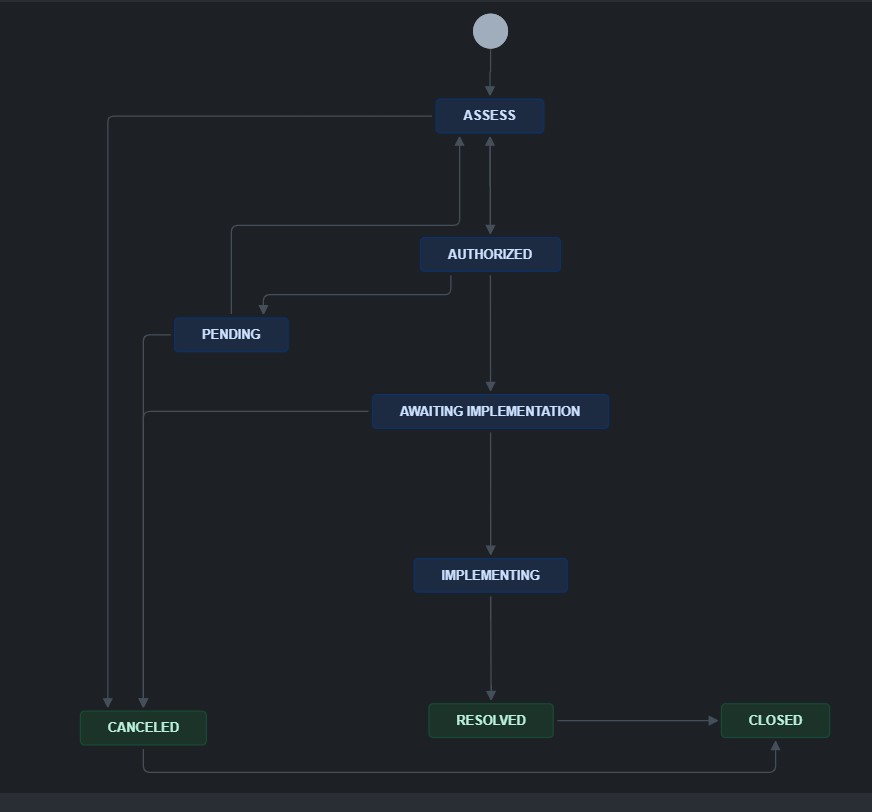
wrokflow.jpg


3 answers

Comments for this post are closed

Community moderators have prevented the ability to post new answers.

Post a new question

0 votes
Jesse Ortega Jr
Contributor
January 4, 2024

Thank you for your suggestions. I have used the article "How to only allow certain fields to be editable depending on Status" from the Jira KB as a workaround. 

0 votes
Becky Brooks - MCP Gateway for Jira
Community Champion
December 14, 2023

Hi @Jesse Ortega Jr ,

Yes, as Mikael mentioned you can't do this in Jira.

One workaround is a Marketplace app like Visor. With Visor, you can import your nested Jira data into a spreadsheet and protect certain fields, forbidding others to edit them. Because Visor has a bi-directional integration with Jira, you can push all changes back to Jira and keep this spreadsheet in sync with Jira: https://marketplace.atlassian.com/apps/1226209/visor-flexible-spreadsheet-for-jira-roadmapping-bulk-edits?hosting=cloud&tab=overview

I hope that helps!

-- Becky @ Visor

0 votes
Mikael Sandberg
Community Champion
December 14, 2023

No, you either make all fields editable or not editable, there is no property that would allow you to just make specific fields editable. You would need an app that allows you to configure individual field permissions, have a look in the Marketplace for the ones available.

Comments for this post are closed

Community moderators have prevented the ability to post new answers.

Post a new question

DEPLOYMENT TYPE
CLOUD
PRODUCT PLAN
STANDARD
TAGS
AUG Leaders

Atlassian Community Events