Hello dear Atlassian Community,
I have set up an automation rule in Jira to create a Confluence page whenever a specific issue type is created.
What I have tested:
The "Page content" workaround: I tried creating pages by manually recreating the layout in the "Page content" field within the Jira Automation action. While Smart Values (like {{issue.url}}) work perfectly this way and resolve to live links, the formatting options in this field are extremely limited. It does not support the complex layouts, styling, and structured tables our team requires for professional documentation.
The Template approach: I created a comprehensive Space Template with a professional design. However, I cannot get dynamic data (like the triggering Issue Key or Status) to populate inside this template.
Template Variables settings do not appear in the Jira Automation UI, even though they are defined in the template using New Variable option.
Jira Issue Macros within the template do not accept Smart Values, throwing JQL syntax errors during setup.
My Goal: I want to use my own Confluence Template to maintain our design standards, but I need it to automatically include a dynamic link (Smart Link/Jira Macro) to the triggering Jira issue.
Are there any solutions for this?
Thanks in advance!
Hi @Alex S
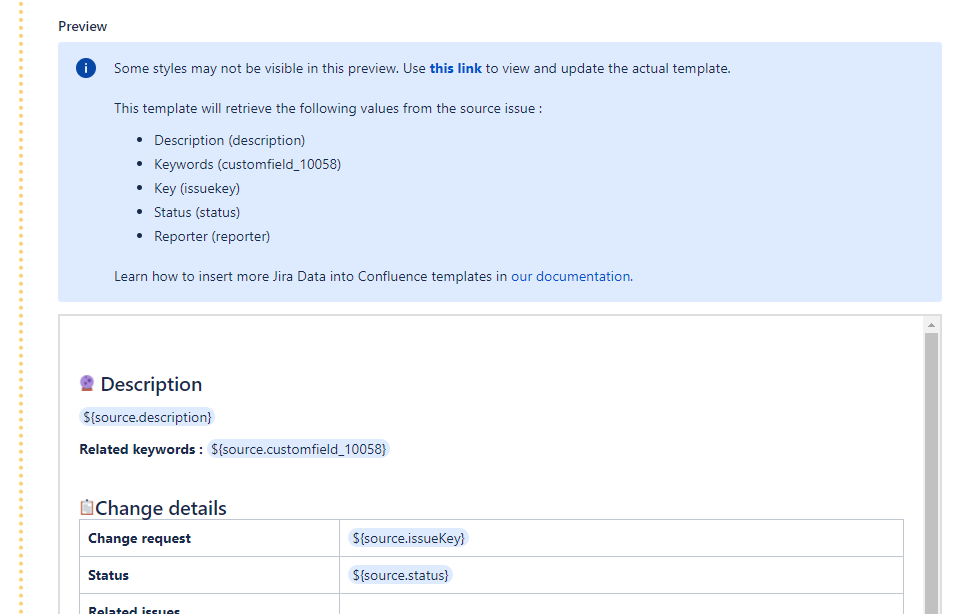
As an alternative to Automation that can be rather complex and rigid sometimes, I can suggest trying our app Elements Publish. It's mostly used for similar use cases as yours. This is what the app can do:

These steps should definitely solve your problem and are easy to configure inside the app. You can try it for free for 30 days.
Hi, how are you? The quickest way is to use a simple Smart Link. It's not the prettiest thing in the world, but it solves the problem without any headaches.
Basically, in the page content field (create a Confluence page), you just need to paste this: [{{issue.key}}]({{issue.url}}).
In Confluence Cloud, it automatically identifies the link and transforms it into that nice Jira card, as long as everything is in the same organization. It's the perfect solution if you just need the card applied there and don't care about a super elaborate layout.
You must be a registered user to add a comment. If you've already registered, sign in. Otherwise, register and sign in.
I've already found this solution, but unfortunately it doesn't work for me at 100%, because I want to show not only one Jira card, but also the table with all tasks or sub-tasks linked to mentioned issue. And it isn't possible with just card ;(
You must be a registered user to add a comment. If you've already registered, sign in. Otherwise, register and sign in.