Hello,
I just started creating PDF templates for export using Scroll PDF Exporter but it is not displaying the Heading 1 to Heading 6 styles as how I had defined them in the template editor.
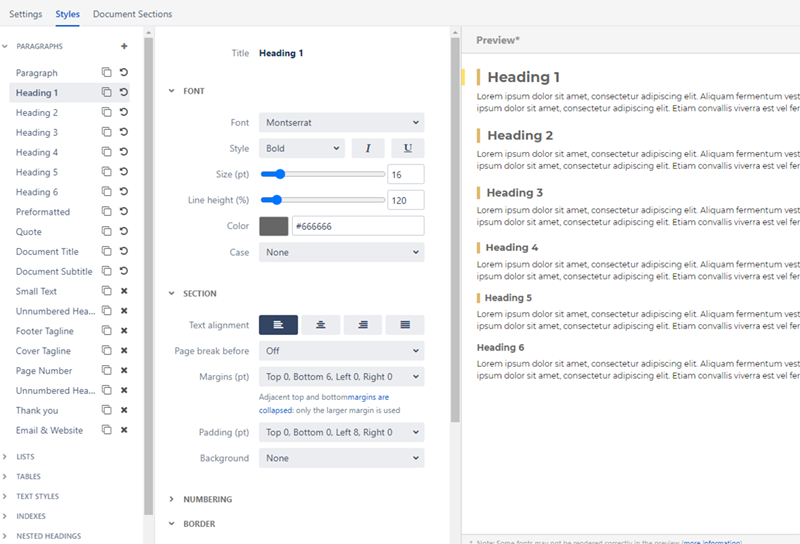
In the image below, Heading 1 to 6 are rendering properly as it should in the preview window:
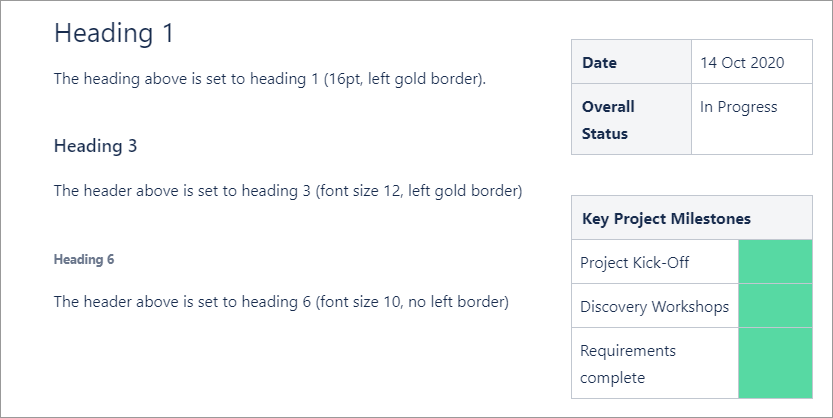
I then created this page using Heading 1, 3 and 6 like so:
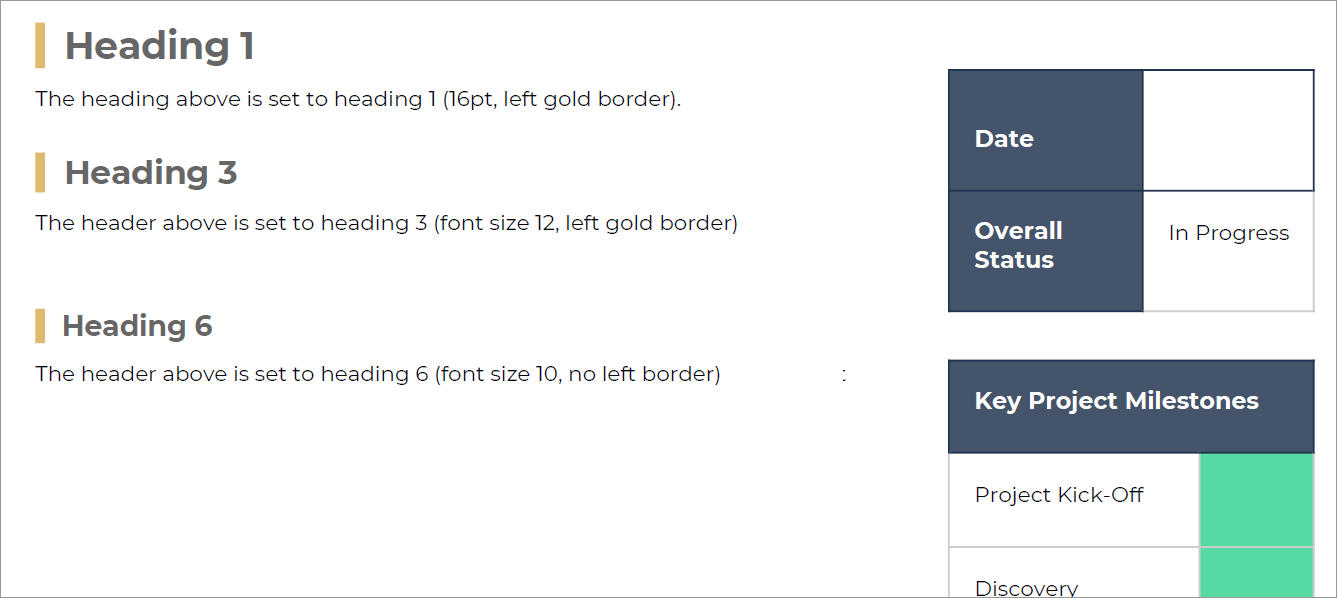
But after exporting the PDF, this is how the heading got rendered. Heading 1 seems ok, but Heading 3 and Heading 6 font sizes doesn't look correct. Also, Heading 6 which should not have a Left Border got rendered with the border. It almost feels like it rendered Heading 1 2 and 3!
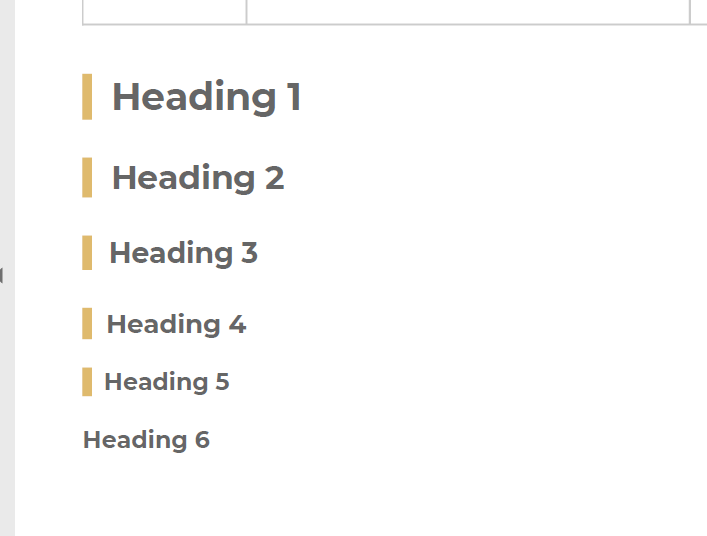
Then here's the weird behavior, if I add all 6 heading styles in the page, only then does it render correctly:
Hope someone can help me with this as I have been scratching my head for days trying to figure it out. The display error is more amplified when I set "Page break before: To next page" in Heading 1 section, no matter what heading style I use (1 to 6), they all get displayed as Heading 1 size at the top of every page.
Thank you so much for any help!

