Hello Atlassian community ,
I'm new with the ECS Deploy pipe and have this error in the pipeline that i can't seem to understand . I'd really appreciate your help and thank you in advance.
So i built an image and pushed it into AWS ECR . I now need to deploy the app with ECS using ECS Deploy pipe .
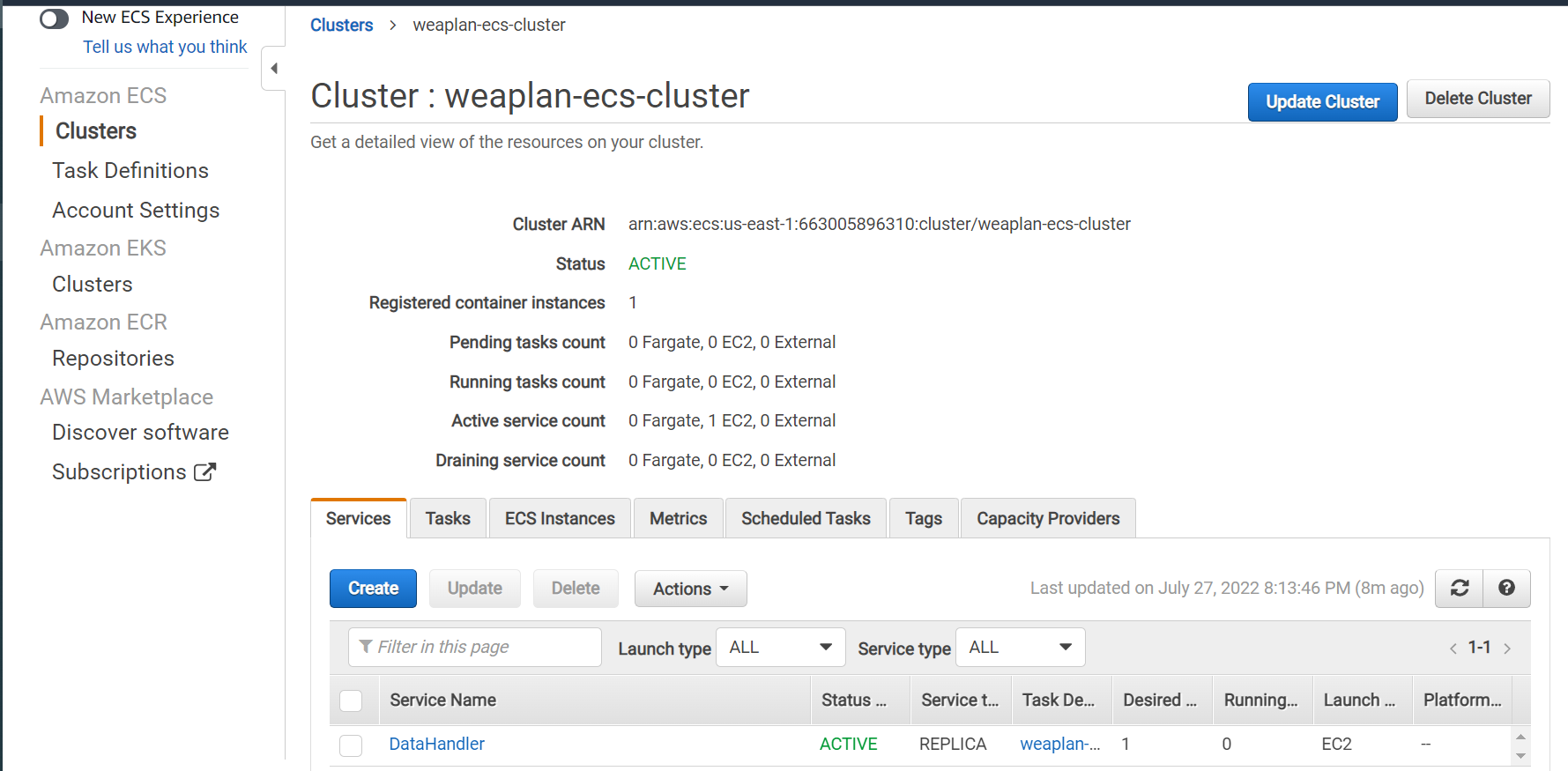
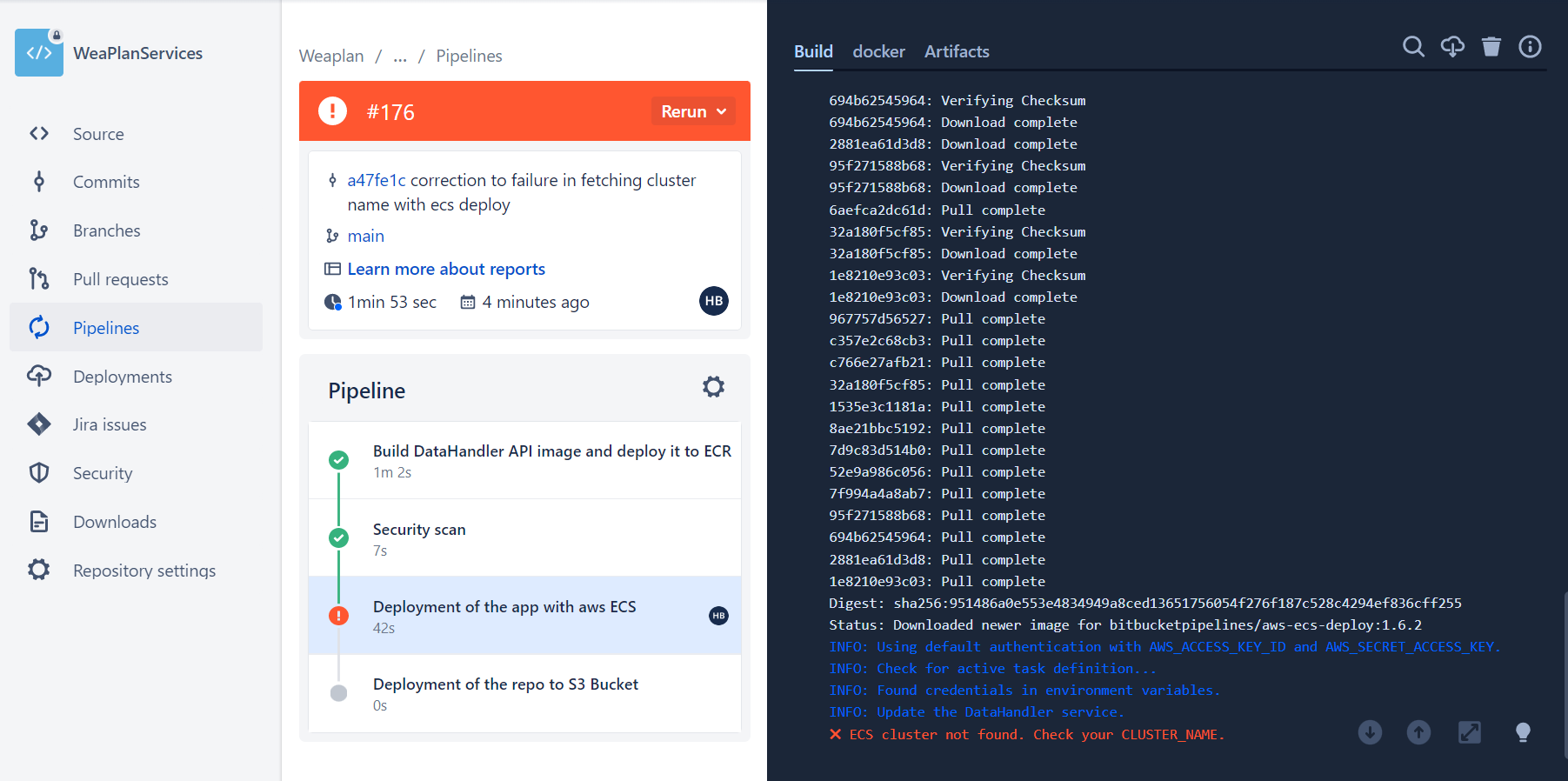
I have created both a cluster and service in aws as per in the first picture below .However, in the pipeline i keep getting the error that you can find in the second picture even though the cluster is clearly existent in the first picture and all parameters seem correct to me.
Here's how this section of the yml file looks like by the way:
 - step:

  name: 'Deployment of the app with aws ECS'

  deployment: Production

  script:

   - echo "Your deployment of the app with Elastic Container Services script goes here..."

   - pipe: atlassian/aws-ecs-deploy:1.6.2

     variables:

      AWS_ACCESS_KEY_ID: $AWS_ACCESS_KEY_ID

      AWS_SECRET_ACCESS_KEY: $AWS_SECRET_ACCESS_KEY

      AWS_DEFAULT_REGION: $AWS_DEFAULT_REGION

      CLUSTER_NAME: 'weaplan-ecs-cluster'

      SERVICE_NAME: 'DataHandler'

      #TASK_DEFINITION: 'weaplan-ecs-task.json' # Optional

      FORCE_NEW_DEPLOYMENT: 'true'