Hi, community!
We’re introducing new data for Teams and Jira spaces:
We also want to notify you that we’re planning to deprecate a few team-related data values.
The new data and deprecated values apply to both Analytics and data shares. The changes will gradually roll out over the next week.
New: Team types data
Atlassian recently announced the release of team types in the Teams app, enabling enhanced teams management and governance.
In Analytics, you can now query your team types data using these new columns in the existing Team table under the Organization category of the schema browser:
-
Type
-
Type description
-
Type is verified
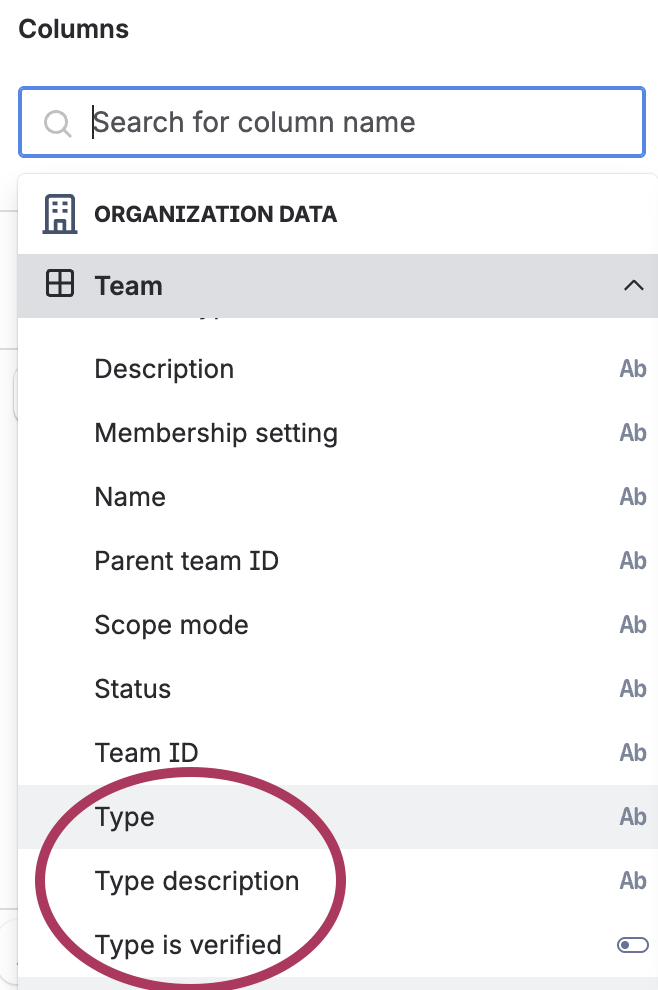
The values in the Type column are the names of the team types, which include the default team types "Team" and "Official team" and your custom team types.
The Type is verified column is a boolean column that indicates whether the team type is verified, meaning it is managed by an admin.
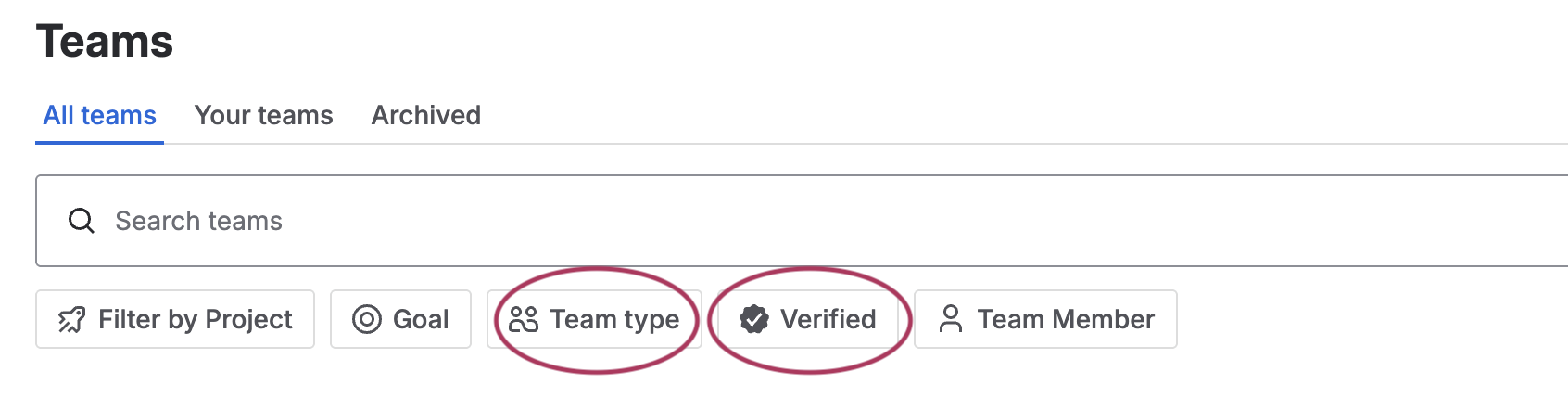
These 2 columns correspond to the Team type and Verified filters in the Teams app:
In data shares, there will be a new atlassian_team_type table. You can join the atlassian_team and atlassian_team_type tables together using the team_type_id columns in both tables.
Filtering for custom team types
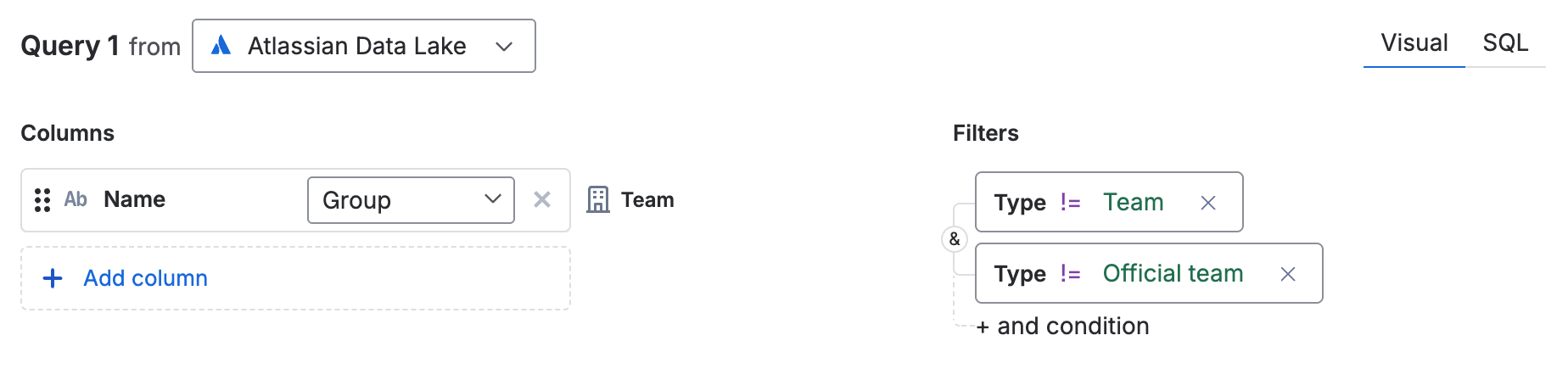
If you want to filter for only custom team types, you can add filter conditions to your queries to only include data where Type does not equal (!=) Team or Official team.
New: “Managed by” column for Jira spaces
This new column shows how the Jira space is managed. There are two distinct values:
These two values correspond to the two options when creating a new space.
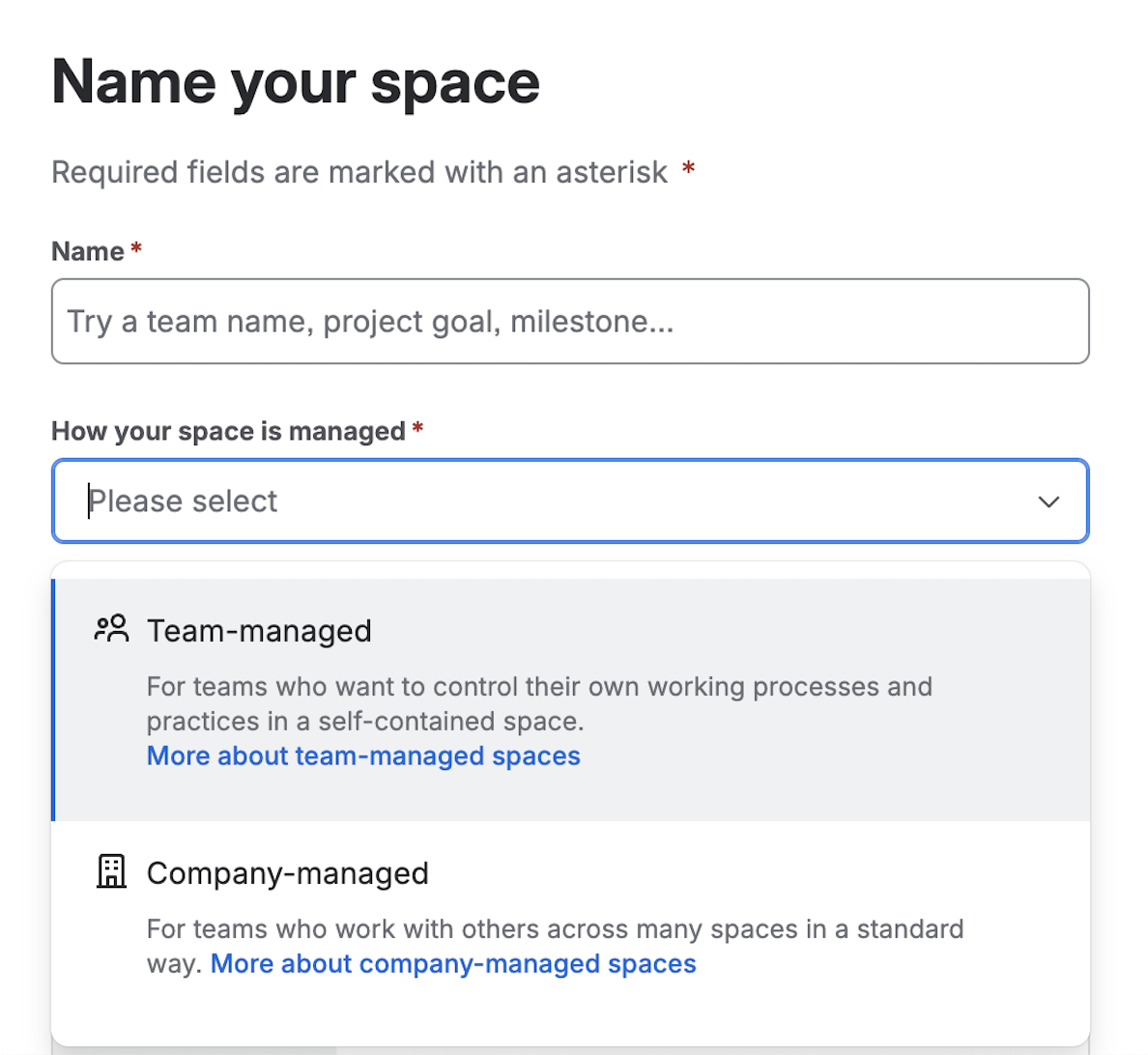
You can use the Managed by column together with the Project type column to have a more detailed description of the Jira space, such as Software space Team-managed, as shown in the Jira space description below.
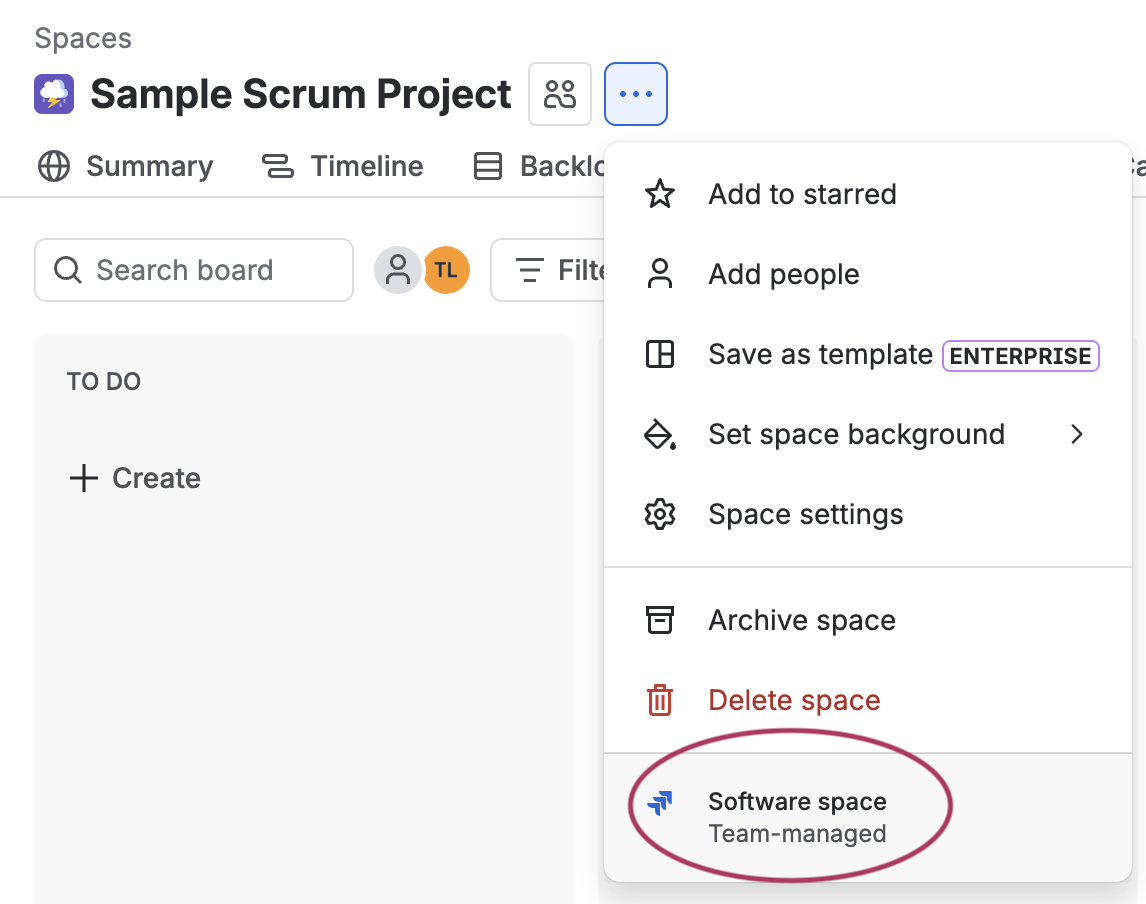
In Analytics, the Managed by column is in the existing Project table under Jira family of apps.
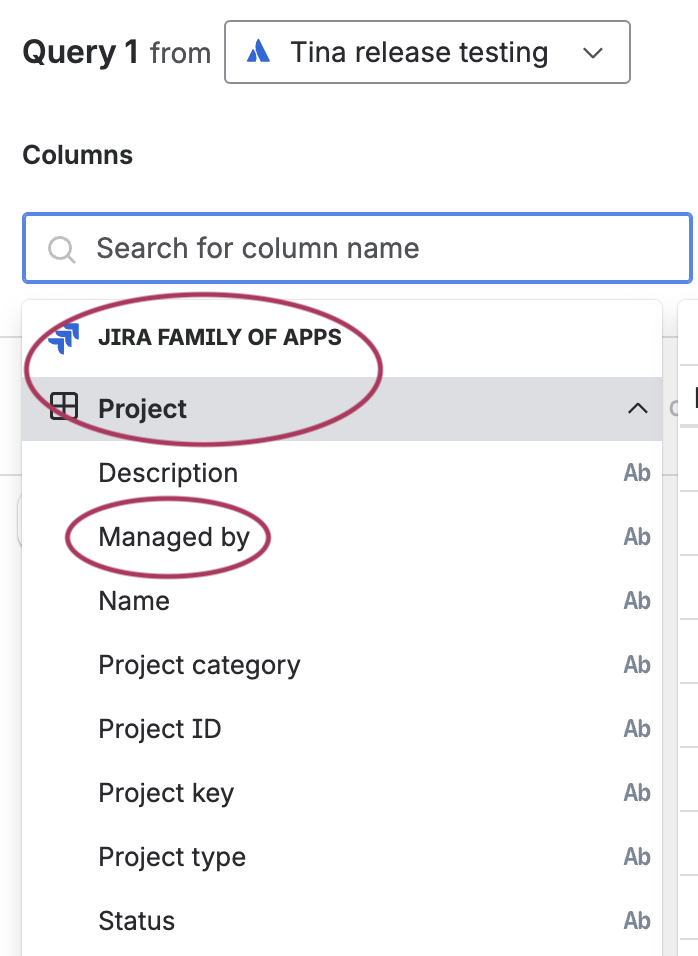
In data shares, the managed_by column is also in the jira_project table.
Value changes and upcoming deprecations
Values changing for Team “Scope mode” and Team member “Role”
Starting today, we’re changing values for the Scope mode column in the Team table and the Role column in the Team member table, and the old values will no longer be populated going forward.
|
Column
|
Old values
|
New values
|
|---|
|
atlassian_team.scope_mode
|
-
org-scope-mode
-
site-scope-mode
|
userbase-scope-mode
|
|
atlassian_team_member.role
|
admin
|
regular
|
We’re updating these values to better reflect how teams actually work today. Scope mode now aligns with how team visibility is scoped in centralized user management, which is based on your organization’s user directories. For Role, we don’t differentiate capabilities between admins and other team members, so we’re simplifying to a single “regular” role.
Note that the old values will remain in your data unless:
-
You make a request with our support team to reload the data for these columns. After the data is reloaded, only the new values will appear in the affected columns.
-
We automatically reload the data for Data Lake connections to harmonize it.
-
You make changes to the team in a pre-existing record (for example, changing the name), which will trigger a change to the values in the affected columns.
Upcoming deprecations
To help us clean up the schema, we plan to fully deprecate these columns in the coming months, as they’ll contain only a single value and will no longer be useful. We’ll send a follow-up communication with a more concrete timeline.
How to get the new columns
For Analytics
For new Data Lake connections that include Jira data (Teams data is automatically included), these new columns will automatically be available.
For existing Data Lake connections, an organization admin needs to edit the connections. If the connection already includes Jira data, the organization admin can edit the connection and save it without making any changes. More about editing Data Lake connections.
For data shares
You won’t need to take any action. These new columns will automatically be added to your existing data shares.
Tell us what you think
Comment below or contact support if you have any questions or concerns. Thanks!
