Hey community 👋
We’re excited to open up access to the new, unified AI building experience in Rovo Studio, now in open beta! If you’re interested in opting in, here is everything you need to know to get started.
📢 The new AI building experience in Studio will eventually come to everyone. This opt-in allows you to skip the wait and try out the new experience early.
Your team will have access to a unified space to create agentic automations and build custom Forge apps with Rovo, no coding required. Opting in lets you start realizing value sooner, shape how these features evolve, and make sure Studio lands in your org in a way that really works for your teams.
Here’s what you’ll get in the beta, what to expect, and how to opt in.
What is the AI building experience in Studio?
Until now, Studio has been your go-to place to build and manage Rovo Agents — your AI teammates that work across Jira, Confluence, and your connected tools. That’s not changing; we’re building on it and adding more.
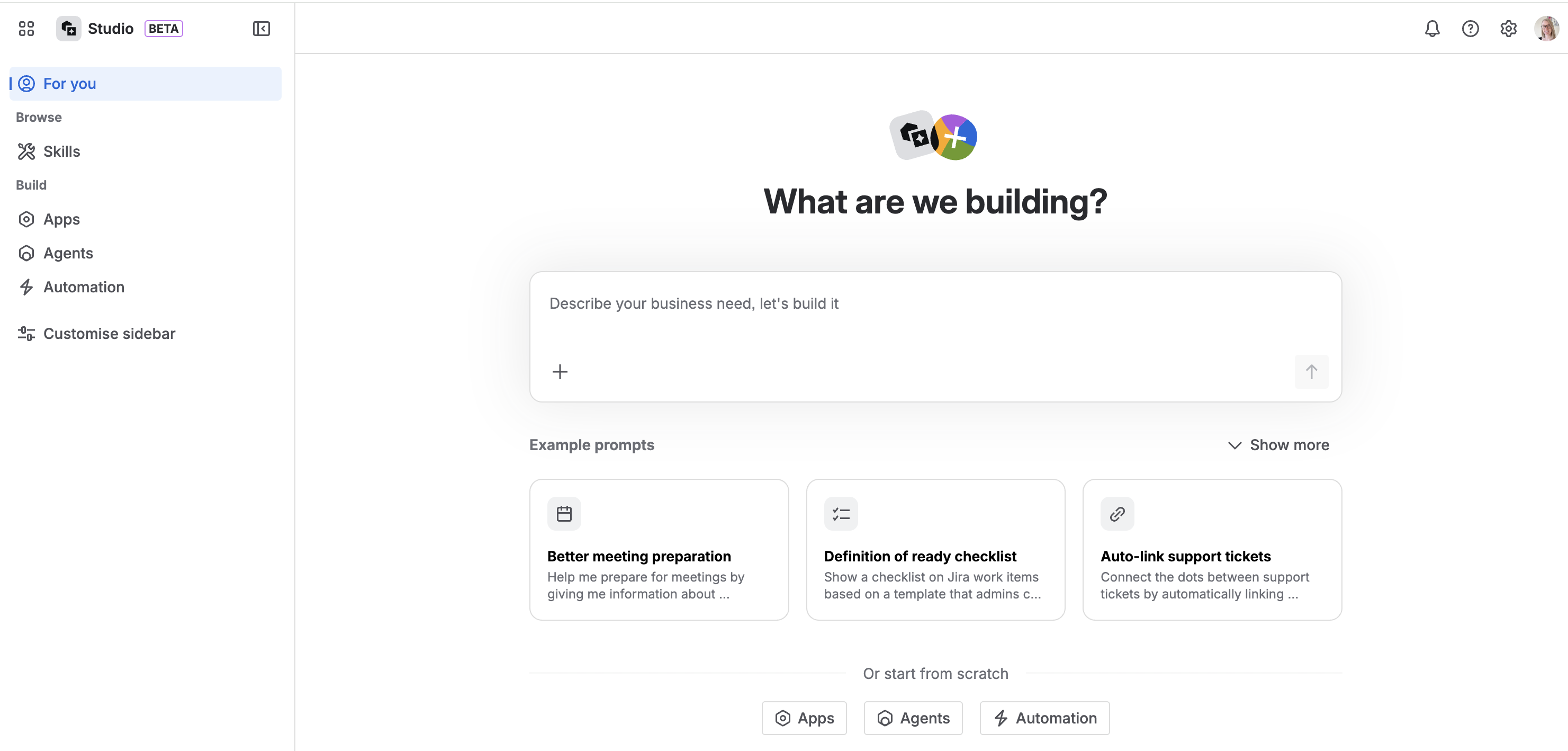
The new Studio experience goes beyond agents and becomes a unified building space where you can compose, customize, and control all your AI-powered workflows in one place.
When your org opts in, every Rovo user gets immediate access to:
-
Prompt-to-solution with solution builder — describe a business problem and get a recommended solution for a combination of agents and automations or an app that’s custom designed to suit your needs. If you like the solution, you can tell Rovo to go ahead and start building it for you.
-
Automations — flows that trigger actions automatically across sites in your Atlassian and connected apps. Build from a prompt or use the automation builder canvas.
-
Apps — build custom Forge apps with prompts! Extend your Atlassian experience with new custom UI that is tailored to how your team works. Just describe your desired app to Rovo without writing a line of code.
-
Agents — your existing agents, exactly as they are, plus a richer building experience with Rovo so it can build out more of your agent’s details including scenarios, skills, and knowledge.
What can you build with it?
Here are three examples of what you could build in Studio with a ready-to-use prompt:
⚡ An agent and automation to analyze customer feedback
Each Monday, categorize recently created work items from a Jira space where we collect customer feedback and create a page with a summary of themes.
🤖 An agent that answer questions in Slack
Automatically reply to messages in my team’s Slack channel using information from our knowledge base to free up my team’s time.
🧩 A Forge app extension for Confluence to track page progress
I’d like to easily communicate informal progress in Confluence. Create a macro that displays a progress bar using ten 20×20px squares. Segments are blue if completed, otherwise white with a blue border. They are clickable to set progress. On hover, change the square’s colour and show the progress percentage. Default to 70%.
You’ll find even more example like this on the Studio home page.
We're releasing the new Studio AI building experience in stages
We’re aiming to get everyone to be on the new experience within the next few months. Right now we're in beta, starting with organisations that use centralised user management, and opening to more orgs in the weeks ahead. Getting in during the beta means you get the experience first and your feedback shapes what we build before it reaches everyone.
If you don't see the opt-in banner yet: You’ll see it soon - we've started with organisations that use centralised user management and will add new cohorts in the coming weeks. Add yourself to our waitlist and we'll notify you when access is available for your organization: Join the waitlist →
If you see the banner: we’d love for you to sign up. Make sure to do a quick compliance check below before you proceed.
Check before you opt in — compliance & data requirements
Studio is built on Atlassian’s enterprise-grade platform, but a few advanced controls aren’t available just yet. We’re working on these and will update you as soon as they’re ready. For most customers, you can get started right away!
|
Requirement
|
|
|---|
|
Data Residency
|
Agents and Rovo conversation data respects your data residency settings. Other data in Studio does not currently adhere to data residency requirements.
|
|
BYOK (Bring Your Own Key) or CMK (Customer Managed Key) encryption
|
Not yet supported in the new Studio. We'll update when available.
|
|
IP Allowlisting
|
Not yet supported in the new Studio. We'll update when available.
|
Not sure about your compliance or security requirements? Check with your account team, contact support, or leave questions below in the thread before opting in. We want to make sure trying the new Studio experience and as smooth and safe as possible.
What actually happens when you opt in
Opting in is quick and applies to your whole organization. Here’s what to expect:
-
An org admin visits admin.atlassian.com
-
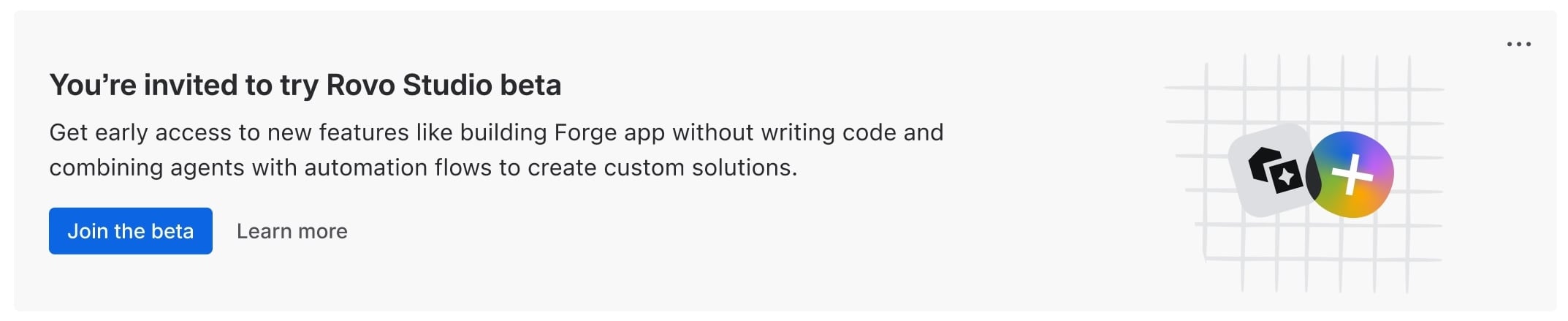
Navigate to Apps → Atlassian Apps and look for the "Rovo Studio beta" invitation banner at the bottom of the page and click “Join the beta”
-
Follow the prompts to update Studio
-
Migration completes (usually in under 10 minutes).
-
 All Rovo users in your org get the new Studio experience and access to new features.
Details for admins
Managing access after migration
As part of migration, we make existing Rovo entitlements explicit, migrating underlying user groups so access is properly reflected in Atlassian Administration.
Once you're set up, you can manage Studio access exactly like your other Atlassian apps — directly in Atlassian Administration. Head to Apps → Atlassian Apps → Studio to see who has access, adjust groups, and control entitlements.
Managing automations and app building
By opting in, your whole organization gets access to automations and Forge app building by default. We want to prioritise safety and control so:
- Admins can control who can build: Studio permissions let you manage who can create automations and apps by role — configure this in Settings → Studio settings → Permissions in Studio after you opt in.
- Automations respect creator permissions: automations can only perform actions that the creator is already allowed to do in your Atlassian products — they work within the permissions and access of the person that created the automation flow.
- Agents respect user permissions: When someone uses a Rovo agent it will use the permissions of the requesting user to respond. That means someone can't use an agent to get find or learn something they otherwise wouldn’t have access to
- Apps still need an admin to install: users can design and build apps in Studio, but apps can't be installed or enabled without the appropriate Org or site admin permissions.
What about my existing agents?
Nothing changes for Rovo agents. Your existing user permissions for creating Rovo agents and any existing agents carry over to the new experience exactly as they are. The new Studio uses the exact same agent engine. What you're getting is everything in addition to that: automations, apps, building with Rovo, and a unified experience to manage it all.
Virtual service agents move to Jira Service Management. You can continue to create and access your virtual service agents in your Jira Service Management space settings.
What if we want to go back?
If you need to go back for any reason, our support team can help—just reach out.
Tips for getting the most out of the new AI building experience in Studio
-
Fastest way to start: Try out one of our tested example prompts from the Studio landing page or open Studio and type "What can I do in Studio?" — it will guide you based on your role and context.
-
Be specific in your prompts. Instead of "help me with Jira", try "summarise all open P1 bugs assigned to my team at the start of each week". The more detail and structure you can provide, the better the outcome will be.
-
Think in outcomes, not tasks. Ask for what you want to achieve — "Help my team surface critical dependencies" — not just what you want to do.
-
Give feedback if it's not right. Tell Rovo what isn't working — it can adjust and improve if you guide it. This is a beta, and that signal goes directly to the team.
Questions, feedback, and bugs
Can't wait to see what you build. 🚀
— Rovo Studio team


