A question came up in the Atlassian Community Slack: what’s the difference between Rovo MCP and Atlassian MCP? Is Teamwork Graph CLI the same as Rovo Dev CLI? And where does Teamwork Graph MCP fit in?
Short version: five names are being used for three things. Atlassian’s naming has changed over time, but the underlying picture is simpler than it looks.
Two quick definitions
MCP (Model Context Protocol) is a standard way for AI tools and agents to talk to APIs and data sources, such as Jira, Confluence, or the Teamwork Graph.
Teamwork Graph (TWG) is Atlassian’s map of work: issues, pages, services, people, goals, projects, and how they connect across products and integrations.
There are three things, not five
Here is the whole picture:
-
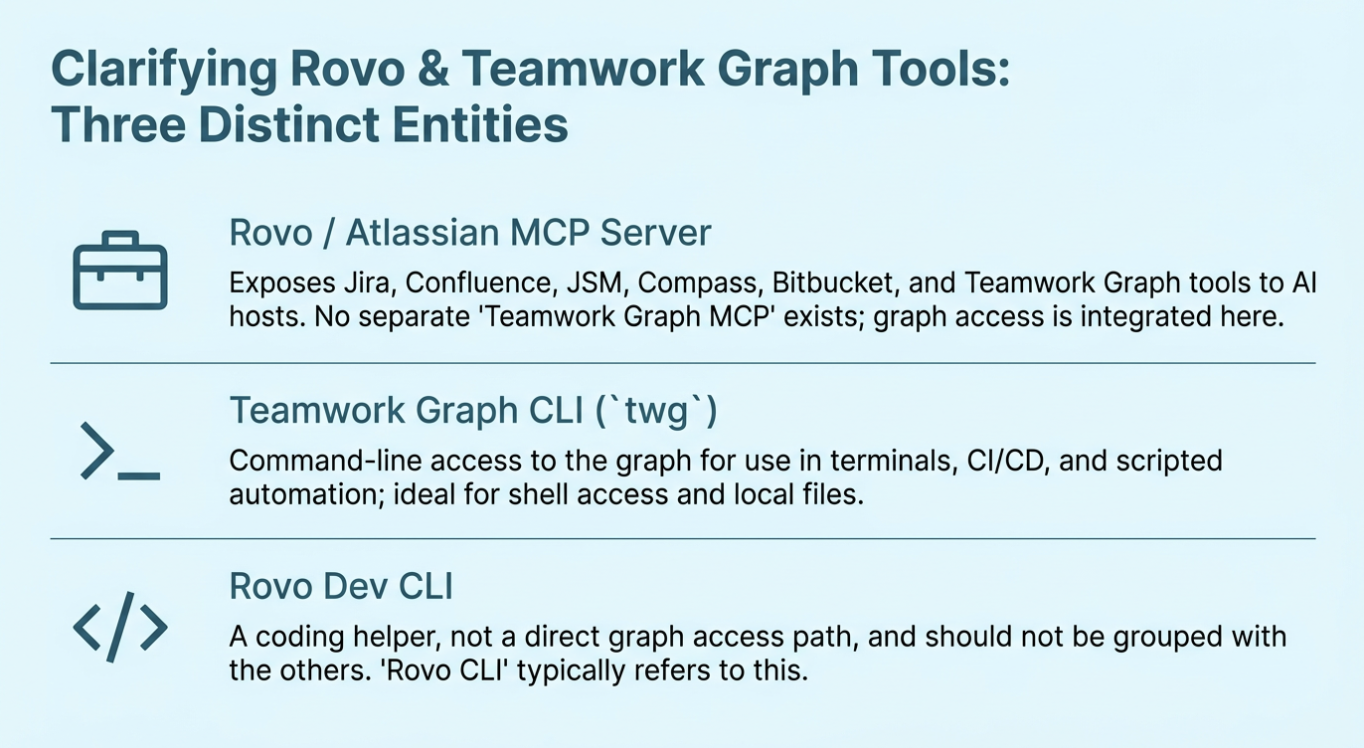
Rovo / Atlassian MCP server is the toolbox server. It exposes Jira, Confluence, JSM, Compass, Bitbucket, and Teamwork Graph tools to AI hosts such as web LLMs, IDEs, and sandboxes. There is no separate “Teamwork Graph MCP”. Teamwork Graph access is part of this MCP server.
-
Teamwork Graph CLI (twg) is the command-line way to talk to the graph. Use it in terminals, CI/CD, and scripted automation where you want shell access and local files.
-
Rovo Dev CLI is a coding assistant that helps you write and debug code. It doesn't query the Teamwork Graph, so don't group it with the other two.
That’s it: no separate Teamwork Graph MCP, and no plain “Rovo CLI”. If someone says “Rovo CLI”, they almost certainly mean Rovo Dev CLI.
Where the confusion comes from
Atlassian’s naming has moved through a few waves: Virtual Service Agents, Atlassian AI, Rovo agents, Rovo MCP, Rovo Dev CLI, and then Atlassian MCP. At TEAM ’26 Anaheim, Teamwork Graph tools landed inside the MCP server, the Teamwork Graph CLI launched alongside them, and a Teamwork Graph website appeared too.
The names changed faster than the underlying components. That is why “Teamwork Graph tools in Rovo MCP server” can sound like a separate Teamwork Graph MCP. It isn’t. The Teamwork Graph tools are part of the Rovo / Atlassian MCP server’s tool list.
The supported tools page lists Teamwork Graph tools under the Atlassian Platform group:
-
getTeamworkGraphContext pulls connected context for an Atlassian entity, including relationships and linked objects across products and third-party connectors.
-
getTeamworkGraphObject fetches full data for one or more objects by ARI or URL.
-
addTeamworkGraphContext writes a relationship between two objects in the graph.
The docs may call these “Teamwork Graph MCP tools”, but that means Teamwork Graph tools exposed by the MCP server, not a standalone TWG MCP product.
Should I use the CLI or the MCP server?
Both reach the same Teamwork Graph. The choice comes down to where your agent runs and how it authenticates.
Use Teamwork Graph CLI when your work lives in a terminal, a CI/CD pipeline, or another shell-capable environment. It is useful when you want to chain local tools, persist JSON, or wire up automation. Auth is OAuth by default for interactive use (twg login), with API tokens available for CI/CD and scripts.
Use Rovo / Atlassian MCP server when your work runs in a web LLM, IDE, or sandbox without reliable shell access. It gives the host pre-declared tools and host-native auth, which can reduce back-and-forth for straightforward tasks.
The bigger point
The tech is not the hard part here. The naming is. When “Rovo”, “Teamwork Graph”, “MCP”, and “CLI” recombine into five plausible-sounding products, it is easy to second-guess things you already understand.
Quick checklist
-
Rovo / Atlassian MCP server – one MCP toolbox server with Teamwork Graph tools inside it
-
Teamwork Graph CLI (twg) – command-line access to the same graph
-
Rovo Dev CLI – coding agent, not a graph access path
If you find yourself inventing a fourth product, it is almost always one of these three wearing a different name tag.
Useful links


