Hi Guard community 👋
We’re excited to share the latest capability in Atlassian Guard: the organization-level data security policy, available for both Standard and Premium plans. We’re evolving what was previously separate data security policies into one unified policy. This makes data security easier to configure and manage – especially for large organizations that want to operate closed-by-default.
Read on for what’s changed and why it matters.
What is a data security policy?
A data security policy helps keep your organization’s data secure by letting you govern how users, apps, and people outside of your organization interact with content (i.e., Confluence pages, Jira issues). It allows admins to enforce controls such as preventing data exports and blocking public links. Learn more in our support documentation.
What challenges were customers facing?
For organizations operating at scale, managing these policies could become complex. We heard from admins that it was time-consuming to maintain closed-by-default setups, work around coverage limits, and manage overlapping policies.
What’s changed?
All old policies have been consolidated into a single policy that provides streamlined but also more flexible controls. This update gives you a simple way to apply protections across your entire organization.
Now, you can:
-
Set an org-level default policy for Jira and/or Confluence at scale without configuring each space individually
-
Reduce complex manual configurations, avoiding repetitive setup and workarounds
-
Choose your posture (for example, closed-by-default), then apply exceptions where needed
-
Define exceptions more easily for specific apps, spaces, or classification levels (Guard Premium only) — so you can maintain a default policy while allowing flexibility as needed
-
Preview changes before rolling them out, so you can understand impact before enforcement
These changes are designed to help large, regulated, and/or complex organizations enforce a standardized model across their organization, while still allowing exceptions. All of your existing policies will be migrated to the updated interface.
| ℹ️ Note: At this time, marketplace and custom app access cannot be blocked at the org level. This capability is currently in development. |
What’s the added value for Guard Premium?
This update will be available in both Guard plans – but Premium adds more granularity by letting you apply certain rules at the data classification level. That means you can establish an org-level policy as your baseline, then set specific rules on data classification levels as an added-layer of control for how high-value content can be shared or accessed. For example, you could restrict public links across all Jira spaces, then apply a stricter rule for “Restricted” content – like blocking page exports.
How can I get started?
New to Guard? Start a free, 30-day Guard Standard or Premium trial to test out the org-level data security policy to manage protections at scale in your own org.
Already have Guard set up? To get started, head to Atlassian Administration, then in the side navigation, select Security > Data protection > Data security policy. Here, you’ll see all of your existing policies in the updated interface.
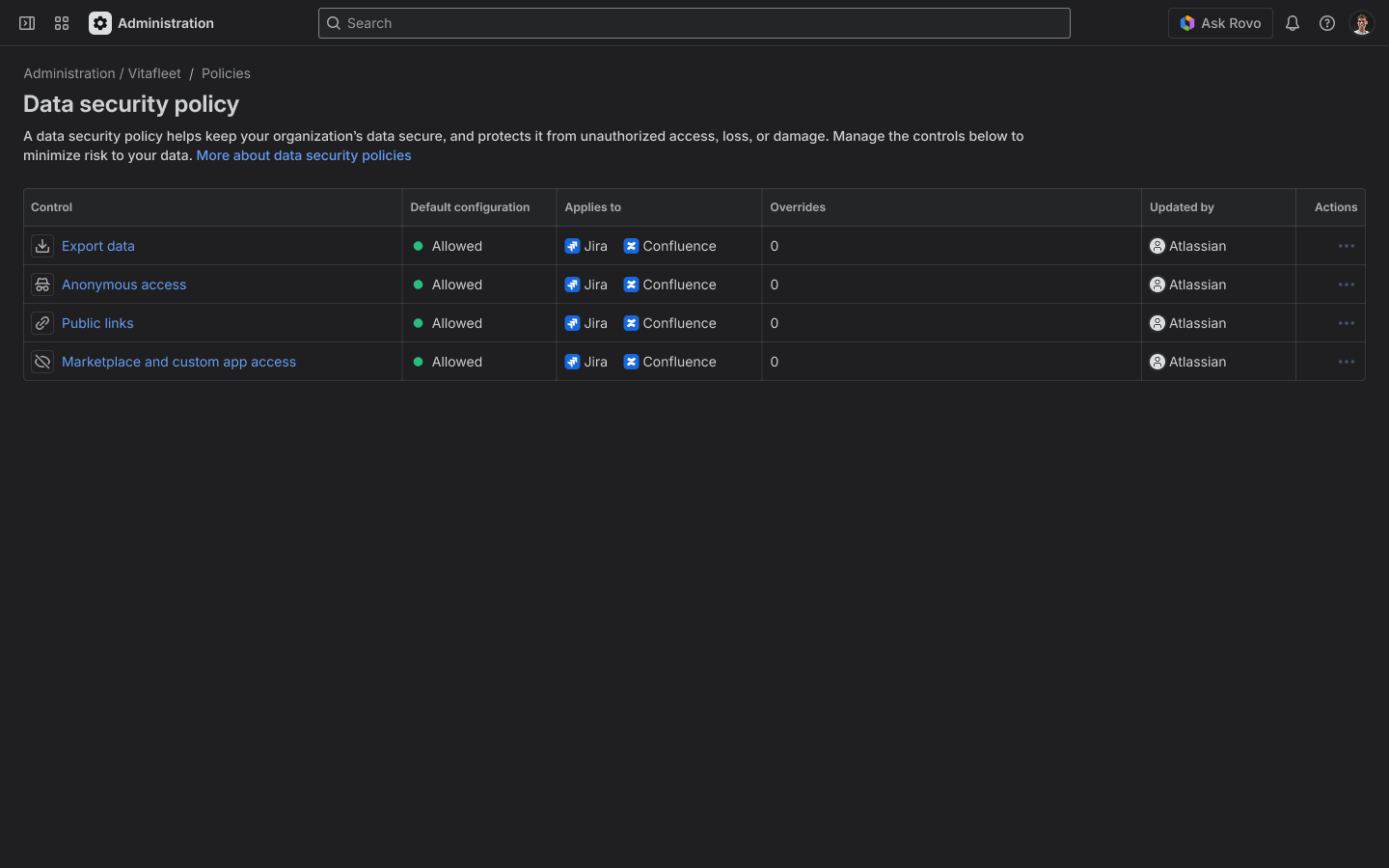
In the example above, the data security policy is now separated by control. If you click into a control, you will have the option to change its default configuration and set overrides – allowing flexible policy enforcement at scale.
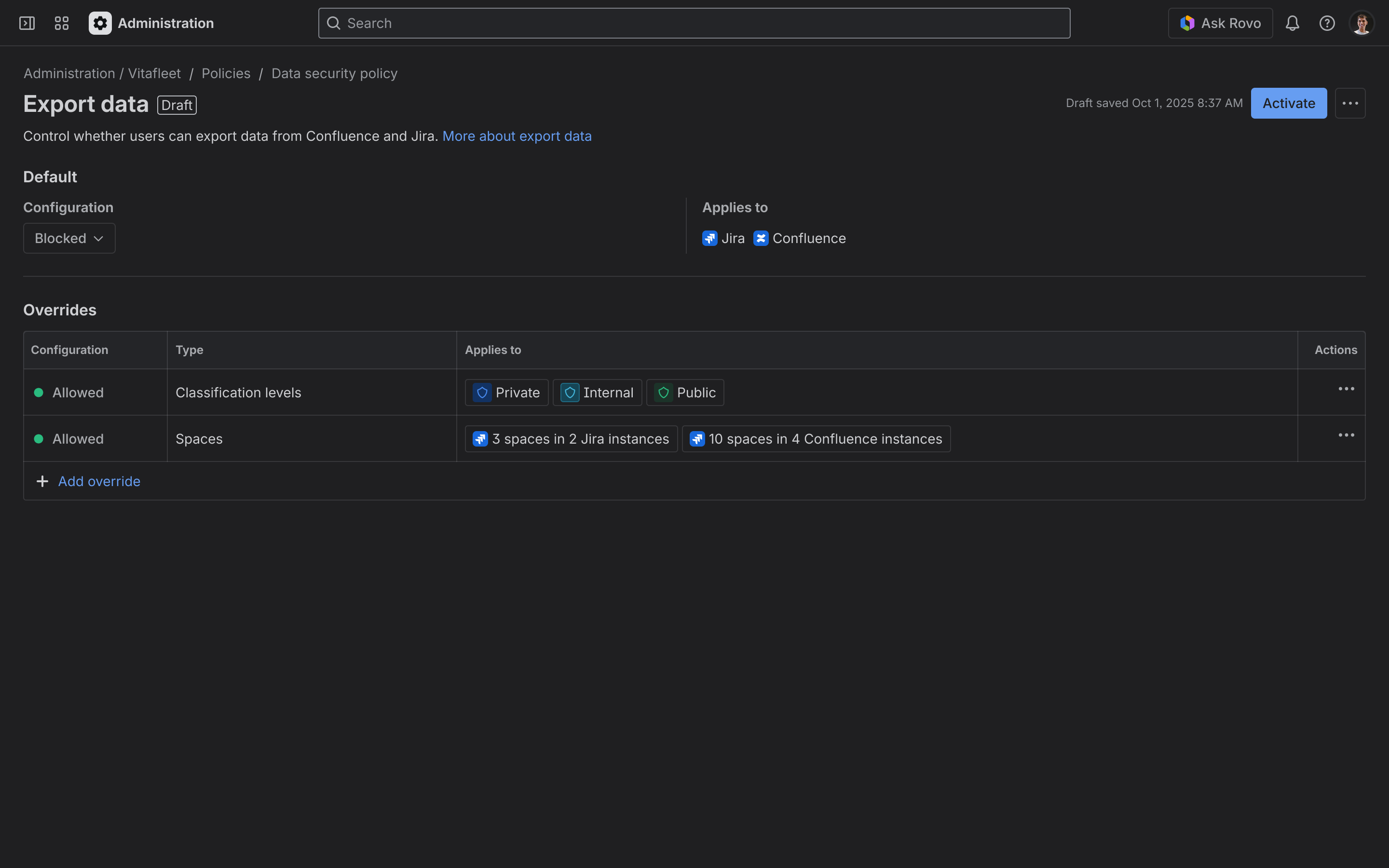
The default for export data has been changed to blocked, with overrides set on three classification levels and various spaces across Confluence and Jira instances. Upon activation, these changes will be reflected immediately.
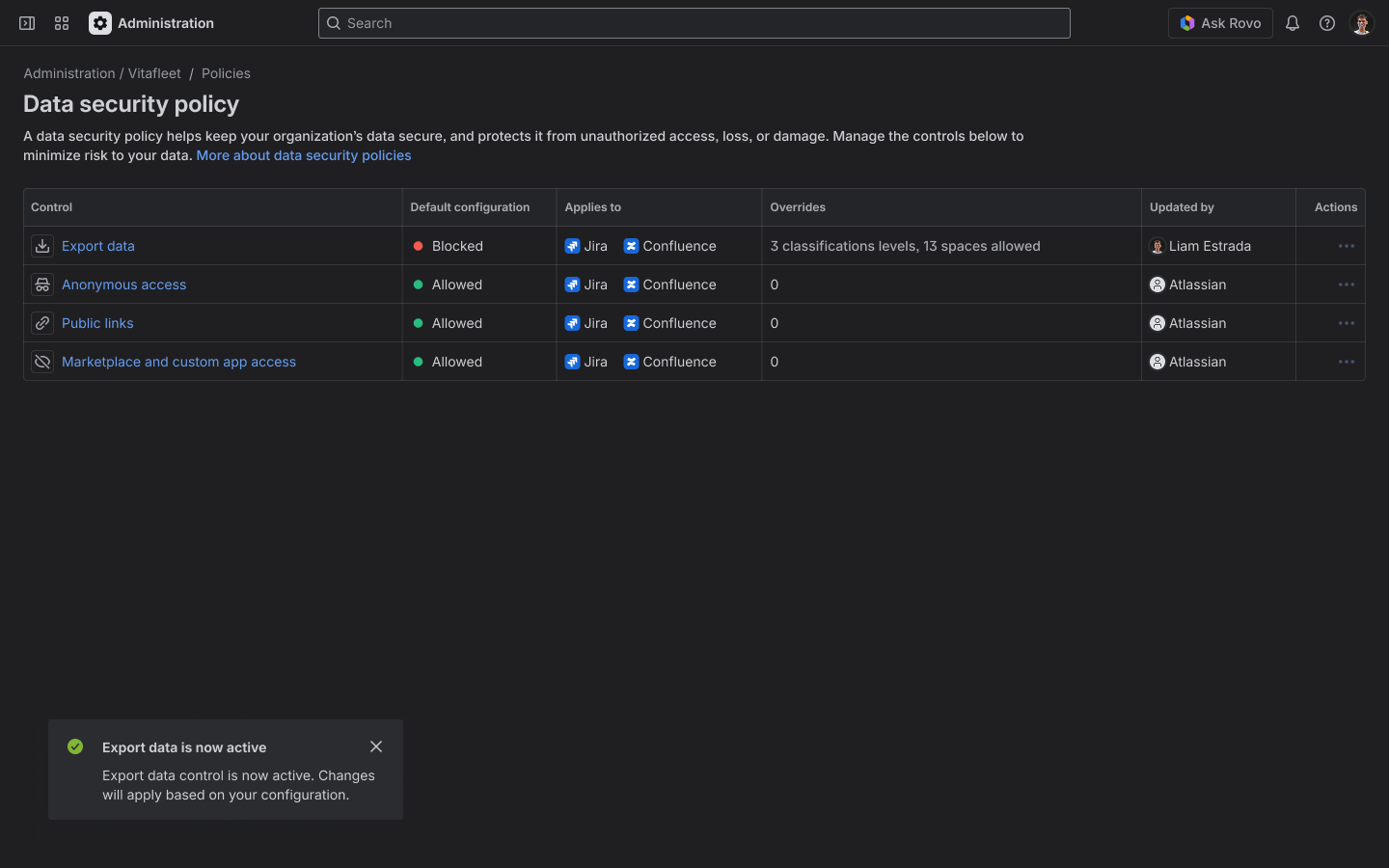
Once you activate the new export data control, this is what your main data security policy screen would look like.
To learn more, you can visit our support page here. As always, we welcome your feedback and partnership. Please feel free to comment your thoughts or questions. Thank you!
The Guard team


