Hey Atlassian Community — Eric here from DataPingo.
Last year I explored “bulk creation” for Confluence reporting and built an app called Bulk Report Generator. But after building it, I realized it was trying to do too much — templates added complexity, and the workflow didn’t feel as natural as just working with real Confluence pages.
(If you’re curious, here’s the original post about Bulk Report Generator)
So I took the best part of that idea and rebuilt it into a simpler, focused app: Bulk Page Cloner for Confluence. The app is straightforward: pick any existing Confluence page as the source page, create 1–25 copies in one go, and set each page title up front.
Here’s the step-by-step workflow Bulk Page Cloner follows (and what I think Confluence should make effortless):
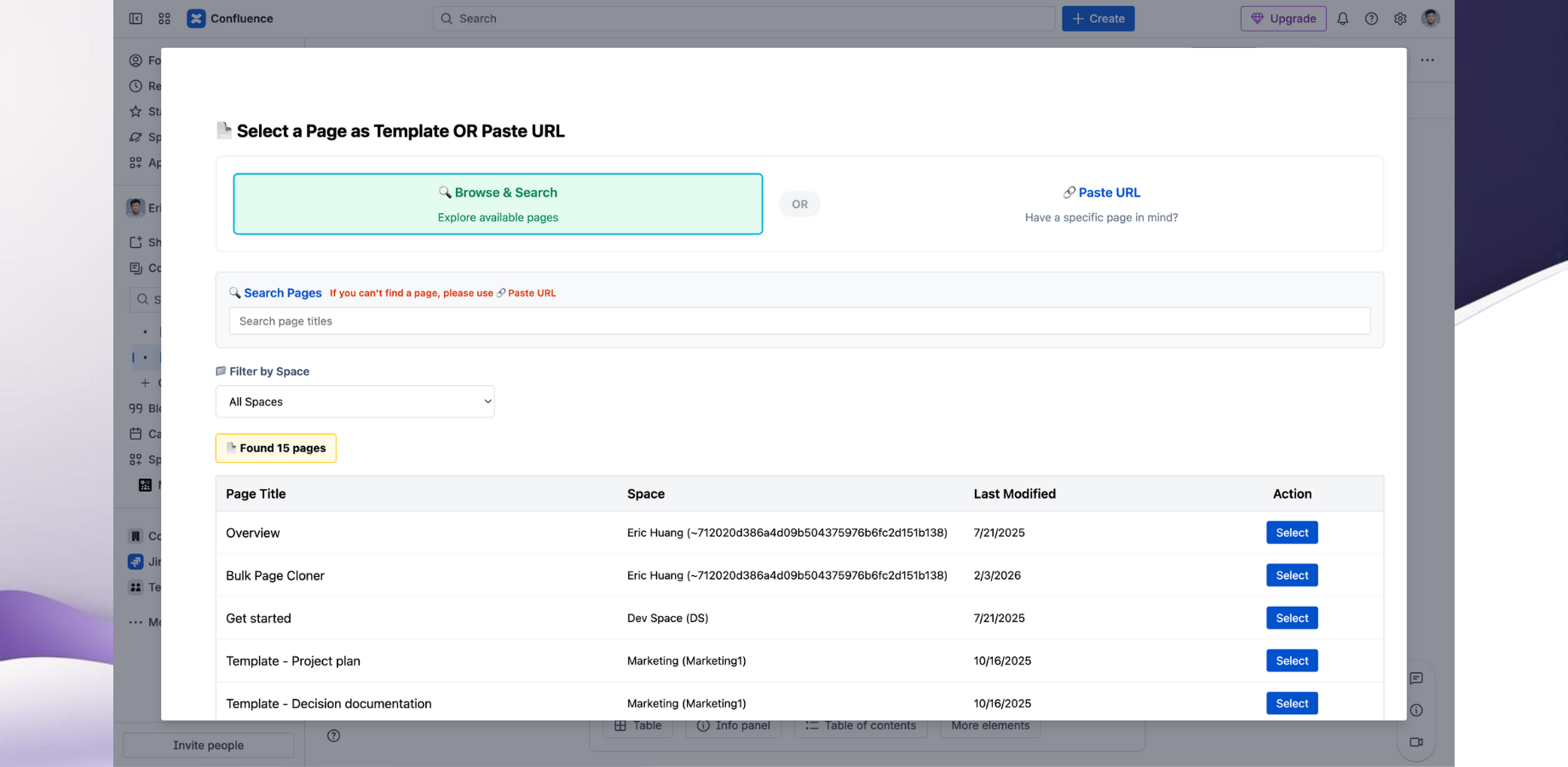
- Pick a source page
- Either browse and select any existing Confluence page, or paste a page URL
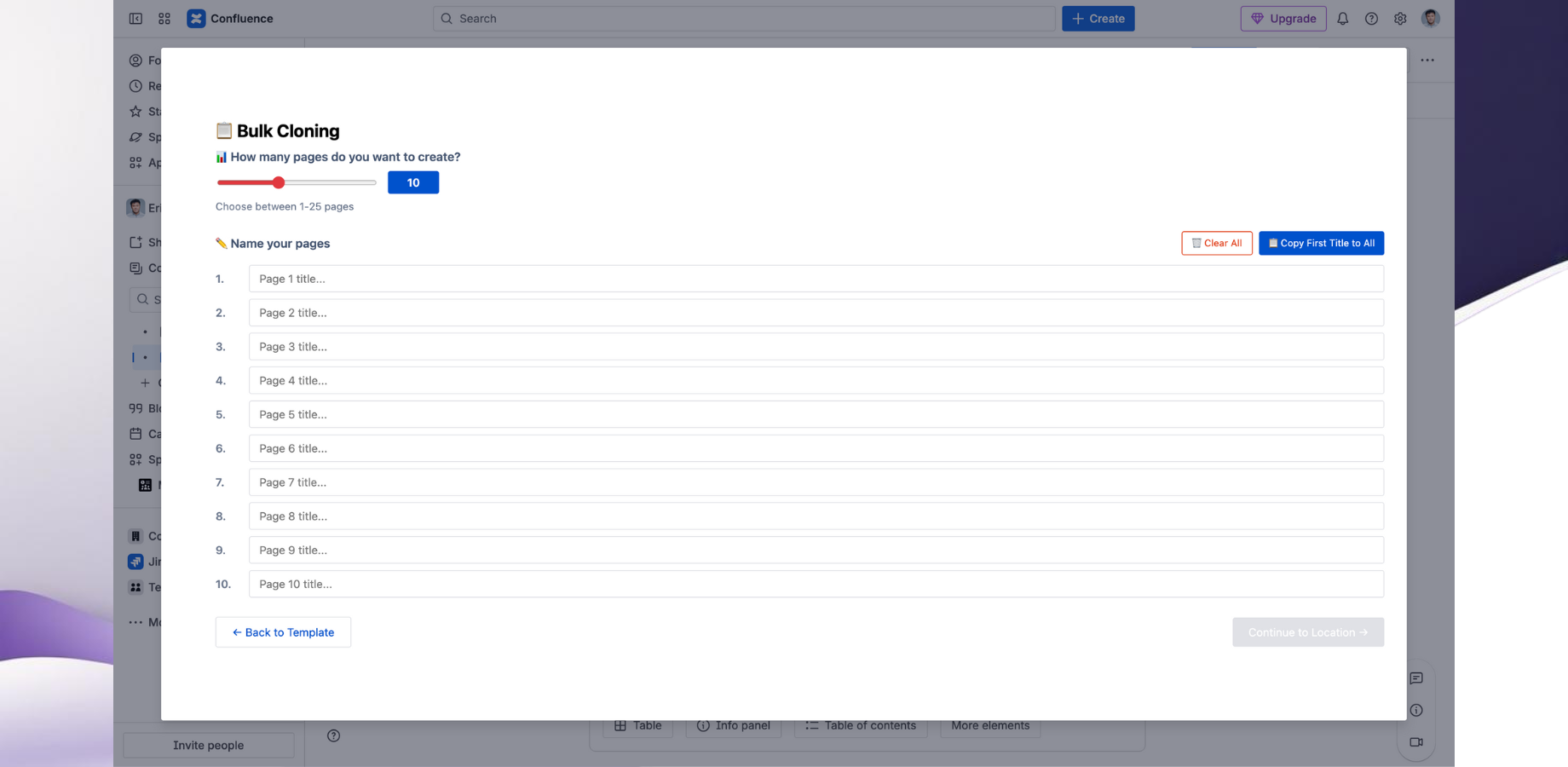
- Choose how many copies you need (1–25) + set titles
- Enter each page title up front (e.g., “Product Report — Mar 2026”, “Apr 2026”, …)
- This avoids the duplicate/rename/repeat loop and helps prevent naming drift
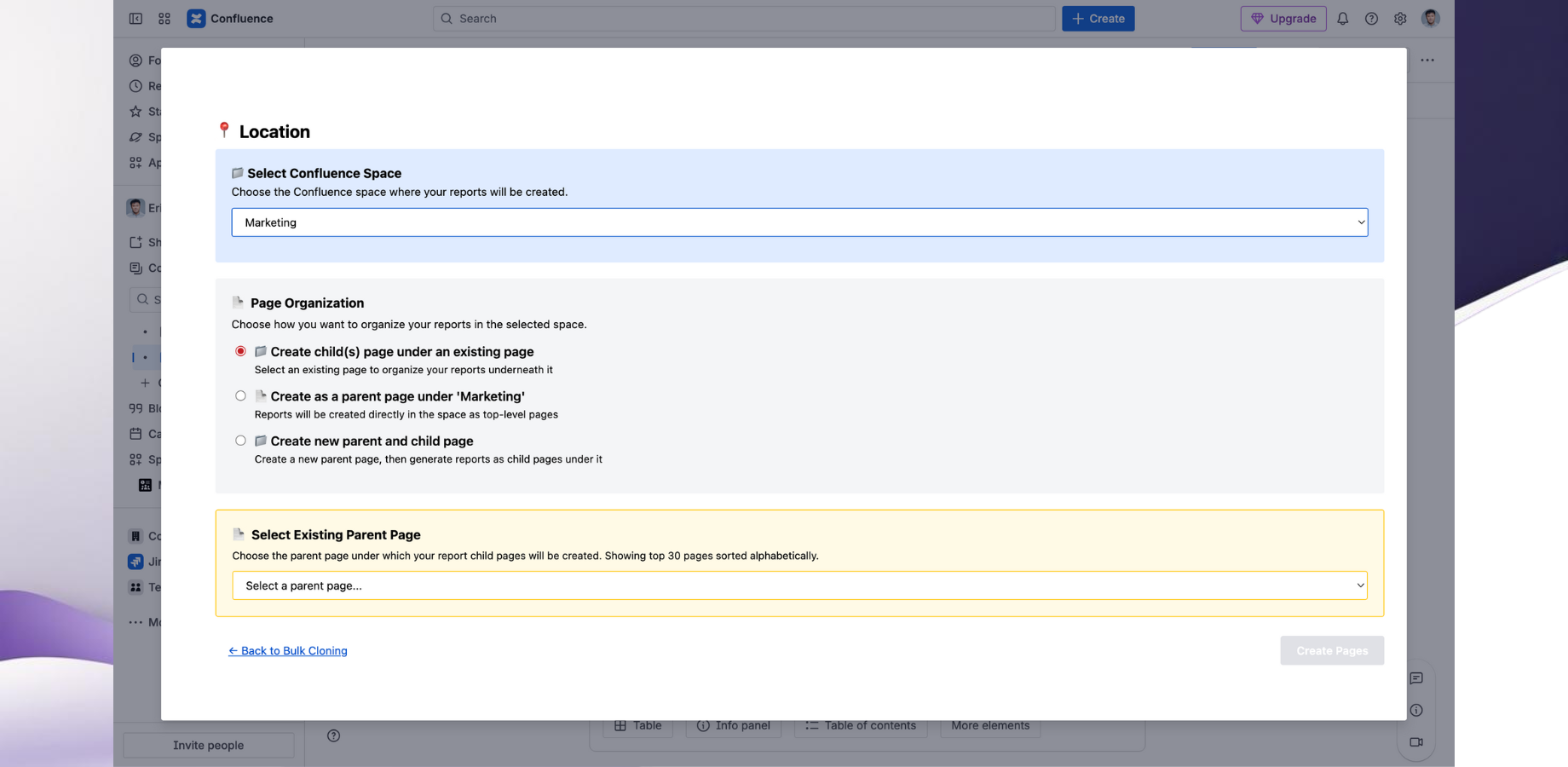
- Choose where the new pages should live
- Select destination space
- Create new pages as a child page, parent page or new child + parent page
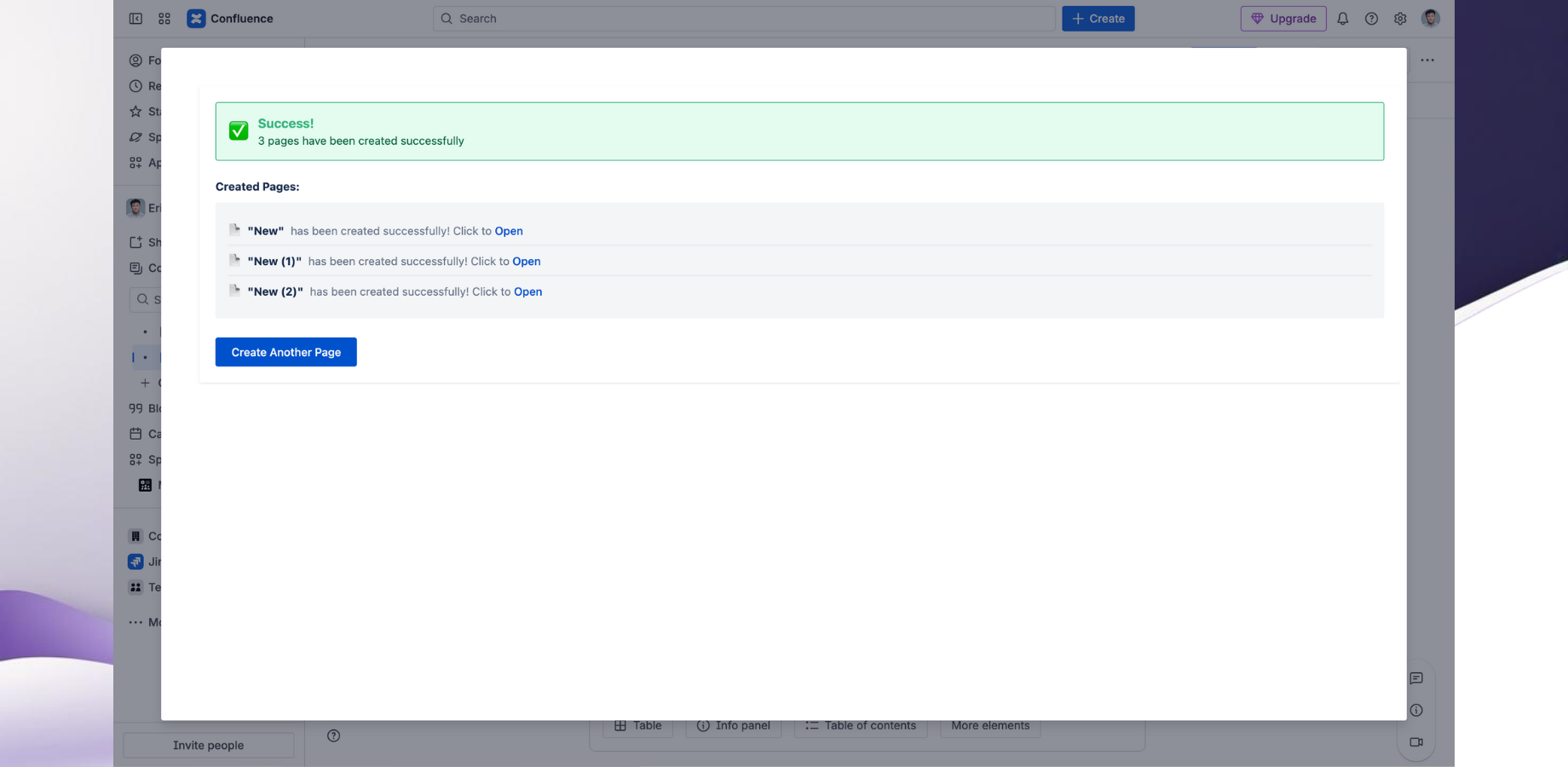
- Generate & access pages
- Quickly access each new page
Example use case (monthly reports):
Take one “Product Report” page and generate:
- Product Report — Mar 2026
- Product Report — Apr 2026
- Product Report — May 2026
- Product Report — June 2026
- Product Report — July 2026
…under the right parent page in a few clicks.
Questions for the community:
- What’s your most common “repeat this page” workflow in Confluence?
- What naming patterns do you use (dates, numbering, customers, projects)?
- What’s harder for you: speed, or keeping the page tree clean?
If you want to try it:
📥 Install from Atlassian Marketplace: Bulk Page Cloner for Confluence (Duplicate Multiple Pages)
🌐 Learn more: Full Documentation
🌐 Company Website: DataPingo

