Community resources
Community resources
Community resources
🖋️ Inkwell for Confluence: section-level ownership and progress tracking

Hi everyone,
Inkwell for Confluence is an app I build at MiddleCore. It adds one thing to a shared Confluence page — postmortems, PRDs, RFCs, OKRs — that Confluence itself doesn't have: who owns each section, and how far along each one is. Here's a quick tour of what it does.
👥 Section assignment
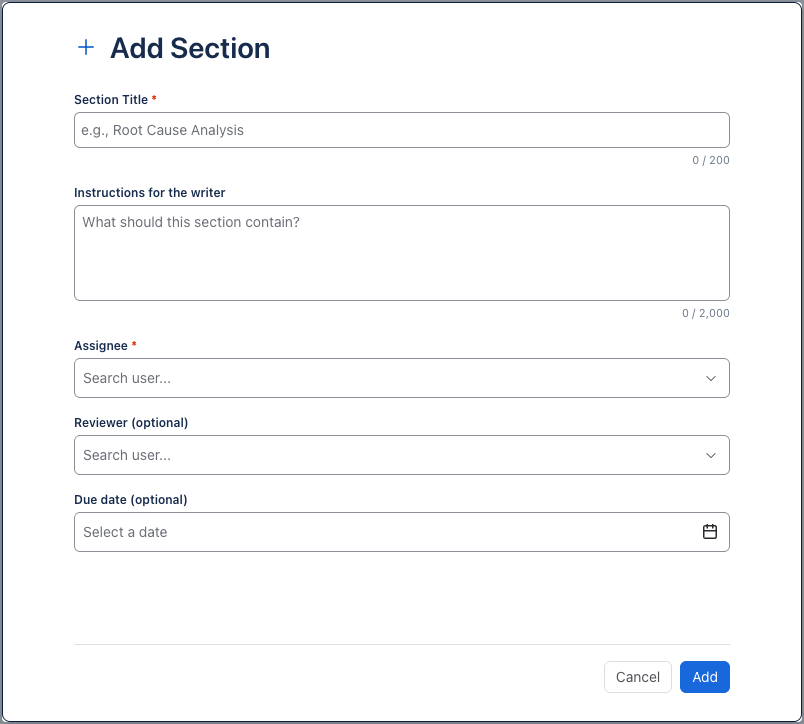
Add the Inkwell macro to a page and define its sections. Each section has a title, instructions for the writer, a required assignee, an optional reviewer (a different person), and an optional due date.
🔄 Status workflow
Sections move through Not Started → In Progress → In Review → Approved, with Changes Requested when a reviewer sends work back with a comment. Status only changes through the buttons — Start Working, Submit for Review, Approve, Request Changes — so the board reflects what actually happened. Approved sections lock. Sections without a reviewer are approved in one step on submit.

📊 Progress bar
The top of the macro shows a completion count for the whole page. Only approved sections count. Overdue sections turn the header red, and a "Your Turn" marker shows each person where they're the one holding things up.

🔔 Reminders
For sections that are overdue — or due within 24 hours — Inkwell posts an @mention comment on the page, using Confluence's own comment and notification system. No due date, no reminders.

📋 My Sections dashboard
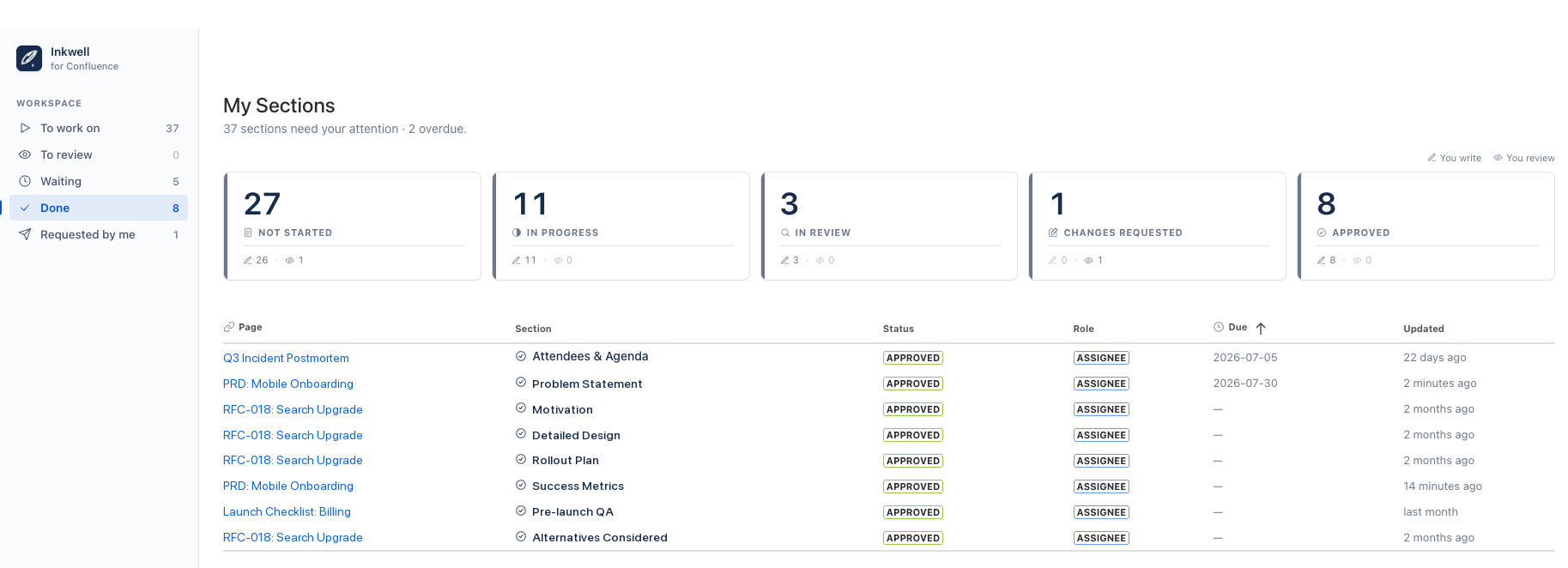
A personal dashboard in the Apps menu gathers every section with your name on it, across all pages: To work on, To review, Waiting, Done, and Requested by me, sorted by due date.
✨ AI drafting and digest
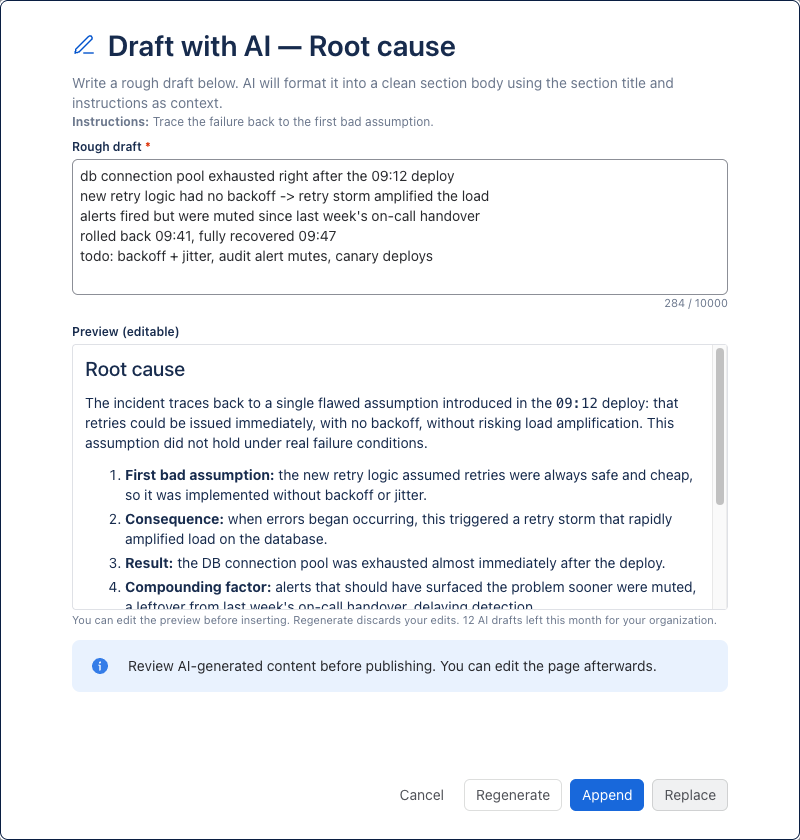
Once you start working on a section, a Draft with AI (Claude Sonnet 5) button appears next to Submit for Review. Paste rough notes and it formats them into a section body, using the section's title and instructions as context. The draft opens in an editable preview first — nothing touches the page until you insert it. On the dashboard, AI Digest summarizes everything in flight into risks, bottlenecks, and next actions, and a Team usage view shows the shared monthly AI allowance.
Section text stays in the Confluence page body; Inkwell stores only tracking metadata in Forge storage inside your own Atlassian tenant, and AI runs on Atlassian-hosted models — nothing leaves Atlassian.
Questions or feedback are welcome in the comments.