Everyone already know the scenario. It's that ticket sitting in "In Review" for 9 days that nobody's talking about and there is no action on it.
The problem isn't that your team doesn't care. It's that Jira doesn't show you time. It shows you status. And status not shows the full picture.
A ticket says "In Progress." Cool. But has it been in progress for 2 days or 2 weeks? You can't tell at a glance. So you dig through changelogs, cross-reference sprint boards, and waste the first 10 minutes of standup playing detective.
That's why we built StatusClock.
It's a Jira app that does one thing really well: it shows you how long every issue has been sitting in its current status — in actual working days (weekends and holidays excluded).
Here's what it looks like in practice:
🟢 Healthy — ticket moved recently, no action needed
🟡 Warning — it's been 3+ days, worth a check-in
🔴 Critical — it's rotting. Someone should look at this today
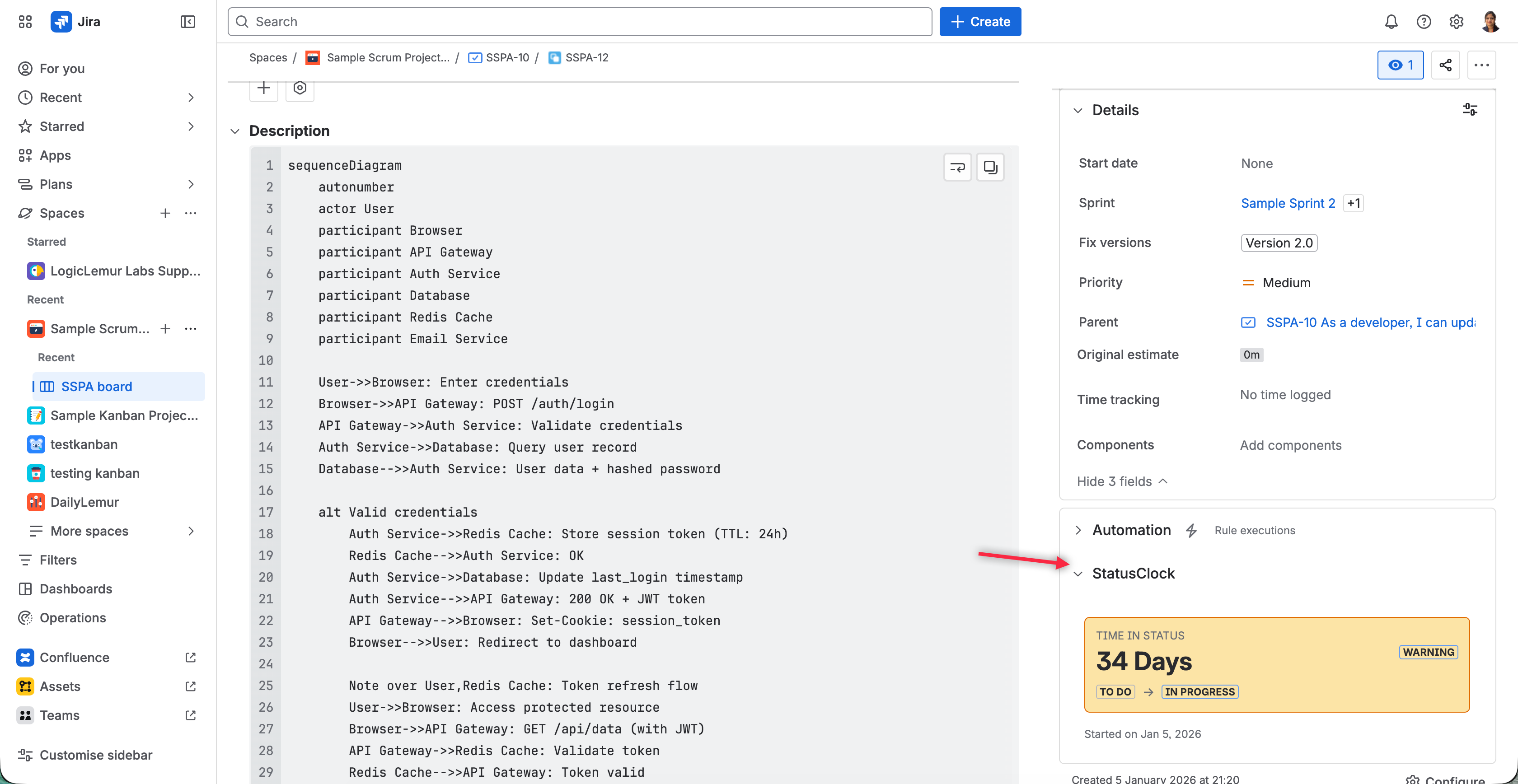
You see this right on the issue, right on the board. No dashboards to build. No JQL to memorize. No reports to pull.
For PMs specifically, here's the unlock:
→ Standups get shorter. Open the Flow Governance view, and you instantly see every stalled ticket in the sprint ranked by age. No more going ticket by ticket.
→ You catch blockers before they're reported. An issue stuck in "Code Review" for 5 working days IS a blocker, even if nobody's flagged it yet.
→ You stop micromanaging and start pattern-matching. When you see that tickets consistently rot in "QA," you don't ask devs to move faster — you fix the process.
→ Thresholds are yours to define. Warning at 3 days? Critical at 7? Exclude "Done" and "On Hold" from tracking? Your call, per project.
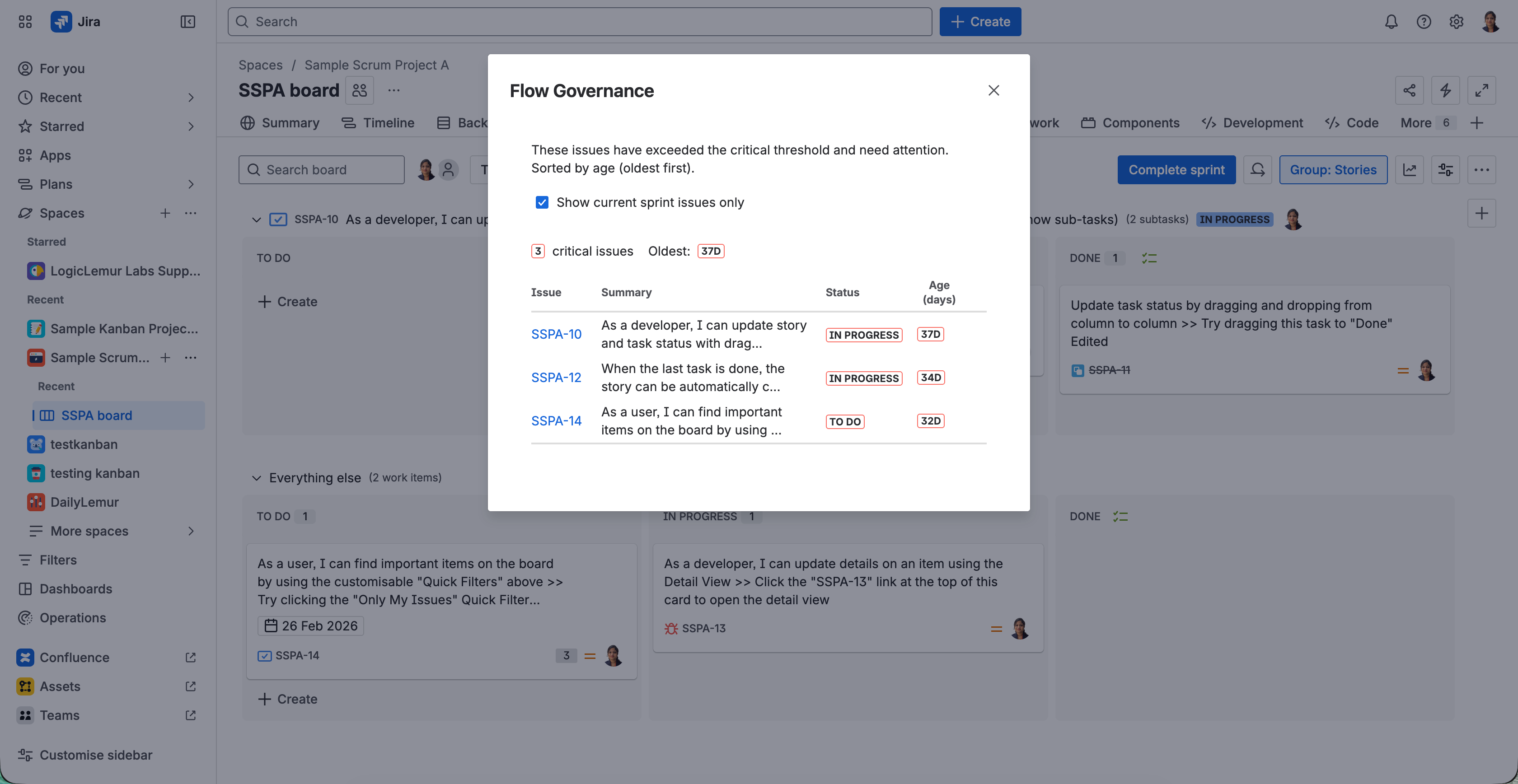
No data leaves Jira. No workflows get modified. Install it, configure your thresholds in 30 seconds, and you'll never open a ticket changelog again.
StatusClock is live on the Atlassian Marketplace.
