I ran into this while trying to answer fairly simple questions across multiple Jira projects: totals, averages, and trends over time. Things like “How many story points did we complete per project?” or “How does throughput compare across teams?” sound straightforward, but quickly become painful in practice.
Jira’s native dashboards work fine as long as everything stays inside a single project and doesn’t require real calculations. The moment reporting needs to span multiple projects, I found myself exporting issues repeatedly, rebuilding the same pivot logic in spreadsheets, and redoing the work every time someone asked for a slightly different cut of the data. That manual loop became the real bottleneck.
The problem wasn’t visualisation. It was that the data and calculation logic lived in too many places and couldn’t be reused across projects.
Why Native Approaches Break Down
Jira reporting is designed around per-project scope. Most gadgets assume a single project context, and even when cross-project JQL is allowed, calculated values and aggregations don’t persist in a reusable way. Each dashboard gadget effectively becomes its own isolated configuration.
Atlassian Analytics improves flexibility, but it still requires building logic repeatedly at the chart level and doesn’t solve the underlying issue of centralised, reusable aggregation logic across many projects. As the number of projects grows, the reporting model simply doesn’t scale.
A Practical Approach That Worked
What finally worked was stepping back and changing where the logic lived. Instead of trying to force calculations into Jira dashboards, the approach was to move aggregation and calculation into a shared reporting layer before visualisation.
Using Visionade, the idea was to build a single cross-project dataset. Calculations weren’t tied to individual gadgets anymore. They lived at the Data Set and Report configuration level.
This works because the heavy lifting happens before anything hits a dashboard. Projects, metrics, and trends are all defined once in a central dataset, and reports simply reuse that structure. The dashboard becomes the final display, not the place where logic is rebuilt every time.
Setup Approach
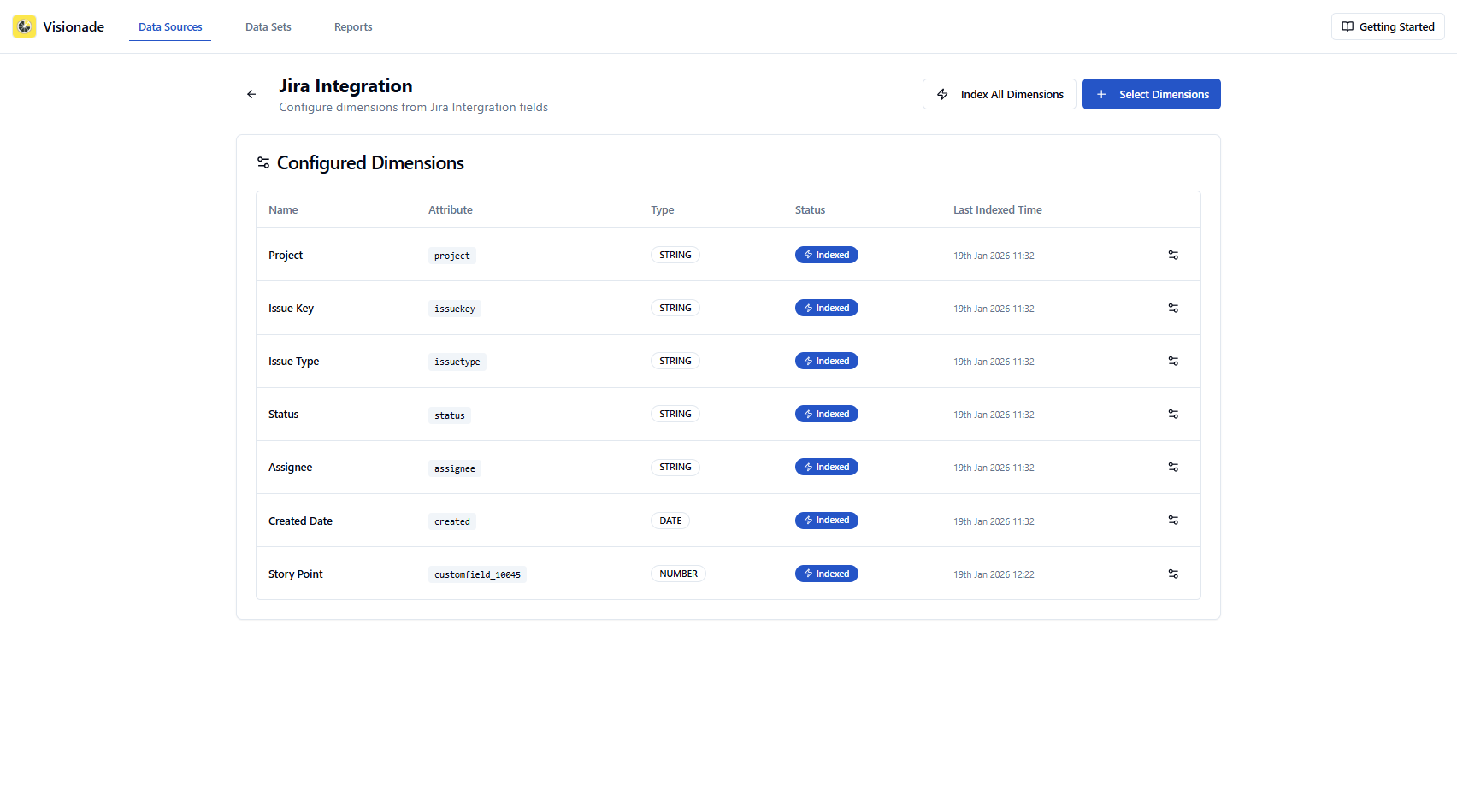
Start by creating a Jira data source that includes all relevant fields like Project, Status, Issue Type, Story Points, and any custom fields, and ensure those fields are indexed for aggregation.
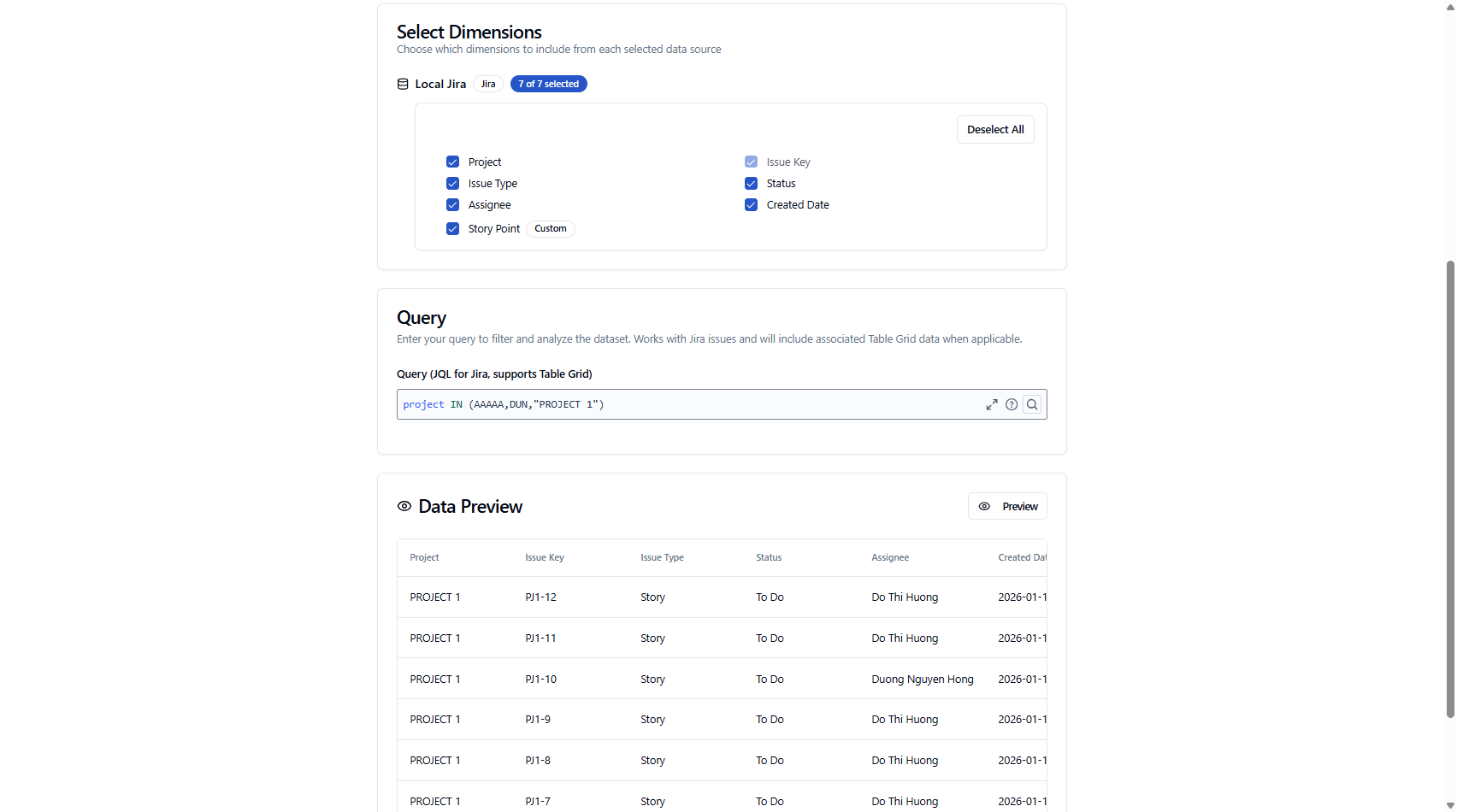
Build a Data Set using a cross-project JQL scope (for example, multiple projects in a single query) so all issues live in one consolidated view.
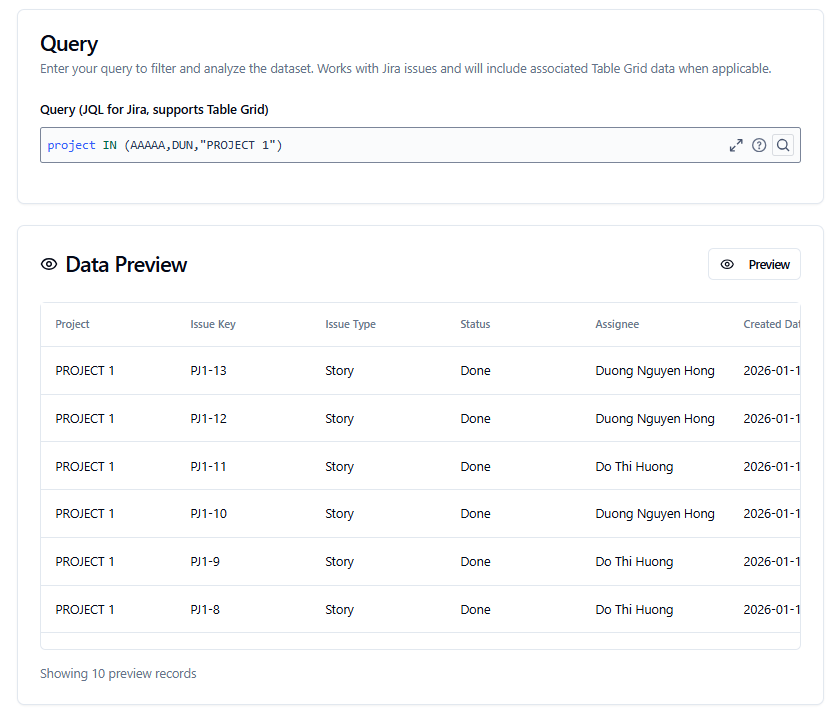
Preview the Data Set to confirm that issues from all projects are present and that grouping fields are available.
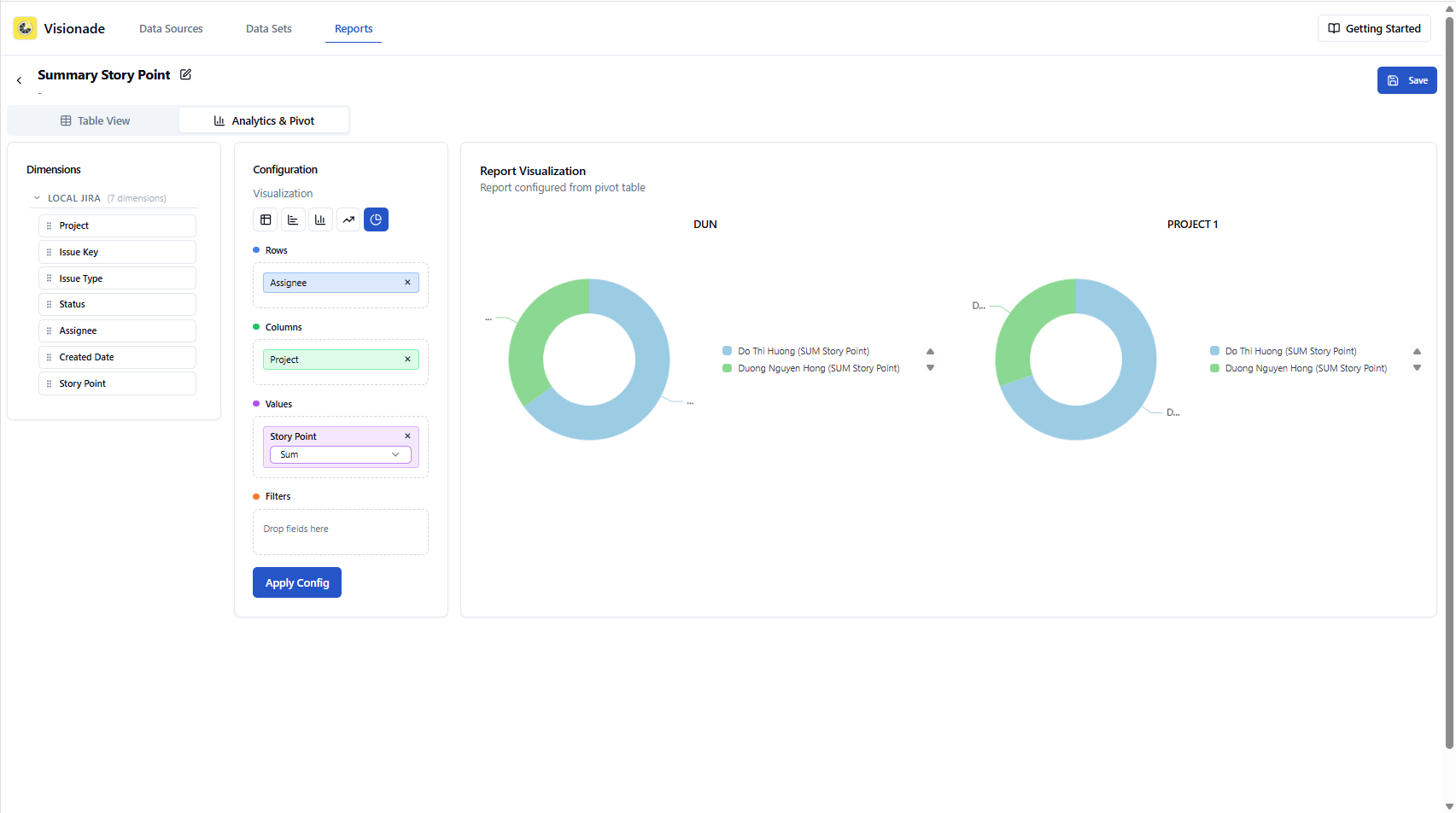
Create a Report from this Data Set, placing Project in Column, Assignee in Row, and calculated metrics in values.
Add the saved report to a Jira dashboard so it stays up to date automatically.
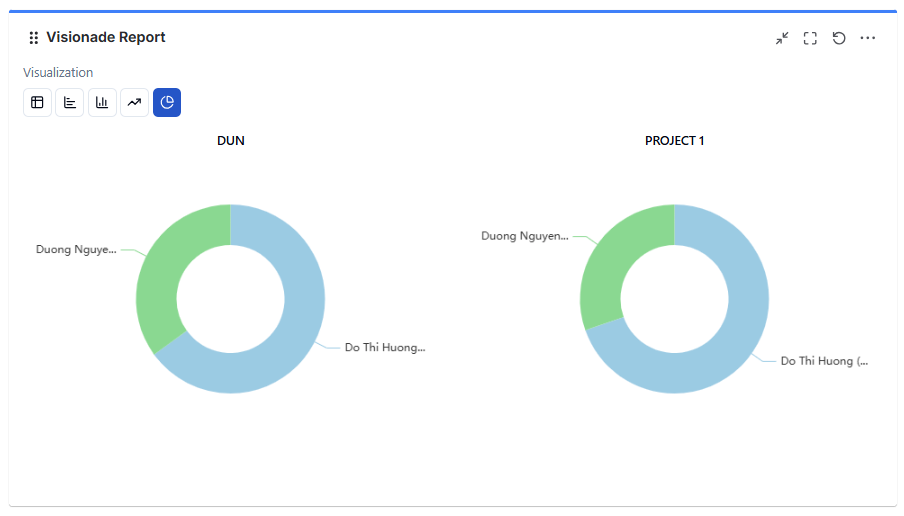
Result
Once this was in place, cross-project reporting stopped being a recurring task. Calculated trends updated automatically, dashboards stayed consistent, and new questions didn’t require rebuilding everything from scratch.
The key takeaway for me was that Jira dashboards work best as presentation layers. When aggregation and calculation logic move into a shared dataset, cross-project reporting becomes far more manageable. Hope this helps others running into the same limitation.
I’m from the Visionade team, and this content was written with the assistance of AI. I’d genuinely be interested to hear how others approach reporting in Jira.
If you’d like to explore this approach further, you’re welcome to try Visionade - we hope it provides a useful and positive experience: Visionade: Reports, Dashboards, Graphs, and Charts for Jira


