Jira governance assumes stable boundaries - projects, roles, permissions.
Google Chat governance is harder because the boundary moves: spaces grow, membership changes, and ownership rotates. That’s where accidental exposure happens, even when Jira permissions are technically correct.
This post focuses on the rollout problems admins actually run into, and the controls that reliably reduce risk.
The core failure mode: the audience changes, the automation doesn’t
A common pattern looks like this: a space starts small and purpose-built, notifications are configured for a project, and everything is fine until the space evolves. Over time, more people are invited, the room is repurposed, and the same notifications start reaching a broader audience than originally intended.
This is not a “permissions bypass”. It’s the mismatch between a long-lived configuration and a fast-changing Chat audience.
So the goal of governance is simple: make sensitive behavior hard to configure, hard to spread, and easy to shut down.
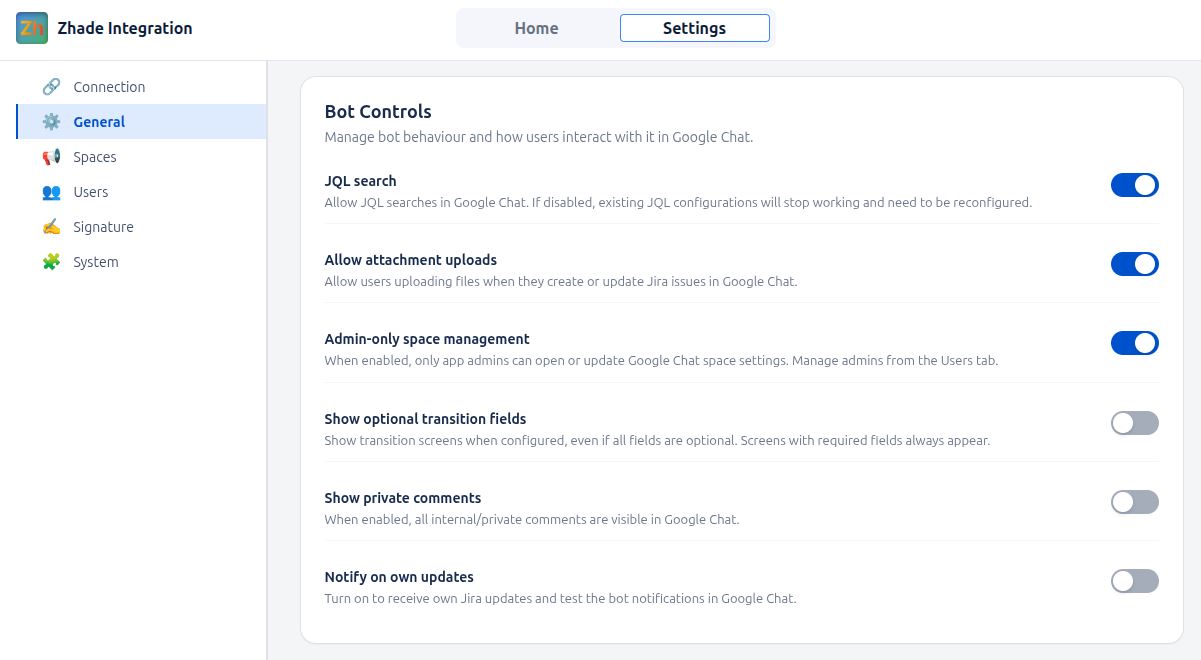
1) Treat configuration as a privileged action, not a space-level convenience
If everyone in a space can configure notification rules, drift is inevitable. You’ll end up with inconsistent standards, unclear ownership, and an audit problem because there’s no single accountable configuration authority.
A strong baseline policy is: receiving notifications can be broad, configuring notification rules should be restricted.
That one decision cuts off multiple risk paths at once, because the most impactful routing choices - including advanced filtering and long-lived rules - are no longer made ad-hoc inside individual spaces.
In the same category sits comment sensitivity. Titles and summaries are one thing, but comments often carry the context that shouldn’t travel into Chat - internal notes, role-restricted discussions, and incident details where visibility depends on a user’s role. A governance-first default keeps private/internal comments out of Chat unless an admin explicitly opts in.
2) Define project eligibility: access does not automatically imply broadcastability
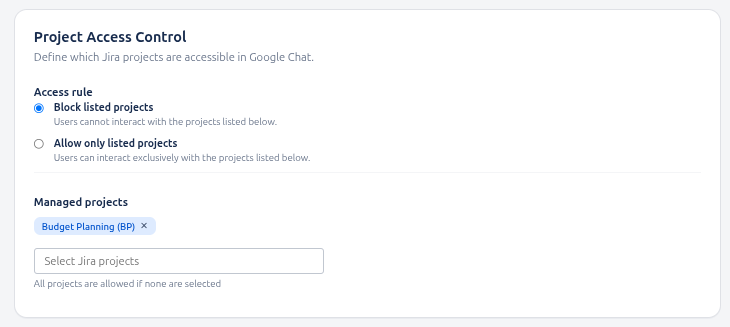
Many organizations have projects that are acceptable to view in Jira but not acceptable to surface in Chat spaces that can change membership at any moment. In other words, “you can access it” doesn’t always mean “it can be broadcast”.
Admins typically solve this with one of two policies:
-
Blocklist - exclude specific sensitive projects from ever being visible in Chat
-
Allowlist - default deny, and only explicitly approved projects are Chat-eligible
Allowlists are often preferred for strict environments because they’re easier to explain and audit: only approved projects can surface in Chat.
3) Governance must include operability: admins need a control plane
Policy reduces risk, but operations prevent incidents from dragging on.
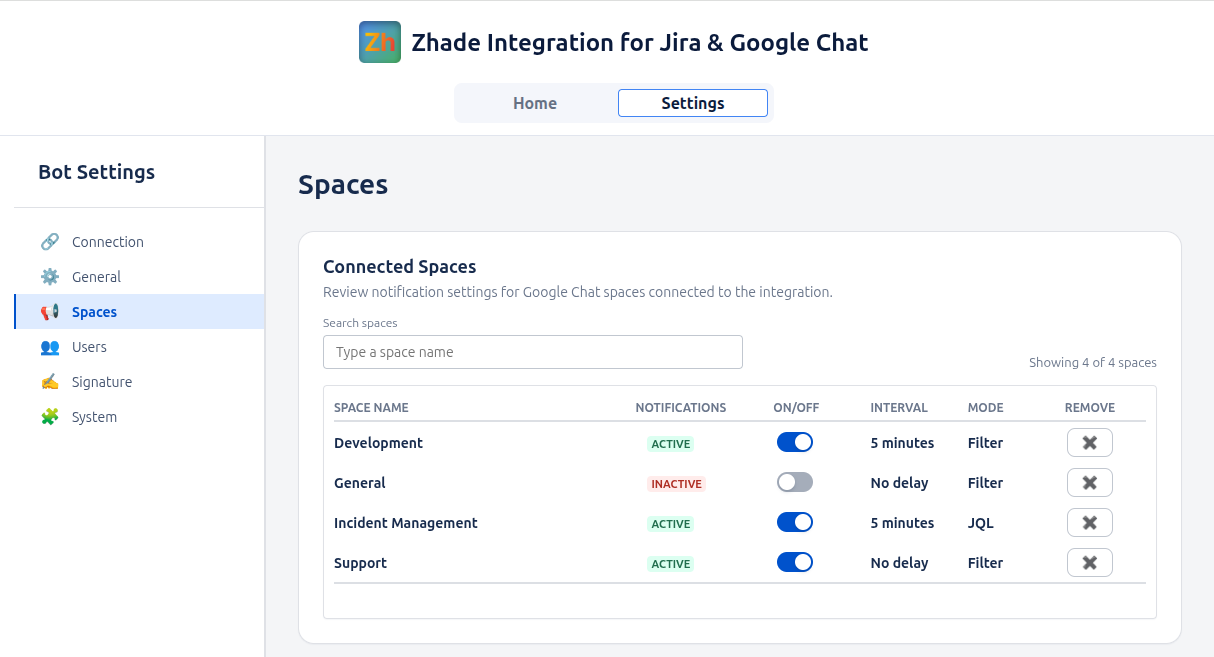
At scale, admins need to answer a few questions quickly:
-
Which spaces are connected?
-
Where are notifications active?
-
How do we disable or reset a space when something looks wrong?
Without centralized space management, incident response becomes “find the person who set it up” - slow, unreliable, and stressful during reviews.
4) People change: governance must survive turnover
Another failure mode is organizational change. People rotate responsibilities, leave teams, or stop owning the spaces they created. If governance depends on the original setup person always being around, it will decay.
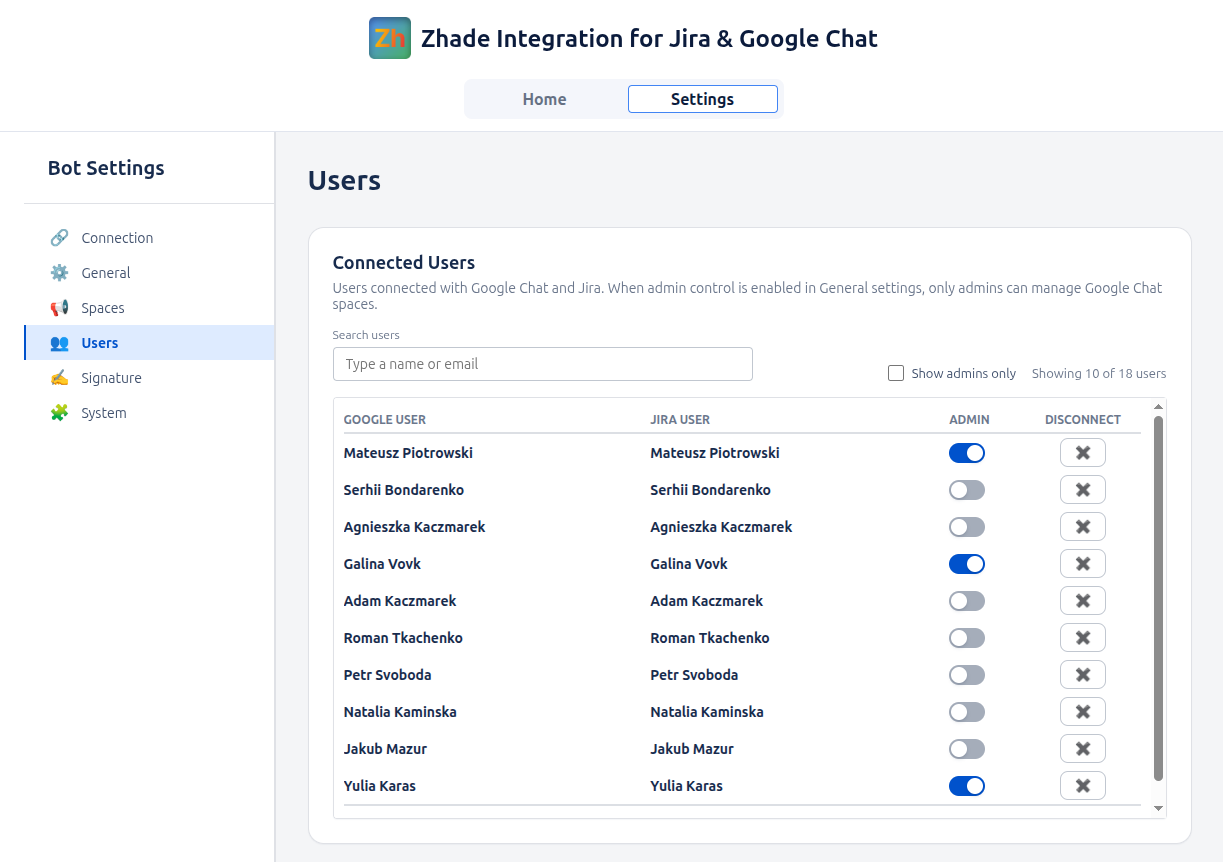
Admins need a way to manage:
-
who has an active connection
-
who is allowed to administer the integration
-
how to revoke access cleanly when required
Closing thought
Jira-to-Chat rollout becomes safe to scale when it can confidently answer:
-
Who is allowed to configure?
-
What content is allowed to surface?
-
Which projects are eligible to appear?
-
Can admins see, disable, and reset quickly?
-
Can access and roles be managed over time?
The screenshots above illustrate one implementation of these governance controls (Zhade Integration for Jira and Google Chat), but the principles apply to any environment where Chat spaces evolve and automation persists.
