We’re excited to announce the release of QC Approvals for Confluence Cloud, a new app designed to bring structured and transparent document approval workflows directly into your Confluence. Whether your team needs formal sign-offs, approval accountability, or a clear audit trail on Confluence content, QC Approvals makes it easier than ever.
What Problem Does QC Approvals Solve?
Confluence is excellent for creating and collaborating on knowledge, but many teams still struggle with formal approvals:
-
Who has approved this document?
-
Have all the required reviewers signed off?
-
What version was approved and when?
QC Approvals fills that gapand introduces structured approvals into Confluence Cloud so teams can confidently manage sign-offs without leaving their familiar workspace.
Key Features That Help Teams Get Approvals Right
Here’s what QC Approvals brings to your Confluence Cloud instance:
Custom Approval Templates: Define reusable workflows with specific roles, required signers, notification preferences, and approval rules to match your team’s process.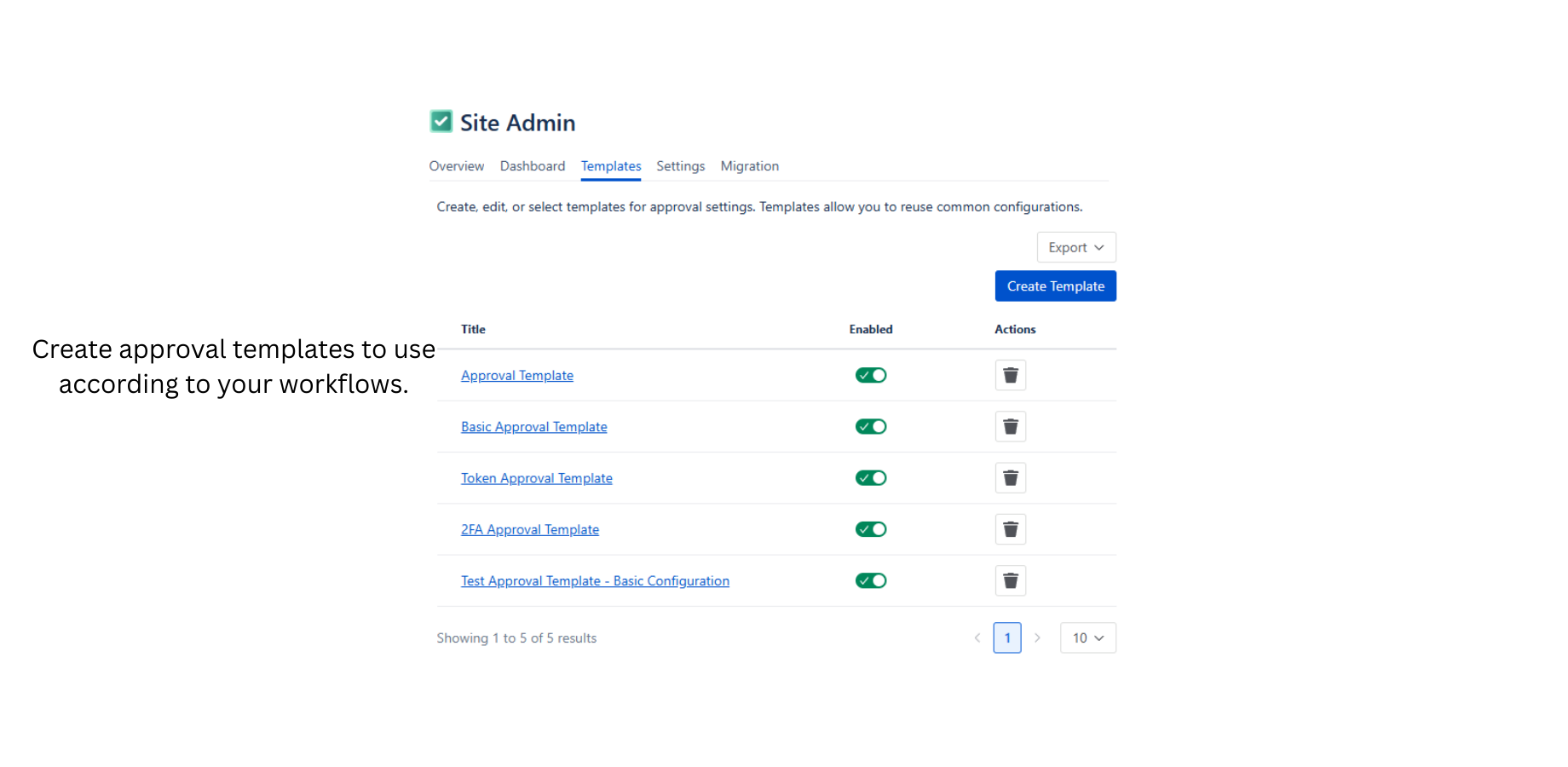
Central Approval Dashboard: Get a bird’s-eye view of the status of approvals across your instance and spot bottlenecks or overdue items quickly.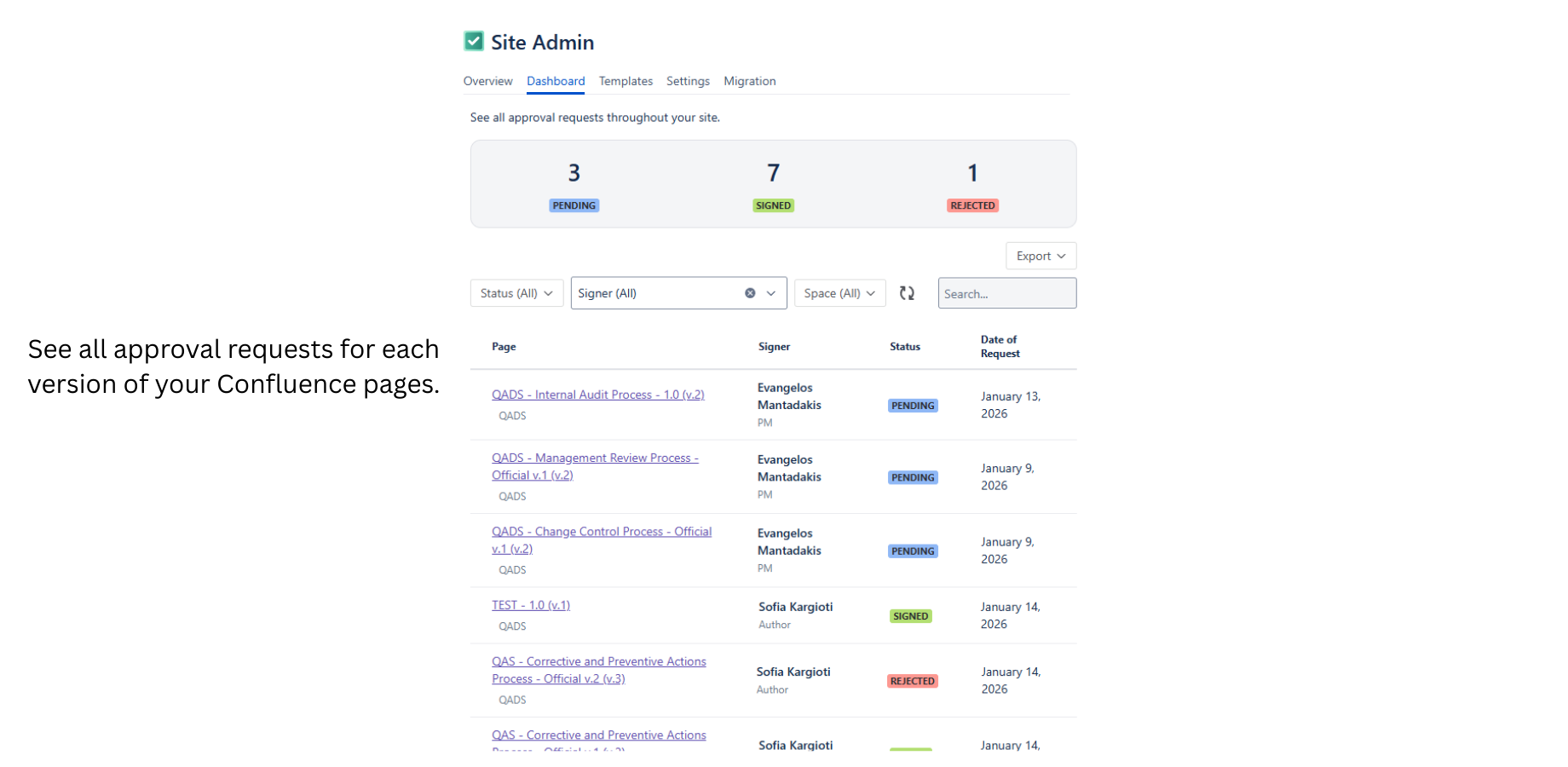
Version-Aware Approvals: Work with Major and Minor versions of pages, trigger approval requirements on major releases, and use version aliases like “Final Draft” or “Release Candidate” for clarity.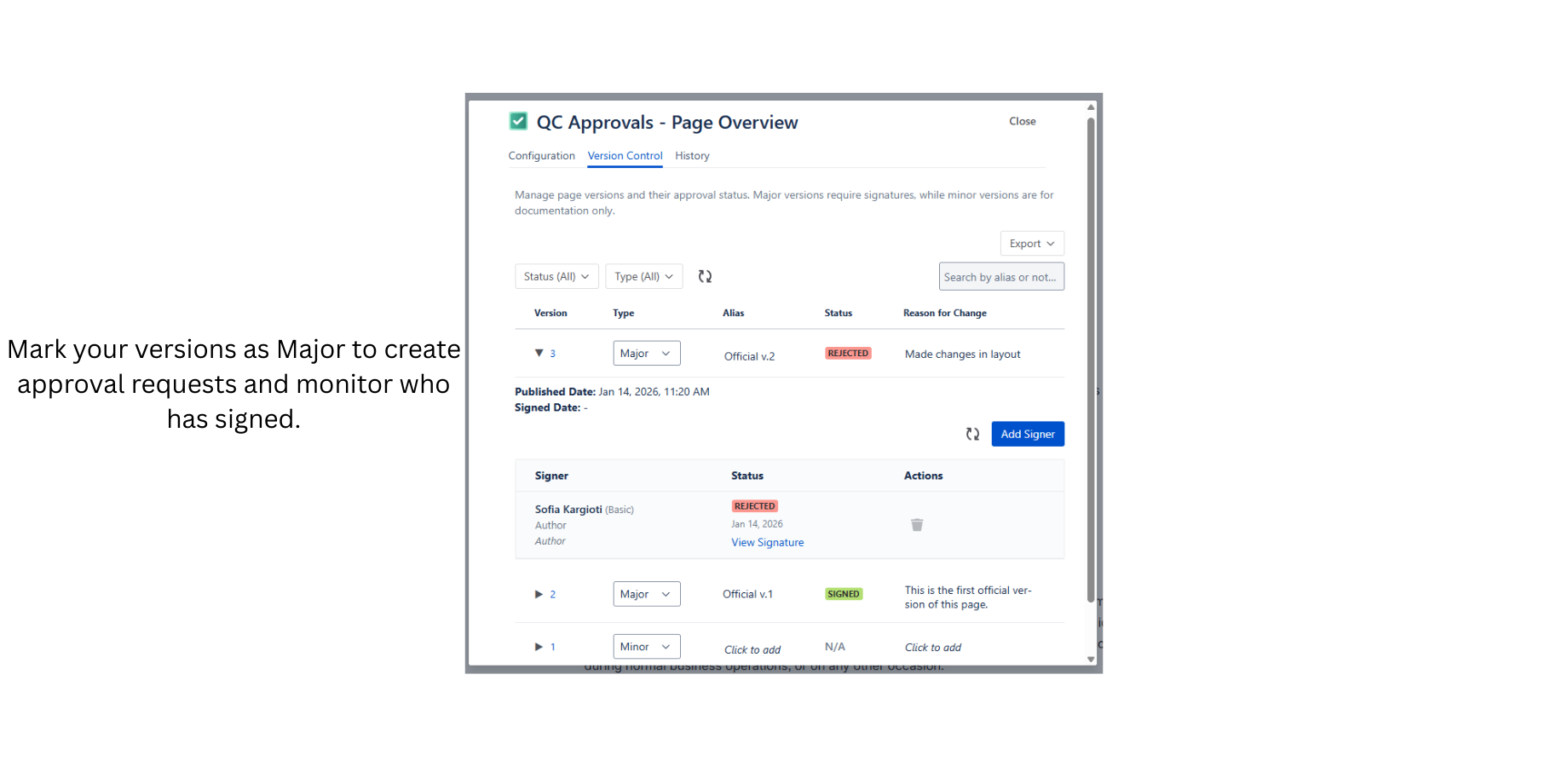
Secure Signing Options: Signers can complete approvals with secure methods like OTP or two-factor authentication when required by your workflow.
Automated Notifications & Reminders: Keep reviewers informed with customizable notification and reminder settings to ensure no one forgets their approval tasks.
Personalized Task View: Each user can view their pending and completed approvals through the My Approvals dashboard.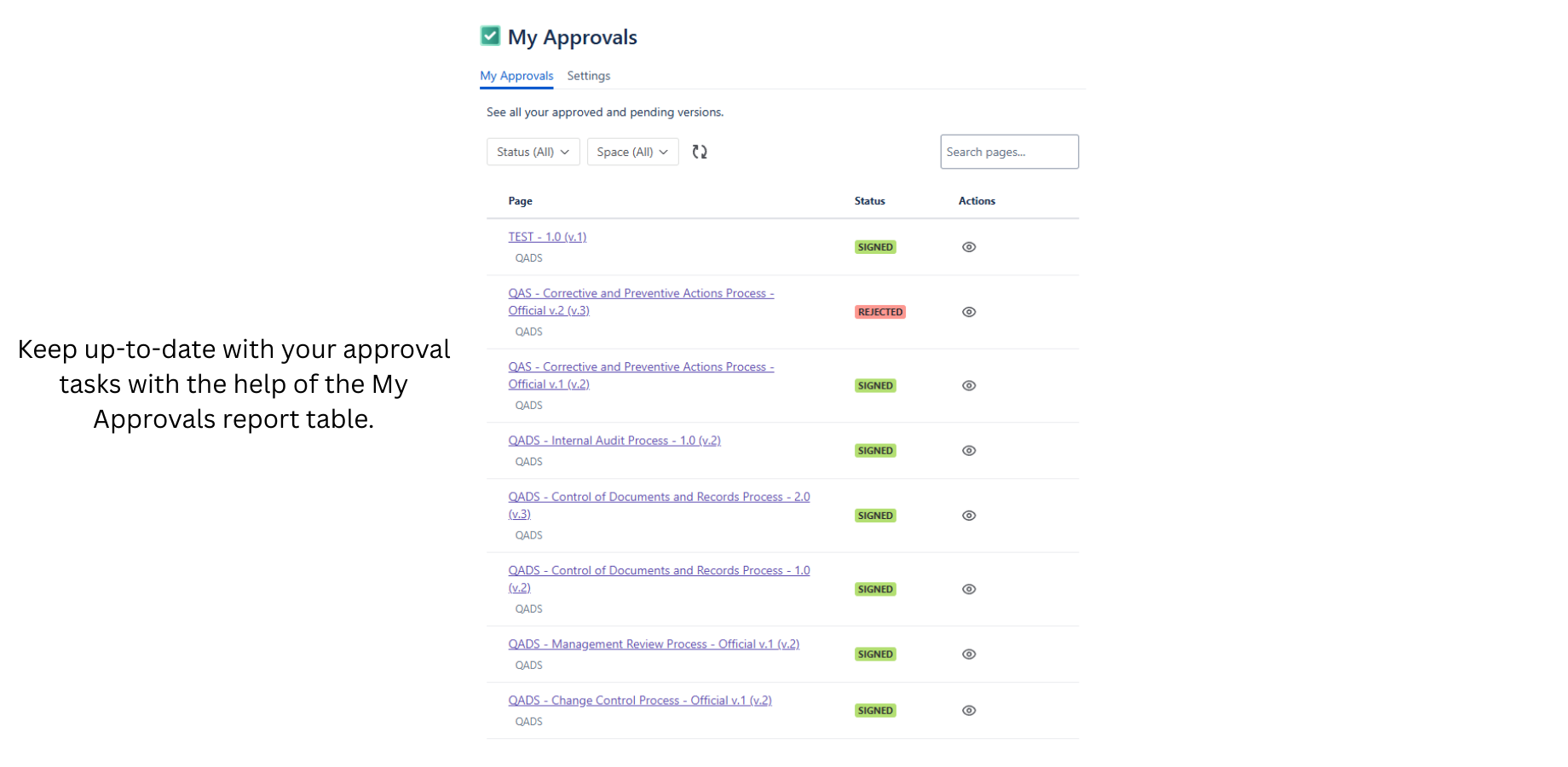
How It Works
Get started with QC Approvals in a few steps:
-
Install the app from the Atlassian Marketplace.
-
Create approval templates based on your workflow needs. Choose signers, notifications, and required conditions.
-
Apply a template to a Confluence page and set the version that requires approval.
-
Track approvals to see who approved what and when, right inside Confluence.
New to QC Approvals? Our Getting Started guide walks through setup and best practices.
Join the Conversation
Have questions or feedback? Drop a comment below, we’d love to hear how your team uses QC Approvals, what workflows you’re building, and where we can evolve next.

