Community resources
Community resources
Community resources
Glossary vs. Confluence AI "Define": What’s the Right Choice for Your Team?
If you’ve been exploring Confluence’s new AI features, you’ve probably come across the "Define" option, a simple way to get instant explanations for terms without leaving the page.
But if your workspace already uses tools like Glossary, you might be wondering: Do we still need both? 🤔
Confluence now offers two powerful, yet fundamentally different, solutions for terminology: the classic, human-curated Glossary and the dynamic Atlassian Intelligence “Define” feature.
So, which one is right for your team? The answer isn't a simple "one or the other." Below, I break down the strengths and weaknesses of each to help you build a practical knowledge strategy.
🤖Atlassian Intelligence “Define”: For Instant, AI-Powered Definitions
⚙️How it Works:
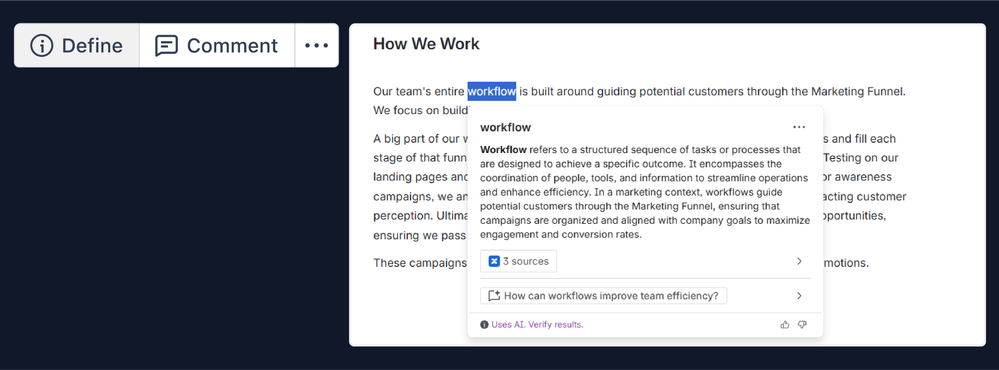
While viewing any Confluence page, you can highlight an unfamiliar term, and a "Define" option will appear. The AI instantly generates a definition by analyzing how that term is used across all the pages you have permission to see. It keeps the context strictly internal, and even provides links to the source pages for verification.
🚀 When to Lean on Atlassian Intelligence:
- For zero-effort setup: It's automatically enabled (on Standard, Premium, and Enterprise cloud plans). No setup or maintenance is required, and it immediately starts learning from your existing content.
- To define evolving team jargon: This is where AI shines. It’s perfect for the everyday, niche terminology: temporary project names, team acronyms, and informal slang that appear daily but aren't worth a formal glossary entry.
- For quick, in-context answers: Both AI Define and glossary apps can provide in-context answers. The key benefit of AI is that it does this for any term it can find in your knowledge base, instantly, without ever leaving the page you're reading and without any prior setup. You can even go a step further with Rovo Define Chat to ask follow-up questions and dive deeper into the context.
Current Limitations to Consider:
- Open editing model: Any user can add or edit a definition. You can make a new definition visible on a page, a space, or site-wide. That’s great for collaboration, but it can be tricky if your team manages sensitive or highly specific knowledge and needs to restrict editing to documentation owners or experts.
- No centralized management hub: There’s no single place to review or audit all defined terms, and you can’t add rich metadata (Like Synonyms, Abbreviations, or Labels) for advanced filtering.
- Limited UX: “Define” works while viewing pages (not when editing), and it doesn’t automatically highlight every defined term on a page — you must manually select terms.
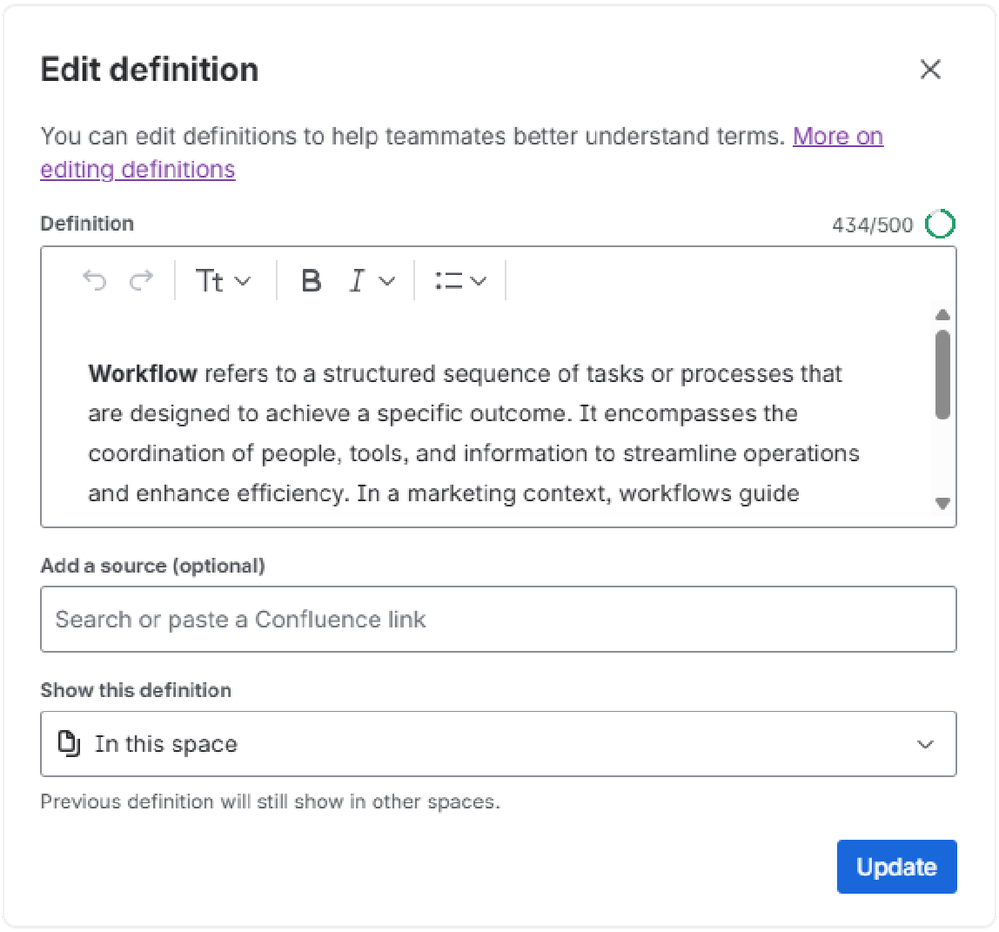
In short: AI Define is fantastic for quick learning and adaptability, but it lacks the governance and structure required for truly sustainable knowledge management.
📘The Confluence Glossary: For Centralized Terminology Management
⚙️How it Works:
You can start a glossary with a simple Confluence table, but this often forces people to navigate away from their task to search, which quickly kills adoption.
As many teams discover, the real power of a glossary is unlocked with dedicated Marketplace apps. A true terminology hub needs to be more than just a list, it needs to be integrated, manageable, and accessible. Apps like our own Glossary for Confluence turn a basic list into a dynamic knowledge hub that scales with your team.
🚀 When a Specialized Glossary is The Right Call:
- For official terminology: When you need a single, approved definition for critical internal concepts (like internal frameworks, or team roles) and must keep them consistent across all spaces, a glossary is your definitive source.
- For team-driven consistency: Glossaries make it easy for teams to collaboratively update terms, keeping everyone aligned on shared terminology.
- For deep, structured knowledge: Glossary terms can carry synonyms, abbreviations, attachments, labels (e.g., #marketing, #project-X), and other metadata that make them filterable and discoverable.
How Specialized Glossary Apps Take It Further:
While AI Define delivers quick, in-context answers, a dedicated glossary app builds on that convenience by offering deeper, more structured knowledge experience.
Here’s how it enhances your team’s workflow in Confluence:
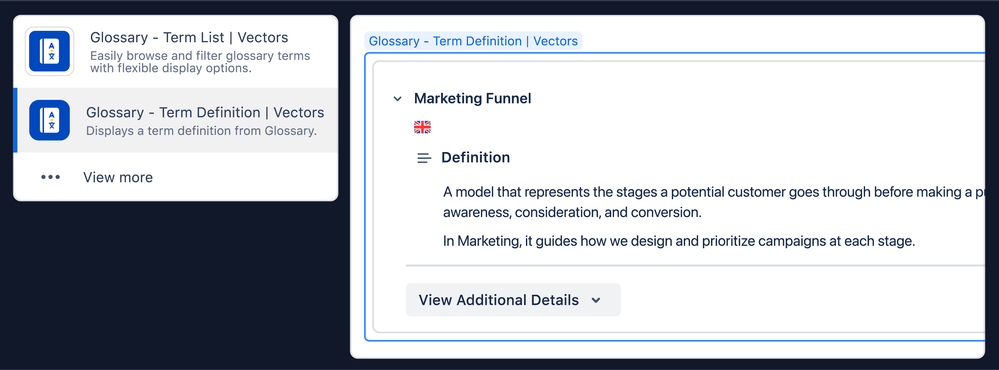
- Embedded terminology for easy access: Glossary lets you embed key terms or lists directly within your pages, keeping definitions visible where they matter most.
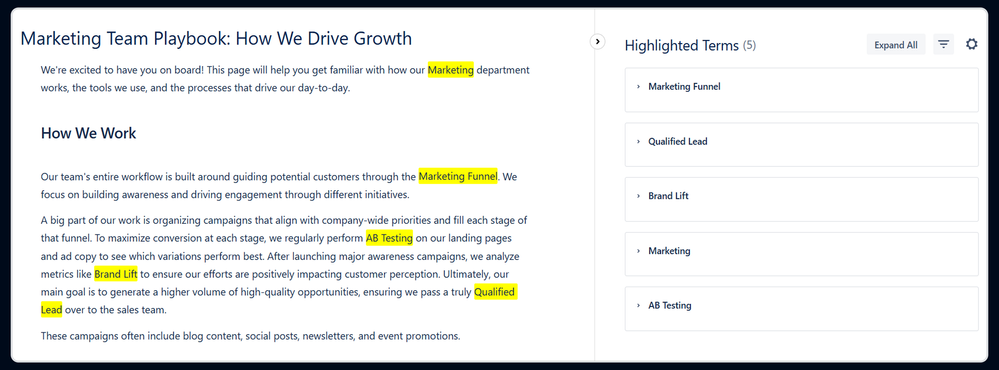
- Automatic highlighting with more context: Glossary can automatically surface related synonyms or abbreviations, helping users recognize terms even when phrased differently.
- Centralized management: All your terminology lives in one hub, making it easier to browse, audit, refine, and align definitions across projects.
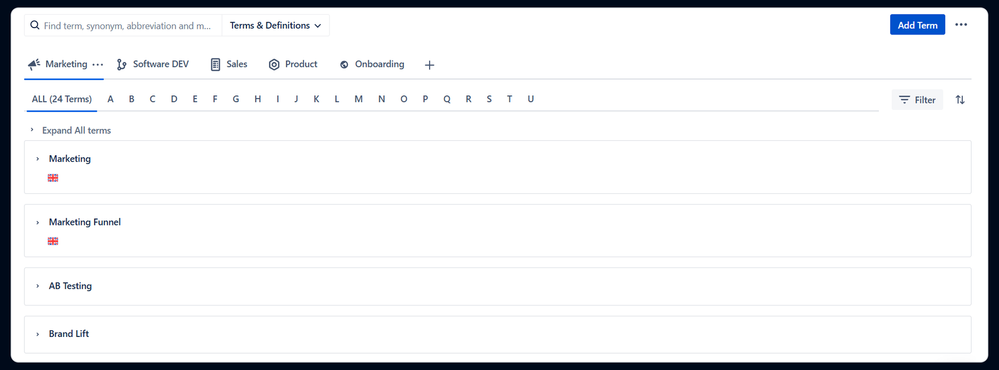
- Multilingual support: Essential for global teams, Glossary can store and display terms in multiple languages.
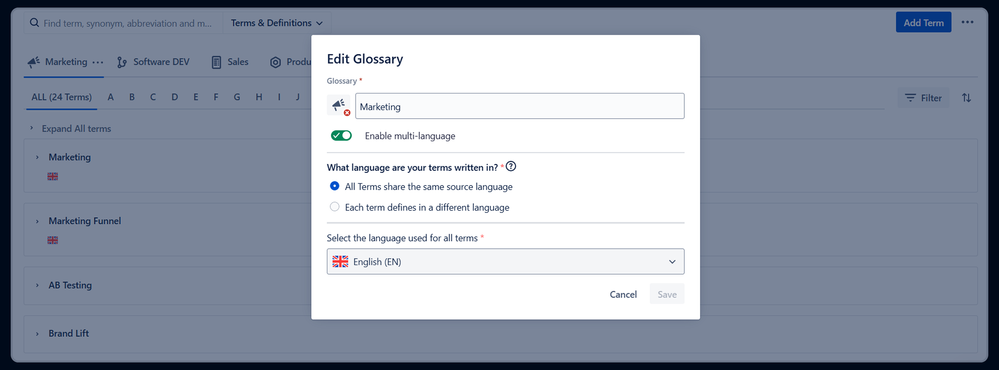
In short, glossary apps extend the convenience of AI Define with structure, discoverability, and long-term consistency, making them essential for sustainable knowledge management.
⚖️ The Verdict: The Right Tool for the Right Need
AI Define and Glossary tools both make terminology more accessible in Confluence, but they serve very different purposes:
- Use AI Define for quick, in-context explanations of fast-moving, informal language that doesn’t need formal review.
- Turn to a Specialized Glossary app for structured, consistent, and approved definitions that must stay aligned across teams and projects
While many in the community hope that Atlassian Intelligence will eventually reference a team’s formal glossary, Specialized Glossary apps are the current, definitive solution for building a foundation of reliable, long-term knowledge. They provide the necessary governance, structure, and rich metadata that AI-generated definitions simply cannot.
👉Glossary for Confluence helps teams build that reliable foundation, transforming your scattered terminology into a centralized, accessible knowledge hub.
💬 So, how does your team manage terminology in Confluence?
Have you explored AI “Define,” a dedicated glossary app, or are you using both?
Share your experience below. Let's learn from each other!
Was this helpful?
Thanks!

Mariem Daghbouji _Vectors_

0 comments