
HR professionals spend as much as 57% of their time on administrative tasks, such as keeping records up to date and managing employee data.
Now picture an HR manager trying to answer a straightforward question like, “Who does this employee report to?” or "Which team has this skill?"
They don't get an answer right away, instead, they check spreadsheets, HR systems, internal documents or even ask coworkers to confirm the information.
What should only take a few minutes often turns into a long search. This happens a lot to HR teams that use Jira to organize their work.
Jira is great for keeping track of tasks and processes, but employee information is often spread out over several systems.
In this article, learn about the common HR challenges that teams run into in Jira and how companies solve them by creating a centralised people layer.
The Most Common HR Challenges in Jira
When HR teams first start using Jira for their work, they often run into some problems that are common. These problems don't show up right away, but they get harder to ignore as teams get bigger.
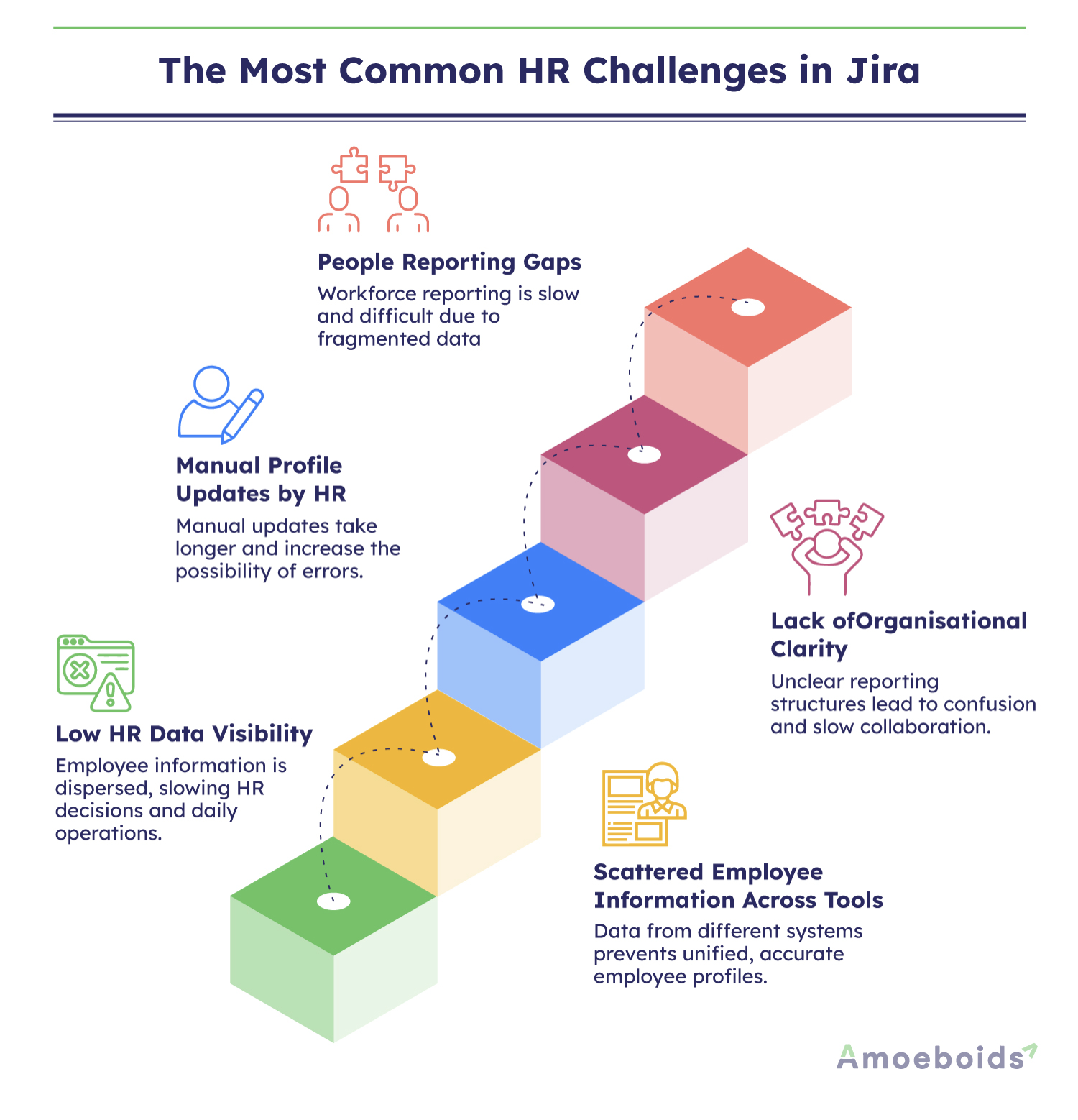
- Low HR Data Visibility: HR teams often have trouble quickly finding employee information in Jira. You have to look in many different places to find out about managers, teams, or skills, which slows down decisions and everyday HR work.
- Scattered Employee Information Across Tools: HRMS systems, spreadsheets, documents, and other internal tools often have employee data in different places. The dispersion of this information prevents HR teams from creating comprehensive, accurate employee profiles.
- Manual Profile Updates by HR: HR departments frequently update employee information manually, such as role changes, department transfers, and certifications. As companies grow, managing hundreds of profiles becomes time-consuming and error-prone.
- Lack of Organisational Clarity: When reporting structures and team hierarchies are not clearly mapped, employees struggle to understand who manages whom. This confusion slows collaboration and makes cross-team communication harder.
- People Reporting Gaps: When HR data is scattered and siloed, it takes a lot of time and work to report on it. HR teams spend hours cleaning and sorting data instead of learning about the skills, certifications, and trends of the workforce.
The good news is that these problems won't last forever. If you use it the right way, Jira can be a very useful tool for managing HR tasks.
Core HR Processes Impacted by These Challenges
These HR problems don't just make things a little harder. They have a direct impact on important HR operations in Jira, making daily tasks slower, less accurate, and harder to manage.
Employee Records Management
Storing information in different tools complicates the management of employee records. HR teams spend time updating details manually, which increases errors and makes records harder to maintain.
Organisational Structure Visibility
It's challenging for employees to know who to report to when team structures aren't clear. Jira provides clear organisational visibility, allowing teams to quickly identify their managers, departments, and how different teams collaborate.
Cross-Team Collaboration
Employees often have to find the right people on different teams. When teams have to search for the right contacts because Jira doesn't have clear employee data, collaboration slows down.
Internal Knowledge Discovery
Employees bring valuable skills, certifications, and experience to the organisation. Teams miss chances to use their own knowledge when this information can't be found in Jira.
HR Analytics & Reporting
Employee data must be well-organised in order to create accurate HR reports. When data is spread out, HR teams have to spend more time cleaning it up than learning about their employees' skills and trends.
How HR Teams Build a Centralised People Layer in Jira
Companies use Jira to make a central "people layer" that puts all of their employee information in one place. This allows you to see what's going on in HR, manage employees, and make better decisions.
- Centralised employee records inside Jira: HR teams can manage employee attributes such as roles, departments, managers, certifications, and skills using structured employee profiles. Solutions like UpRaise People Automation by Amoeboids and Smart Templates by TitanApps help create these structured people records directly within Jira.
- Searchable company directory: Employees can easily find coworkers by team, role, or area of expertise if they can search a directory. This makes it easier to work together and saves time that would have been spent looking for information.
- Manager and department mapping: HR teams make it easy to see how departments and reporting structures fit together in Jira. This helps employees understand how teams work and makes the whole company structure easier to understand.
- Self-service profile updates: Employees can update their profiles to reflect new skills, certifications, or role changes. This reduces manual HR work while keeping employee information accurate and up to date.
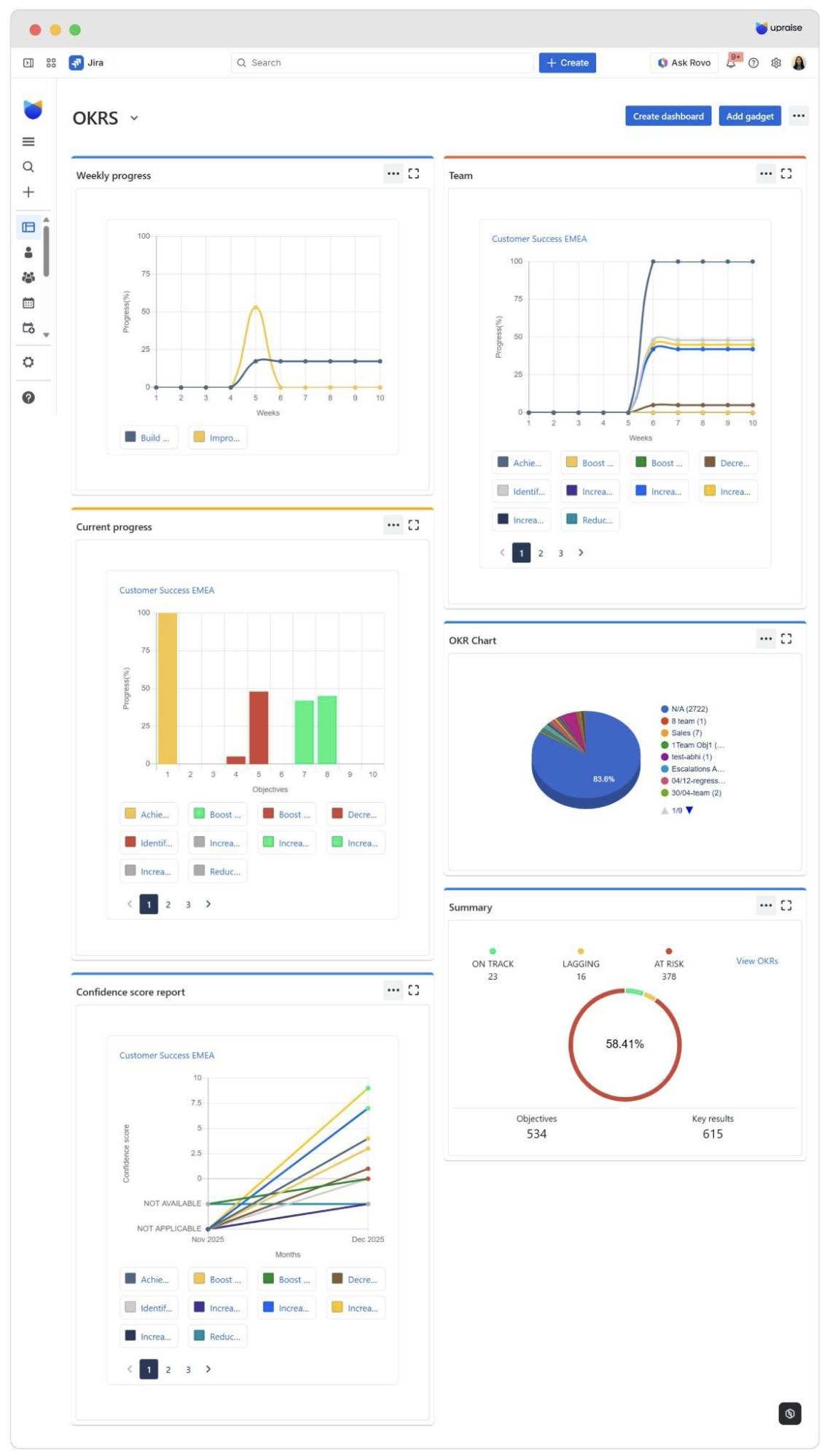
- People insights dashboards: HR dashboards show information about the workforce, such as skills, certifications, and team distribution. These dashboards help HR departments make better decisions and reports.
How UpRaise People Automation by Amoeboids helps HR Teams
HR teams often struggle to keep employee information organised across multiple tools. UpRaise People Automation makes it easier to manage and access HR data by bringing together employee profiles. It also helps reporting structures, feedback cycles, and people insights right inside Jira.
Key Benefits:
- HR teams can use Jira to create structured employee profiles that include roles, departments, managers, skills, and certifications.
- Gives a clear view of the organisational structure, helping them manage reporting lines and team collaboration more effectively.
- HR teams can use OKRs for quarterly reviews, performance evaluations, and goal tracking, making employee performance easier to track.
- Collect structured employee feedback, including probation feedback, through linked forms and recurring form distribution.
- Helps HR teams design automated onboarding and offboarding workflows to reduce manual HR tasks.
- Get leave data to help you plan time off, process payroll, and make data-driven HR decisions.
How Smart Templates by Titan Apps Help HR Teams
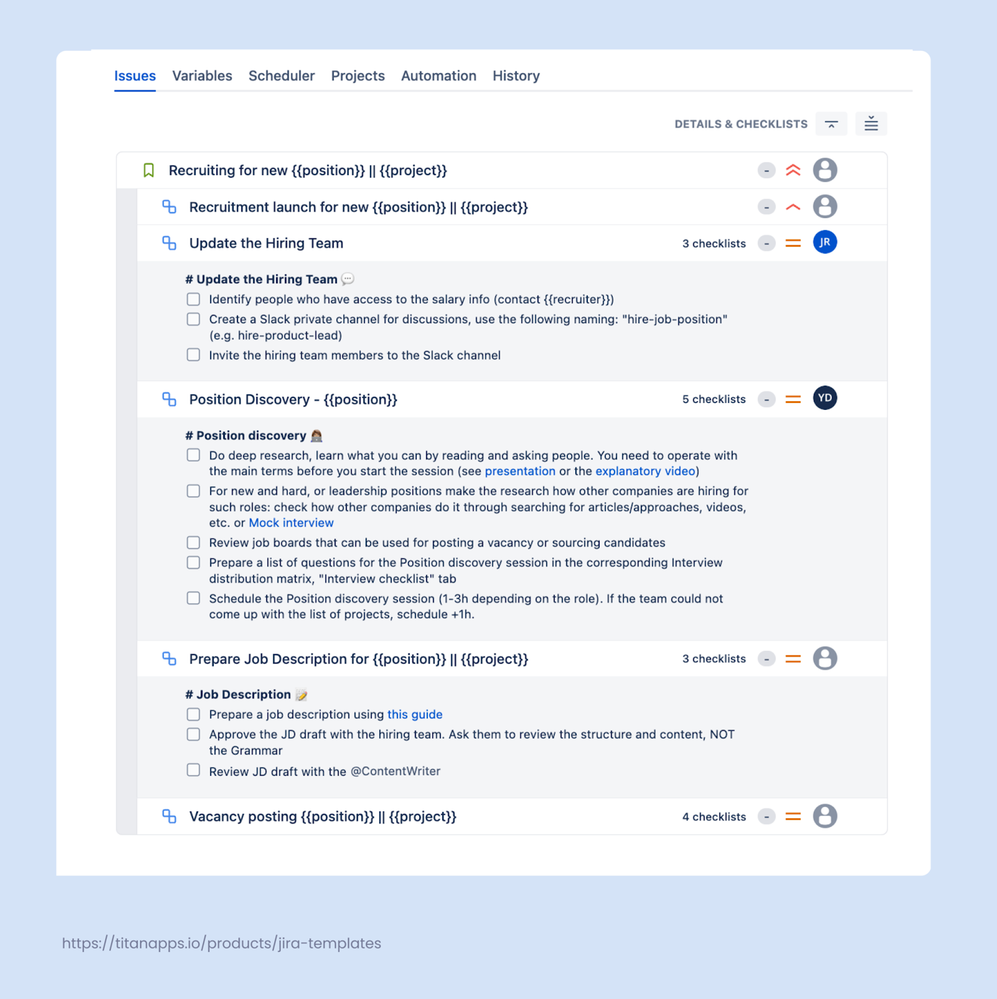
Many HR processes follow the same steps every time - onboarding, offboarding, performance reviews. Smart Templates for Jira lets you document these processes once and reuse them as structured work item templates.
Instead of recreating repetitive Jira tasks from scratch, your HR team gets a ready-to-go action plan with pre-filled fields, assigned responsibilities, child work items, and checklists.
Key Benefits:
- Document HR processes end-to-end as reusable Jira issue templates. Create a structured hierarchy of work items for onboarding, offboarding, payroll management, or any other recurring workflow.
- Pre-fill fields and use variables to adapt one template to different teams, departments, or locations without duplicating work.
- Schedule automatic work item creation for periodic tasks like monthly payroll or quarterly performance reviews.
- Standardize processes across the company. When everyone is working with the same Jira work item template, HR processes become more consistent.
- Reduce manual errors and speed up execution. With a pre-defined action plan, there is less room for missed steps or forgotten tasks.
- Add Smart Checklists to work item templates to break down complex tasks into clear, actionable to-do lists with assignees and deadlines.
Learn more about Automating HR processes in Jira with Smart Tools.
Benefits of Optimised HR Workflows in Jira
Optimising Jira HR workflows allows organisations to better manage employee data and improve day-to-day HR operations.
- HR teams don't have to spend as much time on tasks that are the same over and over, like updating employee records manually. This saves them time and lets them focus on more important HR tasks.
- Putting all of an employee's information in one central system makes it easier to find. It makes HR data easier to see across the whole company.
- Employees can quickly find managers, departments, and reporting lines when team structures are clear. This makes it easier to understand how the organisation is structured.
- It's simple for employees to find the right coworkers to work with. This cuts down on delays and makes it easier for teams to talk to each other.
- Centralised employee data makes HR reports more accurate. HR teams can look at trends in the workforce and get better information.
- Structured HR workflows help businesses handle teams that are getting bigger. As the company grows, it's easier to keep track of and manage employee information.
Conclusion
HR teams should be able to work faster, not slower, when they manage employee data. It's hard to find managers, skills, or team structures when information is spread out across different tools.
A centralised people layer in Jira helps companies put all of their employee data into one organised system.
This makes it easier for everyone in the company to see, work together, and report. HR teams can spend less time on manual updates and more time on big-picture projects.
So, do you want to make HR tasks easier in Jira?
Explore how using the right tools can help you come up with a smarter and more scalable way to manage people.
The content was prepared by Amoeboids in collaboration with TitanApps.
