I'm part of the team at Eulo Labs that built these apps.
There are several mapping apps available for Jira and Confluence. Ours are built on OpenStreetMap—and that choice matters if you care about privacy, open data, and avoiding user tracking. If you're already using a mapping solution, our apps offer a privacy-focused alternative with no behavioural tracking.
Why OpenStreetMap?
OpenStreetMap (OSM) is a global open data project often called "the Wikipedia of maps." Here's why we chose it:
- No User Tracking: OSM tile servers don't track individual users or serve advertisements. Your team's viewing behaviour isn't collected or monetised.
- Privacy and GDPR: Because there's no tracking infrastructure, there are fewer data protection concerns. Our apps don't send your Atlassian content externally—map tiles are fetched directly from OSM and trusted partners.
- Open Data: All OSM data is free to use under the Open Database License. No proprietary lock-in.
- Global Coverage: OSM data covers 200+ countries and is continuously updated by over a million local contributors who often add detail that commercial providers miss—footpaths, bike lanes, public transport stops, building outlines.
- Multiple Map Styles: We support four tile layers: the standard OpenStreetMap view, CyclOSM for cycling routes, Transport for public transit, and MapTiler for a clean vector style.
OpenStreetMap for Jira
The Jira app adds location context to your issue tracking. It includes:
- Issue Panel: Attach a location to any issue—bugs, tasks, stories. The map appears in the issue sidebar.
- Dashboard Gadget: Add an "OpenStreetMap Locations" gadget to visualize locations alongside other project metrics.
- Project View: A dedicated map tab in the project sidebar for a project-wide location overview.
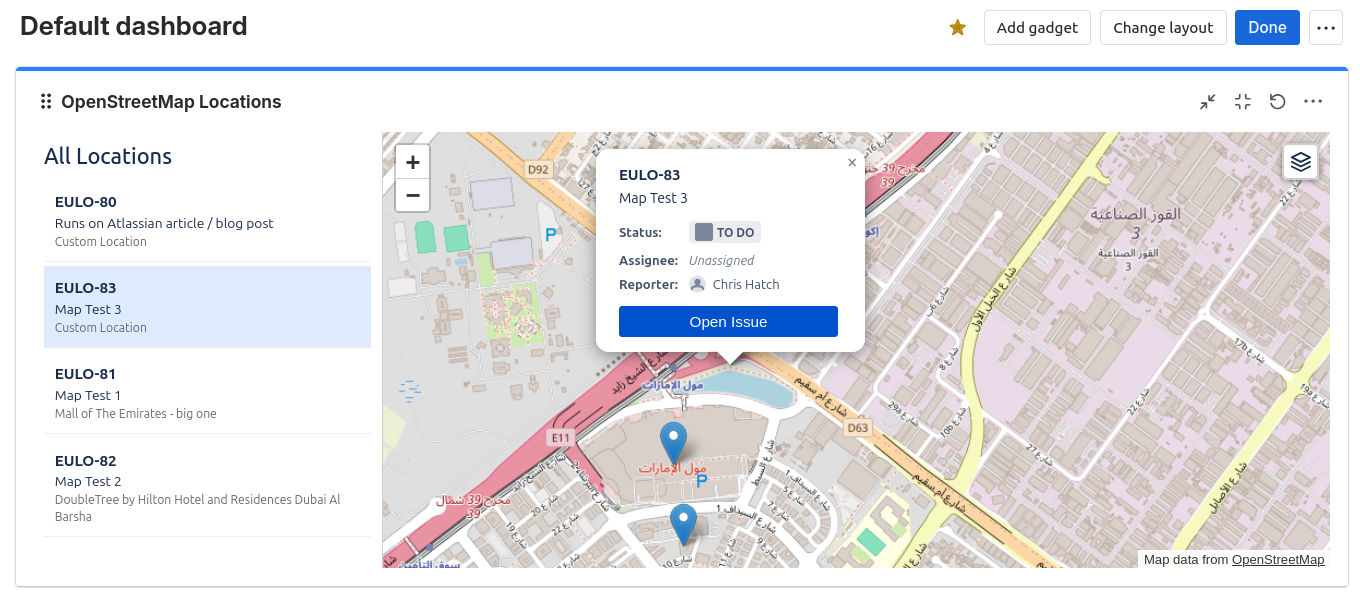
Useful for:
- Field service management
- Asset tracking
- Incident logging with geographic context
Available on the Atlassian Marketplace: OpenStreetMap for Jira
OpenStreetMap for Confluence
The Confluence macro lets you embed interactive maps directly in pages. Type /map or /osm in the editor, search for a location, and the map is inserted inline. Readers can zoom, switch layers, and expand to full screen—all without leaving the page.
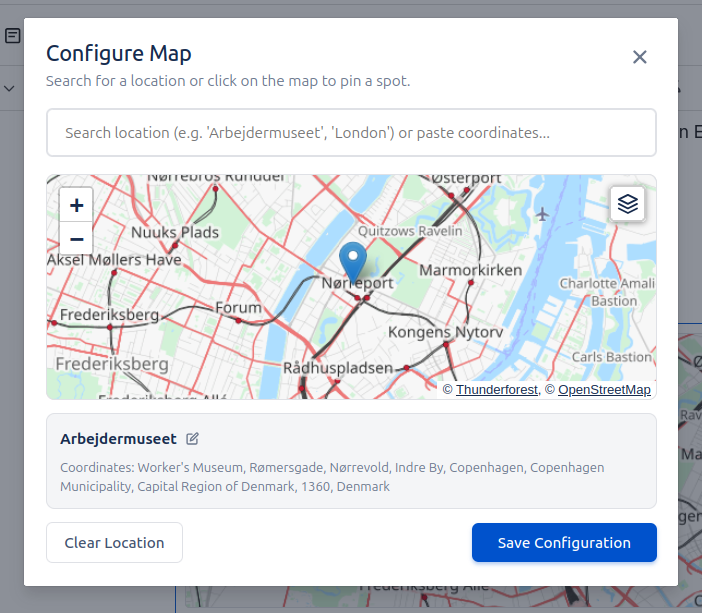
Useful for:
- Office location guides
- Event planning documents
- Project site specifications
Available on the Atlassian Marketplace: OpenStreetMap for Confluence
Both apps run on Atlassian Forge, meaning your data stays within the Atlassian environment. If you have questions or feature requests, reach out at support@eulo.dev or our Help Centre.
