Hello Atlassian community 👋
We’re excited to announce we’re now supporting smart values for Forms in Jira Service Management. Eliminate manual data entry and leverage dynamic data by accessing smart values on submitted forms on issues. Not only can you now retrieve form data in Jira Service Management, but can also use these values to power automations and fuel reporting. Read more about accessing smart values
Here’s how it works
Access smart values using the Forms submitted trigger
You can access submitted forms on issues when using the Forms submitted automation trigger by using {{forms}} to format the value of forms in a list when setting up a rule. To access a specific form from a list, use the automation lists smart values to retrieve the form you’re after. You can also combine, reformat, and manipulate smart values to suit your specific needs.
Example
John wants to create an automation rule that adds a comment with onboarding notes whenever an ‘Employee Onboarding’ form is submitted.
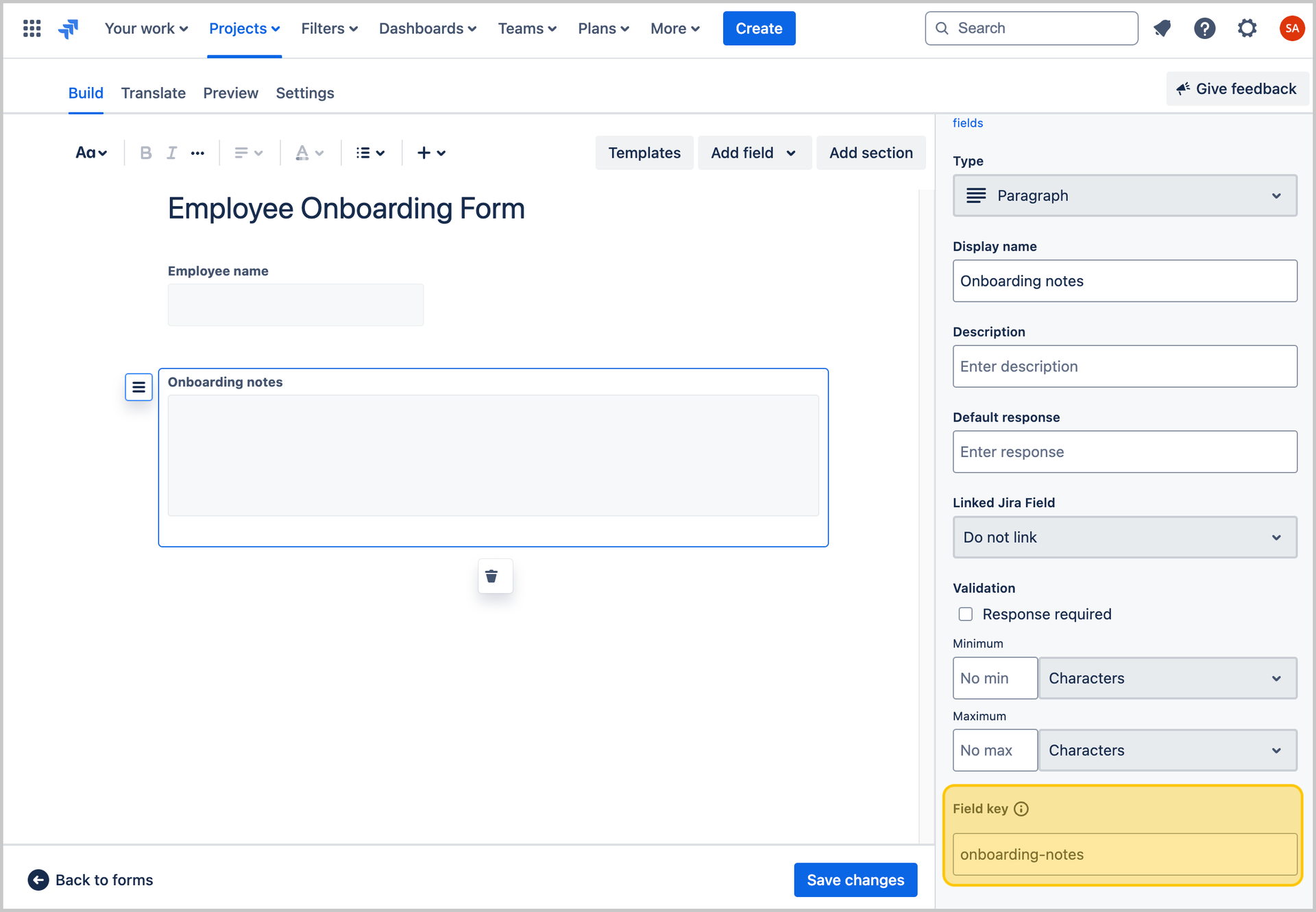
Before he creates this rule, he needs to make sure the ‘Onboarding notes’ field in the ‘Employee Onboarding’ form has a field key. He makes this ‘onboarding-notes’.
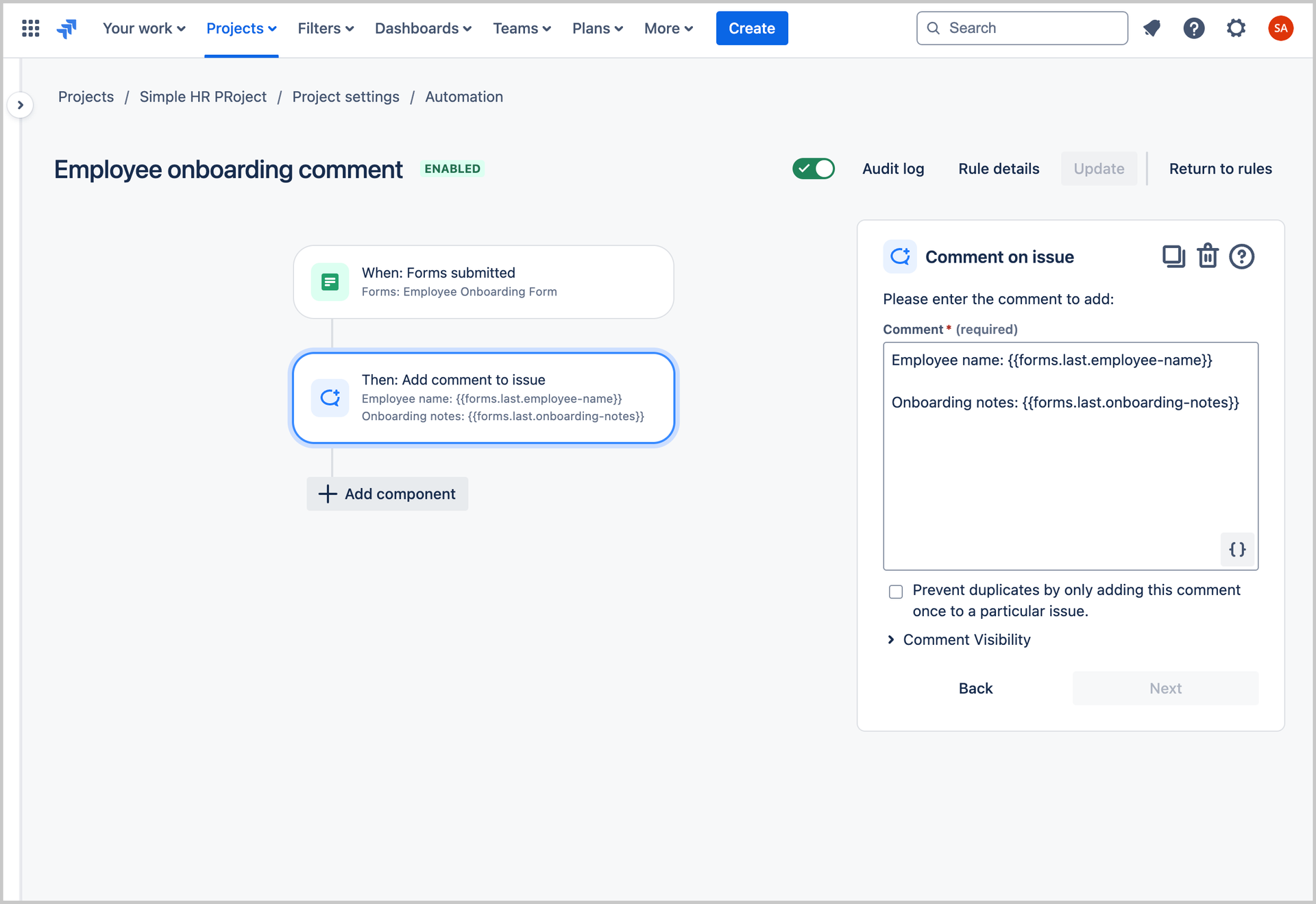
He now navigates to Automation to create this rule and selects the Form submitted as the trigger and ‘Employee Onboarding’ as the form. He then adds the action Comment on issue and enters {{forms.last.onboarding-notes}} as the comment.
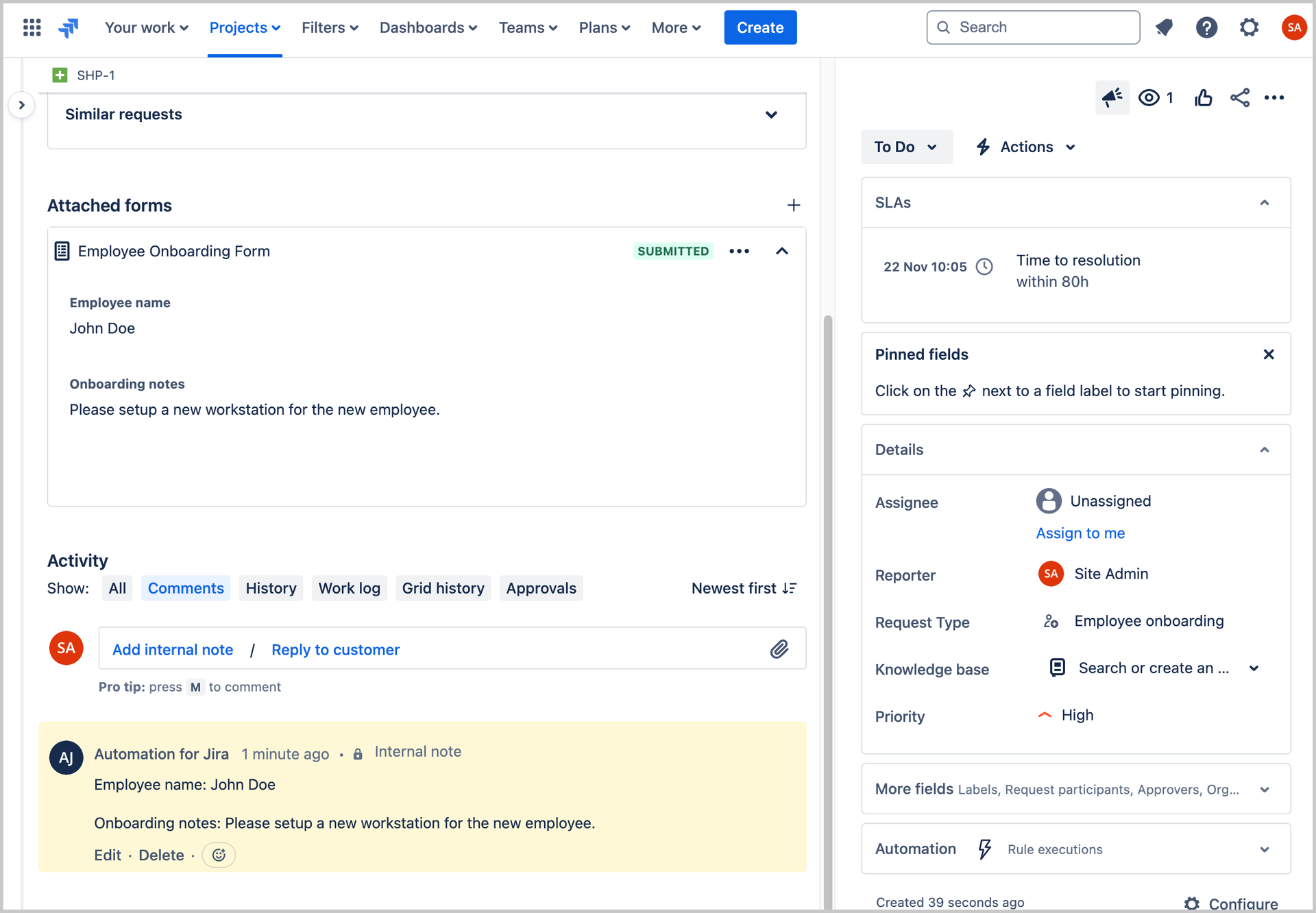
Now whenever an ‘Employee Onboarding’ is submitted, the value from the ‘Notes’ field will be added as a comment on the issue.
Access smart values without using the Forms submitted trigger
You can also access any forms on an issue by using {{issue.forms.<<span data-highlighted="true" data-vc="highlighted-text"><span data-testid="acronym-highlight">UUID</span></span>>}} and referring to automation lists smart values. These will be grouped by their Universally Unique Identifiers (UUIDs) and be returned as a list. The UUID can be retrieved from either the Forms REST APIs 'Get project form index', or by inspecting elements on the Forms landing page and accessing the UUID via the Network tab.
Example
John wants to create an automation rule that adds a comment with an employee’s latest salary to an issue.
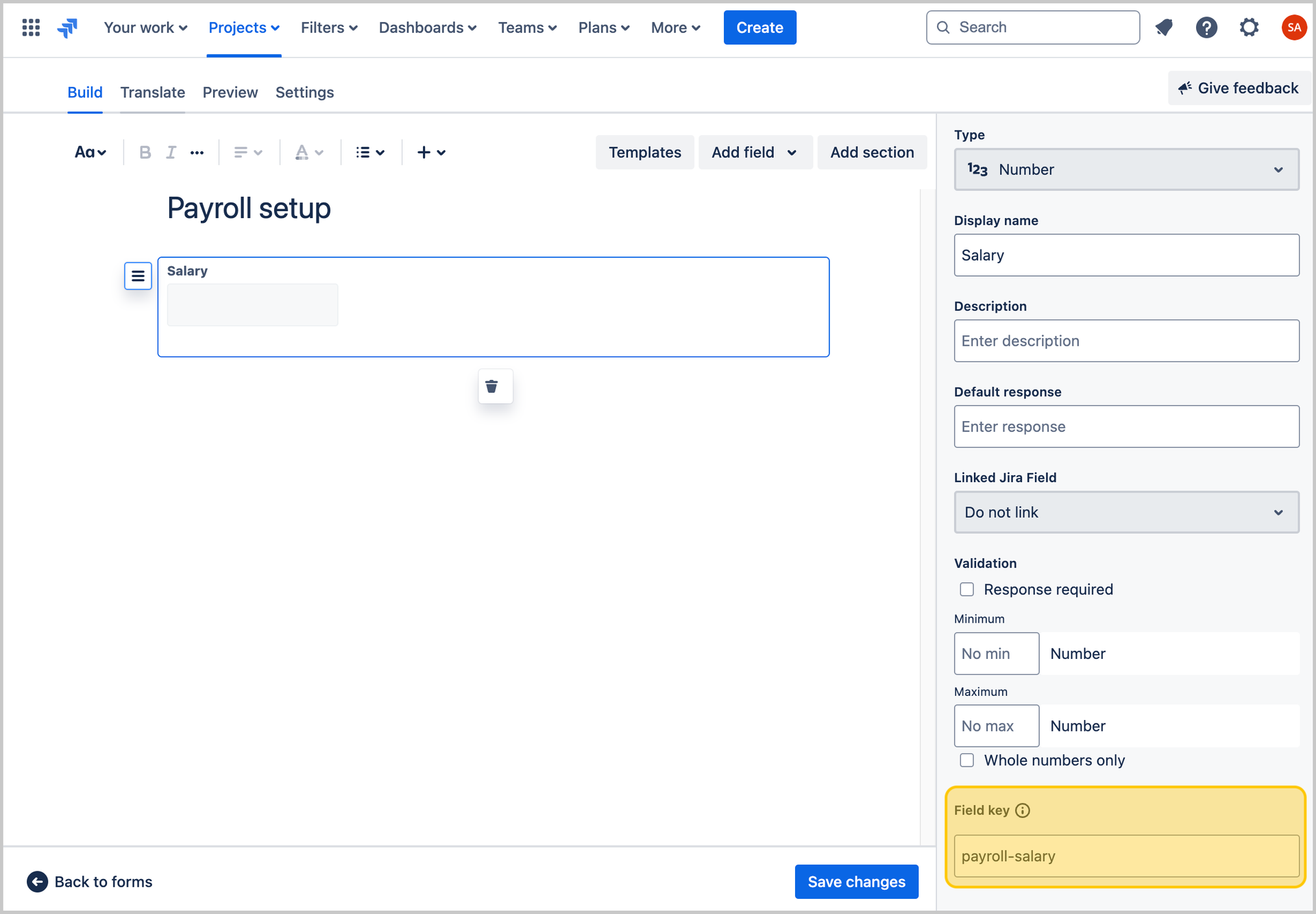
Before he creates this rule, he needs to make sure the ‘Salary’ field in the ‘Payroll setup’ form has a field key. He makes this ‘payroll-salary’.
He now navigates to Automation to create this rule and selects the Manual trigger from issue as the trigger. He then adds the action Comment on issue and enters {{issue.forms.f7142b07-d3a4-4522-a7e4-8799d526e0a6.last.payroll-salary}} as the comment.
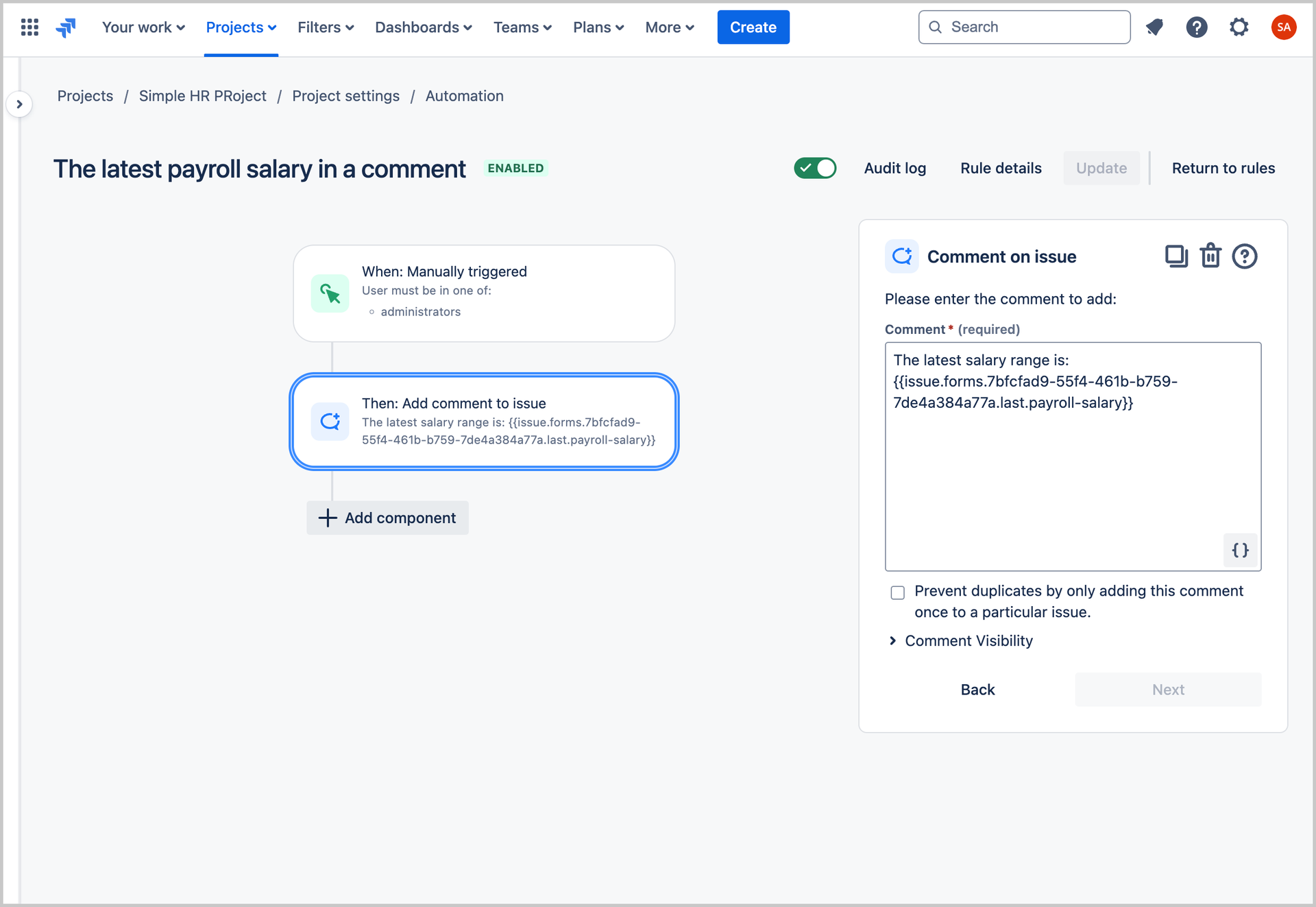
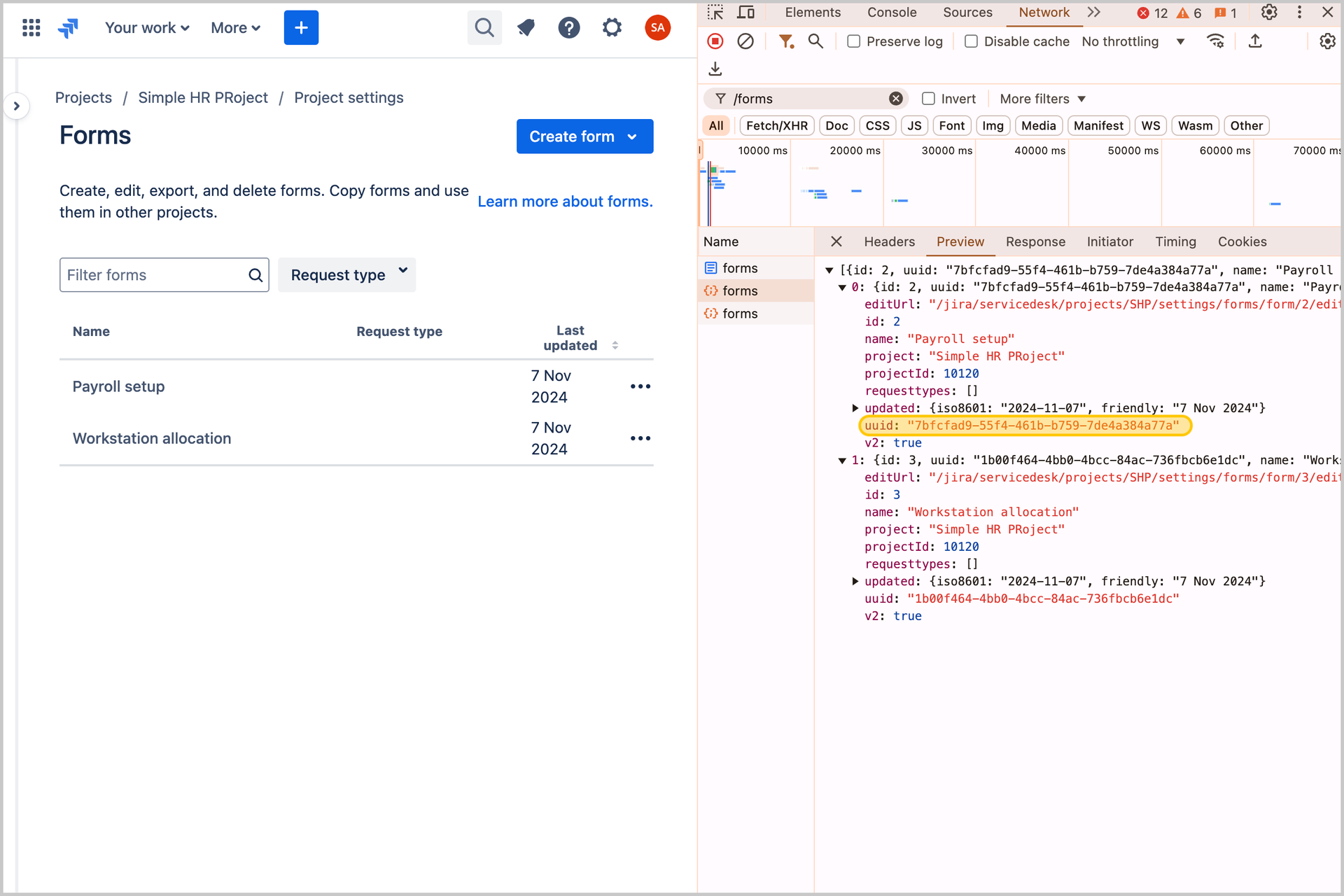
To get the UUID for ‘Payroll setup’ form, he goes to Forms and inspects elements to find the UUID in the Network tab.
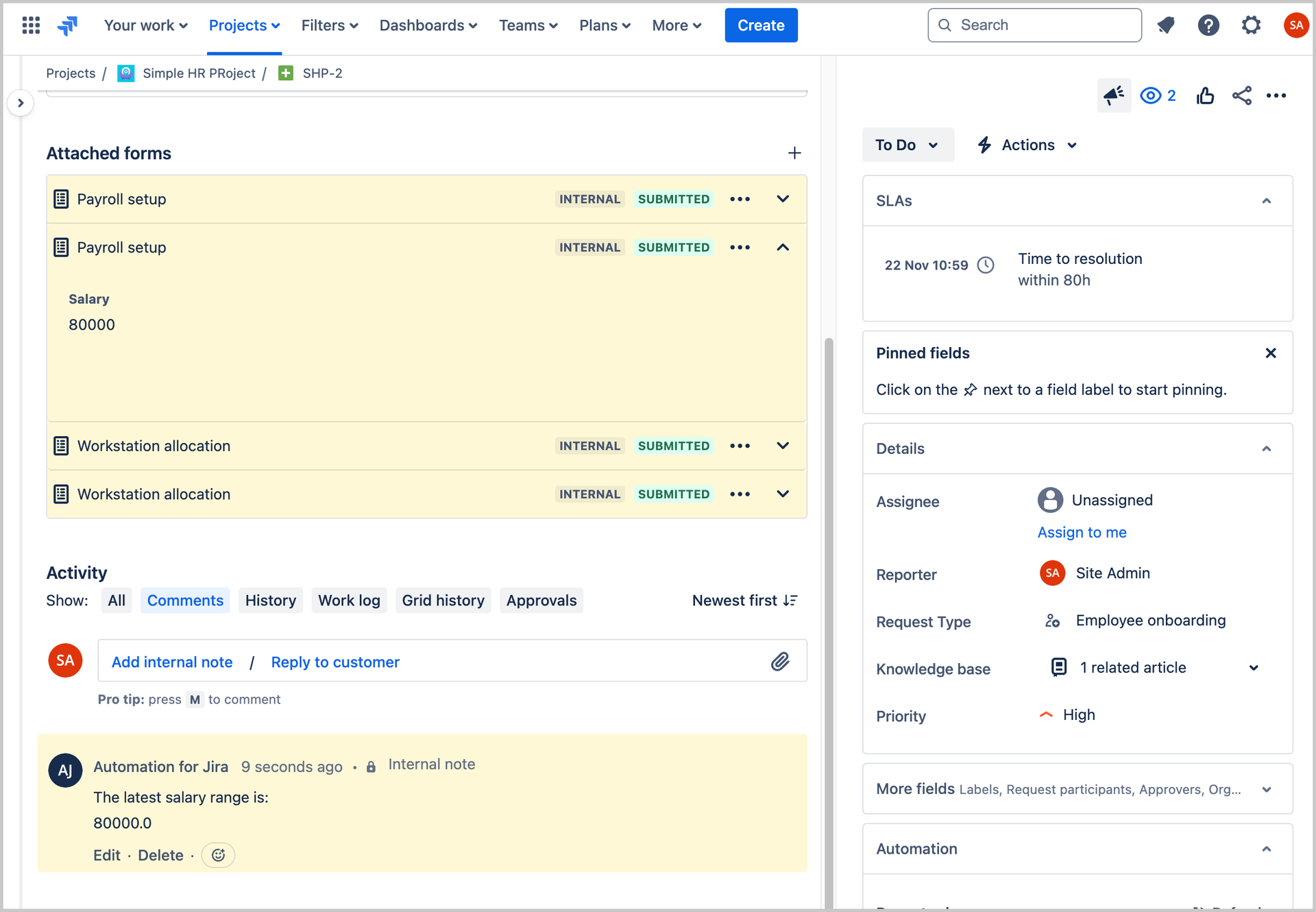
Now whenever multiple ‘Payroll setup’ forms are on an issue, the value from the ‘Salary’ field on the most recent ‘Payroll setup’ form will be added as a comment on the issue.
Let’s break down the {{issue.forms}} smart value.

What’s next?
Our team has been hard at work bringing this highly requested feature to Jira Service Management. Based on your feedback, we’ll be taking note of any future updates you’d like to see, so add comments below if you have any questions or feedback for the team.


