Hi all - probably a really dumb question but I can't find the answer anywhere...
I recently activated the Portfolio trial on behalf of another user within our cloud based Jira instance. Because it wasn't for me I didn't want to create a plan initially and closed the wizard for creating the plan.
Since then I now no longer have any options for creating a plan.
Portfolio appears in the left hand navigation bar but only takes me to another bar with just Settings.
The Atlassian documentation states "To create a plan you first need to select the Portfolio tab in the header of Jira Software. "
I'm not sure what is meant by the header - the only reference to Portfolio is in the left hand navigation as shown below :
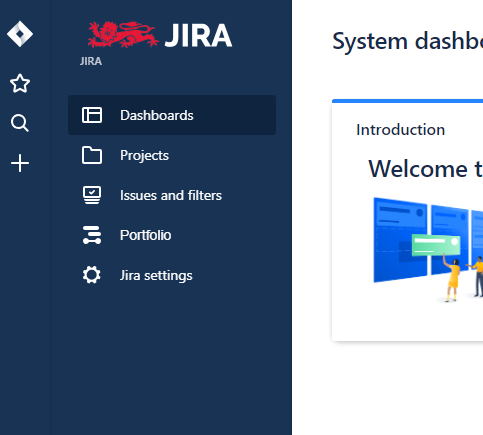
Have I accidentally disabled something and if so how do I get it back?
NB I am a Site Administrator of the Jira instance.
Thanks in advance
