I am running the cloud version of Service Desk.
I have a project in which the workflow has 2 approval statuses in it.
The first approval is set for approval by "president", then it transitions to a second approval by "librarian".
The user "president" is a Core user, so his views are limited.
The main view I need for him to have is the Approvals screen (accessed by clicking the profile icon in the upper right of the screen and selecting Approvals).
When he opens the Approvals screen, and goes to the option "Waiting for my approval", it shows him more than just what is waiting for his approval.
It show every issue that he had been in the approval chain for regardless of the issue's Status or Resolution.
How can I get this to ONLY display issues that are actually waiting for his approval?
The workflow seems to be successfully transitioning as work is performed on the issues; sending email notifications, changing the issue's status and changing its resolution.
I've attached a pic of the screen and I'm also trying to determine what the different is between Reference/Key LRR-52 and LRR-53. They have been approved by both approvers, and they have Statuses of Done and Reolutions of Done, but LRR-52 still apprears in this listing.
LRR-54 and LRR-55 also are in this listing (these are Unresolved requests that have been approved by "president"). They are waiting the next approval (by the "librarian").
The only issue/request that should actually list on this screen is LRR-56 (which is Unresolved and has NOT been approved by "president").
Thank you as always for your assistance.
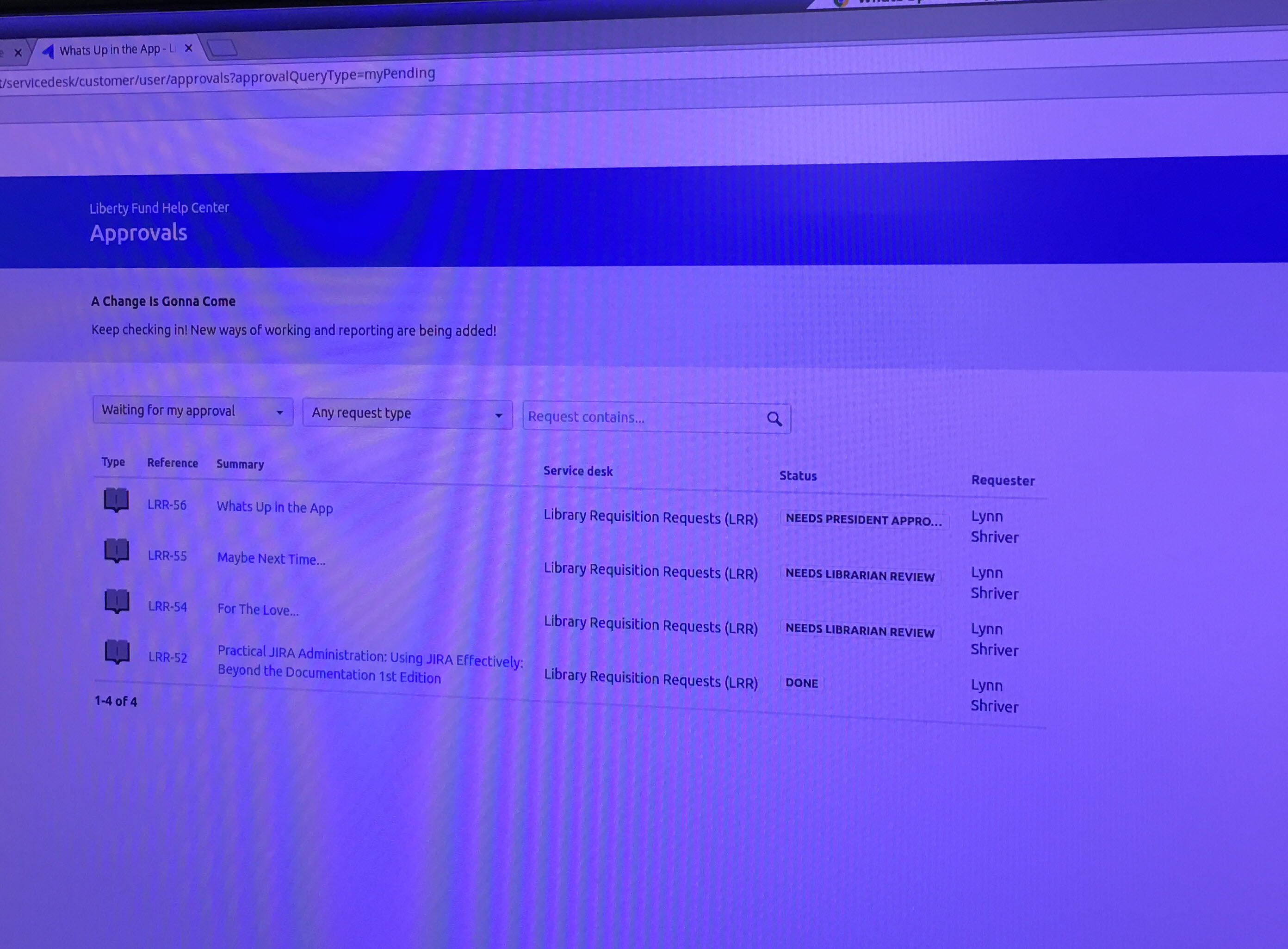
Update: Issue/request LRR-52 had been by-passed in the librarian approval process. This issue/request has been corrected and not longer appears in the listing since it is done.
However, the other two issues/requests (LRR-54 and LRR-55) which have received presidential approval remain inthe listing and I believe they should not be.


